
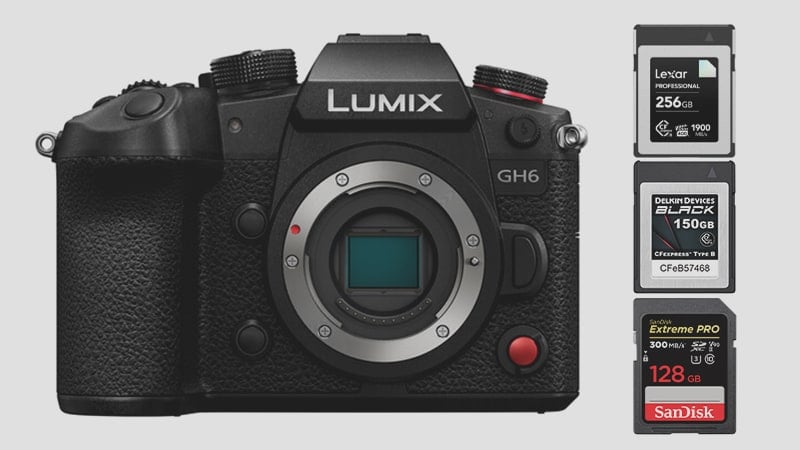
The Panasonic GH6 has adopted the new CFexpress Type-B which now allows for some pretty significant improvements in video features.
The CFexpress market is a little chaotic and it’s important to buy the right cards for the right situation so you don’t spend too much money or end up with a card that doesn’t perform according to your needs.
Use this guide to find the best memory cards for the Panasonic GH6.
Panasonic GH6 – Amazon / Adorama / B&H
Panasonic GH6 Recommended Memory Cards
 The Panasonic has two memory card slots one taking CFexpress Type B cards with a max capacity of 512GB, and the other taking UHS-II SD cards with a max capacity of 256GB. With the 14 fps mechanical and 75 fps electronic shutter, and ProresHQ as a video format, the GH6 can truly take advantage of the faster speeds of the CFexpress Type B cards.
Keep in mind, that photographers and videographers that want to shoot with slot 2 as a backup will be bottlenecked to UHS-II speeds.
CFexpress Type B cards have a range in their write speed from 550MB/s up to now around 1710MB/s and the price reflects this difference. With this in mind, you can save some significant money by only buying what you need.
For Videographers – The maximum bitrate of the Panasonic GH6 is 1900 Mbps with ProresHQ, this translates to about 237.5MB/s. You won’t need the fastest CFexpress memory card out there, but one fast enough so that you can guarantee that write speed. Also, consider that 1900Mbps is only 36 minutes of record time on a 512GB card which is the limit for the GH6, so you may need a few of them.
The GH6 can also shoot H.265 4:2:0 with a maximum bitrate of 300Mbps (37.5MB/s) which is a more efficient codec if you’re ok with only 4:2:0. Here you will be able to get away with smaller and slower cards like UHS-II V60 which guarantee a 60MB/s data rate.
Alternatively for those that just want to start editing right away, H.264 4:2:2 at 800Mbps (100MB/s) is also an option, but this will require CFexpress cards to guarantee that bitrate, or you can lower the bitrate to 600Mbps to use UHS-II v90 cards.
Thermal Throttling – Keep in mind that the CFexpress cards will thermal throttle, so they may only give you half of what their rated speed is with a continuous video recording once things heat up. You’ll probably want a card that’s rated speed is at least triple the bitrate you’re recording to be safe.
Lot’s of choices here and your workflow will dictate what cards you need. Here are some great options at different speed classes.
| CFexpress B 1900Mbps or lower | Rated R | Rated W | W in Mbps | Check Price |
| Fastest | ||||
| Lexar 128 Pro Diamond | 1900 MB/s | 1700 MB/s | 13600Mbps | B&H |
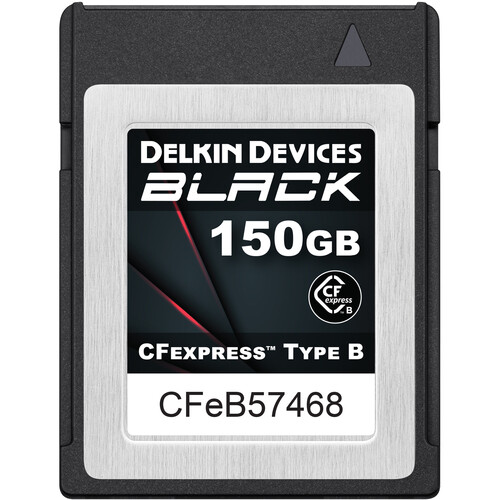
| Delkin Black 150GB | 1725 MB/s | 1725 MB/s | 13800Mbps | B&H |
| Angelbird 330GB AV Pro XT MK2 | 1785 MB/s | 1600 MB/s | 12800Mbps | Amazon / B&H |
| Angelbird AV Pro SX 160GB | 1785 MB/s | 1600 MB/s | 12800Mbps | Amazon / B&H |
| Prograde Cobalt 325GB | 1700 MB/s | 1500 MB/s | 12000Mbps | Amazon / B&H |
| Budget | ||||
| Angelbird AV Pro SE 512GB | 1785 MB/s | 850 MB/s | 6800Mbps | Amazon / B&H |
| UHS-II v90 600Mbps or lower | Tested R | Tested W | Tested W | |
| Sandisk Extreme Pro 128GB | 293.7 MB/s | 242.2 MB/s | 1937.6Mbps | Amazon / B&H |
| Sony Tough G V90 | 270.6 MB/s | 229.1 MB/s | 1832.8Mbps | Amazon / B&H |
| Lexar 2000x | 274.3 MB/s | 224.0 MB/s | 1792Mbps | Amazon / B&H |
| Angel Bird V90 Mk II | 265.4 MB/s | 239.2 MB/s | 1913.6Mbps | Amazon / B&H |
| UHS-II v60 300 Mbps or Lower | ||||
| Sony Tough M | 282.4 MB/s | 129.5 MB/s | 1036Mbps | Amazon / B&H |
| Lexar 1800x | — | — | Amazon / B&H | |
| Angel Bird V60 MK II | 251.0 MB/s | 136.4 MB/s | 1091.2Mbps | Amazon / B&H |
I will be benchmarking everything soon and update. I’m still collecting all the latest cards and it will be nice to see how much thermal throttling can cripple the cards. It varies between brands and cards, which is why I say get at least 3x faster than you need.
I’m linking you a lot to B&H – CFexpress cards are constantly changing and B&H is good about discontinuing old cards and linking you to the new ones. This ensures you get the latest version of the technology that’s available.
Currently, the Lexar Pro Diamond and the Delkin Black 150GB are the fastest CFexpress memory cards for the GH6.
Panasonic Lumix GH6 Specs
| Sensor: 25.2MP Live MOS Micro Four Thirds Sensor Processor: Venus Engine Continuous Shoot: 14fps Mechanical / 75fps Electronic Est. Buffer Size: — RAW Shots To Fill Buffer: 65 Shots @ 14fps / 200 Shots @ 75fps Max Memory Card Capacity: CFexpress 512GB / SD 256GB. 5.7k Datarate: ProResHQ 1500-1900 Mbps / ProRes 422 100-1300 Mbps / H.265 4:2:0 200-300Mbps 4k Datarate: H.264 ALL-I 400-800Mbps / H.264 Long GOP 150-200Mbps |
ProresHQ vs H.265 vs H.264
There is no best video format here, and you can choose what works best for you. H.265 is the most efficient codec and usually superior, however being limited to 4:2:0 will mean that there is going to be a noticeable quality downgrade from a high bitrate H.264 4:2:2 or Prores 4:2:2 file. You’ll mostly see it when color grading especially in the color transitions in the shadows.
Prores will be the easiest format to work with but comes with larger file sizes. The H.264 codec is easy to edit with, a lower bitrate from ProRes but higher than H.265, but still looks great since it will deliver 10-bit 4:2:2.
It’s very strange that Panasonic didn’t offer H.265 at 10-bit 4:2:2 which would have been the best codec to work in. Instead, ProRes HQ or H.264 will be the ideal compression to use for those looking for maximum quality.
Also consider how fast your drives are, 1900mbps with ProresHQ at 5.7k will require a drive that continuously supports 237.6MB/s if you plan on editing this as is. This seems like no problem for an external SSD, but, if you’re on a Mac Mini or iMac or one of Apple’s consumer machines, you will have to deal with limited memory bandwidth which is shared between devices. For example, I often struggle to get more than 400MB/s out of the best SSDs when the system is loaded up on an M1 Mac Mini. For this machine, H.264 or would be the best format for me to work in.
The M1 Mac Mini can encode H.264 out of Prores files incredibly fast, and if your machine has native decoders for H.265 at 10-bit 4:2:0, you should be able to rip H.264 profiles files from H.265 also very quickly. Although a lot of computers now have native encoders and decoders for H.265 at 10-bit for 4:2:0.
Run some benchmarks on your machine and drives. Spend the money on the drives and cards that make the most sense for your situation, you may not need the fastest CFexpress memory card but be careful that you don’t buy one that’s too slow.
CFexpress vs UHS-II
CFexpress cards can write at speeds faster than 1000MB/s easily with USB-C some new USB-C interfaces should even go faster. UHS-II in the real world typically maxes out at around 240MB/s.
This is important if you want to run a dual memory card setup to record backups. If this is an absolute requirement for your situation, then really there is not going to be any benefit to buying a CFexpress Type-B card that is significantly faster than what you can get with UHS-II since the UHS-II slot will bottleneck the whole machine.
What Size Memory Card To Buy
This chart will break down how much data will be consumed at the various bitrates of the Panasonic GH6.
| Recording Mode | 128GB | 256GB (UHS-II Limit) | 512GB (CFx Limit) |
| ProRes HQ / H.264 1900Mbps | 9min | 18min | 36min |
| ProRes HQ/ H.264 1500Mbps | 11min | 23min | 46min |
| ProRes 422 / H.264 1300Mbps | 13min | 26min | 53min |
| ProRes 422 / H.264 1000Mbps | 17min | 34min | 68min |
| H.265 300Mbps | 57min | 114min | 228min |
| H.264 / H.265 200Mbps | 85min | 171min | 341min |
| H.264 / H.265 150Mbps | 114min | 228min | 455min |
Best Memory Cards Panasonic GH6 Conclusions
Choosing the best CFexpress memory card or the best SD card for the Panasonic GH6 is a little tricky considering there is no best or ideal video format to work in and everyone’s needs are going to be different. If you want the maximum quality then a high bitrate H.264 or ProresHQ is going to give the best results and you’ll likely need a midrange CFexpress card.
For photographers that want the best performance from continuous bursting that isn’t running a dual memory card setup as backup, then they can benefit from the fastest CFexpress cards available.













Leave a Reply