
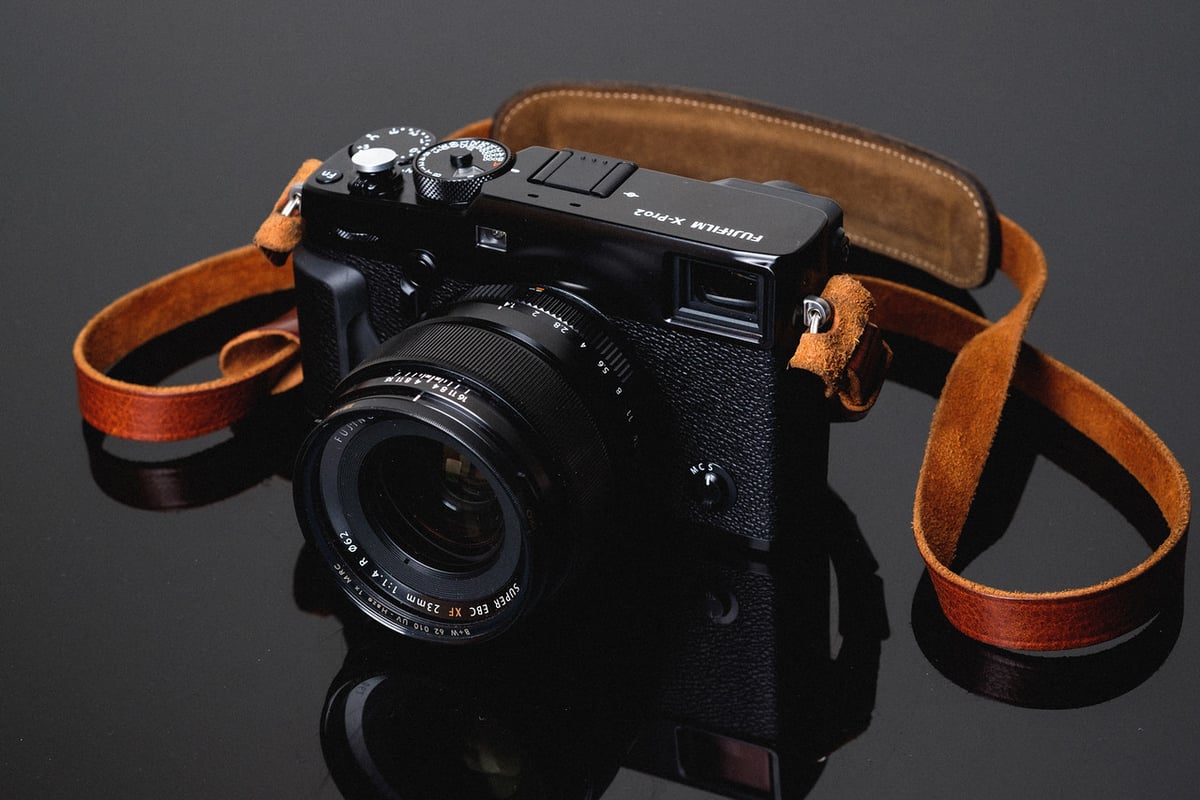
The X-Pro 2 is the first Fujifilm camera to feature dual SD memory card slots. With slot 1 supporting UHS-II and slot 2 supporting UHS-I, the performance and configuration options make this camera very impressive. I’ve tested all the most popular UHS-I and UHS-II memory cards to determine the best SD memory card for the X-Pro 2.
Recommended UHS-II SD Memory Cards For The X-Pro 2
For your primary slot, you can use a UHS-II V90 or V60 card. If you’re just shooting casually, I would recommend saving some money with a V60 card.
| Memory Cards | Speed Class | USB-C Write | USB-C Read | Links |
|---|---|---|---|---|
| SD UHS-II V90 | Hide | |||
| Lexar 2000x V90 32-256GB | UHS-II v90 | 228 | 256 | Amazon / B&H |
| Sony G Tough v90 32-256GB | UHS-II v90 | 258 | 296 | Amazon / B&H |
| PNY EliteX-Pro90 V90 64/128/256GB | UHS-II v90 | 276 | 293 | Amazon / B&H |
| OWC Atlas Ultra V90 64-512GB | UHS-II v90 | 270 | 289 | Amazon / B&H |
| Kingston Canvas React V90 32-256GB | UHS-II v90 | 274 | 292 | Amazon / B&H |
| Wise V90 Pro 128/256/512GB | UHS-II v90 | 256 | 275 | B&H |
| SD UHS-II V60 | Hide | |||
| Sandisk Extreme Pro v60 256/512/1TB | UHS-II v60 | 189 | 279 | Amazon / B&H |
| Lexar ARMOR Gold V90 256GB-1TB | UHS-II v60 | 191 | 258 | Amazon / B&H |
| Sony M Tough V60 64-512GB | UHS-II v60 | 153 | 269 | Amazon / B&H |
| PNY EliteX-Pro60 V60 256GB | UHS-II v60 | 183 | 280 | Amazon / B&H |
Recommended UHS-I SD Memory Cards For The X-Pro 2
Here are some of the best UHS-I SD memory cards available today.
| UHS-I U3 SD Memory Cards | Tested USB Write | Tested USB Read | Links |
|---|---|---|---|
| Sandisk Extreme Pro 32GB-1TB | 137 | 175 | Amazon / B&H |
| Sandisk Extreme 256GB | 126 | 175 | Amazon / B&H |
| Kingston CanvasGo! 128/256/512GB/1TB | 124 | 161 | Amazon / B&H |
| Lexar SILVER Plus 128-256GB | 166 | 177 | Amazon |
| Transcend Ultra 340s A2 128/256/512GB | 90 | 148 | Amazon / B&H |
Memory Card Benchmarks
The X-Pro 2 has both UHS-II and UHS-I slots that can be set up as backup, overflow, or RAW+JPEG.
With UHS-II cards topping out at 108 MB/s, UHS-I at 77 MB/s, and a 1 GB buffer, we are looking at some really good performance.
But not all cards are created equal, especially not all UHS-I cards, so use this speed test to figure out which cards work best for your configuration.
All USB 3.0 tests were performed using CrystalDiskMark on Windows 10 with the Lexar SR2.
| SD Memory Cards | USB 3.0 Read | USB 3.0 Write | Fuji X-Pro 2 Write |
| UHS-II | |||
| Lexar 64GB 2000x UHS-II | 272.7 MB/s | 244.5 MB/s | 108.35 MB/s |
| Toshiba 64GB UHS-II | 258.8 MB/s | 226.5 MB/s | 102.80 MB/s |
| Transcend 64GB UHS-II | 290.2 MB/s | 182.1 MB/s | 100.40 MB/s |
| Delkin 32GB UHS-II | 253.5 MB/s | 219.6 MB/s | 97.73 MB/s |
| SanDisk Extreme Pro 64GB UHS-II | 260.5 MB/s | 214.8 MB/s | 95.22 MB/s |
| Lexar 64GB 1000x UHS-II | 147.4 MB/s | 78.4 MB/s | 66.39 MB/s |
| UHS-I | |||
| SanDisk Extreme Pro 64GB U3 | 98.6 MB/s | 90.8 MB/s | 77.24 MB/s |
| Kingston 64GB U3 | 98.1 MB/s | 90.4 MB/s | 75.15 MB/s |
| Samsung Pro+ 64GB U3 | 97.5 MB/s | 87.3 MB/s | 73.39 MB/s |
| Samsung Pro 64GB U1 | 96.3 MB/s | 82.2 MB/s | 69.97 MB/s |
| Samsung Pro 64GB U3 | 97.7 MB/s | 78.6 MB/s | 67.00 MB/s |
| Sony 64GB U3 | 96.5 MB/s | 84.5 MB/s | 66.13 MB/s |
| PNY 64GB U1 | 96.5 MB/s | 66.5 MB/s | 58.38 MB/s |
| PNY 64GB U3 | 96.5 MB/s | 66.1 MB/s | 57.14 MB/s |
| SanDisk Extreme Plus 64GB U3 | 99.0 MB/s | 64.4 MB/s | 56.91 MB/s |
| Lexar 600x 64GB U1 | 95.4 MB/s | 64.8 MB/s | 56.78 MB/s |
| Lexar 633x 64GB U3 | 93.3 MB/s | 67.3 MB/s | 56.58 MB/s |
| Transcend 64GB U3 | 96.7 MB/s | 68.4 MB/s | 54.29 MB/s |
| SanDisk Extreme 64GB U3 | 72.43 MB/s | 54.1 MB/s | 48.55 MB/s |
| Samsung 64GB U1 EVO | 47.7 MB/s | 27.3 MB/s | 22.99 MB/s |
Camera Specs
Sensor: APS-C 24.3 MP / Processor: X-Processor Pro
Sensor SD Memory Card Type: UHS-II / UHS-I
Continuous Burst: 8fps
Size of Buffer: 1GB
Uncompressed Shots Till Buffer Fills: 24-29, depending on card.
Est. Time Taken To Clear Buffer: 10 seconds with the Lexar 2000x
X-Pro 2 Dual Slot Memory Card Configurations
If you want to use dual memory card slots in the X-Pro 2 you have a few options of how this works.
Backup: This will mirror the contents of card slot 1 into card slot 2. Keep in mind that when you have this set, you are slowing down your whole system to the speed of the slowest card you have. In other words, the camera can only perform as fast as what’s in slot 2, which is a UHS-I slot.
Overflow: This is great if you use smaller cards and are worried about running out of space. Once the memory card in slot 1 is full, the camera will start writing to slot 2.
Raw+JPEG: This setting will write RAW to slot 1 and JPEG to slot 2. I haven’t noticed this method slowing down the UHS-II memory card’s performance.
Best SD Memory Card Fuji X-Pro 2 Conclusions
If you’re looking to save money, a UHS-I card will work just fine. With the 1GB buffer, you will not notice the difference in speed between UHS-I and UHS-II memory cards unless you do a lot of burst shooting or bracketing.
One of the main advantages of faster UHS-II cards is that they allow you to burst in JPEG mode for an extremely long time before the buffer fills. At least a minute or two. Many slower UHS-I cards could shoot JPEG bursts for about 15 seconds before slowing down.








Leave a Reply