
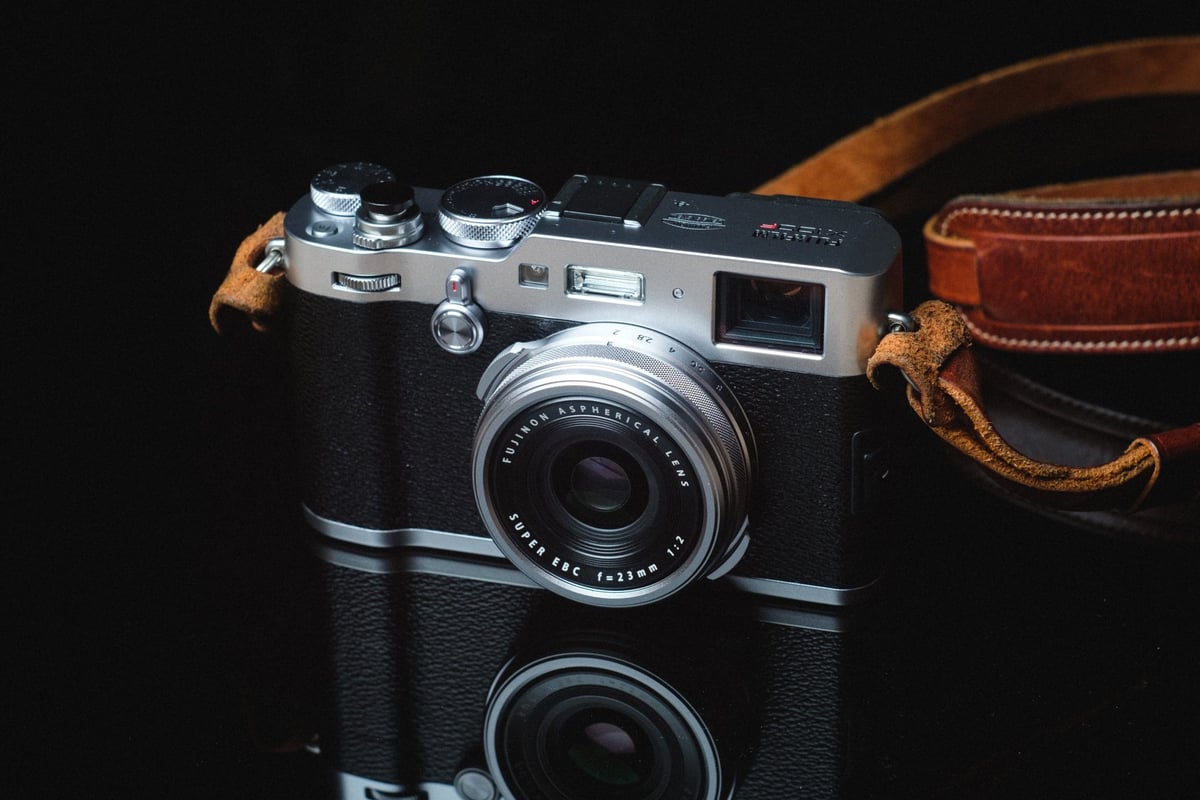
We’ve tested the most popular SD memory cards, both UHS-II and UHS-I, in the X100F to determine which performs best.
While the camera doesn’t support UHS-II, it still writes to memory cards fairly quickly.
Recommended Memory Card For The Fujifilm X100F
Many of the cards tested years ago have been updated, and their specs and features have changed. Here is an updated list of some of the best modern cards you can buy today for the X100F.
| UHS-I U3 SD Memory Cards | Tested USB Write | Tested USB Read | Links |
|---|---|---|---|
| Sandisk Extreme Pro 32GB-1TB | 137 | 175 | Amazon / B&H |
| Sandisk Extreme 256GB | 126 | 175 | Amazon / B&H |
| Kingston CanvasGo! 128/256/512GB/1TB | 124 | 161 | Amazon / B&H |
| Lexar SILVER Plus 128-256GB | 166 | 177 | Amazon |
| Transcend Ultra 340s A2 128/256/512GB | 90 | 148 | Amazon / B&H |
Problems with some cards
During testing, we encountered frequent issues with the X100F locking up during burst shooting. The cards that have crashed my camera so far are the Kingston, Transcend UHS-I, Delkin UHS-I, and one of the Sony UHS-II cards.
This could have something to do with the cards (since the Kingston also gave me some performance problems in the X100T and in the Pentax K-1 and the Transcend cards give me some problems in some Sony cameras), or it could have something to do with the camera and battery (I’m using the newest batteries, but the X-T2 did have this same problem when using the old batteries which leads me to believe it’s a firmware issue or some issue with the camera not pulling power correctly or something). So be sure to regularly update the firmware on this camera.
All USB 3.0 tests were performed using CrystalDiskMark on Windows 10 with the Lexar SR2.
| SD Memory Cards | USB 3.0 Read | USB 3.0 Write | Fuji X100F Write Speeds |
| UHS-II | |||
| Delkin 250 64GB | 245.1 MB/s | 164.6 MB/s | 75.55 MB/s |
| Lexar 64GB 2000x | 272.7 MB/s | 244.5 MB/s | 75.08 MB/s |
| Sandisk Extreme Pro 300 64GB | 263.2 MB/s | 233.4 MB/S | 74.04 MB/s |
| Toshiba 64GB | 258.8 MB/s | 226.5 MB/s | 73.53 MB/s |
| Transcend 64GB | 290.2 MB/s | 182.1 MB/s | 72.57 MB/s |
| Sony 260 64GB | 253.2 MB/s | 91.62 MB/s | 72.15 MB/s |
| Delkin 100 64GB | 273.3 MB/s | 97.3 MB/s | 62.64 MB/s |
| Lexar 64GB 1000x | 147.4 MB/s | 78.4 MB/s | 60.69 MB/s |
| SanDisk Extreme Pro 280 64GB | 260.5 MB/s | 214.8 MB/s | 39.70 MB/s |
| UHS-I | |||
| Kingston 64GB U3 | 98.1 MB/s | 90.4 MB/s | 74.16 MB/s |
| Samsung Pro+ 64GB U3 | 97.5 MB/s | 87.3 MB/s | 73.75 MB/s |
| SanDisk Extreme Pro 64GB U3 | 98.6 MB/s | 90.8 MB/s | 73.71 MB/s |
| Delkin 633x 64GB U3 | 98.3 MB/s | 88.7 MB/s | 72.77MB/s |
| Samsung Pro 64GB U1 | 96.3 MB/s | 82.2 MB/s | 68.02 MB/s |
| Samsung Pro 64GB U3 | 97.7 MB/s | 78.6 MB/s | 66.46 MB/s |
| Sony 64GB U3 – Old Model | 96.5 MB/s | 84.5 MB/s | 62.21 MB/s |
| PNY 64GB U1 | 96.5 MB/s | 66.5 MB/s | 56.99 MB/s |
| Transcend 64GB U3 | 96.7 MB/s | 68.4 MB/s | 56.83 MB/s |
| PNY 64GB U3 | 96.5 MB/s | 66.1 MB/s | 55.90 MB/s |
| SanDisk Extreme Plus 64GB U3 | 99.0 MB/s | 64.4 MB/s | 55.88 MB/s |
| Lexar 633x 64GB U3 | 93.3 MB/s | 67.3 MB/s | 55.69 MB/s |
| Lexar 600x 64GB U1 | 95.4 MB/s | 64.8 MB/s | 54.93 MB/s |
| Sony 64GB U3 – New Model | 96.7 MB/s | 56.2 MB/s | 52.48 MB/s |
| SanDisk Extreme 64GB U3 | 72.43 MB/s | 54.1 MB/s | 47.70 MB/s |
| Samsung 64GB U1 EVO | 47.7 MB/s | 27.3 MB/s | 20.23 MB/s |
Camera Specs
Sensor: APS-C 24.3 MP X-Trans CMOS III / Processor: X-Processor Pro
Lens: Fujinon 23mm f2
SD Memory Card Type: UHS-I
Video: Full HD 1080p Video Recording at 60 fps
Continuous Burst: 8fps
Size of Buffer: 1GB
Uncompressed Shots Till Buffer Fills: 24
Est. Time Taken To Clear Buffer: 14 seconds
Must-Have Accessories For The Fujifilm X100F
Fujifilm X100F Review And Sample Photos
Fujifilm X100F Frequently Asked Questions
Can I use Micro SD Memory Cards in the Fujifilm X100F?
Yes, you can, but as an experiment, I’ve been shooting a lot with micro SD memory cards in the X100F and have found some problems with some cards.
Some cards can come loose in the adapter and lose connection to the camera, resulting in a memory card error. You then have to open the camera and reseat the microcard in the adapter.
I’m not sure if it’s a problem with some cards or with some adapters. The main offender was one of the micro SD Delkin cards. Micro SD memory cards are also very small and very easy to misplace; for this reason alone, I can’t recommend them.
What Cards Work Best For Video?
The Fujifilm X100F doesn’t shoot 4 K and doesn’t shoot video at a very high bitrate. This means any of the above SD cards will work fine.
My Card Isn’t Fast. What’s Wrong?
This is a popular one. Sometimes, some cards are just bad, but there are a few things you can look into.
- You might just have a bad card; send it back. It happens sometimes.
- You could have a fake card! On Amazon and even on eBay, there are a lot of counterfeit cards floating around. It’s sad when I get emails from people who have fallen into this trap. A card will be labeled Sandisk Extreme Pro or something, but it’s actually a crappy old piece of junk. Make sure you always buy your cards from an authorized Amazon dealer, preferably one that fulfills orders itself, or go with Adorama and B&H Photo.
- Some cards sometimes perform a little slower until you put a few shots on them. Don’t ask me why, I haven’t been able to figure this out. I get this with some Lexar and some Transcend cards. Throw a few shots on your card to see if that fixes some problems when bursting.
- If your UHS-II card is running really slow, shine a flashlight into your X100F and make sure none of the pins are bent. I’ve seen this happen. So be careful when inserting your cards into your camera; never force them.
- Make sure the gold-plated connectors on your memory cards are clean. Every so often, when I put a card into the camera to run these tests, it runs super slow. I’ll take it out, wipe it down, and everything will be fine again. So check the pins on your card and give them a nice wipe-down with your shirt or something.
Do I really need a UHS-II memory card?
With the X100T you don’t need UHS-II memory cards. However, if you own a few Fujifilm cameras or are thinking of buying the XT2 or X-Pro2 in the future, then it might not be a bad idea to invest in a few UHS-II cards right now so you can take full advantage of whatever camera you’re using.
What Size Memory Card Should I Get, 32GB or 64GB?
If you’re shooting casually, you likely won’t use more than a 32GB card per day. However, if you’re shooting casually and mixing in a little video, you will probably need more than a 32GB card. Or, if you’re like me and don’t transfer your card to your computer every night after shooting, then you may want a 64GB card so the camera can go a few days before needing to clear it.
Best SD Memory Card Fuji X100F | Bottom Line
While the Fujifilm X100F isn’t typically used for continuous burst photography, it’s still nice to have some fast cards to keep the buffer as clear as possible. Nothing is more annoying than waiting for a buffer. While UHS-II cards do work fine in UHS-I cameras, you won’t need them or gain any performance using them in the X100F.







Leave a Reply