
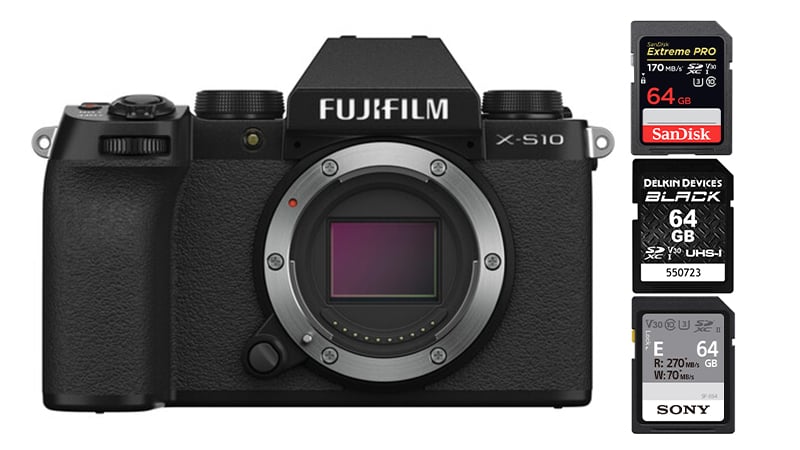
Before buying memory cards for the X-S10, you should know a few basics.
The camera has a single UHS-I memory card slot.
Do you need the fastest UHS-II cards? No.
This camera’s maximum video bitrate is 200 Mbps, which translates to 25 MB/s. You can use UHS-II cards for faster transfer speeds from your card to your computer, and there are a few nice options, like the Sony E cards or even some of the V60 UHS-II cards, but you don’t need them for anything other than convenience. UHS-I cards are fine for everything as long as they are U3-rated.
Fujifilm X-S10 Recommended Memory Cards
All the different speed classes of memory cards come at dramatically different prices. While UHS-II cards will work, you only need a UHS-I card with a U3 speed class to use all of this camera’s features.
Here are some great recommendations for their in-camera speeds listed.
| UHS-I U3 SD Memory Cards | Tested USB Write | Tested USB Read | Links |
|---|---|---|---|
| Sandisk Extreme Pro 32GB-1TB | 137 | 175 | Amazon / B&H |
| Sandisk Extreme 256GB | 126 | 175 | Amazon / B&H |
| Kingston CanvasGo! 128/256/512GB/1TB | 124 | 161 | Amazon / B&H |
| Lexar SILVER Plus 128-256GB | 166 | 177 | Amazon |
| Transcend Ultra 340s A2 128/256/512GB | 90 | 148 | Amazon / B&H |
The Sony E-card is technically a UHS-II card but is priced very competitively, so I included it on the Best Cards list. Check all prices before ordering, since sales are constantly ongoing.
If you need a large card for video, the PNY Pro Elite 256GB performed very well, and it’s one of the newest cards.
Fuji X-S10 Memory Card Benchmarks
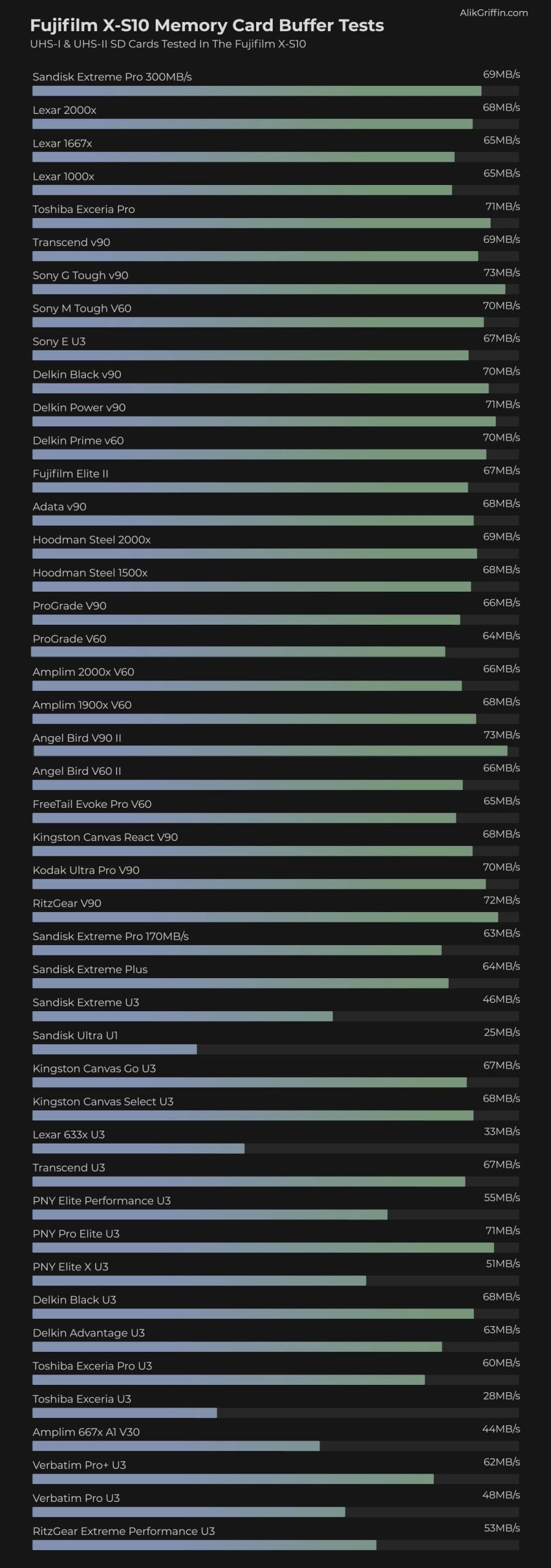
We ran each card through a benchmark test to see how it performed in the X-S10. This involves filling the buffer and calculating the time required to clear it against the amount of data written.
Some of the top brands vary in speed by a few megabytes, but this will not be noticeable in real-world performance. Speed can vary based on temperature, where you are in the flash, and how worn those sectors are.
This table includes USB-C speeds and in-camera performance. It can be sorted to find the fastest SD memory cards.
Do This When You First Buy Your Memory Card
Since counterfeit memory cards exist, it’s a good idea to check whether your new card is genuine and doesn’t show any signs of being counterfeit.
Counterfeit cards are often made by hacking the card’s memory controller to report a different capacity to your computer or camera than the card actually has. So you may buy a 128GB card that actually only has 64GB of flash. You’ll go and shoot for months or weeks without any issue until one day, when you fill up the card past that 64GB point, and boom, total card failure.
Checking for this is easy. Just fill yout our card completely the day you get it. Based on my benchmarks above, you should be good to go if it performs well and runs at a decent speed with USB read and write rates.
Memory Cards For Video Fujifilm X-S10
Choosing the best memory card for video depends on the bitrate you plan to shoot at.
200Mbps = 25MB/s
100Mbps = 12.5Mb/s
V60 cards are the best bang for the buck and should work fine for everything. While you don’t technically need them for good in-camera performance, they offer quick file transfer speeds from your card to your computer if you have a UHS-II reader.
The high-end U3 cards are great for everything else. They’ll let you shoot at a high bitrate of 200mbps and are also great for shooting photos and clearing the buffer quickly. You’ll just get slower transfer speeds from your card to your computer, which may or may not bother you.
What Size Memory Card To Buy
Casual shooters will be fine with a 64GB card. However, I’ve been liking 128GB cards because they let me go a few days without clearing my cards. Or I can leave some files from the previous day on my cards, as everything on my computer is backed up to my server.
Video shooters will likely need to start with a 128GB card if they shoot at a higher 200Mbps bit rate, unless they’re just vlogging and making shorter clips.
Check my memory card capacity bitrate calculator to see how long you can record at each bitrate for each card size.
SD Cards Fujifilm X-S10 Conclusions
Finding the right memory card for your shooting style can be a little tricky, but this guide should make it easier and hopefully save you money and headaches.
If you just don’t care and want the absolute best SD cards that can do anything, stick with the U3 UHS-I cards. SanDisk, Sony, Kingston, and ProGrade are all great cards. Fujifilm’s firmware and hardware are great and can handle many popular brands without any issues.
You definitely don’t need UHS-II cards for this camera, and if you want faster transfer speeds, stick with V60 cards or Sony E cards.













Leave a Reply