
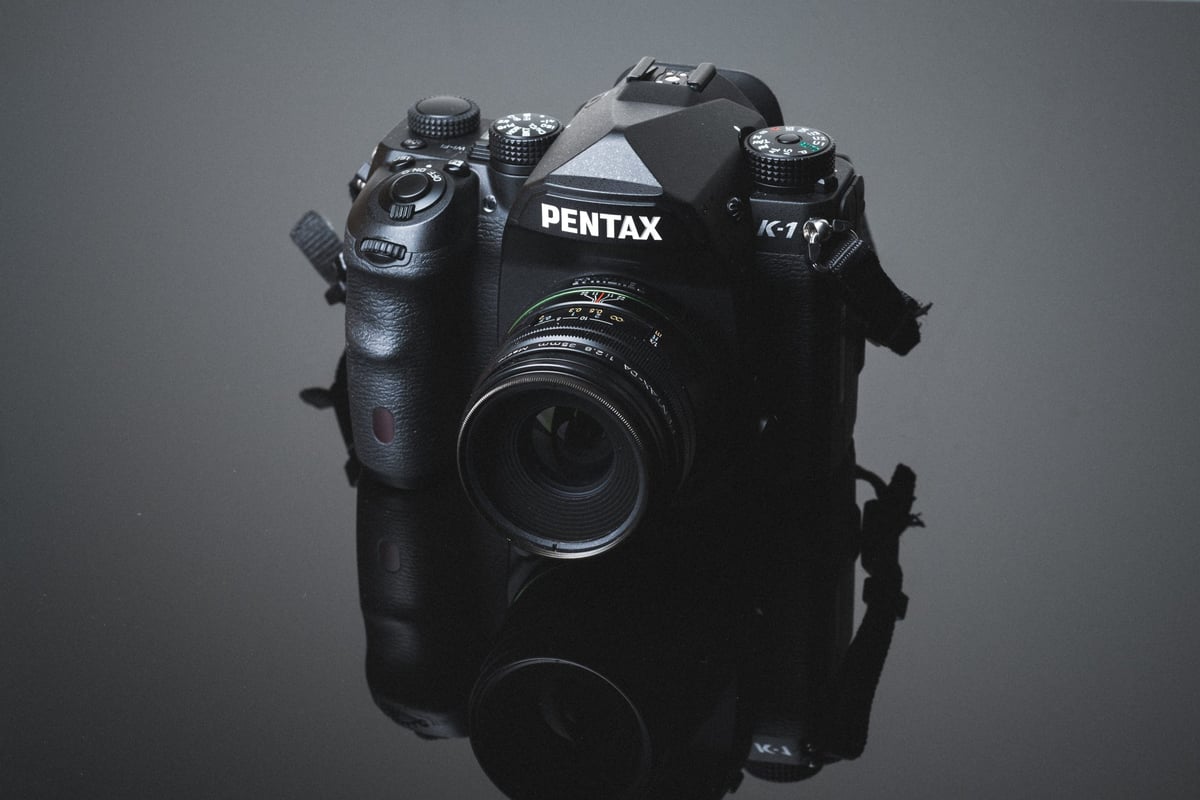
The Pentax K-1 has had a lot of discussion about how memory cards are performing in camera. Some people have trouble getting the dual memory card function working correctly and others have some serious performance issues.
To get to the bottom of these issues, I tested both memory card slots in the Pentax K-1 and found out some very interesting facts that you may not be aware of.
Camera Specs
Sensor: Full Frame 36.4MP / Processor: PRIME IV Image Processor
Memory Card Type: SD UHS-I / SD UHS-I
Video: [1920 x 1080]: 29.97 fps / 23.976
Est. Size Of Buffer: 500MB
Continues Shooting Speed: 4.5fps
Shots To Fill Buffer: 17 RAW
Time To Clear Buffer: 23.5 seconds
Pentax K-1 – Amazon
Best Memory Cards For The Pentax K-1
The Pentax K-1 baffles me. The design of how the camera interfaces with memory cards just makes zero sense and I think this is what’s causing people problems.
I’ve noticed a few issues when testing cards in this camera that I want to go over.
First, memory card slot 1 actually uses UHS-II hardware, however, the firmware does not support UHS-II. As a matter of fact, the camera’s bus speeds don’t really even fully take advantage of UHS-I cards as the camera bottlenecks at speeds of around 30MB/s. Kind of sounds like it’s using the same old junk Sony cameras are using.
Second, because Slot 1 uses different hardware than Slot 2, you’ll run into a lot of issues when swapping cards between different slots. For example, if I formatted a card in Slot 2, it often will not work in Slot 1 and vice versa. Some cards like the Kingston didn’t work at all in Slot 1, but then worked fine in Slot 2.
So when you’re using the dual memory card slots in the Pentax K-1, you need to make sure that each card is formatted while in the Slot you intend to use it in. Also, don’t swap slots unless you plan on reformatting. I think this is what’s causing a lot of people problems.
Pentax K-1 Memory Card Speed Chart
The speed is rather disappointing for such an awesome camera. I’m not a Pentax guy, but I really liked the K-1 for the time I had it. My only gripe is that it does the same thing the Sony A7rII does: It’s crazy slow at writing to memory cards. I guess it’s fine for landscape and some studio work where you’re not always bursting.
| SD Memory Cards | USB 3.0 Read | USB 3.0 Write | Pentax K-1 Write |
| UHS-II | |||
| Delkin 100MB 64GB | 273.3 MB/s | 97.3 MB/s | 29.61 MB/s |
| Toshiba 64GB | 238.5 MB/s | 199.7 MB/s | 29.57 MB/s |
| Lexar 2000x 64GB | 280.9 MB/s | 181.4 MB/s | 29.51 MB/s |
| Sandisk Extreme Pro 300MB 64GB | 263.2 MB/s | 233.4 MB/S | 29.45 MB/s |
| Delkin 250MB 64GB | 245.1 MB/s | 164.6 MB/s | 29.16 MB/s |
| Transcend 64GB | 268.9 MB/s | 174.3 MB/s | 29.07 MB/s |
| Sony 64GB | 253.2 MB/s | 91.62 MB/s | 28.94 MB/s |
| Sandisk Extreme Pro 280MB 64GB | 257.3 MB/s | 109.9 MB/s | 28.69 MB/s |
| Lexar 1000x 64GB | 145.0 MB/s | 60.7 MB/s | 28.62 MB/s |
| UHS-I | |||
| Samsung Pro+ 64GB U3 | 97.5 MB/s | 87.3 MB/s | 29.89 MB/s |
| Samsung Pro 64GB U3 | 97.7 MB/s | 78.6 MB/s | 29.86 MB/s |
| Sandisk Extreme Pro 64GB U3 | 98.6 MB/s | 90.8 MB/s | 29.83 MB/s |
| Sandisk Extreme Plus 64GB U3 | 99.0 MB/s | 64.4 MB/s | 29.61 MB/s |
| Sandisk Extreme 64GB U3 | 72.43 MB/s | 54.1 MB/s | 29.53 MB/s |
| Samsung Pro 64GB U1 | 96.3 MB/s | 82.2 MB/s | 29.27 MB/s |
| Transcend 64GB U3 | 96.7 MB/s | 68.4 MB/s | 29.06 MB/s |
| Lexar 633x 64GB U3 | 93.3 MB/s | 67.3 MB/s | 28.98 MB/s |
| Sony 64GB U3 (Old Model) | 96.5 MB/s | 84.5 MB/s | 28.85 MB/s |
| Lexar 600x 64GB U1 | 95.4 MB/s | 64.8 MB/s | 28.83 MB/s |
| PNY 64GB U3 | 96.5 MB/s | 66.1 MB/s | 28.70 MB/s |
| Sony 64GB U3 (New Model) | 96.7 MB/s | 56.2 MB/s | 28.14 MB/s |
| PNY 64GB U1 | 96.5 MB/s | 66.5 MB/s | 24.32 MB/s |
| Samsung 64GB SDXC EVO U1 | 47.7 MB/s | 27.3 MB/s | 20.54 MB/s |
| Kingston 64GB U3 | 98.1 MB/s | 90.4 MB/s | not working |
Based on the speed test, which card you use doesn’t seem to matter. However, I would stick with trusted brands like Sandisk, Samsung, Transcend, and Lexar, as they seemed to have the fewest issues, especially Sandisk.
Fastest Memory Cards For the Pentax K-1 | The Results
Best UHS-II Memory Card
While the Pentax K-1 doesn’t take advantage of UHS-II, it does produce some enormous files, and if you want quick transfer speeds from your camera to your computer, UHS-II can save you some time if you have a UHS-II compatible card reader.
My top three favorite UHS-II brands are Sandisk, Lexar, and Delkin.
Sandisk Extreme Pro 300MB 64GB –Amazon / Adorama
Delkin 250MB 64GB – Amazon / Amazon
Best UHS-I Memory Cards
Since UHS-I cards all perform the same in the Pentax K1, you can feel comfortable buying your favorite brand. However, I would still stick with the top trusted brands since this camera is finicky. Sandisk, Samsung, Lexar or even Sony.
Sandisk Extreme Pro U3 64GB – Amazon / Adorama
Sandisk Extreme Plus 64GB U3 – Amazon / Adorama
Samsung Pro+ 64GB U3 –Amazon / Adorama
Transcend 64GB U3 – Amazon / Adorama
Where To Buy Memory Cards
When buying memory cards online, you’ll need to be careful so you don’t get stuck with counterfeit cards. Avoid eBay completely, and if you’re buying from Amazon, make sure you buy from a trusted store.
Adorama and B&Hphoto are fantastic and will always take care of you with your camera gear.
Best Cards For Video In The Pentax K-1
The Pentax K1 has no restrictions on memory cards when it comes to shooting video. Even at 1080p, the camera shoots at a low enough bitrate so that any of the new memory cards, except maybe the Samsung EVO, will work fine. The PNY U1 card also caused me some issues with performance.
Frequently Ask Questions
I’ve been doing these memory card speed tests for several years now and I get a lot of the same questions asked, so I’ll do my best to answer those here.
Do I need a UHS-II Memory Card? – You do not need a UHS-II memory card and they actually will give you no benefit over a UHS-I memory card when used in camera. The only difference a UHS-II memory card will make in the Pentax K-1 is it will allow you to transfer your data to your computer quickly if you have a fast UHS-II memory card reader.
What’s the difference between U1 and U3 SD Memory cards? – The main difference has to do with minimum write speeds. U1 cards are guaranteed to write at a minimum speed of 10MB/s, and U3 SD memory cards can write at a minimum speed of 30MB/s. Now, of course, there are many things that go on inside the camera that might not guarantee this, but it’s usually not the card’s fault. You’ll also start seeing V30, V60, and V90 written on cards. This has to do with the minimum write speeds of V30 – 30MB/s, V60 – 60MB/s, V90 – 90MB/s.
What’s the difference between SDHC and SDXC with SD memory cards? – This has to do with the card formatting. SDHC cards are Fat32, and SDXC cards are exFat. Now, pretty much SDHC means any card 32GB and smaller, and SDXC means 64GB and larger.
My memory card is creating corrupt shots. What do I do? – Unfortunately, in this situation, you will likely have a bad card. There isn’t a lot you can do about this other than to replace your card.
My memory card doesn’t work. What do I do? – It’s likely you could have a bad memory card, but also make sure you always format your card in camera. This tends to reduce issues with cards not working or not performing correctly.
Best Memory Card For The Pentax K-1 | Conclusions
The main takeaway when using the dual memory card slots in the Pentax K-1 is to make sure you format each card in the slot you intend to use it in and don’t swap slots after formatting. That seems to solve most of the problems I was having.
If you have a card that isn’t working in one slot, try it in the other and if that’s the only slot it works well in, then let that card be designated to that slot.
Also, if Pentax ever updates its firmware to support the UHS-II hardware that’s found in Slot 1, I’ll retest to see if it makes any difference.















Leave a Reply to Gerard Dirks Cancel reply