
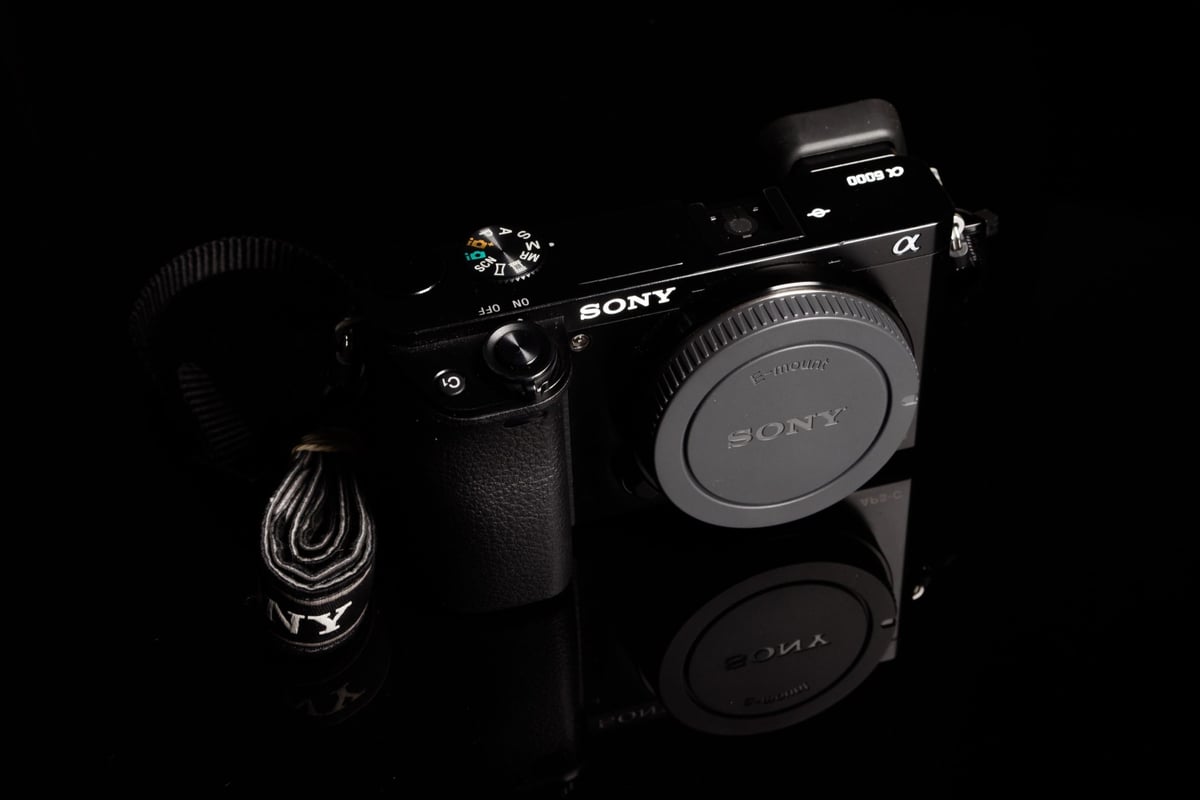
The Sony a6000 remains one of the most popular mirrorless cameras ever made. Even today, it is widely used for street photography, family travel, and as a high-quality webcam.
However, the memory card market has changed significantly since the camera’s release in 2014. If you are looking for the best SD card for the Sony a6000 today, you need to navigate a market filled with expensive UHS-II cards that this camera simply cannot use.
Quick Summary: The Best SD Cards for Sony a6000
Best Overall: SanDisk Extreme Pro UHS-I (V30) – Reliable, durable, and maxes out the camera’s buffer clearing speed.
Best Value: Sony E UHS-II – Priced similarly to the best SD UHS-I card, this card is actually of the UHS-II speed class. It writes like UHS-I but reads like UHS-II. It won’t be helpful with in-camera performance, but you’ll see the speed when transferring data to your computer with a UHS-II reader.
Kingston CanvasGo! 128/256/512GB/1TB (UHS-I) – Often cheaper than SanDisk, with identical in-camera performance.
Recommended Memory Cards for Sony A6000

Crucial Info: The “Speed Limit” Reality
The most important thing to know is that the Sony a6000 features an older UHS-I memory card slot.
- Bus Speed Cap: The camera’s internal write speed is capped at approximately 35 MB/s.
- The Trap: Buying a fancy UHS-II card (which writes at 299 MB/s) will not make the camera shoot faster. The a6000 will bottleneck that card down to ~35 MB/s.
Why buy a faster card then? While you won’t see faster shooting speeds, a high-quality UHS-I card (like the SanDisk Extreme Pro) or the Sony E card is still recommended for two reasons:
Offloading Speed: When you plug the card into your computer, a modern card can transfer files at 170–200 MB/s, saving you significant time compared to older cards.
Buffer Clearing: It consistently hits the 35 MB/s limit, ensuring the buffer clears as fast as the hardware allows.
| Recommended SD Cards | Speed Class | USB Write | USB Read | Links |
|---|---|---|---|---|
| SD UHS-II V60 | Hide | |||
| Sony E v60 128GB | UHS-II v60 | 142 | 252 | Amazon / B&H |
| Sony E v30 64GB | UHS-II v30 | 73 | 247 | Amazon / B&H |
| UHS-I U3 | Hide | |||
| Sandisk Extreme Pro 32GB-1TB | UHS-I | 137 | 175 | Amazon / B&H |
| Kingston CanvasGo! 128/256/512GB/1TB | UHS-I | 124 | 161 | Amazon / B&H |
| Delkin Advantage 128GB-1TB | UHS-I | 77 | 93 | Amazon / B&H |
Memory Card Speed Tests
I did these tests back when the camera was still released. You can see how fast the cards are in this camera. The camera cannot use the full speed of some cards. Most of these cards have changed since 2015, so look at the suggestions above or the SD memory card guide for more choices. You can also look at the suggestions for Sony cameras if you have another Sony camera to compare it to.
| SD Memory Cards | USB 3.0 Read | USB 3.0 Write | Sony A6000 |
| UHS-II | |||
| Lexar 64GB 2000x UHS-II U3 | 272.7 MB/s | 244.5 MB/s | 33.96 MB/s |
| Transcend 64GB UHS-II U3 | 290.2 MB/s | 182.1 MB/s | 33.40 MB/s |
| Delkin 64GB SDHC UHS-II U3 | 253.5 MB/s | 219.6 MB/s | 33.33 MB/s |
| Toshiba 64GB UHS-II U3 | 258.8 MB/s | 226.5 MB/s | 32.99 MB/s |
| Lexar 1000x 64GB UHS-II U3 | 147.4 MB/s | 78.4 MB/s | 32.40 MB/s |
| Sandisk Extreme Pro 64GB UHS-II U3 | 260.5 MB/s | 214.8 MB/s | 31.44 MB/s |
| UHS-I | |||
| Kingston 64GB SDXC U3 | 98.1 MB/s | 90.4 MB/s | 34.79 MB/s |
| Sandisk Extreme Pro 64GB U3 | 98.6 MB/s | 90.8 MB/s | 34.37 MB/s |
| SanDisk Extreme Pro 64GB U3 | 99.0 MB/s | 64.4 MB/s | 34.32 MB/s |
| SanDisk Extreme Plus 64GB U3 | 72.43 MB/s | 54.1 MB/s | 34.27 MB/s |
| Samsung 64GB Pro U3 | 97.7 MB/s | 78.6 MB/s | 33.77 MB/s |
| Samsung 64GB Pro+ U3 | 97.5 MB/s | 87.3 MB/s | 33.74 MB/s |
| Samsung Pro 64GB U1 | 96.3 MB/s | 82.2 MB/s | 33.72 MB/s |
| Transcend 64GB U3 | 96.7 MB/s | 68.4 MB/s | 32.80 MB/s |
| PNY 64GB U1 | 96.5 MB/s | 66.5 MB/s | 32.93 MB/s |
| Lexar 600x 64GB U1 | 95.4 MB/s | 64.8 MB/s | 32.72 MB/s |
| Lexar 633x 64GB U3 | 93.3 MB/s | 67.3 MB/s | 32.50 MB/s |
| PNY 64GB U3 | 96.5 MB/s | 66.1 MB/s | 32.21 MB/s |
| Sony 64GB U3 (discontinued) | 96.5 MB/s | 84.5 MB/s | 32.18 MB/s |
| SanDisk Extreme Pro 64GB UHS-II U3 | 47.7 MB/s | 27.3 MB/s | 24.02 MB/s |
Maximum SD Card Size for Sony a6000
A common misconception is that the Sony a6000 is limited to 64GB cards. This is false.
Note: I personally recommend 128GB as the “sweet spot.” It holds thousands of 24MP RAW photos without putting all your eggs in one basket.
Official Limit: Sony documentation often listed “up to 64GB” because larger cards didn’t exist when the manual was written.
Real Limit: The a6000 supports the SDXC standard.
Tested Capacity: You can safely use 128GB, 256GB, and even 512GB cards.
Camera Specs
Sensor Size: 24.3MP APS-C
Memory Card Format: UHS-I
Video Resolution: 1080p60
Memory Card Capacity: Up to 128GB
Video Codec: XAVC S 50Mbps
Sony A6000 Speeds Stats
The Sony A6000 can shoot at 11 frames per second, and each file is about 25 MB.
11fps
This means the camera needs a lot of data to shoot at 11fps. It needs 11 x 25 = 275MB of data per second.
Buffer
The camera’s buffer can store 49 JPEG shots or 21 RAW shots, totaling about 512 MB of space.
Card speed
The card speed does not affect how fast you can shoot, but it does affect how long it takes to save the files to the card. The camera will slow down when the buffer is full until the files are saved.
Video Requirements: XAVC S Codec
If you plan to shoot video, you must pay attention to the format. To enable the high-quality XAVC S video codec (50Mbps), the camera requires:
- SDXC Format: The card must be 64GB or larger.
- File System: The card must be formatted to exFAT (the camera usually handles this automatically).
- Speed Class: A Class 10 or U1 card is required (almost all modern cards meet this).
If you use a 32GB card (SDHC), the camera will lock you out of XAVC S mode and force you to use the lower-quality AVCHD format.
Frequently Asked Questions
Can I use a Micro SD card with an adapter? Yes. Modern Micro SD cards (like the SanDisk Extreme Micro) work perfectly in the a6000 when used with the included SD adapter. There is no performance penalty; however, I’ve done this in the past and occasionally found that sometimes the microSD cards in the adapter can lose connection, resulting in a card disconnect, so I don’t recommend this as a permanent solution.
Why does my camera say “NO CARD” or “Cannot Record”? This often happens when the card is formatted with a file system the camera doesn’t recognize (such as NTFS). Always format your new memory card inside the camera (Menu > Setup > Format) before using it.
Is 64GB enough? For the Sony a6000, a 64GB card can hold approximately:
| Shooting Mode | Quality Setting | Approx. Capacity (64GB) |
| RAW Only | Uncompressed | ~2,400 shots |
| RAW + JPEG | RAW + Fine JPEG | ~1,750 shots |
| JPEG Only | Extra Fine (Best Quality) | ~3,250 shots |
| JPEG Only | Fine (Standard Quality) | ~6,600 shots |
| JPEG Only | Standard (Low Quality) | ~10,500 shots |
| Video | XAVC S HD (50Mbps) | ~2 hours 35 minutes |
| Video | AVCHD (24Mbps) | ~6 hours |
Key Takeaways:
For JPEG Shooters: If you set your camera to “Extra Fine” (which I recommend for best quality), you get about 3,250 shots, not the 8,000+ you might see cited elsewhere for lower quality settings.
For RAW Shooters: 64GB is decent (2,400 shots), but if you shoot a heavy event like a wedding or sports, you might fill it.
For Video: If you shoot in the high-quality XAVC S (50Mbps) codec—which you should—a 64GB card only gives you about 2.5 hours of footage.















Leave a Reply