
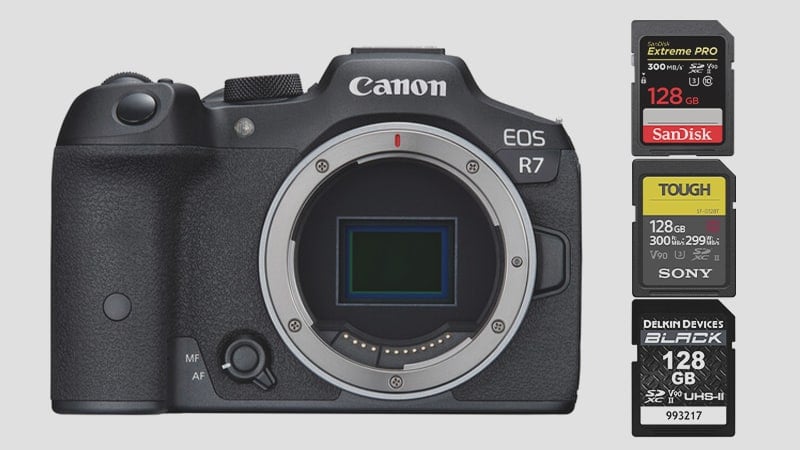
The Canon R7, with its dual UHS-II SD memory card configuration, can take cards up to the V90 speed class. With its 30fps continuous shooting mode and 4k 340Mbps video features, you’ll need good memory cards. But do you need V90 cards? Not necessarily. Use this guide to help find the best memory cards for the Canon R7.
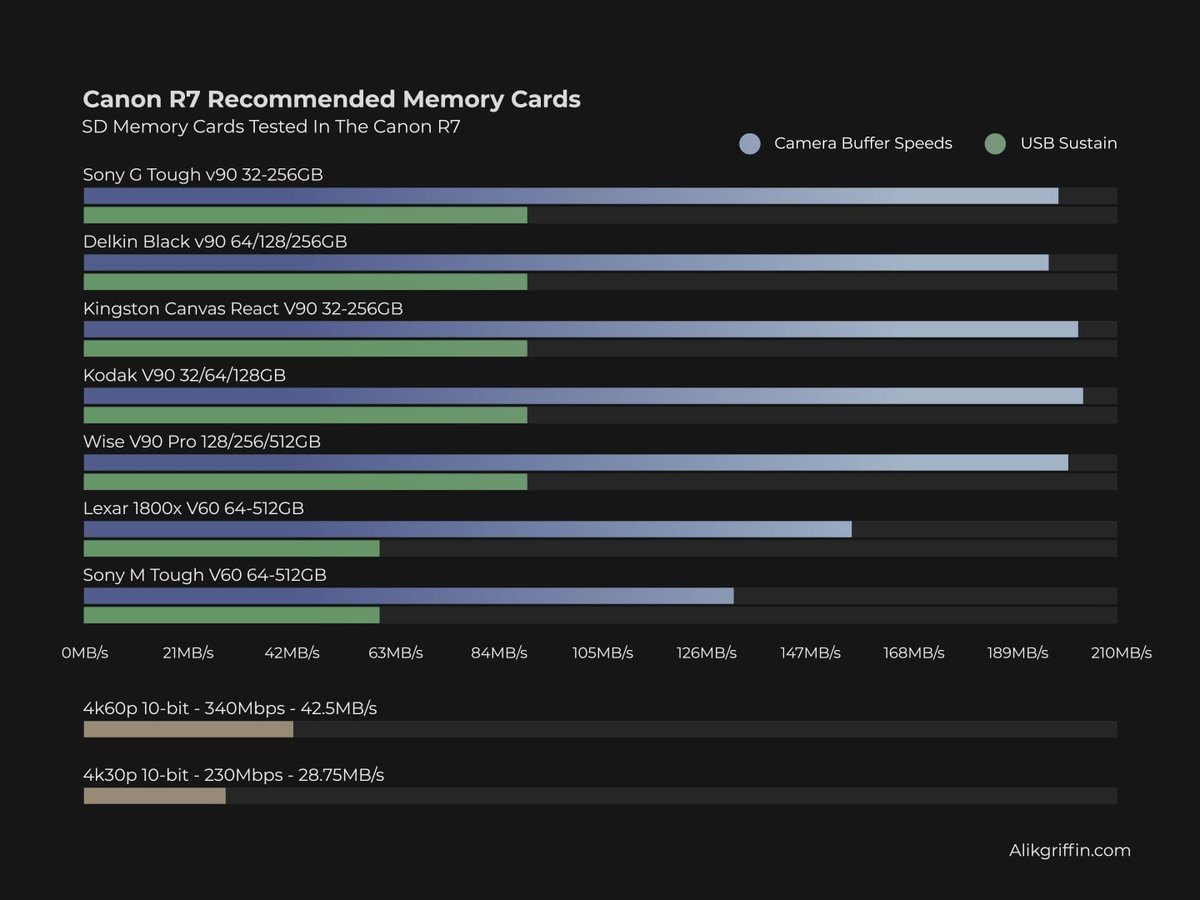
Recommended Memory Cards Canon R7
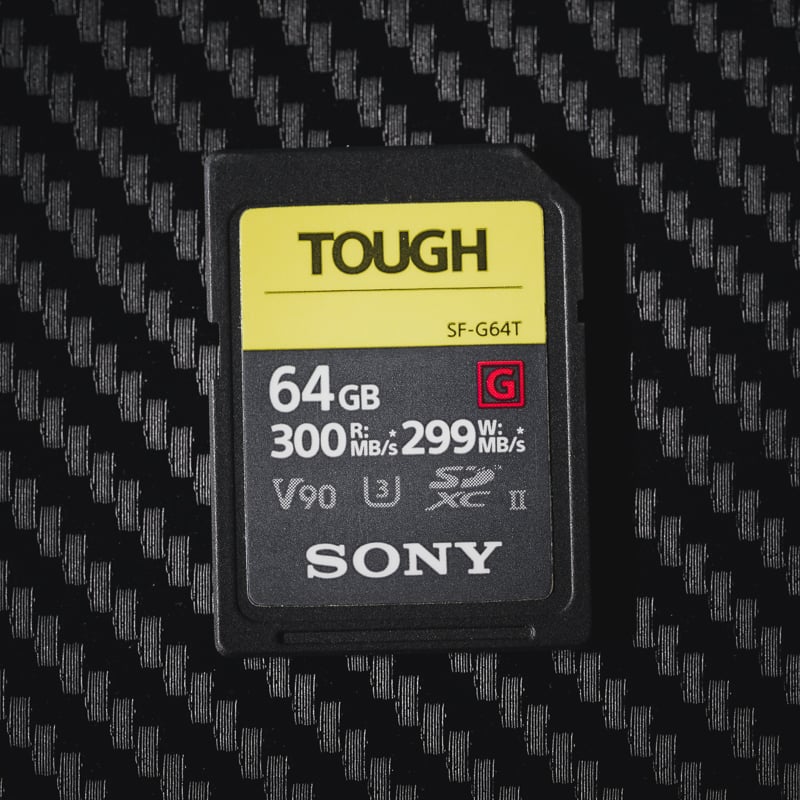
The Canon R7 has a dual UHS-II SD memory card setup.
For Photographers – The Canon R7 can shoot at up to 30fps, so a fast V90 card can be very helpful with clearing the buffer quickly.
For Videographers – the Canon R7 has a maximum bitrate of 340Mbps when recording 10-bit 4k60 video. This means the camera will need a data stream of at least 42.5MB/s.
I recommend starting with a minimum of a v60 UHS-II card, specifically the Lexar 1800x. That will be the best option for most people since it allows you to use all the camera features with no problems. Those who burst a lot should move up to a v90 UHS-II memory card; it will help a lot, especially with these 32MP files.
| Recommended SD Cards | Canon R7 Speeds | See Price |
| UHS-II V90 | ||
| Kodak V90 | 203MB/s | Amazon |
| Kingston Canvas React V90 | 202MB/s | Amazon |
| Ritz Gear VideoPro V90 | 201 MB/s | Amazon |
| Sony G Tough v90 | 198 MB/s | Amazon |
| Delkin Black V90 | 196 MB/s | B&H |
| UHS-II V60 | ||
| Lexar 1800x | 156 MB/s | Amazon |
| Sony M Tough | 132 MB/s | Amazon |
| Angel Bird V60 II | 125 MB/s | Amazon |
While it appears that a good UHS-I card will be fast enough to handle a 42.5MB/s data stream, UHS-I cards only guarantee a data stream of 30MB/s. To guarantee a 42.5 MB data stream, you’ll need to start with a V60 UHS-II card, which guarantees a minimum write speed of 60MB/s.
If you know you’ll never record 4k60 (since it has a pretty significant crop), and will only record 4k30 at the 230Mbps bitrate (28.75MB/s), then a UHS-I memory card is sufficient for this recording mode.
Canon R7 Specs
| Sensor: APS-C 32.5MP CMOS Processor: Digic X Continuous Shoot: 15fps Mechanical, 30fps Electronic Est. Buffer Size: 1.5GB RAW Shots To Fill Buffer: 42 Frames (Raw) @ 30fps Max Memory Card Capacity: Any size, no limit. 4k Datarate: 340 Mbps | 42.5 MB/s 1080p Datarate: 180 Mbps | 22.5 MB/s |
Canon R7 Speed and Buffer Tests
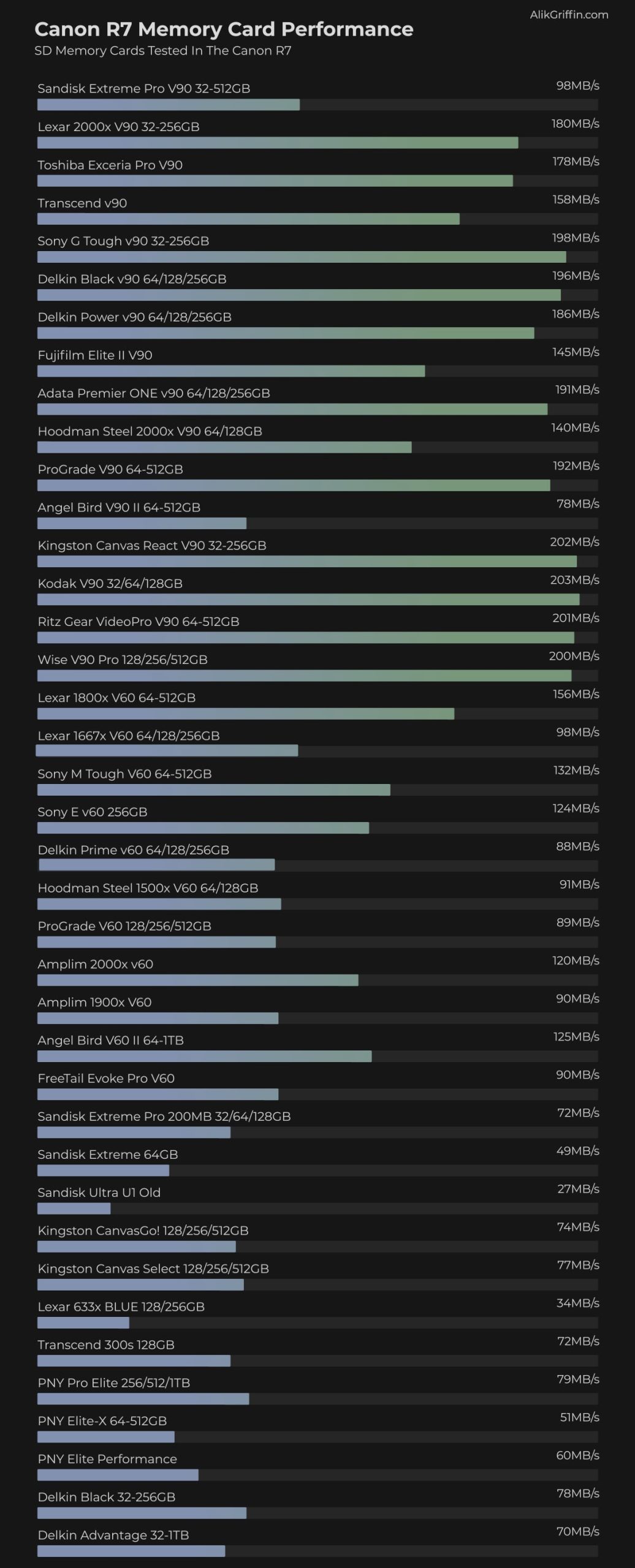
In-camera speeds are measured by shooting a series of bursts and calculating the time it took to clear the buffer against the amount of data written.
Also, be sure to see the UHS-I and UHS-II benchmarks when comparing cards USB Read and Write performance.
Choosing The Best Cards For Video
The Canon R7 has a maximum bitrate of 340Mbps at 4k60 10-bit using the H.265 codec. This very efficient codec will give a very high-quality image compared to the older H.264 codec. However, H.265 can perform poorly on older machines that don’t have graphics cards that can natively handle this codec, so keep that in mind when choosing your bitrate and record modes.
Here is a chart that shows the various bitrates and record times you can expect from various-sized cards.
| Record Format | Bitrate | 64GB | 128GB | 256GB |
| 4k60p 10-bit | 340Mbps / 42.5MBs | 25min | 50min | 100min |
| 4k30p 10-bit | 230Mbps / 28.75MBs | 37min | 74min | 148min |
| 4k60 8-bit | 170Mbps / 21.25MBs | 50min | 100min | 201min |
| 4k30 8-bit | 120Mbps / 15MBs | 71min | 142min | 284min |















Leave a Reply