
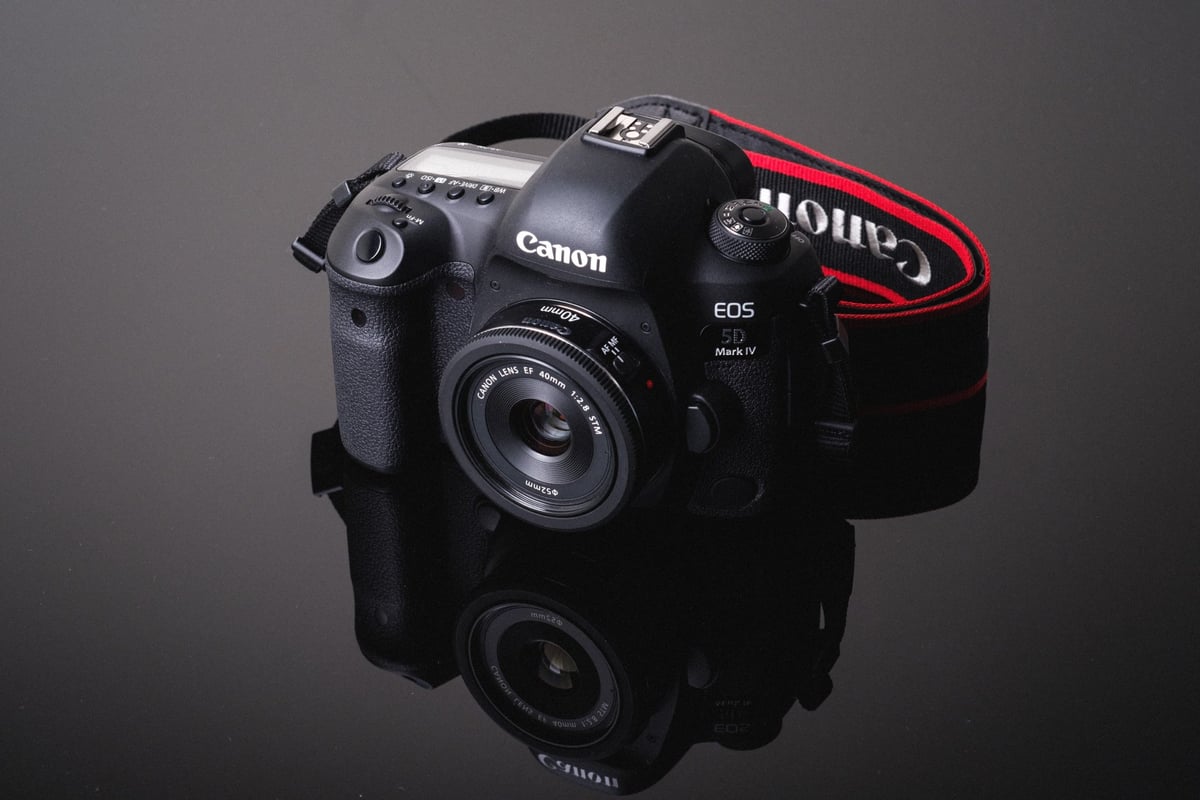
An in-camera speed comparison between all the most popular CF and SD (UHS-I and UHS-II) memory cards. See which memory cards are the best for photography and 4k video in the Canon 5D IV.
With the Canon 5D IV, you can now either use SD memory cards as your primary storage or if you need more speed you can use CF cards.
Please let me know in the comments if you found this article helpful, or how I could make it better!
Best Memory Cards For The Canon 5D Mark IV
The Canon 5D IV isn’t just a 5D III with a few upgrades like the MKIII was compared to the mkII. This camera, like the Canon 5D II, is a huge leap forward in the evolution of the 5D. With 4K video, dual pixel Raw which gives us stills that allow for minor focus adjustments in post, and a completely new 30MP sensor, Canon created a monster of a camera.
So for those looking to buy the best SD or CF memory cards for the Canon 5D IV, this guide should help you get started so you’re not making purchasing decisions completely blind, who how each card actually performs in camera.
I’ve also included a new column in the chart below that shows which cards work for shooting internal 4k video.
Camera Specs
Sensor: Full Frame 30.4MP / Processor: Digic 6+
Memory Card Type: SD UHS-I / Compact Flash
Video: 4k 29.97p 500Mbps / 24p 500Mbps
4k Video Record Time: 16 minutes per 64GB card
Est. Size Of Buffer: 1GB
Canon 5D Mark IV – Amazon / Adorama / B&H
Canon 5Dmk4 Memory Card Speed Chart
In-camera real-world speed comparisons between the different cards.
The memory card speed tests for the Canon 5D IV have turned out fairly impressive. Not quite as fast as the Canon 7D II but that’s understandable considering the 5D has a bit more information to process. The 5D IV also isn’t nearly as fast as the Canon 1DX II, which uses Cfast cards.
I did something with this test that I don’t do too often, which is, I tested each card for its ability to record 4k video. The Canon 5D IV can record video at 500mb/s which is a data stream of 62MB a second. So the cards that performed close to 60MB/s or higher seemed to allow for 4k video recording. Anything lower and you would get a buffer bar that would eventually stop your recording.
You can also see the Memory Card Speeds for the Canon 5Ds, Canon 7D II, and Canon 1DX II.
| Compact Flash (CF Card) | USB 3.0 Read | USB 3.0 Write | 4K | Canon 5D IV |
| Lexar 1066x | 155.50 MB/s | 138.40 MB/s | Yes | 101.16 MB/s |
| KomputerBay 1066x | 153.34 MB/s | 135.90 MB/s | Yes | 100.03 MB/s |
| Transcend 1000x | 155.30 MB/s | 132.80 MB/s | Yes | 100.23 MB/s |
| KomputerBay 1000x | 147.80 MB/s | 134.90 MB/s | Yes | 98.78 MB/s |
| Sandisk Extreme Pro | 154.90 MB/s | 135.20 MB/s | Yes | 98.65 MB/s |
| Toshiba 1066x | 158.00 MB/s | 134.30 MB/s | Yes | 96.10 MB/s |
| PixelFlash 1106x | 154.34 MB/s | 90.71 MB/s | Yes | 78.09 MB/s |
| Kingston 600x | 114.90 MB/s | 101.70 MB/s | Yes | 76.56 MB/s |
| Sandisk Extreme | 118.10 MB/s | 68.43 MB/s | No | 58.79 MB/s |
| Lexar 800x | 152.70 MB/s | 44.72 MB/s | No | 41.17 MB/s |
| Transcend 800x | 152.30 MB/s | 40.25 MB/s | No | 37.05 MB/s |
| Transcend 400x | 152.50 MB/s | 39.55 MB/s | No | 36.34 MB/s |
| KomputerBay 600x | 85.77 MB/s | 51.16 MB/s | No | 29.19 MB/s |
| KomputerBay 800x | 86.42 MB/s | 50.83 MB/s | No | 29.10 MB/s |
| SD Memory Cards | USB 3.0 Read | USB 3.0 Write | Canon 5D IV | |
| UHS-II | ||||
| Toshiba 64GB | 238.5 MB/s | 199.7 MB/s | Yes | 72.67 MB/s |
| Lexar 2000x 64GB | 280.9 MB/s | 181.4 MB/s | Yes | 70.52 MB/s |
| Delkin V90 64GB | 245.1 MB/s | 164.6 MB/s | Maybe | 70.02 MB/s |
| Sony M 64GB | 253.2 MB/s | 91.62 MB/s | Yes | 68.71 MB/s |
| Transcend 64GB | 268.9 MB/s | 174.3 MB/s | Yes | 67.79 MB/s |
| Lexar 1000x 64GB | 145.0 MB/s | 60.7 MB/s | No | 57.44 MB/s |
| Sandisk Extreme Pro 64GB | 257.3 MB/s | 109.9 MB/s | No | 39.58 MB/s |
| UHS-I | ||||
| Sandisk Extreme Pro 64GB U3 | 98.6 MB/s | 90.8 MB/s | Yes | 73.23 MB/s |
| Samsung Pro+ 64GB U3 | 97.5 MB/s | 87.3 MB/s | Yes | 69.23 MB/s |
| Kingston 64GB U3 | 98.1 MB/s | 90.4 MB/s | Yes | 69.02 MB/s |
| Samsung Pro 64GB U1 | 96.3 MB/s | 82.2 MB/s | Yes | 66.89 MB/s |
| Samsung Pro 64GB U3 | 97.7 MB/s | 78.6 MB/s | Yes | 65.52 MB/s |
| Sandisk Extreme Plus 64GB U3 | 99.0 MB/s | 64.4 MB/s | No | 57.12 MB/s |
| PNY 64GB U1 | 96.5 MB/s | 66.5 MB/s | No | 56.21 MB/s |
| Transcend 64GB U3 | 96.7 MB/s | 68.4 MB/s | No | 55.54 MB/s |
| Lexar 633x 64GB U3 | 93.3 MB/s | 67.3 MB/s | No | 53.68 MB/s |
| PNY 64GB U3 | 96.5 MB/s | 66.1 MB/s | No | 52.49 MB/s |
| Lexar 600x 64GB U1 | 95.4 MB/s | 64.8 MB/s | No | 52.70 MB/s |
| Sony 64GB U3 (Old Model) | 96.5 MB/s | 84.5 MB/s | Yes | 51.66 MB/s |
| Sony 64GB U3 (New Model) | 96.7 MB/s | 56.2 MB/s | No | 51.50 MB/s |
| Sandisk Extreme 64GB U3 | 72.43 MB/s | 54.1 MB/s | No | 48.48 MB/s |
| Samsung 64GB EVO U1 | 47.7 MB/s | 27.3 MB/s | No | 23.43 MB/s |
-You can see which cards work for 4k video. How I did that test was I recorded video for about a minute and a half, if no buffer indicator ever showed up, I marked it as a ‘Yes’. Some of the cards would record video for a while but often fill the buffer at around a minute, so to be safe I marked those as ‘No’.
Unlike the Canon 5D III, the Canon 5D IV features a very fast SD memory card slot, so you should be able to take full advantage of and use solely SD memory cards if you feel CF cards are overkill for your needs. You can also, of course, use the SD cards as your backup or overflow.
It also looks like the camera does not take advantage of UHS-II or Cfast memory cards based on the specs which is kind of unfortunate, but I guess still okay because we can use CF cards for maximum speed and performance.
While CFast cards cannot be used, UHS-II cards will still work, you just won’t see any speed benefit in the camera.
Canon 5D Mark IV Memory Cards | Recommended
Before getting into the in-camera speed test where I test the performance of each card in the Canon 5D IV, I wanted to share some of my recommended cards.
Top 3 Fastest CF Memory Cards For The 5D IV
When looking for the fastest CF memory card for the Canon 5D IV, the results were so close to the top 3 cards that any of these card’s performance will feel the same in real-world use.
Lexar 1066X
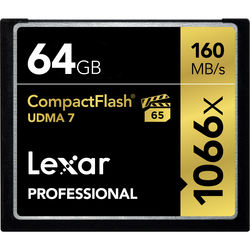 Lexar makes very reliable compact flash memory cards. They’ve been around for a long time and are a champion in the industry. I always recommend Lexar cards.
In-camera speed: 101.16 MB/s – Amazon
Sandisk Extreme Pro CF
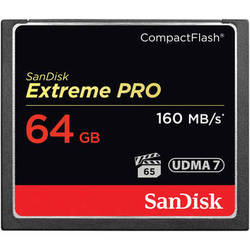 Sandisk is usually the fastest card but the CF card performed slightly slower than the Lexar and Transcend. However, they are still one of the best cards money can buy.
In-camera speed: 98.65 MB/s – Amazon
Transcend 1000x CF
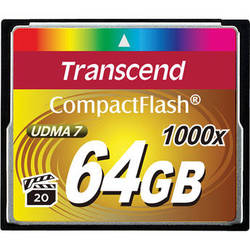 Transcend cards are always on the top of the list. They make all-around very solid products with a trusted brand name.
In-camera speed: 100.23 MB/s – Amazon
Top 3 Fastest SD Memory Cards | UHS-I
UHS-I cards are the best value and also perform very well. The fastest UHS-I memory card is the Sandisk, but Kingston, Samsung, and Sony all come very close.
Sandisk Extreme Pro U3 64GB
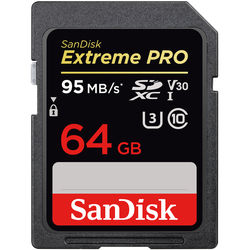 Sandisk is the creme of the crop. Their Extreme Pro cards are the best-performing memory cards out there.
In-Camera Speed: 73.23 MB/s – Amazon
Samsung Pro+ U3
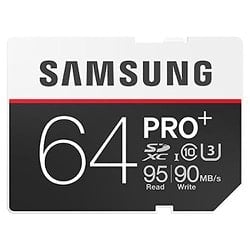
Samsung is makes some great memory cards and the Samsung Pro+ U3 card is the best they have to offer. It also works great in the Canon 5D IV for photography and 4k video.
In-Camera Speed: 69.23 MB/s – Amazon
Kingston U3 64GB
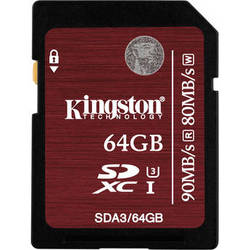 Kingston doesn’t make many cards but this card has been a top performer for years. It also works great in the Canon 5D II.
In-Camera Speed: 69.02 MB/s – Amazon
Fastest SD Memory Cards | UHS-II
While the Canon 5D IV cannot take full advantage of the UHS-II memory cards, they still do work in-camera. They will just function as UHS-I cards.
I don’t really recommend using a UHS-II card because you won’t be getting your money’s worth.
Lexar 2000x 64GB UHS-II
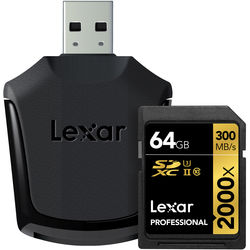 Based on my current tests, the Lexar 2000x is your best bet for UHS-II memory cards in the Canon 5D IV. They were one of the first companies to start making UHS-II cards and they get a lot of great reviews.
In-Camera Speed: 70.52 MB/s – Amazon
Best Memory Cards For Video | Canon 5D Mark IV
The new Canon 5D IV now offers 4K at 500Mbps with the MJPEG 4:2:2 codec at a 1.7x crop.
MJPEG uses the same compression as JPEG. While the video enthusiast may be disappointed by this, Fujifilm has proven time and time again that JPEG can look great. The current problem is, that MJPEG footage will need to be transcoded before going to the edit. Yuk!
To stream 500mb/s video, it requires a lot out of the memory cards and only the fastest memory cards seem to work.
Canon 5D IV Video Record Time Based On Card And Format
I get the question a lot, “How long can I record 4k on a 64GB card?”
If you’re looking to see how long a memory card can record video based on the format and the card size you’re shooting with, here is a simple chart.
*Canon 5D IV Video record time based on minutes. This is not tested in the camera, I just use a formula based on bitrate to get these numbers.
| Record Format | Frame Rate | Bitrate | 16GB | 32GB | 64GB | 128GB | 256GB |
| 4k | 29.97 / 24/ 23.98 | 500Mb/s | 4.27 | 8.53 | 12.07 | 34.13 | 68.27 |
| 1080p | 59.94 | 180Mb/s | 11.85 | 23.70 | 47.41 | 94.81 | 189.63 |
| 720p | 120 | 160Mb/s | 13.33 | 26.67 | 53.33 | 106.67 | 213.33 |
| 1080p | 29.97 / 24 | 90Mb/s | 19.26 | 47.41 | 94.81 | 189.63 | 379.26 |
| 1080p | 59.94 | 60Mb/s | 35.56 | 71.11 | 142.22 | 284.44 | 568.89 |
| 1080p | 29.97 | 30Mb/s | 71.11 | 142.22 | 284.22 | 568.89 | 1,137.78 |
| 1080p | 29.97 | 12Mb/s | 177.78 | 355.56 | 711.11 | 1,422.22 | 2,844.44 |
Getting The exFat Format So Your Video Files Aren’t Broken Up
Unfortunately, the Canon 5D IV defaults to formatting the memory cards to fat32 unless they are 256GB memory cards. Only 256GB memory cards are formatted exFat. The problem is, if you’re shooting these massive 4k video files on a fat32 memory card, the files will be broken up into 4GB chunks. This is pretty terrible if you are doing long recordings since a 4k video file is almost 4GB per minute.
The workaround is to get 256GB memory cards so you always get the exFat format. Or, you can format your smaller cards to exfat with an external memory card reader on your PC. Currently, that’s the only workaround and it seems to be working fine.
However, if you format your card to exFat on your PC and then format it later in your camera, it will default back to fat32. – Canon, what were you thinking?
When Two Cards Is Better Than One
I’ve been doing these memory card tests for a few years now and I get a lot of emails from people with horror stories of how they lost a memory card that had their entire trip on it, or how it got corrupted and would cost $2,000 to recover the data.
This can and does happen.
This is why it really is better to own several smaller cards, so if your nightmare comes true, you only lose a portion of what you were shooting instead of everything.
If you’re a professional, it’s going to be really good practice to use that backup SD slot and of course, offload those cards onto a hard drive and a backup immediately after every shoot. But you already knew that. 🙂
Frequently Ask Questions
I’ve been doing these memory card speed tests for several years now and I get a lot of the same questions asked, so I’ll do my best to answer those here.
Do I need a UHS-II Memory Card? – You do not need a UHS-II memory card and they actually will give you no benefit over a UHS-I memory card when used in the camera. The only difference a UHS-II memory card will make in the Canon 5D Mark IV is it will allow you to transfer your data to your computer quickly if you have a fast UHS-II memory card reader.
What’s the difference between U1 and U3 SD Memory cards? – The main difference has to do with minimum write speeds. U1 cards are guaranteed to write at a minimum speed of 10MB/s, and U3 SD memory cards can write at a minimum speed of 30MB/s. Now of course there are many things that go on inside the camera that might not guarantee this, but it’s usually not the card’s fault.
What’s the difference between SDHC and SDXC with SD memory cards? – This has to do with the formatting of the card. SDHC cards are Fat32, and SDXC cards are exFat. Some cameras like Sony use to be limited by certain types of formats, but firmware updates have slowly fixed all that. Now pretty much SDHC means any card 32GB and smaller, and SDXC means 64GB and bigger.
My memory card is creating corrupt shots what do I do? – Unfortunately in this situation, you likely have a bad card. There isn’t a lot you can do about this other than to replace your card.
My memory card doesn’t work what do I do? – It’s likely you could have a bad memory card, but also make sure you always format your card in the camera. This tends to reduce issues with cards not working or not performing correctly.
My buffer keeps getting filled when recording video. – This usually means you’re memory card is not fast enough and you’ll need to get a faster card. If you already have a card on the list above, you should try a different brand. Not all cameras work the same with each card, different production cycles between cameras and cards can produce various results and there is no guarantee the cards I rated will work perfectly with your camera. Lexar, Toshiba, Samsung, and Sandisk are usually pretty safe bets.
Best Memory Card For The Canon 5D Mark IV – Conclusions
Whether you’re looking for the fastest memory card or just a memory card that will last you a long time, the difference between 5MB/s or even maybe 10MB/s won’t make a very noticeable difference when you’re dealing with already very fast memory cards unless you’re near the 4k recording threshold. So if there is a card that performs well but has a better warranty and is at a better price, it might be a good idea to just grab that.
However, if you’re doing a lot of burst shooting for sports, nature, or even landscape photography, then it might be a good idea to go with the fastest card you can afford so you never find yourself waiting on that annoying buffer.















Leave a Reply to L3nn4rt Cancel reply