
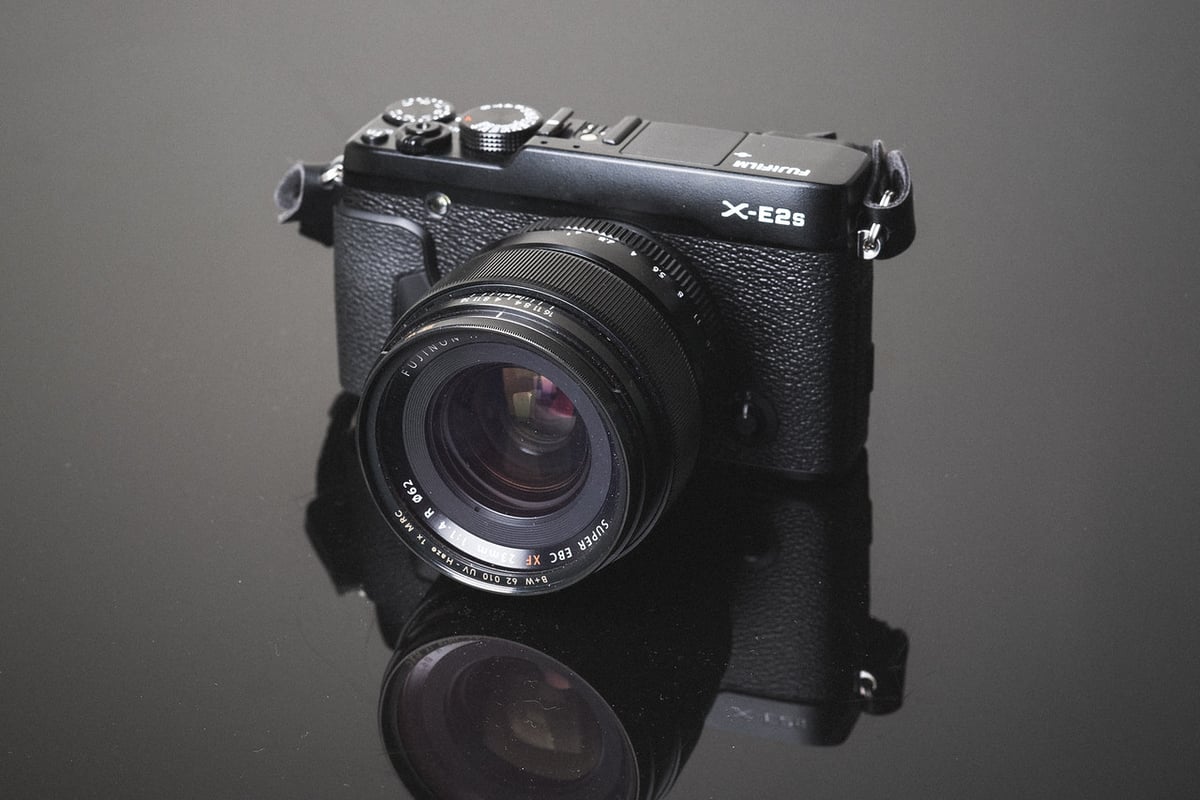
The Fujifilm X-E2s is like the X100T’s cousin, but it can take different lenses. The camera performs a lot like the X100T, but it features lighter hardware that doesn’t quite allow it to max out memory card speeds. Because of this, there is some disparity between memory card speeds.
This guide will help you find the fastest and best memory card for the Fujifilm X-E2s.
Recommended Memory Cards For The Fujifilm X-E2s
The memory card recommendations for the X-E2s are pretty straightforward. The camera has a single UHS-I SD card slot, so there’s no reason to buy any UHS-II cards for it.
Here are some of the best cards available today that work well with all Fujifilm cameras.
| UHS-I U3 SD Memory Cards | Tested USB Write | Tested USB Read | Links |
|---|---|---|---|
| Sandisk Extreme Pro 32GB-1TB | 137 | 175 | Amazon / B&H |
| Sandisk Extreme 256GB | 126 | 175 | Amazon / B&H |
| Kingston CanvasGo! 128/256/512GB/1TB | 124 | 161 | Amazon / B&H |
| Lexar SILVER Plus 128-256GB | 166 | 177 | Amazon |
| Transcend Ultra 340s A2 128/256/512GB | 90 | 148 | Amazon / B&H |
SD Memory Cards Benchmarks For The Fujifilm XE2s
The Fujifilm X-E2s seemed to perform well with some brands of cards but not with others. I’m not sure why, but you can use the chart below to find the fastest SD memory card for the Fujifilm XE2s.
Fujifilm X-E2s Memory Card Speed Chart
| SD Memory Cards | USB 3.0 Read | USB 3.0 Write | Fujifilm X-E2s Write Speeds |
| UHS-II | |||
| Lexar 64GB 2000x UHS-II | 272.7 MB/s | 244.5 MB/s | 48.63 MB/s |
| Toshiba 64GB UHS-II | 258.8 MB/s | 226.5 MB/s | 47.62 MB/s |
| Sony 64GB UHS-II | — | — | 46.18 MB/s |
| Transcend 64GB UHS-II | 290.2 MB/s | 182.1 MB/s | 44.53 MB/s |
| Delkin 32GB UHS-II | 253.5 MB/s | 219.6 MB/s | 43.44 MB/s |
| Lexar 64GB 1000x UHS-II | 147.4 MB/s | 78.4 MB/s | 42.63 MB/s |
| SanDisk Extreme Pro 64GB U3 | 260.5 MB/s | 214.8 MB/s | 28.56 MB/s |
| UHS-I | |||
| Samsung Pro+ 64GB U3 | 97.5 MB/s | 87.3 MB/s | 46.47 MB/s |
| Samsung Pro 64GB U3 | 97.7 MB/s | 78.6 MB/s | 45.85 MB/s |
| Samsung Pro 64GB U1 | 96.3 MB/s | 82.2 MB/s | 45.13 MB/s |
| Kingston 64GB U3 | 98.1 MB/s | 90.4 MB/s | 40.98 MB/s |
| Transcend 64GB U3 | 96.7 MB/s | 68.4 MB/s | 40.63 MB/s |
| Lexar 600x 64GB U1 | 95.4 MB/s | 64.8 MB/s | 40.23 MB/s |
| Lexar 633x 64GB U3 | 93.3 MB/s | 67.3 MB/s | 39.64 MB/s |
| Sony 64GB U3 | 96.5 MB/s | 84.5 MB/s | 38.57 MB/s |
| PNY 64GB U3 | 96.5 MB/s | 66.1 MB/s | 38.45 MB/s |
| SanDisk Extreme 64GB U3 | 98.6 MB/s | 90.8 MB/s | 29.91 MB/s |
| Sandisk Extreme Plus 64GB U3 | 99.0 MB/s | 64.4 MB/s | 29.79 MB/s |
| SanDisk Extreme Plus 64GB U3 | 72.43 MB/s | 54.1 MB/s | 29.51 MB/s |
| PNY 64GB U1 | 96.5 MB/s | 66.5 MB/s | 29.03 MB/s |
| Samsung 64GB U1 EVO | 47.7 MB/s | 27.3 MB/s | 20.59 MB/s |
Fastest Memory Cards Are Not Always The Best
Currently, there are several different types of flash memory on the market. Some read and write faster, while others read and write more slowly but have more life cycles. And then there are some that are fast with a high cycle count.
What does this mean?
Flash memory is typically rated from 5,000 cycles with older cards to 30,000+ cycles with newer cards. Some types of flash memory can even last up to 100,000 cycles. The number of courses is always increasing as technology improves, but it still plays an important role in choosing the best memory card for your needs, especially if you take a lot of photos.
It also means you should probably retire your old cards to prevent corrupting any files on an important shoot.
I personally take about 20,000 photos a year. So if I had an old memory card rated for only 5,000 cycles, it could start to run into issues with corrupted shots, and it happens sometimes during these memory card speed tests, even with new cards. This is why some memory cards only have a 1-year warranty. They’ll be good for high-intensity use for about 30,000 shots.
Unfortunately, card manufacturers usually don’t tell you what kind of flash memory they use, and many now offer limited lifetime warranties, so you’re stuck not really knowing how long your card will last.
This is why I still just recommend buying the fastest memory card at a price you’re comfortable with. Especially if you consider how much memory cards come down in price every year.
UHS-II Memory Cards: Will They Work With the Fujifilm X-E2s?
The short answer is yes, they will work in the Fuji X-E2s, but with limited speeds. However, if you’re a casual shooter, they probably won’t be worth the higher price.
Right now, UHS-II SD memory cards are the fastest you can buy, but few cameras can take advantage of them. However, if you like buying large cards and find yourself filling them up often, then those UHS-II speeds can really benefit you when transferring data to your computer. Really nice for studio photographers. But you’ll also need fast hard drives to take advantage of these speeds. Something like a Raid or an SSD should work fine.
Be sure to get UHS-II cards, and also get a UHS-II capable memory card reader found here.
Best Memory Card For The Fujifilm X-E2s – The Bottom Line
If you want a card that’s blazing fast at USB 3.0 transfer speeds to your computer, then go with a UHS-II memory card. If you want the fastest card at the best price, stick with UHS-I. If you want a card that will last for years, be sure to check the warranty. A higher warranty usually means better lifetime flash cycles, allowing more photos to be taken over the years without risk of corruption.
For Fujifilm cameras that don’t support UHS-II, I usually just stick with UHS-I cards, since they’re not very expensive and are always coming down in price.
For the XE2s, avoid SanDisk and go with Samsung, Kingston, Transcend, or Lexar for UHS-I cards. And if you’re shooting with UHS-II, stick with the Lexar 2000x or the Toshiba.
Also, check the complete list of Fujifilm X-Mount lenses















Leave a Reply to Ranjan RB Cancel reply