
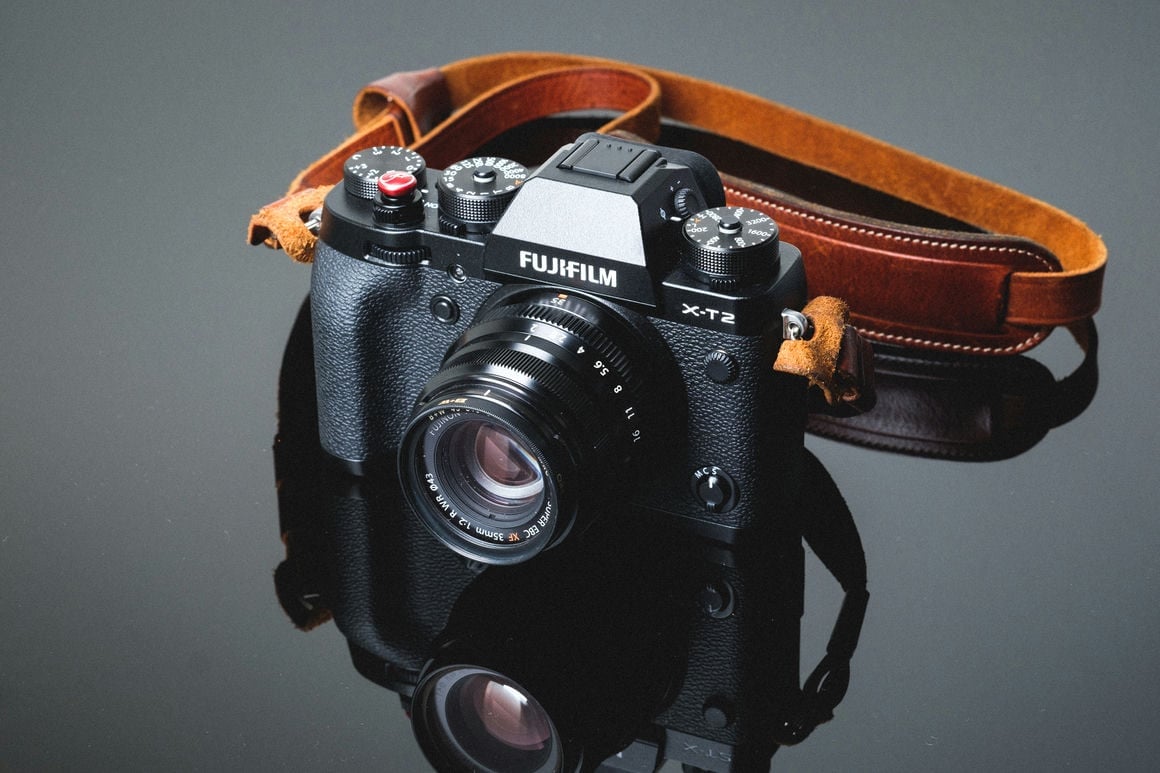
I just finished doing the memory card speed tests with the Fujifilm X-T2, and I had to double-check my results. The camera is smoking fast. It’s even faster than the X-Pro 2 and faster than any CF card I’ve tested.
With the UHS-II Lexar 2000x, I can get write speeds up to 156 MB/s with an average of 153.79 MB/s.
Compared to the Sony A6300, which has a max write speed of 33.19 MB/s,, the A6300 offers huge advantages for sports and nature shooters who use burst photography.
I’m not sure why it’s so much faster than the X-Pro 2, which peaked at 108.35 MB/s. The only thing that would make this kind of difference is how the XT2 handles heat. The new battery, designed for the XT2, dissipates heat much better. While doing the tests with the X-Pro2, I was nervous about the heat it was producing; it was one of the hottest cameras I’ve tested.
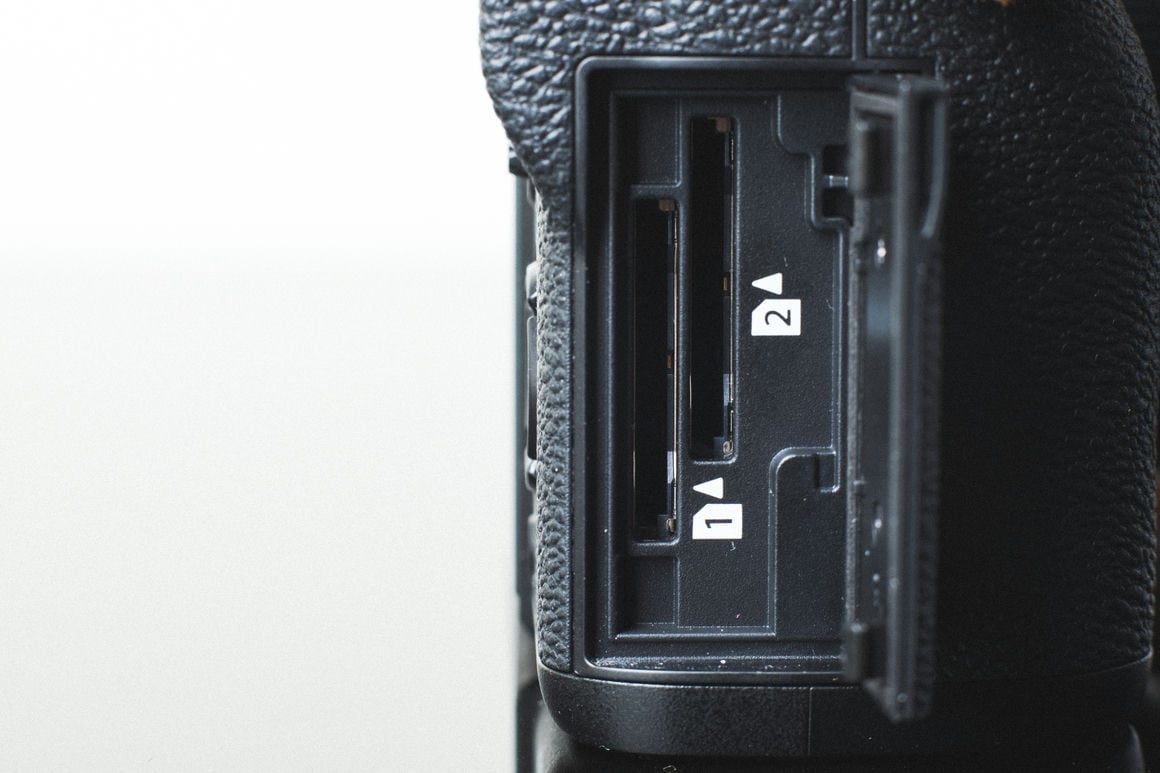
The XT2 also features dual UHS-II memory card slots, so a more advanced controller may be built in. For a complete breakdown of what works with Fujifilm bodies, the Fujifilm X-mount lens guide covers every current option.
To see how other cards perform with the X-T2, check out the Fujifilm X-T2 Memory Card Speed Test Charts.
I also recently published results from a few more memory card speed tests. The Fujifilm X-E2s (which was a little disappointing), and the Sony RX1r II (the best-performing Sony camera to date). The Canon 5DIV is on the way.
Fujifilm X-T2 Memory Card Recommendations
The X-T2’s 153.79 MB/s average write speed means almost any good V90 or strong V60 UHS-II card will saturate the camera’s interface. In the original testing, the Lexar 2000x was the top performer; the current equivalents — Sony Tough G, Delkin Power V90, Sandisk Extreme Pro (current generation), ProGrade Cobalt — all deliver speeds that hit the camera’s ceiling. The difference between these cards in the X-T2 comes down to reliability and physical durability rather than in-camera write performance.
For slot 2, a V60 UHS-II or quality UHS-I U3 card works fine for backup or overflow recording — secondary slot requirements are far less demanding unless you’re running full-speed simultaneous backup.
X-T2 Camera Specs and Buffer
| Sensor: 24.3MP APS-C X-Trans CMOS III Processor: X-Processor Pro Card Slots: Dual UHS-II (both slots) Continuous Burst: 11fps (with grip) / 8fps (without) Video: 4K at 15fps / 1080p at 60fps Max In-Camera Write Speed (tested): 156 MB/s peak, 153.79 MB/s average (Lexar 2000x) Buffer: ~1GB |
X-T2 Dual Slot Configurations
Unlike the X-Pro 2 where only slot 1 is UHS-II, the X-T2 has UHS-II capability in both slots. Backup mode records identical files to both slots simultaneously — the right call for events and paid work where a card failure would be catastrophic. RAW+JPEG split sends RAW to slot 1 and JPEG to slot 2, keeping file types organized for offloading. Overflow switches automatically to slot 2 when slot 1 fills, maximizing continuous shooting without manual swaps. In backup mode, match card speeds across both slots — a slow card in slot 2 throttles the whole system.
Can I Use a microSD Card in the Fujifilm X-T2?
The Fujifilm X-T2 uses full-size SD card slots. MicroSD cards work with an adapter, but from experience they can lose connection inside the adapter — I wouldn’t use one for anything critical. See the microSD memory card guide if you need to use one.
Fujifilm X-T2 Memory Card FAQ
Why is the X-T2 so much faster than the X-Pro 2?
The X-Pro 2 peaked at 108.35 MB/s while the X-T2 averaged 153.79 MB/s with the same Lexar 2000x card. The most likely explanation is heat management. The X-Pro 2 ran extremely hot during testing — concerning enough to note at the time. The X-T2’s larger body, redesigned battery system, and potentially more capable memory controller appear to handle thermals differently, allowing it to sustain much higher write speeds without thermal throttling. Both cameras feature UHS-II, but the X-T2’s implementation is clearly more capable in practice.
Do I need V90 cards for the X-T2?
Not necessarily. The X-T2’s 153–156 MB/s ceiling is above what V60 cards guarantee as a minimum (60MB/s), but the fastest V60 cards deliver 80–100+ MB/s in real-world in-camera use — still within the X-T2’s range. V90 cards will push closer to the camera’s full throughput; V60 cards deliver most of it at a lower cost. For burst-heavy sports work where buffer recovery time matters, V90 is the better choice. For general shooting, V60 is sufficient.
What card size should I buy for the X-T2?
Compressed RAW files from the 24.3MP X-Trans III sensor run roughly 25–35MB each. For a full day of shooting with some 4K clips, 128GB is a comfortable starting point. With dual UHS-II slots in overflow mode, running two 64GB cards gives the same effective capacity with two separate physical cards — useful if one fails or fills mid-shoot.













Leave a Reply