
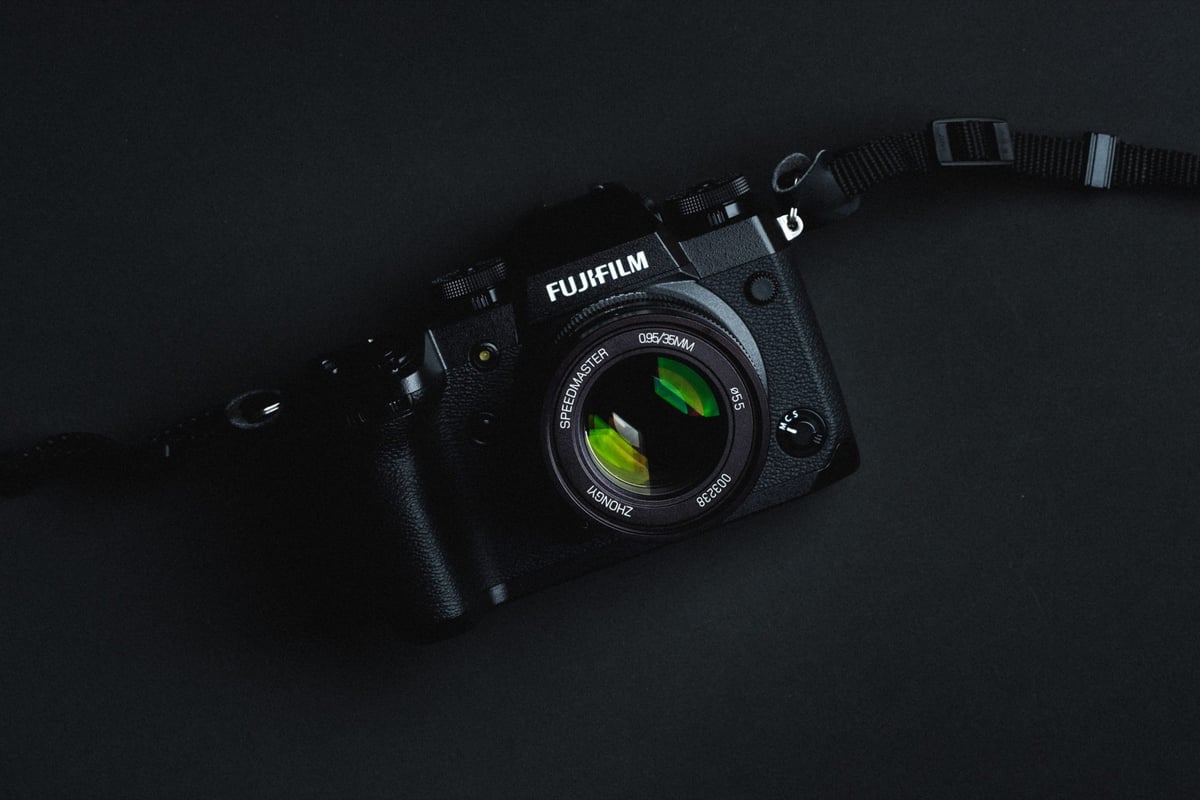
The Fujifilm X-H1 remains a unique beast in the X-Series lineup. It was the first to feature IBIS and, crucially for us, one of the few cameras of its era to sport Dual UHS-II Card Slots.
While newer cameras have moved to CFexpress, the X-H1’s ability to utilize two high-speed SD cards simultaneously makes it a professional workhorse even today. However, to get the most out of its 14 fps mechanical shutter and 400 Mbps video codec, you cannot just grab the cheapest card on the shelf.
Quick Summary: The Best Memory Cards for Fujifilm X-H1
The Fujifilm X-H1 features dual UHS-II card slots. To unlock the camera’s full potential (14 fps burst shooting and 400 Mbps video), you need a UHS-II (V60 or V90) memory card.
Best Overall (Fastest): Sony SF-G Tough (V90) – The gold standard. Indestructible build and maxes out the X-H1’s buffer clearing speed.
Best Value (High Performance): Kingston Canvas React Plus (V90) – Often significantly cheaper than Sony with nearly identical performance. Includes a free reader.
Best for Video (Reliable): Sony SF-M Tough (V60) – Perfect for 400Mbps 4K video without the premium price of V90 cards.
Best Budget (Stills Only): SanDisk Extreme Pro UHS-I (V30) – Reliable for street and travel photography, but avoid for high-bitrate video or heavy burst shooting.
| Memory Cards | Speed Class | USB-C Write | USB-C Read | Links |
|---|---|---|---|---|
| SD UHS-II V90 | Hide | |||
| Lexar 2000x V90 32-256GB | UHS-II v90 | 228 | 256 | Amazon / B&H |
| Sony G Tough v90 32-256GB | UHS-II v90 | 258 | 296 | Amazon / B&H |
| PNY EliteX-Pro90 V90 64/128/256GB | UHS-II v90 | 276 | 293 | Amazon / B&H |
| OWC Atlas Ultra V90 64-512GB | UHS-II v90 | 270 | 289 | Amazon / B&H |
| Kingston Canvas React V90 32-256GB | UHS-II v90 | 274 | 292 | Amazon / B&H |
| Wise V90 Pro 128/256/512GB | UHS-II v90 | 256 | 275 | B&H |
| SD UHS-II V60 | Hide | |||
| Sandisk Extreme Pro v60 256/512/1TB | UHS-II v60 | 189 | 279 | Amazon / B&H |
| Lexar ARMOR Gold V90 256GB-1TB | UHS-II v60 | 191 | 258 | Amazon / B&H |
| Sony M Tough V60 64-512GB | UHS-II v60 | 153 | 269 | Amazon / B&H |
| PNY EliteX-Pro60 V60 256GB | UHS-II v60 | 183 | 280 | Amazon / B&H |
The Speed Test: What the X-H1 Actually Needs
My original benchmarks revealed exactly where the X-H1 hits its limit. This camera is fast—much faster than the standard UHS-I slot found in the X-T30 or Sony a6000.
Max Write Speed (UHS-II): ~155 MB/s
Max Write Speed (UHS-I): ~67 MB/s
The Reality Check: If you put a standard UHS-I card (like a generic SanDisk Ultra) in this camera, you are physically capping its performance at less than half of what it is capable of.
With a UHS-II Card: The buffer clears in roughly 6.5 seconds.
With a UHS-I Card: The buffer takes nearly 15-20 seconds to clear.
For casual shooting, UHS-I is fine. For burst shooting, wildlife, or high-bitrate video, UHS-II is mandatory.
Video Note: The 400Mbps Rule
The X-H1 features a stunning 400Mbps internal recording option for 4K.
The Math: 400 Megabits per second = 50 Megabytes per second.
The Risk: Standard “V30” cards are only guaranteed to sustain 30 MB/s.
If you plan to shoot at the highest quality settings, you must use a V60 or V90 card. A V30 card will likely cause recording to stop unexpectedly after a few seconds.
Fujifilm X-H1 Specs
Sensor: 24.3MP APS-C X-Trans CMOS III Sensor
Processor: X-Processor Pro Engine
Continuous Shoot: 14 fps Cont. Shooting
Est. Buffer Size: 1GB
Memory Card Compatibility: UHS-II / UHS-II
Time To Clear Buffer: 6.5 seconds (Sandisk Extreme Pro UHS-II 300)
Shots To Fill Buffer RAW: 30 (Sandisk Extreme Pro UHS-II 300)
Important: Avoiding “Card Lockups”
The X-H1 is known to be sensitive to card errors, occasionally displaying “Read Error” or locking up with older cards. To minimize this:
Format Often: Always format the card inside the camera, not on your computer.
Clean Contacts: The X-H1’s dual slots are deep; ensure your card’s gold contacts are clean of oils.
Stick to Major Brands: My long-term testing shows that Sony, SanDisk, and Kingston tend to have the best controller compatibility with Fujifilm’s X-Processor Pro.
Fujifilm X-H1 | The Speed Test
Every few months, new UHS-II memory cards hit the market. I try to buy those that are getting a lot of attention to see if they are actually worth it. Oftentimes, they are not. I’ve tested just about every popular memory card with the X-H1, and the results, for the most part, were impressive. Most cards work very well and perform as specified.
There was one strange issue I had: the rental camera I was using started labeling memory cards at 9000, even after formatting. Once I reached DSCF9999, I would get the error “!1 Frame No Full.” After messing with the settings for a bit, I finally got the camera to do a frame reset, but it wasn’t doing it by default.
For 4K video, everything worked fine.
Use the chart below to see which cards are best for your needs.
| SD Memory Cards | USB 3.0 Read | USB 3.0 Write | Fujifilm X-H1 |
| UHS-II | |||
| Lexar 2000x | 272.7 MB/s | 244.5 MB/s | 154.16 MB/s |
| Sony G | 259.2 MB/s | 234.5 MB/s | 147.30 MB/s |
| Delkin V90 | 245.1 MB/s | 164.6 MB/s | 144.49 MB/s |
| Sandisk Extreme Pro 300 | 263.2 MB/s | 233.4 MB/s | 144.25 MB/s |
| Toshiba Exceria Pro | 258.8 MB/s | 226.5 MB/s | 143.63 MB/s |
| Adata V90 | 256.5 MB/s | 231.7 MB/s | 141.67 MB/s |
| Transcend | 290.2 MB/s | 182.1 MB/s | 127.20 MB/s |
| Fujifilm Elite II | 294.0 MB/s | 181.6 MB/s | 125.90 MB/s |
| SanDisk Extreme Pro 300 | 260.5 MB/s | 214.8 MB/s | 91.64 MB/s |
| Sony M | 253.2 MB/s | 91.62 MB/s | 82.23 MB/s |
| Delkin 1900X v60 | 273.3 MB/s | 97.3 MB/s | 80.86 MB/s |
| ProGrade v60 | 166.7 MB/s | 64.54 MB/s | 76.41 MB/s |
| Hoodman Steel 2000x | 268.7 MB/s | 183.9 MB/s | 66.09 MB/s |
| Lexar 1000x | 147.4 MB/s | 78.4 MB/s | 66.02 MB/s |
| UHS-I | |||
| SanDisk Extreme Pro 280 | 98.6 MB/s | 90.8 MB/s | 66.96 MB/s |
| Samsung Pro U3 | 97.7 MB/s | 78.6 MB/s | 66.79 MB/s |
| Kingston U3 | 98.1 MB/s | 90.4 MB/s | 66.21 MB/s |
| Samsung Pro+ U3 | 97.5 MB/s | 87.3 MB/s | 65.05 MB/s |
| Samsung Pro U1 | 96.3 MB/s | 82.2 MB/s | 64.59 MB/s |
| Delkin 633x U3 | 98.3 MB/s | 88.7 MB/s | 64.20 MB/s |
| Transcend U3 | 96.7 MB/s | 84.9 MB/s | 62.39 MB/s |
| Sony U3 – Old Model | 96.5 MB/s | 84.5 MB/s | 60.60 MB/s |
| SanDisk Extreme Pro U3 | 99.0 MB/s | 64.4 MB/s | 55.57 MB/s |
| PNY Elite Performance U3 | 96.5 MB/s | 66.1 MB/s | 54.23 MB/s |
| Lexar 633x U3 | 93.3 MB/s | 67.3 MB/s | 53.75 MB/s |
| Lexar 600x U1 | 95.4 MB/s | 64.8 MB/s | 53.43 MB/s |
| PNY Elite Performance U1 | 96.5 MB/s | 66.5 MB/s | 52.02 MB/s |
| Sony U3 – New Model | 96.7 MB/s | 56.2 MB/s | 49.11 MB/s |
| SanDisk Extreme Plus U3 | 72.43 MB/s | 54.1 MB/s | 46.32 MB/s |
| Samsung U1 EVO | 47.7 MB/s | 21.96 MB/s | 20.19 MB/s |
| SanDisk Extreme U3 | 99.3 MB/s | 36.1 MB/s | 25.15 MB/s |
Conclusion: Don’t Let a Slow Card Bottleneck Your X-H1
The Fujifilm X-H1 is a professional tool designed for speed. Putting a cheap, slow memory card in this camera is like putting low-octane fuel in a sports car—it will run, but you are actively limiting its performance.
By investing in a UHS-II V60 or V90 card (like the Sony Tough or Kingston Canvas React), you ensure your camera clears its buffer instantly and never stops recording during critical video moments.
What’s Next? Improving Battery Life & Ergonomics Now that your X-H1 is running at full speed, you need to address its biggest weakness: Battery Life. The X-H1 is notorious for chewing through batteries, especially with IBIS enabled.
I have compiled a complete list of essential gear—from the vertical power booster grip to the best screen protectors and straps. Some of the official accessories will be discontinued, but you might be able to still find some gear on the used market.
Read More: [The Ultimate Guide to Fujifilm X-H1 Accessories] (Link to your accessories post)













Leave a Reply