
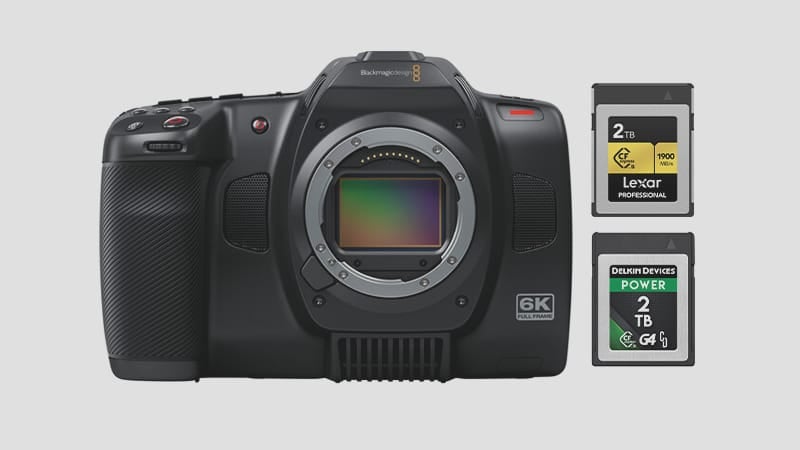
Not to be confused with the S35 Blackmagic Pocket Cinema 6k G2, this Blackmagic Cinema Camera 6k uses a single CFexpress Type B Memory Card slot.
The camera has different recording options for data rate, with the highest being 555MB/s for constant quality and 370MB/s for constant data rate. The lowest is 81MB/s for 12:1 compression. So when looking for the Best Memory Cards for the Blackmagic Cinema 6k, you’ll need memory cards with a sustained speed to handle these video data rates.
Luckily, most of the top brands’ new CFexpress type-B Memory cards can handle this. Here is what I recommend.
Blackmagic Cinema 6k – B&H
Blackmagic Cinema 6k Memory Card Recommendations
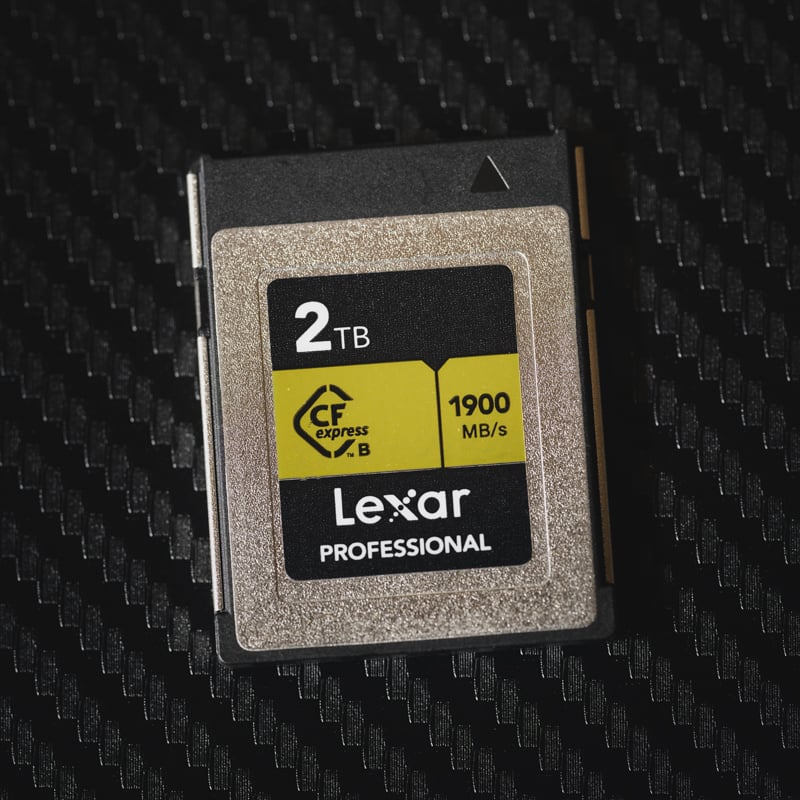
Lexar cards are always a great option, and the Lexar Gold cards come in sizes up to 2TB with a 1582MB/s tested sustain speed, making them a great choice for BRAW shooters. Lexar Gold cards also have a tough build and a lifetime warranty.
Lexar Gold CFexpress Type-B Memory Cards

Lexar Gold 128-512GB CFexpress Type B
Tested Write: 1410 MB/s
Tested Read: 1525 MB/s
Tested Sustain: 1382 MB/s
Lexar Gold 1TB-2TB CFexpress Type B
Tested Write Speed: 1642 MB/s
Tested Read Speed: 1695 MB/s
Tested Sustain: 1582 MB/s
Warranty: Limited Lifetime
See Details: Lexar Gold CFExpress Type-B Review
128-256GB
1TB-2TB
Delkin makes some of the best memory cards, with great performance and tough builds. Their Delkin Power G4 cards come in sizes up to 2TB and have a sustain speed of 1507MB/s, which I tested.
Delkin Power G4 CFexpress Type-B

Delkin Power G4 128-512GB CFexpress Type B
Tested Write: 920 MB/s
Tested Read: 1226 MB/s
Tested Sustain: 842 MB/s
Delkin Power G4 650GB-2TB CFexpress Type B
Tested Write Speed: 1588MB/s
Tested Read Speed: 1710MB/s
Tested Sustain: 1507 MB/s
Warranty: Limited Lifetime
See Details: Delkin Power G4 CFExpress Type-B Review
128-256GB
650GB-2TB
For budget shooters, the Hoodman Steel 1TB cards have worked great for me when shooting RAW video recordings. The Hoodman Steel cards feature a tough build and a competitive price. But check the price of the Hoodman cards compared to the Lexar Gold cards; sometimes they are priced very similarly depending on current sales.
Hoodman Steel 1TB CFexpress Type-B
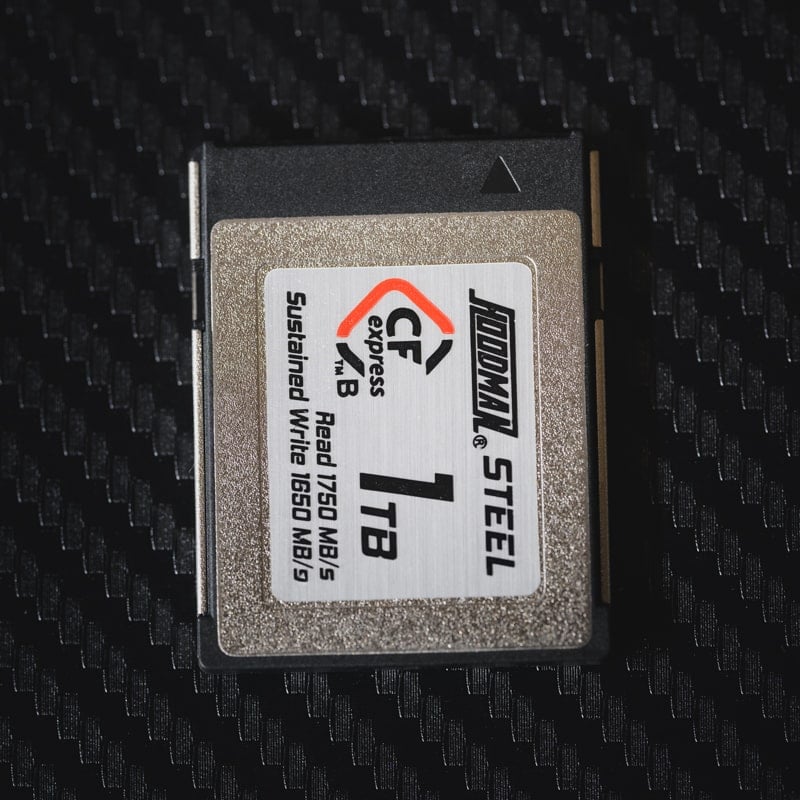
Hoodman Steel 1TB CFexpress Type B cards have a rated write speed of 1650 MB/s and a rated read speed of 1750 MB/s.
Tested Write Speed: 1528 MB/s
Tested Read Speed: 1121 MB/s
Tested Sustain: 1502 MB/s
See Details: Hoodman Steel 1TB CFeB Review
Warranty: Limited Lifetime
1TB
The Best Budget memory card for the Blackmagic Cinema 6k is the Lexar Silver 1TB card.
The 1TB card has a sustain speed I tested at 1382MB/s, making it the best value for the Black Magic Cinema 6k. The only thing you’re missing is that they don’t have a Lifetime warranty and aren’t marketed with the Tougher Build like the above cards. The 1TB card is great and has allowed me to shoot RAW videos without issues.
Lexar Silver CFexpress Type-B

Lexar Silver 128-256GB CFexpress Type B
Tested Write: 749 MB/s
Tested Read: 1719 MB/s
Tested Sustain: 490 MB/s
Lexar Silver 512GB CFexpress Type B
Tested Write Speed: 1141 MB/s
Tested Read Speed: 1624 MB/s
Tested Sustain: 891 MB/s
Lexar Silver 1TB CFexpress Type B
Tested Write: 1661 MB/s
Tested Read: 1732 MB/s
Tested Sustain: 1382 MB/s
Warranty: 10-Year Limited
See Details: Lexar Silver CFexpress Type-B Review
Lexar 128-256GB
Lexar 512GB
Lexar 1TB
These recommended cards will allow you to record (Open Gate) Blackmagic RAW 3:1 at up to 36 fps or up to 6K DCI Blackmagic RAW 3:1 at up to 48 fps.
You can see Blackmagic’s official Recommended Memory Cards Blackmagic Cinema 6k to find other cards I might not have listed here.
Blackmagic Cinema 6k Recording Specs & Details
With the available USB-C port, you can use USB-C drives. Recording to a USB-C drive can potentially save you some money. However, based on the Blackmagic recommendation list, you won’t be able to record at a bit rate as high as possible with CFexpress cards.

With CFexpress cards, Blackmagic lists compatibility with 6K (Open Gate) Blackmagic RAW 3:1 at up to 36 fps,
With USB-C drives, Blackmagic list compatibility maxes out at 6K (Open Gate), and Blackmagic RAW 5:1 at up to 36 fps.
With CFexpress cards, you can record 3:1, whereas with a USB-C drive, you can record 5:1.
This chart shows what the Constant Bitrate vs the Constant Quality looks like at 24fps.
Note that 6k at 3:1 will record up to 370MB/s at 30fps. This chart only displays the bitrate for 24fps.

This chart shows the data rates at 30fps taken from the BlackMagics tech specs page.
6048 x 4032 (6K Open Gate 3:2) Blackmagic RAW 3:1 – 370 MB/s 4832 x 4032 (Anamorphic 6:5) Blackmagic RAW 3:1 – 297 MB/s | 6048 x 3200 (6K DCI 17:9) Blackmagic RAW 3:1 – 295 MB/s 6048 x 2520 (6K 2.4:1) Blackmagic RAW 3:1 – 233 MB/s |
Blackmagic Cinema 6k Record Times – Memory Card Capacity
This table shows the different recording modes and how much time they use for different card sizes. To get your numbers, I have to build a bitrate-to-time converter.
| Blackmagic Cinema 6k Record Times | Mbps | 256GB | 512GB | 1TB |
| Constant Quality | ||||
| Blackmagic RAW Q0 – 278 to 555 MB/s | 4440Mbps | 8min | 15min | 31min |
| Blackmagic RAW Q1 – 186 to 444 MB/s | 3552Mbps | 10min | 19min | 38min |
| Blackmagic RAW Q3 – 124 to 318 MB/s | 2544Mbps | 13min | 27min | 54min |
| Constant Bitrate | ||||
| Blackmagic RAW 3:1 – 370 MB/s | 2960Mbps | 12min | 23min | 46min |
| Blackmagic RAW 5:1 – 223 MB/s | 1784Mbps | 19min | 38min | 77min |
| Blackmagic RAW 8:1 – 140 MB/s | 1120Mbps | 30min | 61min | 122min |
While these max bitrates seem massive, most new and high-end CFexpress cards can do this without any problem. When buying cards, you’ll want to check the sustained speeds and avoid any cards that cut them close. You want to ensure you have plenty of bandwidth overhead to avoid lost frames when recording video. This is why I recommend the midrange cards like Delkin G4 or the Lexar Gold cards.
On the CFexpress type B memory card page, where I test most of the cards, you can click the + symbol next to each card to compare its different rated sustain speeds. This allows you to easily compare the different cards’ minimum speeds.
Best Memory Cards Blackmagic Cinema 6k | Conclusions
Buying memory cards for the Cinema 6k is a little tricky since there are so many different record modes, but the good news is you won’t need the absolute best memory card for the Blackmagic Cinema 6k, although they will work fine. If you stick with the midrange cards from big brands like Lexar or Delkin, they will give you everything you need to do, including everything this camera offers.
Related Articles
The Blackmagic Cinema 6k is available in the L mount. I keep a live, up-to-date guide listing all the L mount lenses available.













Comments
2 responses to “Best Memory Cards Blackmagic Cinema 6k”
This camera does NOT use CFexpress, I took the advice of this page and spent $300 on something that doesn’t fit. CFFAst! AND sd ONLY!!!! PLEASE GIVE PEOPLE THE RIGHT Information as supported by the Black Magic website
This article is for the Cinema 6k, not the regular pocket 6k, the Cinema 6k with the full frame sensor uses the CFxB cards. Terrible naming which makes it confusing.
It’s possible your pocket 6k search lead you here. There have been a lot of issues with Google Canonicals lately which I’ve been trying to clean up. But these new google search algos get a lot of cameras confused these days.