
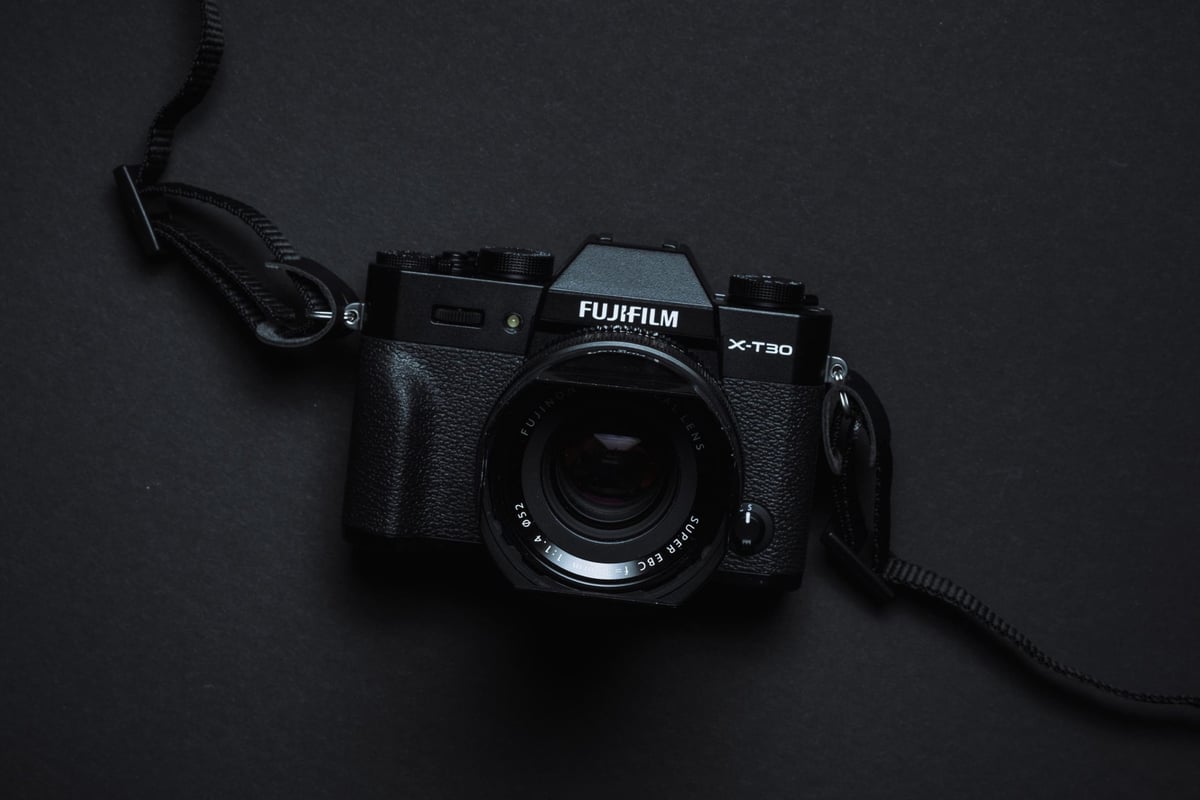
Like with the Fujifilm X-T20, Fujifilm stripped out some of the more advanced features found in the flagship X-T3 to make a smaller, lighter, and less expensive camera that’s still incredible.
They’ve reduced the memory card speed class to UHS-I with only a single card slot. To compensate for the slower speed, they limited video recording to 10 minutes and reduced the bitrate to 200 Mbps.
Recommended Memory Cards Fujifilm X-T30
Here is a list of the best and fastest memory cards for the X-T30, including in-camera speeds.
Usually, UHS-II memory cards are slightly faster. Still, they are not actually running at UHS-II speeds in camera, and the UHS-I cards will give you a much better performance-to-cost ratio.
You can also check the full list further down to see how each memory card performed in-camera.
| UHS-I U3 SD Memory Cards | Tested USB Write | Tested USB Read | Links |
|---|---|---|---|
| Sandisk Extreme Pro 32GB-1TB | 137 | 175 | Amazon / B&H |
| Sandisk Extreme 256GB | 126 | 175 | Amazon / B&H |
| Kingston CanvasGo! 128/256/512GB/1TB | 124 | 161 | Amazon / B&H |
| Lexar SILVER Plus 128-256GB | 166 | 177 | Amazon |
| Transcend Ultra 340s A2 128/256/512GB | 90 | 148 | Amazon / B&H |
Memory Card Speed Chart – Buffer Benchmarks
Use this chart to see the fastest cards for your needs.
You can click and sort the tables to make it easier to follow.

One thing to understand is that I test these cameras’ buffer speeds as the camera fills the buffer and stops when it’s full. This simulates how the camera is actually being used in the real world.
The X-T30 can write to memory cards faster than the data here shows, because there is always a slight slowdown as the camera performs some work on each RAW file. This is where that bottleneck comes in with all cameras.
You can almost certainly bet that if you were to just transfer a large file, the buffer would be able to transfer it to each card at each card’s USB speed with this camera. However, since each RAW file requires some processing and conversion, there is a slight delay before each file is transferred.
Memory Card-Related Specs
| Sensor: 26.1MP APS-C X-Trans BSI CMOS 4 Sensor Processor: X-Processor 4 with Quad CPU Continuous Shooting: 8fps MS, 20fps ES (no crop) / 30fps crop Memory Card Slots: 1 Slot – UHS-I Buffer Size: 1GB Shots to Fill Buffer: 17 Uncompressed RAW (Toshiba Exceria Pro UHS-II) Est Time To Clear Buffer: 12 sec Memory Card Capacity: Up To 512GB |
Best SD Memory Cards For 4k Video | Fujifilm X-T30
Fujifilm has reduced the X-T30’s 4 K bitrate to 200 Mbps to ensure proper performance with UHS-I memory cards. The X-T3 can record at 10-bit, 400 Mbps.
200mbps is still great, especially compared to the competition. It’s still twice the bitrate of any Sony or Nikon camera, and you can still record at 4:2:2 10-bit.
Compatibility
Based on how they performed in my tests, most of the cards tested here should record 4K video at 200 Mbps without any issues. You should always use U3 memory when shooting 4 K.
U3 memory cards are designed for a guaranteed minimum data stream of 30MB/s, and 200mbps translates to 25MB/s. So, as long as you buy one of the U3 memory cards, you’ll be able to record 4 K video in the X-T30 without any issues.
What Size Memory Card To Buy
Choosing the right memory card size depends on how you plan to use the X-T30, so the best I can do is share my experience.
If you plan to buy the X-T30 for mostly stills, 64GB cards are a great choice. You’ll almost never use 64GB in a full day of shooting, which means you can go a few days without clearing the card.
If you plan on shooting a lot of video, you’ll likely want a 128GB card or larger. 4k at 200 Mbps translates to about 25 MB/s, which can quickly fill up a card. If you’re coming over from Sony or Nikon, your video files will be twice the size of this camera, and it will eat through cards fast.
I would even say that if you’re shooting a lot of stills with some video mixed in, you may also want a 128GB card. When I’m shooting video + stills while traveling, I can often push the limits of a 64GB card.
What All The Symbols Mean
There are a lot of codes on each card, and it’s important to know what some of these letters and numbers mean, since they affect performance, especially when shooting a video.
UHS-I vs UHS-II
This is an important speed class since only some cameras can take advantage of UHS-II technology. Buying a UHS-II card is a huge waste of money if your camera does not support it.
UHS-II cards have a second row of pins that allows up to three times the data rate of UHS-I cards.
The Fujifilm X-T30 only supports UHS-I, so any UHS-II card will use only the first row of contact pins at UHS-I speeds.
SDHC vs. SDXC
On some cards, you’ll see SDHC or SDXC; this refers to the file system.
SDHC supports only a 32-bit file system, while SDXC supports a 64-bit file system. Fat-32 or ExFat.
32GB memory cards and smaller ones are always SDHC, and 64GB cards and bigger ones are always SDXC.
The big difference here is if you’re using SDHC (32-bit FAT32), your video clips will be broken into 4GB chunks.
If you’re using SDXC (64-bit ExFAT) cards, your video clips will record up to the maximum recording limit of 10 minutes on this camera.
U1, U3, V30, v60, v90
The Fujifilm X-T30 only utilizes UHS-I memory cards, so it cannot take advantage of the v60 and v90 speeds of UHS-II cards. But here is what these numbers mean.
Class 10 or U1 – Minimum record speed 10MB/s
U3 / V30 – Minimum record speed 30MB/s
V60 – Minimum record speed 60MB/s
V90 – Minimum record speed 90MB/s
These numbers are important and worth remembering if you’re serious about video. Since the X-T30 writes video at 25MB/s, a U3 card will guarantee it can keep up with that spec, so long as it’s not defective.
A1, A2
You see this mostly written on micro SD memory cards, but it’s found its way onto a few SD cards, like the Kingston Canvas React.
A1 and A2 memory cards have a built-in cache to improve random read and write performance. Cameras always read and write sequentially, so it’s a little irrelevant here. But if you were to use a card in a tablet or laptop to run apps, an A1 or A2 card would greatly increase performance.
Best Memory Cards Fujifilm X-T30 | Conclusions
The Fujifilm X-T30 is an incredible camera with some amazing capabilities. While it does not support UHS-II memory cards like its bigger brother, the Fujifilm X-T3, you’ll still get some incredible performance and capabilities with UHS-I cards.
Be sure to buy a card with at least a U3 rating to take advantage of 4K 200Mbps video and the fast 20 fps continuous and 20 fps continuous burst speeds. Not all U3 cards are created equal, so be sure to buy the fastest card possible. Use the chart above to find the best UHS-I SD memory cards for the Fujifilm X-T30.















Leave a Reply