
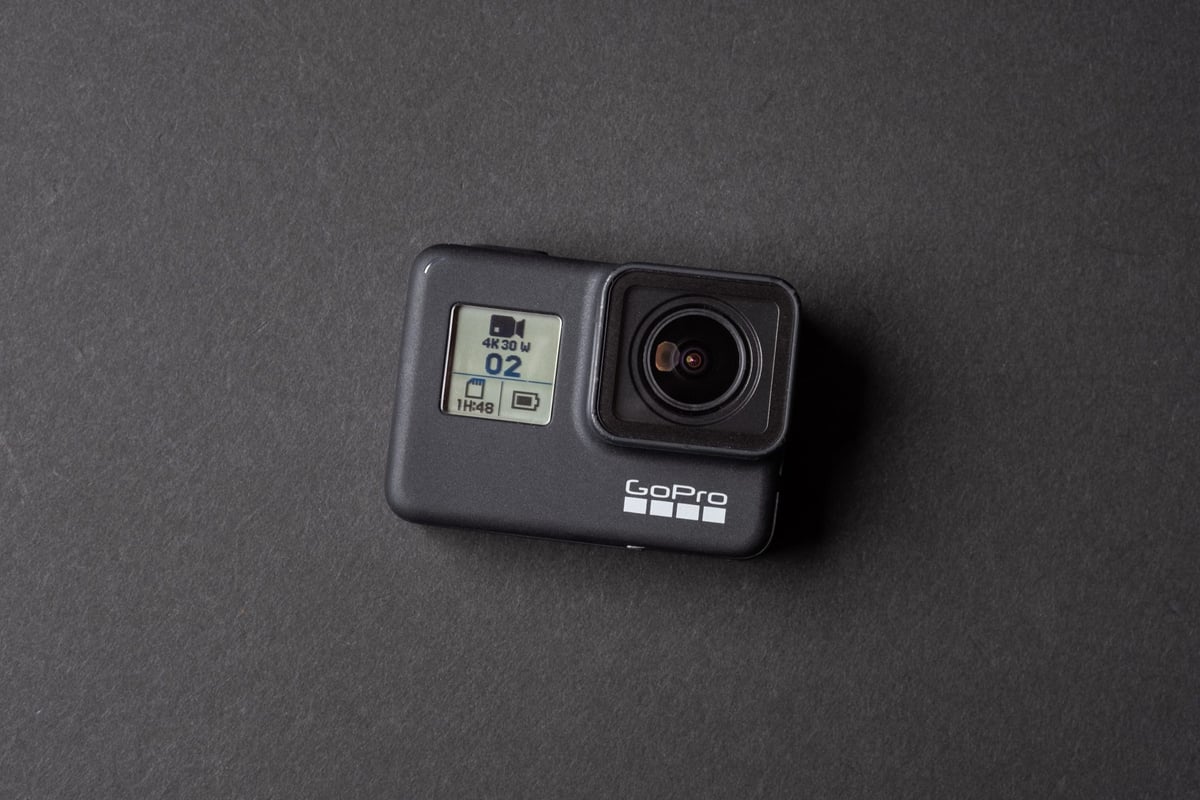
These are my recommendations based on years of testing for the new GoPro Cameras.
The Sandisk Extreme and Extreme Plus cards always work the best of all these cards.
While the Extreme Pro cards are great for the Hero 7 Black, they had issues in the past with older cameras. If you still own an older GoPro, avoid the Sandisk Extreme Pro cards for now.
Recommended SD Memory Cards GoPro Hero 7
| Recommended Cards | Speed Class | Check Price | ||
|---|---|---|---|---|
| MicroSD Express | ||||
| Lexar PLAY PRO EX 256/512GB / 1TB | EX | Amazon | ||
| Sandisk EX 128GB/512GB | EX | Amazon | ||
| Samsung EX 256GB | EX | Amazon | ||
| PNY EX 128GB/256GB | EX | Amazon | ||
| Adata Premier Extreme EX U3 | EX | Amazon | ||
| Addlink EX U3 | EX | Amazon | ||
| Dato EX V30 A1 | EX | Amazon | ||
| Gigastone EX V30 A1 256GB | EX | Amazon | ||
| Patriot EP EX V30 | EX | Amazon | ||
| TeamGroup APEX EX V30 A1 256GB | EX | Amazon | ||
| UHS-II | ||||
| Lexar 1800x V60 | UHS-II | |||
| Lexar 1000x V60 | UHS-II | Amazon | ||
| Lexar Gold V60 A1 | UHS-II | Amazon / B&H | ||
| ProGrade V60 | UHS-II | Amazon / B&H | ||
| Delkin Power V90 | UHS-II | Amazon / B&H | ||
| Angel Bird A1 V60 | UHS-II | Amazon / B&H | ||
| UHS-I | ||||
| Sandisk Extreme Pro U3 A2 | UHS-I | Amazon | X | |
| Sandisk Extreme Plus U3 A2 | UHS-I | Amazon / B&H | X | |
| Sandisk Outdoors 4k V30 A2 | UHS-I | Amazon / B&H | ||
| Sandisk Extreme U3 A2 256GB-1TB | UHS-I | Amazon / B&H | ||
| Sandisk Extreme U3 A2 128GB | UHS-I | Amazon / B&H | X | |
| Sandisk Ultra U1 A1 – 0ld | UHS-I | B&H | ||
| Sandisk Nintendo Switch V30 A1 | UHS-I | Amazon / B&H | ||
| Sandisk High Endurance V30 | UHS-I | Amazon / B&H | ||
| Sandisk Max Endurance V30 | UHS-I | Amazon / B&H | ||
| Samsung Pro Ultimate v30 A2 | UHS-I | Amazon / B&H | ||
| Samsung Pro Plus V30 A2 | UHS-I | Amazon / B&H | X | |
| Samsung EVO Plus V30 A2 | UHS-I | Amazon / B&H | X | |
| Samsung EVO Select V30 A2 | UHS-I | Amazon / B&H | ||
| Samsung Pro Endurance V30 | UHS-I | Amazon / B&H | ||
| Kingston Canvas Go! Plus V30 A2 | UHS-I | Amazon / B&H | X | |
| Kingston Canvas Select Plus V30 A1 | UHS-I | Amazon / B&H | ||
| Kingston Industrial V30 A1 | UHS-I | X | Amazon / B&H | |
| Lexar Silver Plus V30 A2 | UHS-I | Amazon / B&H | X | |
| Lexar Silver1066x A2 | UHS-I | Amazon / B&H | ||
| Lexar Blue 633x V30 A1/A2 | UHS-I | Amazon / B&H | ||
| Lexar FLY V30 A2 | UHS-I | Amazon / B&H | ||
| Lexar PLAY U3 A2 512GB-1TB | UHS-I | Amazon / B&H | ||
| Lexar PLAY U3 A1 256GB | UHS-I | Amazon / B&H | ||
| Lexar PLAY U1 A1 128GB | UHS-I | Amazon / B&H | ||
| Lexar E-Series Plus U3 A2 | UHS-I | Amazon | ||
| Lexar E-Series U3 A1 | UHS-I | Amazon | ||
| Delkin Black V30 | UHS-I | B&H | ||
| Delkin Hyperspeed V30 | UHS-I | Amazon / B&H | ||
| Delkin Select V30 64GB | UHS-I | Amazon / B&H | ||
| Delkin Dashcard V30 | UHS-I | Amazon / B&H | ||
| Transcend 500S U3 | UHS-I | X | Amazon / B&H | |
| Transcend 350V High Endurance U3 | UHS-I | X | Amazon / B&H | |
| Transcend 340S Ultra Performance V30 A2 | UHS-I | X | Amazon / B&H | |
| Transcend 330S High Performance V30 A2 | UHS-I | X | Amazon / B&H | |
| Transcend 300s V30 A1 | UHS-I | Amazon / B&H | ||
| PNY Premier-X A2 V30 | UHS-I | Amazon / B&H | X | |
| PNY PRO Elite U3 A2 | UHS-I | Amazon / B&H | X | |
| PNY PRO Elite U3 | UHS-I | Amazon / B&H | ||
| PNY Elite-X V30 A1 | UHS-I | Amazon / B&H | ||
| Amplim 667X V30 A1 | UHS-I | Amazon | ||
| Netac Pro A1 U3 | UHS-I | X | ||
| Patriot EP PRO U3 | UHS-I | Amazon | ||
| Patriot EP A1 V30 | UHS-I | Amazon / B&H | ||
| Patriot High Endurance U3 | UHS-I | X | ||
| Silicon Power Superior Pro | UHS-I | X | B&H | |
| Silicon Power Superior V30 A2 | UHS-I | Amazon / B&H | ||
| Silicon Power Superior V30 A1 | UHS-I | |||
| Silicon Power 3D NanD V30 A1 | UHS-I | Amazon / B&H | ||
| Silicon Power GAME V30 A1 | UHS-I | Amazon / B&H | ||
| Silicon Power High Endurance U3 | UHS-I | Amazon / B&H | ||
| Ritz Gear V30 A1 | UHS-I | Amazon | ||
| Gigastone 4k Camera Extreme Max | UHS-I | X | Amazon | |
| Gigastone 4k Camera Extreme | UHS-I | X | Amazon | |
| Gigastone 4k Camera Pro Max V30 A2 | UHS-I | X | Amazon | |
| Gigastone 4k Camera Pro V30 A2 | UHS-I | X | Amazon | |
| Gigastone Camera Plus V30 A1 | UHS-I | X | Amazon | |
| Gigastone 4k Game Turbo A2 U3 | UHS-I | X | Amazon | |
| Gigastone Game Pro Max V30 A2 | UHS-I | X | ||
| Gigastone 4k Game Pro V30 A2 | UHS-I | X | Amazon | |
| Gigastone Gaming Plus A1 V30 | UHS-I | X | Amazon | |
| Gigastone 10x High Endurance V30 | UHS-I | X | Amazon | |
| TeamGroup A2 Pro+ 256GB-1TB | UHS-I | X | Amazon | |
| TeamGroup A2 Pro+ 128GB | UHS-I | X | Amazon | |
| TeamGroup Go V30 A1 | UHS-I | X | Amazon | |
| TeamGroup High Endurance V30 | UHS-I | X | Amazon | |
| Amazon Basics V30 A2 | UHS-I | Amazon |
Micro SD Memory Cards GoPro Hero 7 | Speed Chart
While the three cards above are the best memory cards for the GoPro Hero 7, they are not necessarily the fastest. I chose these micro SD cards because they were the best bang for the buck. To see more great cards and options, check this cool speed chart.
I’ve marked many cards as ‘Maybe’ in this chart to identify cards that could potentially have issues when recording H.265. The GoPro Hero 7 Black and Silver can pump out a data rate of 85mbps, which may cap the limit of U1 record speeds.
Memory card read/write speeds are determined using Crystal Disk on Windows 10.
| Micro SD Memory Cards | Hero 7 | Read Speeds MB/s | Write Speeds MB/s | Recommended |
|---|---|---|---|
| Sandisk Extreme Pro U3 | 99.38 | 90.33 | Yes |
| Sandisk Extreme Plus U3 | 99.45 | 89.85 | Yes |
| Sandisk Extreme U3 | 99.49 | 70.29 | Yes |
| Sandisk Ultra C10 – Old Version U1 | 47.69 | 36.23 | No |
| Sandisk Ultra C10 – New Version | 99.46 | 79.64 | No |
| Delkin 64GB U3 | 98.50 | 88.44 | Yes |
| Lexar 1000x U3 UHS-II | 151.7 | 53.18 | Yes |
| Lexar 633x U1 | 96.89 | 33.29 | No |
| Lexar 300x U1 | 47.37 | 31.17 | No |
| Transcend Ultimate 633x U3 | 96.67 | 79.62 | Yes |
| Transcend Premium 400x U1 | 96.87 | 32.58 | No |
| Transcend Premium 300x U1 | 96.88 | 33.29 | No |
| Transcend High Endurance | 22.88 | 21.84 | No |
| PNY Pro Elite U3 | 98.44 | 64.43 | Yes |
| PNY Elite U1 | 96.88 | 41.18 | Yes |
| Samsung Pro+ U3 | 97.72 | 87.23 | Yes |
| Samsung Pro U3 | 97.42 | 79.51 | Yes |
| Samsung Pro Select U3 | 97.84 | 86.80 | Yes |
| Samsung Evo U3 | 98.85 | 68.23 | Yes |
| Samsung Evo+ U1 | 96.81 | 28.31 | No |
| Samsung Evo Select U1 | 97.65 | 29.52 | No |
| Samsung Evo Select U3 | 98.88 | 70.52 | Yes |
| Samsung Evo U1 | 47.65 | 26.48 | No |
| Patriot 64GB U1 | 82.76 | 14.92 | No |
| Netac Pro 64GB U3 | 77.70 | 49.70 | Yes |
Camera Specs
| Sensor Size: 12 MP 4:3 1/2.3 inch CMOS SD Card Slot: Single Slot Micro UHS-I Maximum SD Card Size: Up To 256GB Minimum SD Card Specs: UHS-I, Class 10 or U1 Video Bitrate: 60-78Mbps Continuous Burst: 30 Photos / 1 Second Video Resolution: 3840 x 2160p 24/25/30/50/60 fps Shots To Fill Buffer: 30 |
Memory Card Record Times
You’ll burn through two batteries before you’ll burn through a 64GB memory card in a GoPro Hero 7. This is why I mostly only use 64GB cards. I don’t usually carry three batteries to keep the camera recording long enough to last through 64GB of data.
If you’re traveling and don’t get a chance to clear off your camera regularly, 128GB cards are very useful.
Here is a rough calculation of minute record times for the GoPro Hero 7 Black and Silver.
| Format | Frame Rate | Bitrate | 32GB | 64GB | 128GB |
| 4k | 60 | 78 Mbps | 55 | 109 | 219 |
| 4k | 30 / 24 | 67 Mbps | 64 | 127 | 255 |
| 2.7k | 120 | 78 Mbps | 55 | 109 | 219 |
| 2.7k | 60 | 67 Mbps | 64 | 127 | 255 |
| 2.7k | 30 / 24 | 45 Mbps | 95 | 190 | 379 |
| 1080 | 240 | 78 Mbps | 55 | 109 | 219 |
| 1080 | 120 | 67 Mbps | 63.68 | 127.36 | 255 |
| 1080 | 60 / 30 / 24 | 45 Mbps | 94.81 | 189.62 | 379 |
Technical Notes & Tips
The GoPro Hero 7 Black Overheating
I did a few tests with different cards. I don’t know why but when I was using a crappy card (Patriot), the camera overheated after about 20 minutes in a cool room in 4k60 with stabilization on. I would get a display message, and the video would stop recording.
When I switched to the Sandisk 128GB ultra card, the camera still got very hot, but it allowed me to record for longer times of about 25 minutes.
While the GoPro Hero 7 cameras will likely overheat in a hot environment, it seems there could also be a relationship with what card you use. I’ve seen some cards get hotter than other cards in the past when doing my memory card speed tests.
GoPro Hero 7 Video Stops Recording
My cameras consistently record only about 25 minutes when shooting 4k60 with the HEVC codec. However, when I’m in an open environment with a lot of airflow, I can usually get longer video clips.
It seems that the GoPro Hero 7 will cut the video if the camera gets too hot, and it will only sometimes give you a heat warning.
If your camera stops recording for no reason, it could be your camera getting too hot. Try lowering the resolution, switching to a lower frame rate, or using H.264 instead of HEVC. You could also try to place the GoPro in an environment with better airflow.
It is a little ironic that they made the camera with issues overheating the Black.
Problem With 128GB Cards In The Karma Fixed
With the GoPro Hero 7, I no longer have connection issues with the Karma grip when using 128GB cards. This was a problem some people experienced with the Hero 6, and no firmware update ever seemed to fix it.
Since the GoPro Hero 7 Silver and White share similar specs and hardware as the older Hero 6 and Hero 5, it’s possible you could run into some connection issues when using the 128GB cards in the Karma gimbal or grip. Switching to 64GB micro SD cards always fixed the problem for me.
The Difference Between Mbps and MB/s
Many people still get very confused by this, and it’s pretty important.
Mbps is megabits per second.
MB/s is megabytes per second.
Divide Mbps by 8 to get the megabytes.
So when your cable company offers you 20mbps internet, it will only give you 2.5MB/s.
This is also true of cameras. Their bit rates are recorded as Mbps. GoPro cameras are capable of hitting 85mbps.
85mbps is 10.6MB/s. Keep in mind that the camera won’t always record at 85mbps. In my tests, I usually see it running at around 75-80mbps.
Tips | Getting The Most Out Of Your Memory Cards
What Numbers And Letters Mean
On memory cards, you will notice many different numbers and letters. These numbers do matter because they give you a glimpse into the real performance of the cards.
SDXC and SDHC
SDXC and SDHC have to do with the file system. SDXC is capable of supporting the exFat 64-bit filesystem. However, it doesn’t matter because the GoPro Hero 7 only records 32-bit files, breaking your files into 4GB chunks.
U1, U3, V30, V60, V90
These numbers have to do with the minimum record speeds.
U1 is guaranteed to record at a minimum speed of 10MB/s, U3 30MB/s, V30 30MB/s, V60 60MB/s, etc.
This is important because the GoPro Hero 7 Black and Silver can record data rates that peak at just about 80mbps, which is 10MB/s. U1 cards may fail when recording at this data rate.
A1 vs A2
Micro SD memory cards have a new rating, A1 or A2. This is a new performance class for running Apps from memory cards. The cards are structured a little differently to support better caching for random read and write access. The GoPro Hero 7 cameras only read and write sequentially, so this speed class is irrelevant to a card’s camera performance.
UHS-I vs UHS-II
A few UHS-II micro SD memory cards are available now, and some even perform excellently in the GoPro Hero7. However, small consumer devices like the GoPro cameras still have not adopted the UHS-II technology, which features a second set of pins, allowing for more than double the memory card speeds.
Clear off your cards as much as possible.
In my years of testing memory cards in GoPro cameras, I have found occasionally, I still get bad cards, even though they are from the recommended brands.
Sometimes, the camera just glitches out, or there are issues with the firmware. When this happens, it can randomly corrupt different files on the camera, making them unrecoverable.
It’s always recommended that you back up your data to your computer as soon as possible and that you don’t leave valuable videos and photos on your GoPro for days.
GoPro makes this very easy with Quick.
When working with new cards or cards that have been on other devices, it’s always recommended that you format your memory cards in-camera and not on your computer or other devices.
Micro SD Cards Are Fragile
Be careful when handling your Micro SD memory cards. They are fragile. When SD cards eventually die, it’s often from flex fatigue from constant handling. They are just plastic, and all this flexing eventually can wear out the connections inside the cards. When the cards heat up, the metal can expand, and eventually, the circuits inside break. It’s the same thing as Bendgate with the iPhones. Repeated flexing eventually wears down the components.
Never force your cards into the GoPro, and find a safe place to store them when they’re not inside the camera.
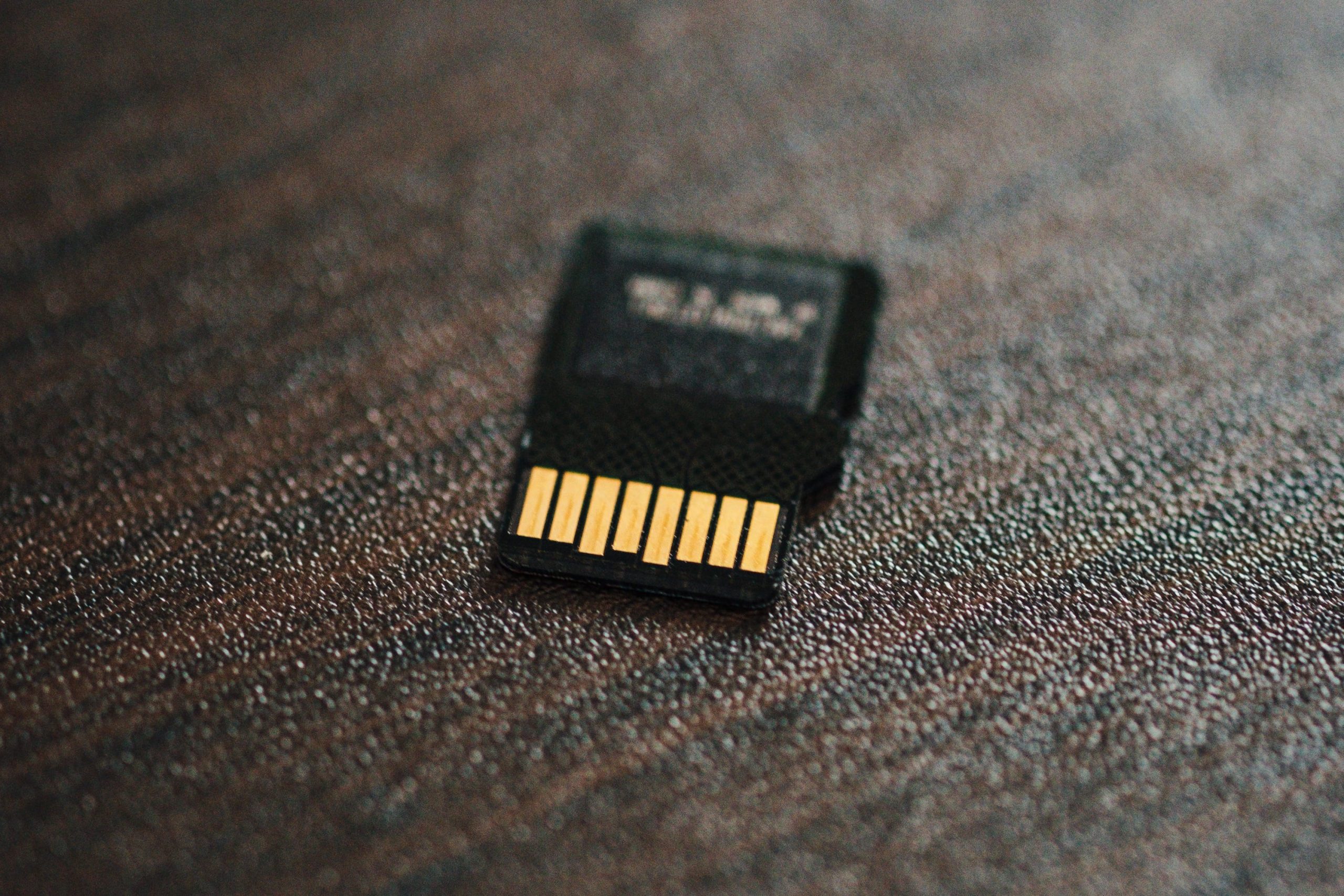
Keep The Connections Clean
If you experience strange issues with your GoPro, check that your cards are clean. I’ve had issues with cards in the past where the pins become dirty. Usually, the cards still work, but only with a limited function. Dust, lint, or dirt could get on the pins. Keep an eye on the pins and keep them clean.
Memory Cards GoPro Hero 7 | Conclusions
While there seems to be a lot to worry about with the GoPro Hero 7 memory cards, most of the problems come from using off-brand or non-popular brand cards purchased from auction sites.
GoPro cameras have been configured to run very well with Sandisk cards. The Sandisk Extreme cards are the way to go, but I have found that the Extreme Pro, Ultra, and Plus cards also work great.
If you have strange issues with camera lockups or sluggish performance, it’s almost certainly your memory card. Even if you’re using one of the recommended memory cards, sometimes people still experience issues. No electronic device is perfect, and micro SD memory cards have higher failure rates than other flash memory cards.
If you experience any issues in performance, the first thing you should always try is to swap out memory cards for something different than what you were using.















Leave a Reply to Soty Cancel reply