
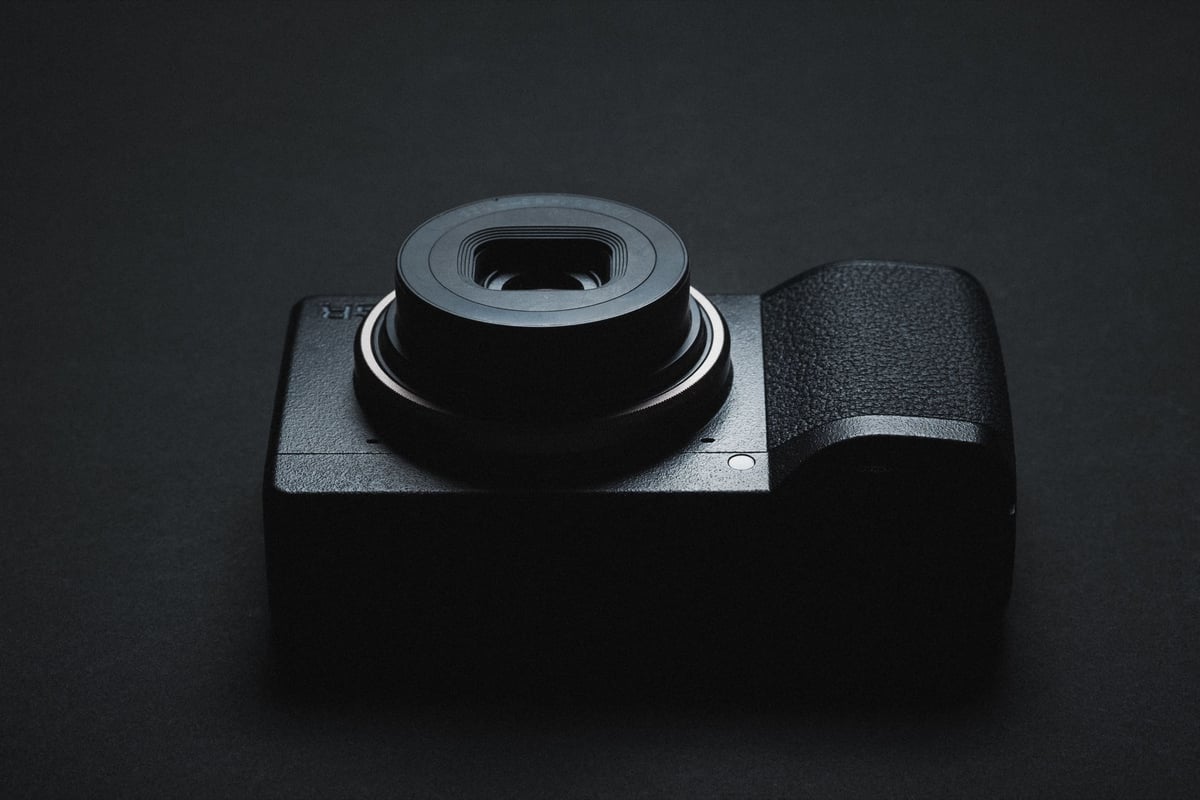
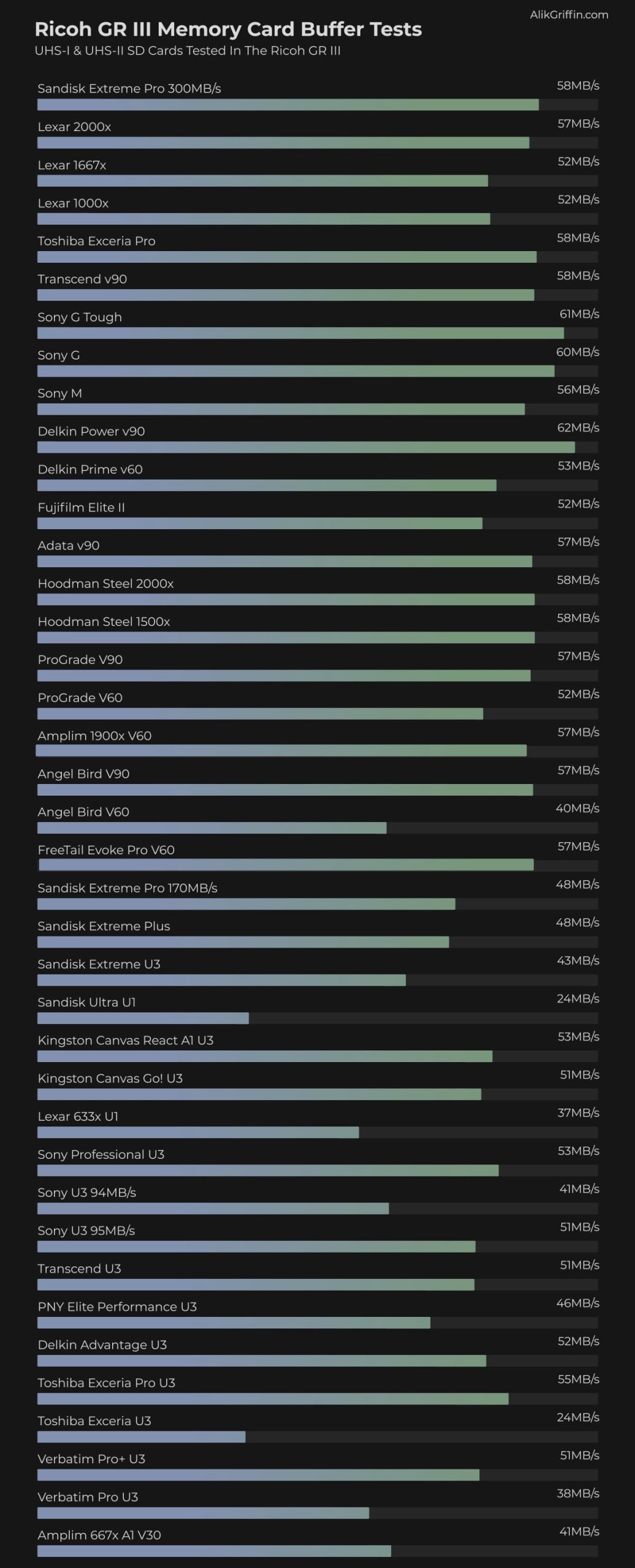
A speed test between all the most popular SD memory compared in the Ricoh GR III.
Use this guide to find the best memory cards for the Ricoh GR III.
Recommend Memory Cards
The GR III uses UHS-I technology, and that is all you need to buy. However, UHS-II cards often run faster, and they are shown to be about 12MB/s faster on this camera. Still, it’s not like you’re shooting professional basketball for this camera and need the fastest cards. So save some money, just buy UHS-I.
Here is a nice mix of good price-performance cards. If you’re just casually shooting, which this camera is designed for, you don’t need the top-tier cards.
| Card Names | In-Camera Speeds | Order |
| Toshiba Exceria Pro | 54.59MB/s | Amazon |
| Delkin Advantage | 51.99MB/s | Amazon |
| Sandisk Extreme Pro | 48.40MB/s | Amazon |
| Sandisk Extreme | 42.66MB/s | Amazon |
Ricoh III Memory Card Speed Chart
To get these in-camera speeds, I shot a series of continuous busts and timed how much data was captured against how long it took to clear the buffer.
UHS-II cards record a little faster than UHS-I cards just because of the better technology in the UHS-II cards. Still, since the Ricoh GRIII does not have UHS-II tech, I would only buy UHS-II cards if you need fast speeds when transferring from your card to your computer. In that case, I recommend either the Sony M or the Sony E card.
Ricoh GRIII Camera Specs And Buffer Questions
| Sensor: 24.2MP APS-C CMOS Sensor Processor: GR Engine 6 SD Cards Slot: Single Slot UHS-I Continuous Burst: 4fps Video: HD 1920×1080 How Big Is The Buffer? About 400MB How Many Shots To Fill Buffer? 20 What Size Are The Raw Files: 30MB How Long To Clear Buffer? 5:04 5second 4 frames. |
Ricoh GR III – Amazon / Adorama / BHphoto
Also see, the accessories for the Ricoh GR III
How To Avoid Counterfeit Cards
Counterfeit cards are a real problem. The simplest way to avoid having one is to fill the card and ensure it gets close to its rated size without dying.
Don’t buy cards from auction websites, and stick with trusted sellers.
SD Memory Cards Ricoh GR III Bottom Line
The Ricoh GR III is not really designed for bleeding-edge performance. It only shoots 4fps (which is just about perfect for street photography), and it only has a 400MB/s buffer. All you really need is a basic UHS-I memory card. Toshiba and the Sony Pro (very hard to find) were performing the best, but the Delkin, Kingston, and Sandisk cards are more than fast enough for a camera with these specs.















Leave a Reply