
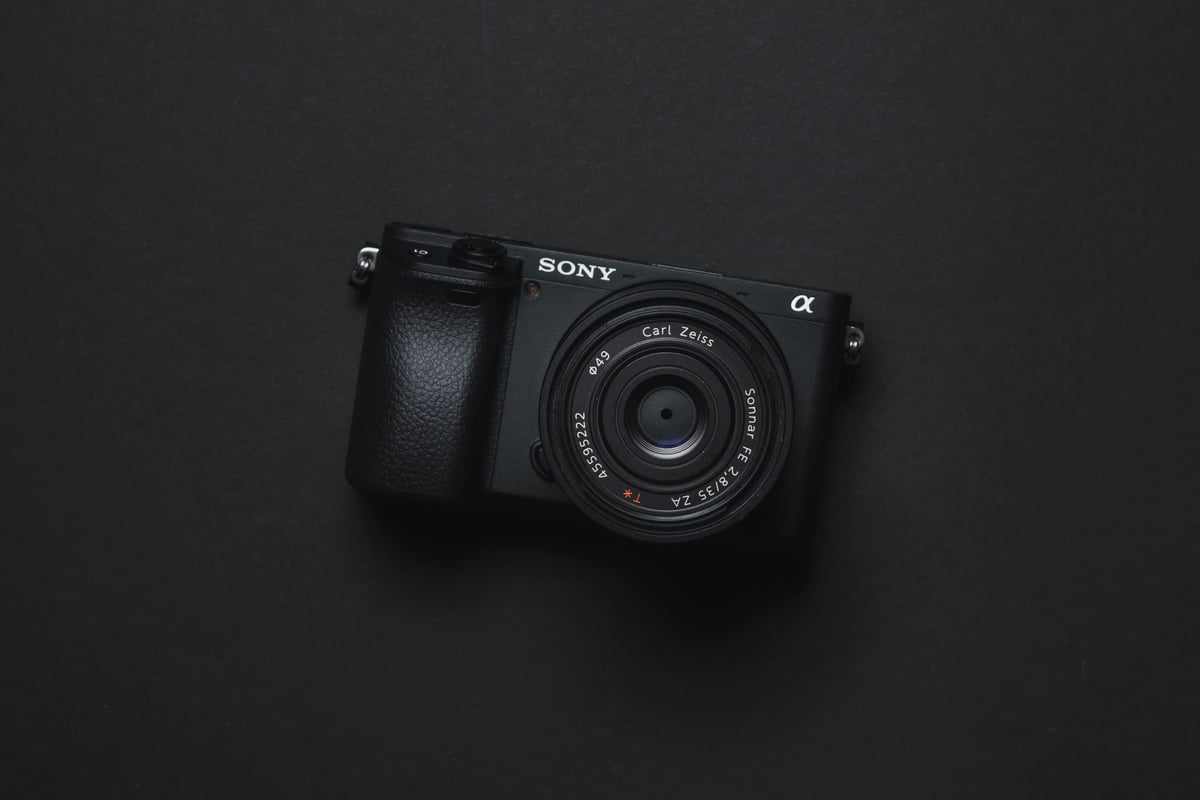
A full list of memory card speeds and how they perform in the camera as well as some excellent suggestions and a video record timetable.
Use this guide to find the best memory cards for video or photos with the Sony A6600.
Sony A6600 Best Memory Cards & Recommendations
 The Sony A6600 requires only UHS-I SD memory card speeds. This means you don’t need to buy the pricier UHS-II cards unless you want faster transfer speeds from your card to your computer.
Sony brand memory cards are very good but they have few choices for UHS-I cards and they are becoming scarce. Sony has recently made a UHS-II Sony E-card with UHS-I write speeds. This E card has UHS-I write speeds but also has fast UHS-II transfer speeds and they’ve kept the prices at the UHS-I levels. These cards are pretty much perfect for this camera.
For video, you will need a card with at least a U3 or V30 rating.
| Recommended SD Cards | Speed Class | USB Write | USB Read | Links |
|---|---|---|---|---|
| SD UHS-II V60 | Hide | |||
| Sony E v60 128GB | UHS-II v60 | 142 | 252 | Amazon / B&H |
| Sony E v30 64GB | UHS-II v30 | 73 | 247 | Amazon / B&H |
| UHS-I U3 | Hide | |||
| Sandisk Extreme Pro 32GB-1TB | UHS-I | 137 | 175 | Amazon / B&H |
| Kingston CanvasGo! 128/256/512GB/1TB | UHS-I | 124 | 161 | Amazon / B&H |
| Delkin Advantage 128GB-1TB | UHS-I | 77 | 93 | Amazon / B&H |
Must-Have Accessories Sony A6600
Memory Card Speed Test | In-Camera Test Results
A lot of these older Sony APS-C cameras write data slowly and almost at the same speed. So, any card will work for them and as long as you stick with SDXC U3-rated cards, you’ll be able to take advantage of all the video features.
The speed test was done by checking how fast the camera buffer gets empty and how much data was written. These numbers were from when the camera was first released so many of the cards have changed or been updated. I leave this chart here just so you can get an idea of how this camera was performing with UHS-I and UHS-II cards.
| Memory Card | Speed Class | Sony A6600 | USB Read | USB Write | |
|---|---|---|---|---|---|
| Sandisk Extreme Pro 170MB/s | Sandisk Extreme Pro 170MB/s | UHS-I | 38.74 | 99.2 | 88.3 |
| Sandisk Extreme Plus | Sandisk Extreme Plus | UHS-I | 38.66 | 99.3 | 88.2 |
| Sandisk Extreme U3 | Sandisk Extreme U3 | UHS-I | 38.81 | 99.3 | 56.8 |
| Sandisk Ultra U1 | Sandisk Ultra U1 | UHS-I | 26.09 | 99.5 | 34.3 |
| Kingston Canvas Go U3 | Kingston Canvas Go U3 | UHS-I | 39.12 | 99.6 | 82.5 |
| Kingston Select U3 | Kingston Select U3 | UHS-I | 39.48 | 99.6 | 74.0 |
| Lexar 633x U1 | Lexar 633x U1 | UHS-I | 23.64 | 95.0 | 54.6 |
| Sony Professional U3 | Sony Professional U3 | UHS-I | 37.49 | 98.5 | 60.2 |
| Sony U3 94MB/s | Sony U3 94MB/s | UHS-I | 38.11 | 96.7 | 57.5 |
| Sony U3 95MB/s | Sony U3 95MB/s | UHS-I | 38.11 | 96.6 | 85.4 |
| Transcend U3 | Transcend U3 | UHS-I | 38.62 | 96.7 | 87.8 |
| PNY Elite Performance U3 | PNY Elite Performance U3 | UHS-I | 38.85 | 96.7 | 66.9 |
| Delkin Black U3 | Delkin Black U3 | UHS-I | 39.38 | 94.8 | 87.5 |
| Delkin Advantage U3 | Delkin Advantage U3 | UHS-I | 37.52 | 99.6 | 78.8 |
| Toshiba Exceria Pro U3 | Toshiba Exceria Pro U3* | UHS-I | 39.20 | 97.8 | 74.7 |
| Toshiba Exceria U3 | Toshiba Exceria U3 | UHS-I | 27.76 | 97.2 | 29.9 |
| Verbatim Pro+ U3 | Verbatim Pro+ U3 | UHS-I | 38.13 | 98.5 | 83.7 |
| Verbatim Pro U3 | Verbatim Pro U3 | UHS-I | 37.00 | 96.6 | 68.0 |
| Amplim 667x A1 V30 | Amplim 667x A1 V30 | UHS-I | 36.12 | 99.6 | 52.2 |
| Sandisk Extreme Pro 300MB/s | Sandisk Extreme Pro 300MB/s | UHS-II | 39.67 | 293.7 | 242.2 |
| Lexar 2000x | Lexar 2000x | UHS-II | 38.74 | 274.3 | 224.0 |
| Lexar 1667x | Lexar 1667x | UHS-II | 38.85 | 265.8 | 104.2 |
| Lexar 1000x | Lexar 1000x | UHS-II | 38.92 | 166.8 | 108.3 |
| Toshiba Exceria Pro | Toshiba Exceria Pro | UHS-II | 39.63 | 259.6 | 218.1 |
| Transcend v90 | Transcend v90 | UHS-II | 39.01 | 282.2 | 192.8 |
| Sony G Tough | Sony G Tough v90 | UHS-II | 39.66 | 270.6 | 229.1 |
| Sony M | Sony M Tough V60 | UHS-II | 39.62 | 282.4 | 129.5 |
| Sony E U3 | Sony E U3 | UHS-II | 38.85 | 282.3 | 103.8 |
| Delkin Black v90 | Delkin Black v90 | UHS-II | 39.44 | 224 | 210.1 |
| Delkin Power v90 | Delkin Power v90 | UHS-II | 39.82 | 280.2 | 221.6 |
| Delkin Prime v60 | Delkin Prime v60 | UHS-II | 39.54 | 252.8 | 89.1 |
| Fujifilm Elite II | Fujifilm Elite II | UHS-II | 39.16 | 290.3 | 173.2 |
| Adata v90 | Adata v90 | UHS-II | 39.12 | 290.1 | 241.0 |
| Hoodman Steel 2000x | Hoodman Steel 2000x | UHS-II | 39.16 | 280.7 | 169.1 |
| Hoodman Steel 1500x | Hoodman Steel 1500x | UHS-II | 39.00 | 289.2 | 105.8 |
| ProGrade V90 | ProGrade V90 | UHS-II | 39.16 | 290.5 | 218.4 |
| ProGrade V60 | ProGrade V60 | UHS-II | 39.33 | 167.6 | 92.14 |
| Amplim 1900x V60 | Amplim 1900x V60 | UHS-II | 38.96 | 289.3 | 104.2 |
| Angel Bird V90 | Angel Bird V90 | UHS-II | 39.31 | 290.4 | 219.5 |
| Angel Bird V60 | Angel Bird V60 | UHS-II | 38.74 | 166.5 | 104.5 |
| FreeTail Evoke Pro V60 | FreeTail Evoke Pro V60 | UHS-II | 39.24 | 238.5 | 102.8 |
| Kingston Canvas React V90 | Kingston Canvas React V90 | UHS-II | 39.37 | — | — |
Camera Specs
Sensor: 24.2MP APS-C Exmor CMOS Sensor
Processor: BIONZ X Image Processor
Memory Cards: Single Slot UHS-I
Continuous Burst: 11fps
Video: 4k 100Mbps 8-bit 4:2:0, H.264
Buffer Size: 1GB
Shots To Fill Buffer: 46 RAW
Time To Clear Buffer: 24.5 seconds
Memory Card Capacity: This is no limit to the size of memory card the Sony A6600 can take. Keep in mind, SDXC formats start at 64GB and you’ll need this for some video features.
Best Memory Cards For 4k Video
Record Limit Time: Unlimited
Minimum Requirements: U3
Sony cameras are compatible with most memory cards nowadays. The only exception was Samsung SD cards, but they are rare now.
I have tried many U3 memory cards and they all work well for 4k video. You just need to make sure the card has that rating or higher. So any card with U3, v30, v60, or v90 will do.
The other thing you need to check is whether the card is SDXC or SDHC.
SDXC – This means the card can use a 64-bit file system and store large video clips.
SDHC – This means the card will use a 32-bit file system and split video files into 4GB parts.
What Size Memory Card Do You Need?
I put together a nice guide based on specs and my experience to help you decide which size memory card to buy.
For Stills
64GB is enough for most situations unless you shoot many big events.
I have been switching to 128GB cards lately because they are not very expensive. I do this for a few reasons. Sometimes I shoot big events and need more than a 64GB card. Sometimes I don’t want to delete my card for a week or so or I’ll keep the images on my card until they are backed up to my server.
But mostly, I still use 64GB cards in my cameras and it’s fine.
For Video
The memory card size for the A6600 for video depends on what format you use and how you use the camera.
There are some things you should know. Look at the max bitrates.
4k 24p / 30p Max Bitrate: 100Mbps
1080 24p / 25p / 30p / 50p / 60p Max Bitrate: 50Mbps
For the best quality or 100Mbps at 24fps or 30fps with the Sony A6600, you should use 4k. But if you need 100fps or 120fps, you can use 1080p with 100Mbps.
If you only need 1080p 24fps or 1080p 30fps, you will get only 50Mbps. So it’s better to use 4k and then make it smaller, which can give you a 4:2:2 data compression if you do it right in a 16-bit sequence. That’s what some people say.
Sony A6600 Record Times
This chart shows you the best memory card size for your recording format. It also shows you how long you can record with different formats and card sizes.
For videographers, I suggest 128GB cards.
| Resolution | Format | Bitrate | 32GB | 64GB | 128GB | 256GB |
| 4k30p, 24p | XAVC S 4K | 100Mbps | 43min | 85min | 171min | 341min |
| 4k30p, 24p | XAVC S 4K | 60Mbps | 71min | 142min | 284min | 569min |
| 1080 120p, 100p | XAVC S HD | 100Mbps | 43min | 85min | 171min | 341min |
| 1080 120p, 100p | XAVC S HD | 60Mbps | 71min | 142min | 284min | 569min |
| 1080 24p, 25p, 30p, 50p, 60p | XAVC S HD | 50Mbps | 85min | 171min | 341min | 683min |
| 1080 25p, 30p | XAVC S HD | 16Mbps | 267min | 533min | 1067min | 2133min |
| 1080 60i | AVCHD | 24Mbps | 178min | 356min | 711min | 1422min |
| 1080 60i | AVCHD | 17Mbps | 251min | 502min | 1004min | 2008min |
Best Memory Cards Sony A6600 Conclusions
The Sony A6600 is a great camera and I think it will last for a long time. It can do almost anything you want.
You can use any U3 cards for this camera and they will work fine. You don’t need UHS-II cards unless you want to transfer your files faster with a UHS-II reader, which is why Sony started making the Sony E series cards.













Leave a Reply