
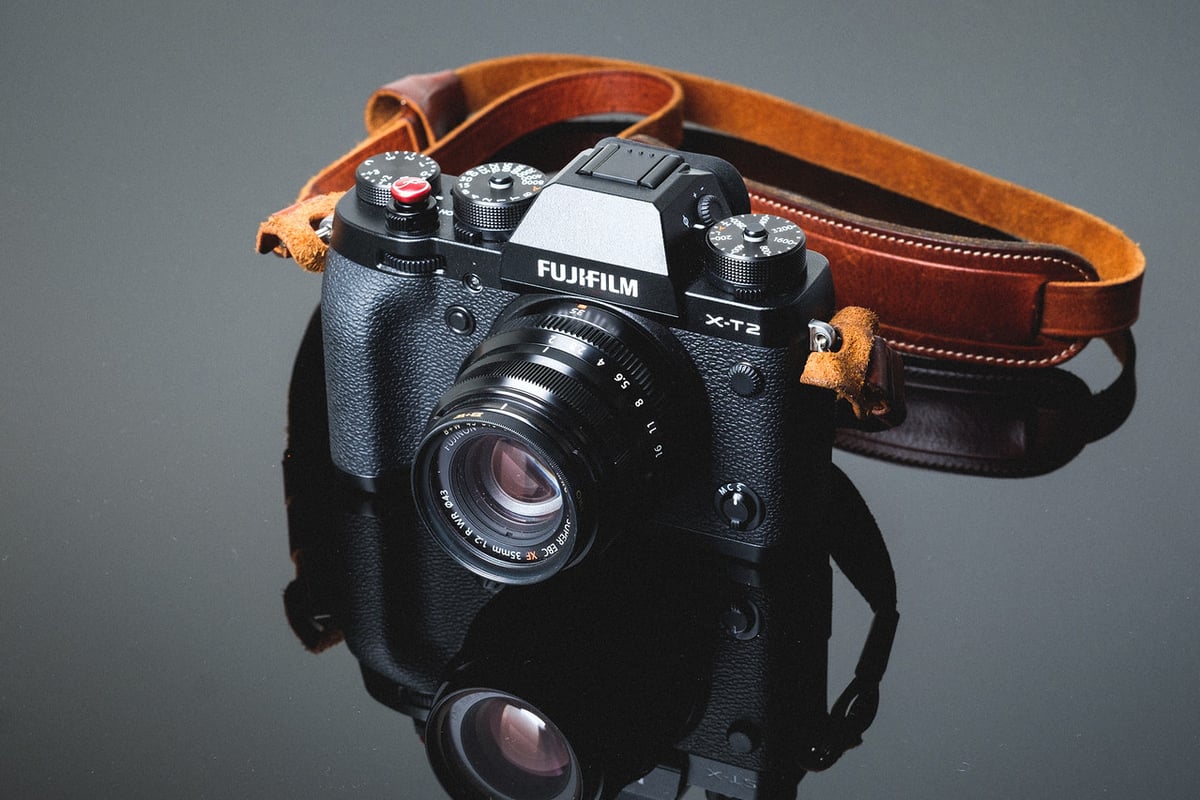
An in-camera speed comparison between all the most popular UHS-II and UHS-I SD memory cards, and how they work in the Fujifilm X-T2.
Use this guide to find the best memory cards for your X-T2.
Fujifilm has done an amazing job of packing some of the best technology into this small camera, and the SD memory card speeds are just one example of why this is one of the best APS-C cameras out there. It’s also a great option for the pro looking for backup and redundancy options when shooting high-profile jobs.
Recommended SD Memory Cards For The X-T2
Some of the fastest UHS-II memory cards for the X-T2 will be from brands like Lexar or SanDisk. The Sony Tough cards can also be a good choice. If you’re just shooting casually, you won’t need the V90 cards in this camera, and V60 will be good enough for most people. Modern v60 cards are much faster than what I was testing when this camera first came out.
| Memory Cards | Speed Class | USB-C Write | USB-C Read | Links |
|---|---|---|---|---|
| SD UHS-II V90 | Hide | |||
| Lexar 2000x V90 32-256GB | UHS-II v90 | 228 | 256 | Amazon / B&H |
| Sony G Tough v90 32-256GB | UHS-II v90 | 258 | 296 | Amazon / B&H |
| PNY EliteX-Pro90 V90 64/128/256GB | UHS-II v90 | 276 | 293 | Amazon / B&H |
| OWC Atlas Ultra V90 64-512GB | UHS-II v90 | 270 | 289 | Amazon / B&H |
| Kingston Canvas React V90 32-256GB | UHS-II v90 | 274 | 292 | Amazon / B&H |
| Wise V90 Pro 128/256/512GB | UHS-II v90 | 256 | 275 | B&H |
| SD UHS-II V60 | Hide | |||
| Sandisk Extreme Pro v60 256/512/1TB | UHS-II v60 | 189 | 279 | Amazon / B&H |
| Lexar ARMOR Gold V90 256GB-1TB | UHS-II v60 | 191 | 258 | Amazon / B&H |
| Sony M Tough V60 64-512GB | UHS-II v60 | 153 | 269 | Amazon / B&H |
| PNY EliteX-Pro60 V60 256GB | UHS-II v60 | 183 | 280 | Amazon / B&H |
Best Memory Card For The Fujifilm X-T2
The XT2 has two UHS-II slots that can be set up as backup, overflow, or RAW+JPEG.
With the X-T2, UHS-II cards topped out at 157 MB/s, with an average of 153.79. This was with the Lexar 2000x.
UHS-I saw average speeds of 73 MB/s.
With a 1GB buffer and memory card speeds like this, we are looking at some really good performance, actually, some of the best on the market.
Keep in mind that not all cards are created equal; some cards will last longer and offer better warranties, but often perform more slowly. You can identify this by seeing cards with a 10-year warranty vs. 1 or 2 years. However, many cards offer limited lifetime warranties, so you never know how long your card is truly meant to last. That’s why I always just buy the fastest and refresh my cards every few years when prices come down.
These tests are taken from an average of three; sometimes these cards perform faster, sometimes slower.
All USB 3.0 tests were performed using CrystalDiskMark on Windows 10 with the Lexar SR2.
| SD Memory Cards | USB 3.0 Read | USB 3.0 Write | Fujifilm X-T2 |
| UHS-II | |||
| Lexar 64GB 2000x | 272.7 MB/s | 244.5 MB/s | 153.79 MB/s |
| SanDisk Extreme Pro 64GB 300MB/s | 263.2 MB/s | 233.4 MB/S | 147.59 MB/s |
| Toshiba 64GB | 258.8 MB/s | 226.5 MB/s | 143.43 MB/s |
| Transcend 64GB | 290.2 MB/s | 182.1 MB/s | 122.17 MB/s |
| Delkin 64GB 250MB/s | 271.6 MB/s | 235.3 MB/s | 139.70 MB/s |
| SanDisk Extreme Pro 64GB | 260.5 MB/s | 214.8 MB/s | 92.91 MB/s |
| Sony M 64GB 100MB/s | 253.2 MB/s | 91.62 MB/s | 83.35 MB/s |
| Lexar 64GB 1000x | 147.4 MB/s | 78.4 MB/s | 64.92 MB/s |
| UHS-I | |||
| SanDisk Extreme Pro 64GB U3 | 98.6 MB/s | 90.8 MB/s | 73.52 MB/s |
| Samsung Pro 64GB U3 | 97.7 MB/s | 78.6 MB/s | 73.04 MB/s |
| Kingston 64GB U3 | 98.1 MB/s | 90.4 MB/s | 72.34 MB/s |
| Samsung Pro 64GB U1 | 96.3 MB/s | 82.2 MB/s | 67.83 MB/s |
| Samsung Pro+ 64GB U3 | 97.5 MB/s | 87.3 MB/s | 66.33 MB/s |
| Sony 64GB U3 – Old Model | 96.5 MB/s | 84.5 MB/s | 63.51 MB/s |
| PNY 64GB U1 | 96.5 MB/s | 66.5 MB/s | 56.00 MB/s |
| SanDisk Extreme Plus 64GB U3 | 99.0 MB/s | 64.4 MB/s | 55.70 MB/s |
| Transcend 64GB U3 | 96.7 MB/s | 68.4 MB/s | 55.52 MB/s |
| PNY 64GB U3 | 96.5 MB/s | 66.1 MB/s | 55.30 MB/s |
| Lexar 633x 64GB U3 | 93.3 MB/s | 67.3 MB/s | 55.02 MB/s |
| Lexar 600x 64GB U1 | 95.4 MB/s | 64.8 MB/s | 53.29 MB/s |
| Sony 64GB U3 – New Model | 96.7 MB/s | 56.2 MB/s | 49.27 MB/s |
| SanDisk Extreme 64GB U3 | 72.43 MB/s | 54.1 MB/s | 47.31 MB/s |
| Samsung 64GB U1 EVO | 47.7 MB/s | 27.3 MB/s | 24.00 MB/s |
Camera Specs
Sensor: APS-C 24.3 MP / Processor: X-Processor Pro
SD Memory Card Type: UHS-II / UHS-II
Continuous Burst: 8fps – (11-14fps with battery grip)
Size of Buffer: 1GB
Uncompressed Shots Till Buffer Fills: 31 With Lexar 2000x
Est. Time Taken To Clear Buffer: 6-7 seconds with the Lexar 2000x
Fujifilm X-T2 – Amazon / Adorama / B&H
Must-Have Accessories For The Fujifilm X-T2
Fujifilm X-T2 Review & Sample Photos
Using Micro SD Memory Cards
I touch on this subject in the frequently asked questions, but I wanted to go into a little more detail about my experiences with Micro SD cards, since they’re often a less expensive option.
When you use Micro SD cards, you have a tiny little card that fits inside an adapter that then fits inside your camera. After using Micro cards for only a few days, I’m already starting to see problems.
I’m getting issues with the micro card moving and shifting around in the adapter, causing the camera to display Memory Card Errors. You then have to open the card slot, secure the card, and you’re good to go… until it happens again.
This won’t happen with every card, and I’m experimenting with different brands, but because it’s happening to me, it means it will happen to other people, so I can’t say I recommend buying micro SD memory cards to save yourself a few dollars. This problem is actually quite annoying.
The other reason I don’t like Micro SD cards is that they are extremely small and easy to lose.
In our cameras, we are constantly swapping cards, taking them in and out. Micro SD cards are mostly designed for cell phones and other small devices, where they remain in the device permanently. I haven’t lost a card yet, but I could see it being a disaster waiting to happen.
X-T2 Dual Slot Memory Card Configurations
You have a few options for using the two UHS-II memory card slots on the X-T2.
Backup: This will mirror the contents of card slot 1 into card slot 2. Keep in mind that when you have this set, you are slowing down your whole system to the speed of the slowest card you have. In other words, the camera can only perform as fast as what’s in slot 2.
Overflow: This is great if you use smaller cards and are worried about running out of space. Once the memory card in slot 1 is full, the camera will start writing to slot 2.
Raw+JPEG: This setting will write RAW to slot 1 and JPEG to slot 2. I haven’t noticed this method slowing down the UHS-II memory card’s performance.
Fujifilm X-T2 Frequently Asked Questions
Can I use Micro SD Memory Cards in the Fujifilm X-T2?
Yes, you can. There are even UHS-II micro SD memory cards; however, only the newest Micro SD memory cards seem to perform as well as SD cards.
I plan on incorporating more Micro SD cards into these tests in the future, as I get a lot of people asking me about them.
Which Cards Work Best For 4 K Video?
This is a huge topic and a very important question. I spend a lot of time testing cards with various cameras on this subject. Especially cameras with high data rates like the Canon 1DX II and the Canon 5D IV. For the Fujifilm X-T2, I’ve yet to really run into problems with cards not working for 4k video. The Fujifilm X-T2 has a data rate of only 100Mbps. While this isn’t a terrible data rate, it also doesn’t pack a whole ton of information and won’t require a very fast card.
100 Mb/s (megabits per second) is only 12.5 MB/s (Megabytes per second). Based on that alone, almost every card above should work. The only reason they wouldn’t is if you run into sections of the flash memory that chug or run slowly. I’ve had some older cards perform very inconsistently in terms of read and write speeds. So just stick with new U3 cards, and you’ll never have those problems, since U3 guarantees a minimum transfer rate of 30 MB/s.
My Card Isn’t Fast. What’s Wrong?
This is a popular one. Sometimes, some cards are just bad, but there are a few things you can look into.
-You might just have a bad card; send it back. It happens sometimes.
-You could have a fake card! On Amazon and even on eBay, there are a lot of counterfeit cards floating around. It’s sad when I get emails from people who have fallen into this trap. A card will be labeled Sandisk Extreme Pro or something, but it’s actually a crappy old piece of junk. Make sure you always buy your cards from an authorized Amazon dealer, preferably one that fulfills orders itself, or go with Adorama and B&H Photo.
-Some cards sometimes perform a little slower until you put a few shots on them. Don’t ask me why, I haven’t been able to figure this out. I get this with some Lexar and some Transcend cards. Throw a few shots on your card to see if that fixes some problems when bursting.
-If your UHS-II card is running really slow, shine a flashlight into your X-T2 and make sure none of the pins are bent. I’ve seen this happen. So be careful when inserting your cards into your camera; never force them.
-Make sure the gold-plated connectors on your memory cards are clean. Every so often, when I put a card into the camera to run these tests, it runs super slow. I’ll take it out, wipe it down, and everything will be fine again. So check the pins on your card and give them a nice wipe-down with your shirt or something.
Do I really need a UHS-II memory card?
Honestly, probably not. The Fujifilm X-T2 has a nice 1GB buffer that takes a while to fill. The UHS-I does run pretty quickly as well; some UHS-II cards often don’t even run much faster than UHS-I cards anyway. So, unless you do a lot of burst shooting or even a lot of HDR photography where you’re bracketing a lot, you can likely get by just fine with UHS-I.
What Size Memory Card Should I Get – 32GB or 64GB?
Personally, I rarely fill a 32GB card. In my X-T2, I run two 32GB cards, so if I do fill one, it will just overflow to the other card. This almost never happens unless I’m shooting a video. So if you do find yourself shooting a lot of videos, go with the 64GB cards; otherwise, two 32GB have been working great for me.
Best SD Memory Card Fuji X-T2 Conclusions
After finishing the test, I had to double-check my results. I’ve never seen a camera perform this well with SD cards, and it surprised me that it did so much better than the X-Pro2. This makes the Fujifilm X-T2 one of the fastest cameras on the market for writing to memory cards, completely destroying the competition. Aside from the Canon 1DX II with its insanely fast CFast memory cards, of course.
To truly maximize your X-T2’s potential, stick with Lexar 2000x or Toshiba UHS-II memory cards. Nothing else compares to the speed you get from these two cards. However, if you just need a card to run in your second slot as a backup or overflow, then a fast UHS-I card may suit your needs just fine.















Leave a Reply