We use minimal analytics to improve the site. Is that okay?

Alik Griffin
San Clemente Sunset
Subscription Form
  • Reviews
    • Accessory Reviews
    • Calculators
      • Video Data Rate Calculator | Record Time Calculator
      • Diffraction Calculator
      • DoF Calculator | Lens Equivalent
      • Shutter Speed to Shutter Angle Calculator
    • Camera Reviews
    • Lens Reviews
    • Memory Cards Recommendations
      • Fastests SD Memory Cards
      • Fastest MicroSD Cards
      • Fastest CFExpress Type-B Card
      • Fastest CFExpress Type-A Cards
      • Best CFast Memory Card
    • List of Mics
      • Best Streaming & Podcast Mics
  • Camera Guides
    • List of all Blackmagic Cameras
    • List Of all Canon RF Cameras
    • List of all Fujifilm Cameras
    • List of all Nikon Z Cameras
    • List of all Panasonic Cameras
    • List Of all Sony E Cameras
  • List of Lenses
    • Canon RF Lenses
    • Fujifilm GFX Lenses
    • Fujifilm XF Lenses
    • L-Mount Lenses
    • Leica M Lenses
    • Micro Four Thirds Lenses
    • Nikon Z Lenses
    • PL Mount Cine Lenses
    • Sony E Lenses (FE and APS-C)
  • Store
  • My account
Alik Griffin
Alik Griffin
  • Reviews
    • Accessory Reviews
    • Calculators
      • Video Data Rate Calculator | Record Time Calculator
      • Diffraction Calculator
      • DoF Calculator | Lens Equivalent
      • Shutter Speed to Shutter Angle Calculator
    • Camera Reviews
    • Lens Reviews
    • Memory Cards Recommendations
      • Fastests SD Memory Cards
      • Fastest MicroSD Cards
      • Fastest CFExpress Type-B Card
      • Fastest CFExpress Type-A Cards
      • Best CFast Memory Card
    • List of Mics
      • Best Streaming & Podcast Mics
  • Camera Guides
    • List of all Blackmagic Cameras
    • List Of all Canon RF Cameras
    • List of all Fujifilm Cameras
    • List of all Nikon Z Cameras
    • List of all Panasonic Cameras
    • List Of all Sony E Cameras
  • List of Lenses
    • Canon RF Lenses
    • Fujifilm GFX Lenses
    • Fujifilm XF Lenses
    • L-Mount Lenses
    • Leica M Lenses
    • Micro Four Thirds Lenses
    • Nikon Z Lenses
    • PL Mount Cine Lenses
    • Sony E Lenses (FE and APS-C)
  • Store
  • My account
  • Pure Cinema
    Viltrox TCL-X100VI Review | A Budget-Friendly 50mm Upgrade
    • February 21, 2026
  • Thypoch Simera 75mm f1.4 Review
    Thypoch Simera 75mm f1.4 Review & Sample Photos
    • February 18, 2026
  • Kakurajima View
    Viltrox WCL-X100VI Review | A Budget-Friendly 28mm Upgrade
    • February 17, 2026
  • Viltrox 9mm f2.8 Air Review
    Viltrox 9mm f2.8 AIR Review & Sample Photos
    • February 18, 2026
  • Biker Bro
    Viltrox Spark Z3 Flash – Review & Sample Photos
    • February 16, 2026
  • Pure Cinema

    Viltrox TCL-X100VI Review | A Budget-Friendly 50mm Upgrade

    View Post
  • Thypoch Simera 75mm f1.4 Review

    Thypoch Simera 75mm f1.4 Review & Sample Photos

    View Post
  • Kakurajima View

    Viltrox WCL-X100VI Review | A Budget-Friendly 28mm Upgrade

    View Post
Trending Posts
  • Nikon Zf Official Announcement 1
    Nikon Zf – The Fujifilm Killer?
    • February 18, 2026
  • Nikon Z 50mm f1.8 S Lens Review 2
    Nikon Z 50mm f1.8 S Lens Review & Sample Photos
    • February 18, 2026
  • Kamlan 50mm f1.1 II Product Shot 3
    Kamlan 50mm f1.1 II Review & Sample Photos
    • January 18, 2025
0
  • Camera Guides
  • Memory Cards Recommendations

Fastest Memory Cards For The Fujifilm X-T2

  • Alik Griffin
  • February 13, 2026
  • 26 comments

This website contains affiliate links. We will earn a small commission on purchases made through these links. Some of the links used in these articles will direct you to Amazon. As an Amazon Associate, I earn from qualifying purchases.

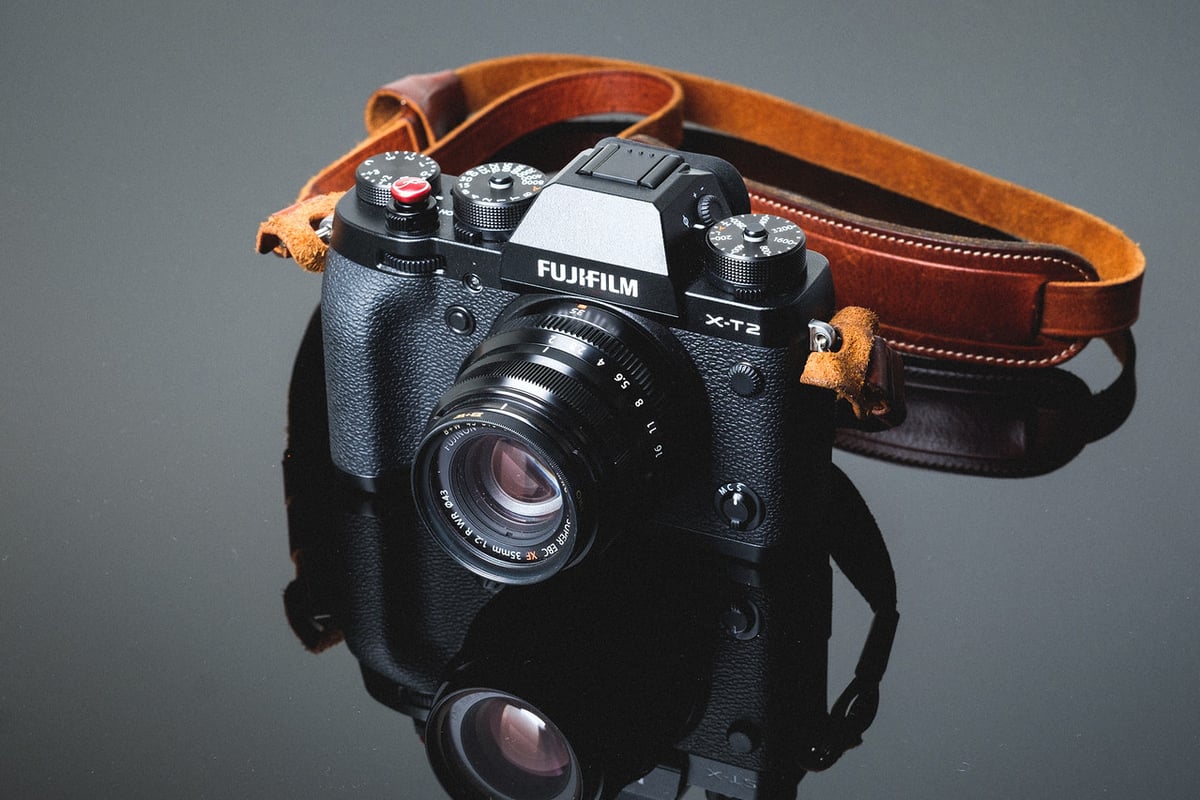
An in-camera speed comparison between all the most popular UHS-II and UHS-I SD memory cards, and how they work in the Fujifilm X-T2.

Use this guide to find the best memory cards for your X-T2.

Fujifilm has done an amazing job of packing some of the best technology into this small camera, and the SD memory card speeds are just one example of why this is one of the best APS-C cameras out there. It’s also a great option for the pro looking for backup and redundancy options when shooting high-profile jobs.

Recommended SD Memory Cards For The X-T2

Some of the fastest UHS-II memory cards for the X-T2 will be from brands like Lexar or SanDisk. The Sony Tough cards can also be a good choice. If you’re just shooting casually, you won’t need the V90 cards in this camera, and V60 will be good enough for most people. Modern v60 cards are much faster than what I was testing when this camera first came out.

Memory CardsSpeed ClassUSB-C WriteUSB-C ReadLinks
SD UHS-II V90Hide
Lexar 2000x V90 32-256GBUHS-II v90228256Amazon / B&H
Sony G Tough v90 32-256GBUHS-II v90258296Amazon / B&H
PNY EliteX-Pro90 V90 64/128/256GBUHS-II v90276293Amazon / B&H
OWC Atlas Ultra V90 64-512GBUHS-II v90270289Amazon / B&H
Kingston Canvas React V90 32-256GBUHS-II v90274292Amazon / B&H
Wise V90 Pro 128/256/512GBUHS-II v90256275B&H
SD UHS-II V60Hide
Sandisk Extreme Pro v60 256/512/1TBUHS-II v60189279Amazon / B&H
Lexar ARMOR Gold V90 256GB-1TBUHS-II v60191258Amazon / B&H
Sony M Tough V60 64-512GBUHS-II v60153269Amazon / B&H
PNY EliteX-Pro60 V60 256GBUHS-II v60183280Amazon / B&H

Best Memory Card For The Fujifilm X-T2

The XT2 has two UHS-II slots that can be set up as backup, overflow, or RAW+JPEG.

With the X-T2, UHS-II cards topped out at 157 MB/s, with an average of 153.79. This was with the Lexar 2000x.

UHS-I saw average speeds of 73 MB/s.

With a 1GB buffer and memory card speeds like this, we are looking at some really good performance, actually, some of the best on the market.

Keep in mind that not all cards are created equal; some cards will last longer and offer better warranties, but often perform more slowly. You can identify this by seeing cards with a 10-year warranty vs. 1 or 2 years. However, many cards offer limited lifetime warranties, so you never know how long your card is truly meant to last. That’s why I always just buy the fastest and refresh my cards every few years when prices come down.

These tests are taken from an average of three; sometimes these cards perform faster, sometimes slower.

All USB 3.0 tests were performed using CrystalDiskMark on Windows 10 with the Lexar SR2.

SD Memory CardsUSB 3.0 ReadUSB 3.0 WriteFujifilm X-T2
UHS-II   
Lexar 64GB 2000x272.7 MB/s244.5 MB/s153.79 MB/s
SanDisk Extreme Pro 64GB 300MB/s263.2 MB/s233.4 MB/S147.59 MB/s
Toshiba 64GB258.8 MB/s226.5 MB/s143.43 MB/s
Transcend 64GB290.2 MB/s182.1 MB/s122.17 MB/s
Delkin 64GB 250MB/s271.6 MB/s235.3 MB/s139.70 MB/s
SanDisk Extreme Pro 64GB260.5 MB/s214.8 MB/s92.91 MB/s
Sony M 64GB 100MB/s253.2 MB/s91.62 MB/s83.35 MB/s
Lexar 64GB 1000x147.4 MB/s78.4 MB/s64.92 MB/s
UHS-I   
SanDisk Extreme Pro 64GB U398.6 MB/s90.8 MB/s73.52 MB/s
Samsung Pro 64GB U397.7 MB/s78.6 MB/s73.04 MB/s
Kingston 64GB U398.1 MB/s90.4 MB/s72.34 MB/s
Samsung Pro 64GB U196.3 MB/s82.2 MB/s67.83 MB/s
Samsung Pro+ 64GB U397.5 MB/s87.3 MB/s66.33 MB/s
Sony 64GB U3 – Old Model96.5 MB/s84.5 MB/s63.51 MB/s
PNY 64GB U196.5 MB/s66.5 MB/s56.00 MB/s
SanDisk Extreme Plus 64GB U399.0 MB/s64.4 MB/s55.70 MB/s
Transcend 64GB U396.7 MB/s68.4 MB/s55.52 MB/s
PNY 64GB U396.5 MB/s66.1 MB/s55.30 MB/s
Lexar 633x 64GB U393.3 MB/s67.3 MB/s55.02 MB/s
Lexar 600x 64GB U195.4 MB/s64.8 MB/s53.29 MB/s
Sony 64GB U3 – New Model96.7 MB/s56.2 MB/s49.27 MB/s
SanDisk Extreme 64GB U372.43 MB/s54.1 MB/s47.31 MB/s
Samsung 64GB U1 EVO47.7 MB/s27.3 MB/s24.00 MB/s

Camera Specs

Sensor: APS-C 24.3 MP / Processor: X-Processor Pro
SD Memory Card Type: UHS-II / UHS-II
Continuous Burst: 8fps – (11-14fps with battery grip)
Size of Buffer: 1GB
Uncompressed Shots Till Buffer Fills: 31 With Lexar 2000x
Est. Time Taken To Clear Buffer: 6-7 seconds with the Lexar 2000x

Fujifilm X-T2 – Amazon / Adorama / B&H

Must-Have Accessories For The Fujifilm X-T2

Fujifilm X-T2 Review & Sample Photos

Using Micro SD Memory Cards

I touch on this subject in the frequently asked questions, but I wanted to go into a little more detail about my experiences with Micro SD cards, since they’re often a less expensive option.

When you use Micro SD cards, you have a tiny little card that fits inside an adapter that then fits inside your camera. After using Micro cards for only a few days, I’m already starting to see problems.

I’m getting issues with the micro card moving and shifting around in the adapter, causing the camera to display Memory Card Errors.  You then have to open the card slot, secure the card, and you’re good to go… until it happens again.

This won’t happen with every card, and I’m experimenting with different brands, but because it’s happening to me, it means it will happen to other people, so I can’t say I recommend buying micro SD memory cards to save yourself a few dollars. This problem is actually quite annoying.

The other reason I don’t like Micro SD cards is that they are extremely small and easy to lose.

In our cameras, we are constantly swapping cards, taking them in and out. Micro SD cards are mostly designed for cell phones and other small devices, where they remain in the device permanently. I haven’t lost a card yet, but I could see it being a disaster waiting to happen.

X-T2 Dual Slot Memory Card Configurations

You have a few options for using the two UHS-II memory card slots on the X-T2.

Backup: This will mirror the contents of card slot 1 into card slot 2. Keep in mind that when you have this set, you are slowing down your whole system to the speed of the slowest card you have. In other words, the camera can only perform as fast as what’s in slot 2.

Overflow: This is great if you use smaller cards and are worried about running out of space. Once the memory card in slot 1 is full, the camera will start writing to slot 2.

Raw+JPEG: This setting will write RAW to slot 1 and JPEG to slot 2. I haven’t noticed this method slowing down the UHS-II memory card’s performance.

Fujifilm X-T2 Frequently Asked Questions

Can I use Micro SD Memory Cards in the Fujifilm X-T2?

Yes, you can. There are even UHS-II micro SD memory cards; however, only the newest Micro SD memory cards seem to perform as well as SD cards.

I plan on incorporating more Micro SD cards into these tests in the future, as I get a lot of people asking me about them.

Which Cards Work Best For 4 K Video?

This is a huge topic and a very important question. I spend a lot of time testing cards with various cameras on this subject. Especially cameras with high data rates like the Canon 1DX II and the Canon 5D IV. For the Fujifilm X-T2, I’ve yet to really run into problems with cards not working for 4k video. The Fujifilm X-T2 has a data rate of only 100Mbps. While this isn’t a terrible data rate, it also doesn’t pack a whole ton of information and won’t require a very fast card.

100 Mb/s (megabits per second) is only 12.5 MB/s (Megabytes per second). Based on that alone, almost every card above should work. The only reason they wouldn’t is if you run into sections of the flash memory that chug or run slowly. I’ve had some older cards perform very inconsistently in terms of read and write speeds. So just stick with new U3 cards, and you’ll never have those problems, since U3 guarantees a minimum transfer rate of 30 MB/s.

My Card Isn’t Fast. What’s Wrong?

This is a popular one. Sometimes, some cards are just bad, but there are a few things you can look into.

-You might just have a bad card; send it back. It happens sometimes.

-You could have a fake card! On Amazon and even on eBay, there are a lot of counterfeit cards floating around. It’s sad when I get emails from people who have fallen into this trap. A card will be labeled Sandisk Extreme Pro or something, but it’s actually a crappy old piece of junk. Make sure you always buy your cards from an authorized Amazon dealer, preferably one that fulfills orders itself, or go with Adorama and B&H Photo.

-Some cards sometimes perform a little slower until you put a few shots on them. Don’t ask me why, I haven’t been able to figure this out. I get this with some Lexar and some Transcend cards. Throw a few shots on your card to see if that fixes some problems when bursting.

-If your UHS-II card is running really slow, shine a flashlight into your X-T2 and make sure none of the pins are bent. I’ve seen this happen. So be careful when inserting your cards into your camera; never force them.

-Make sure the gold-plated connectors on your memory cards are clean. Every so often, when I put a card into the camera to run these tests, it runs super slow. I’ll take it out, wipe it down, and everything will be fine again. So check the pins on your card and give them a nice wipe-down with your shirt or something.

Do I really need a UHS-II memory card?

Honestly, probably not. The Fujifilm X-T2 has a nice 1GB buffer that takes a while to fill. The UHS-I does run pretty quickly as well; some UHS-II cards often don’t even run much faster than UHS-I cards anyway. So, unless you do a lot of burst shooting or even a lot of HDR photography where you’re bracketing a lot, you can likely get by just fine with UHS-I.

What Size Memory Card Should I Get – 32GB or 64GB?

Personally, I rarely fill a 32GB card. In my X-T2, I run two 32GB cards, so if I do fill one, it will just overflow to the other card. This almost never happens unless I’m shooting a video. So if you do find yourself shooting a lot of videos, go with the 64GB cards; otherwise, two 32GB have been working great for me.

Best SD Memory Card Fuji X-T2 Conclusions

After finishing the test, I had to double-check my results. I’ve never seen a camera perform this well with SD cards, and it surprised me that it did so much better than the X-Pro2. This makes the Fujifilm X-T2 one of the fastest cameras on the market for writing to memory cards, completely destroying the competition. Aside from the Canon 1DX II with its insanely fast CFast memory cards, of course.

To truly maximize your X-T2’s potential, stick with Lexar 2000x or Toshiba UHS-II memory cards. Nothing else compares to the speed you get from these two cards. However, if you just need a card to run in your second slot as a backup or overflow, then a fast UHS-I card may suit your needs just fine.

0
0
59
0
0
Alik Griffin

A professional video editor, and photographer with a Bachelors in Film studies from UCSD. Based in Los Angeles, I have created commercials, trailers, and other video content for various clients and platforms since 2005. I also love to write about my passions and share my insights on my blog.

Related Topics
  • Fujifilm X-T2
  • Memory Card Speed Tests
Previous Article
Twin Lakes Mammoth
  • Blog
  • Photo Stories

Twin Lakes Mammoth – X-Pro2

  • Alik Griffin
  • December 13, 2024
View Post
Next Article
Bodie Truck
  • Blog
  • Photo Stories

Shooting HDR With The X-Pro 2

  • Alik Griffin
  • December 18, 2024
View Post

Subscribe

Subscribe now to our newsletter

You May Also Like
Sony A7V Accessories
View Post
  • Accessory Guides
  • Camera Guides

Must-Have Sony A7V Accessories: Maximize Your Hybrid Setup

  • Alik Griffin
  • February 12, 2026
  • No comments
Nikon Z6 III Accessories
View Post
  • Accessory Guides
  • Camera Guides

Best Nikon Z6 III Accessories: Must-Have Hybrid Gear

  • Alik Griffin
  • February 12, 2026
  • No comments
Canon R5 II Accessories
View Post
  • Accessory Guides

Best Canon R5 II Accessories: Building the Ultimate Hybrid Rig

  • Alik Griffin
  • February 4, 2026
  • No comments
Ricoh GRIV Accessories
View Post
  • Accessory Guides

The Ultimate Stealth Kit: Ricoh GR IV Accessories

  • Alik Griffin
  • February 1, 2026
  • No comments
26 comments
  1. Arch says:
    February 26, 2017 at 11:55 am

    Can you please test SANDISK microSDXC Extreme Pro 64 GB with SD adapter? I find the microSDXC card prices lower than SDXC card.

    Reply
    1. Alik Griffin says:
      February 27, 2017 at 5:44 am

      I have a bunch of new cards I’ll be testing, and there is a new Sony UHS-II that was just announced. I’ll test a few micro’s when that new Sony comes in. But it likely won’t be for a few weeks. You can check the USB r/w speeds on the GoPro page for the Sandisk card. https://alikgriffin.com/best-memory-cards-for-the-gopro-hero5/
      Seems like it runs about the same speed.
      I don’t usually test micro cards though because as you can see from the GoPro page, there are a ton of them and these test are a lot of work.

      If you want though, I can throw one in my X-T2 just to see how it works.

      Reply
      1. Arch says:
        February 27, 2017 at 8:05 pm

        Thanks for the link.
        I am trying to understand if there is any speed difference between microsdxc and sdxc card, since you had already listed SANDISK SDXC Extreme Pro 64 GB in your test results I was hoping to know the performance of microSDXC version which seems to retail for less price for some strange reason. If you happen to have same brand and speed class micro and sd please run one test as I am curious to know if there is any penalty when choosing microsdxc. If its same I wonder why cameras dont go for microSDXC?

        Reply
        1. Alik Griffin says:
          February 28, 2017 at 8:15 am

          I own most micro SD cards out there and have tested them. I find a lot of the older or cheaper brands either run very hot, or have very inconsistent behavior. Even with Sandisk cards you need to be aware where the cards come from and the serials, because there are some older models that are just garbage, I’ve seen reports of them melting in devices. Like the old Sandisk Ultra. The new Ultra is great though.

          I haven’t run across any problems with the Extreme Pros, except for in the GoPro camera, for some reason GoPro cameras hate Extreme Pros. (not the cards fault) If you buy micro SD cards just make sure to buy the new models if you can, sometimes they are labeled on Amazon. There are even UHS-II micro SD cards now.

          Ultimately I think it’s all the same components, same flash etc, just configured in a smaller size.

          The reason I don’t like using micro SD cards is they are extremely small and very easy to misplace. They’re fine in phones or other devices where you never remove them once place, but man, those things are so small. Just never take it out of the adapter.

          Reply
          1. huck says:
            August 4, 2017 at 12:42 am

            okay but what would be old (how old) and where does it say so? thanks!

          2. Alik Griffin says:
            August 5, 2017 at 5:17 pm

            Most of the stuff on Amazon is ok as long as you go with the good brands. There was a Sandisk Ultra card, I think made in Malaysia that was performing very poorly. Check out that Gopro page I linked you above for info on that. And sorry for the late reply on this stuff.

  2. Designer_Dude says:
    February 26, 2017 at 5:35 pm

    Thank you for this. I was looking for some recommendations and this article explained things perfectly. Have you experienced any problems with the Lexar X2000 after longer use? There are a lot of 1 star reviews on Amazon complaining that the card failed after just a few weeks of use. I ended up going with the Sandisk 64GB since I don’t need the burst speeds. Thanks again.

    Reply
    1. Alik Griffin says:
      February 27, 2017 at 5:30 am

      No prob, I haven’t had any issues with Lexar, although I’ve heard people have had some issues, but only recently. Possibly a bad batch went out or something.

      Reply
  3. Alik Griffin says:
    March 4, 2017 at 7:37 pm

    In practice the more full drives get the slower they get. Also, some cards depending on the flash and the controller will write to different sections on the card to make the flash last longer since all flash have a limited amount of write cycles.
    However, your typical card that doesn’t do that will only slow down if your deleting photos off the card and the cards data becomes fragmented. So I don’t think you’ll have problems with smaller cards, but it isn’t something I’ve tested on these cards.
    It’s hard to know which type of flash or controller is in each card since these companies don’t advertise it.

    Reply
  4. Maciej Dakowicz says:
    March 17, 2017 at 10:07 am

    thanks for this too. How about updating the ranking with Sandisk Extreme Pro 64GB 300MB/s and other fast cards?

    Reply
    1. Alik Griffin says:
      March 18, 2017 at 12:36 am

      That’s coming. There are a few new cards I’m waiting for first, like the new Sony UHS-II card.

      Reply
  5. mikhs1 says:
    April 5, 2017 at 7:42 pm

    Thank you for the great article. Just upgraded to Lexar

    Reply
    1. mikhs1 says:
      April 16, 2017 at 2:40 pm

      Anyone have the answer to the above “strap” question?

      Reply
      1. Alik Griffin says:
        April 17, 2017 at 1:58 am

        It’s the LeicaTime Deluxe Strap. I believe the color was Rally but I can’t remember for sure. http://leicatime.com/

        Reply
        1. mikhs1 says:
          April 17, 2017 at 9:11 am

          Thank you

          Reply
  6. Owin Thomas says:
    July 17, 2017 at 3:47 am

    What happens if there are different speed cards in the slots? So slot1 uhsii and slot2 uhsi or slower

    Reply
    1. Alik Griffin says:
      July 19, 2017 at 8:36 pm

      It depends on how you’re using them. If you’re shooting RAW+JPEG and raw is going to slot 1 and JPEG is going to slot 2, you won’t see a huge slow down except for the slow down that happens from putting extra pressure on the processor to make two files. If you’re backing up to slot 2 then you’ll slow down the whole system to the slowest card. If you’re doing Overflow, you’ll get UHS-II speeds until that card is full then it will slow down to the speed of card 2.

      Reply
      1. Owin Thomas says:
        July 20, 2017 at 1:37 am

        Thanks for that.

        Makes sense when you think about it.

        Reply
  7. huck says:
    August 4, 2017 at 12:38 am

    hi, thanks for the helpful post! Here’s my question. I ordered the Sandisk Extreme Pro UHS-II Micro SD (275 MByte/s) . It comes with a USB-Stick-Adapter. Not a SD-Card-Adapter. I asked Sandisk via Amazon and via customer Care if the Sandisk SD-Adapter can do that speed. Now guess what. On Amazon they reply No. And via email another guy replied, YES, any SD-Adapter can do that speed. Both from Custumer care!! In order to test it, I cannot unpack it without destroying the package, thus cannot return it. So…any clues? I just wanted the micro version, so i can use it both in my Gopro 5 Hero AND the Fuji XT2.

    Reply
    1. Alik Griffin says:
      August 5, 2017 at 5:14 pm

      Also, that version of the Sandisk Extreme card isn’t very fast. If you can still return the card, for close to the same price you could probably get the Delkin UHS-II 250MB/s which is faster and less expensive, and just a simple ol Sandisk Extreme micro card for your GoPro since the GoPro does not need or even use fast cards. It has a bottleneck that is rather pathetic. I think it was around 7MB/s.

      Reply
      1. huck says:
        August 6, 2017 at 8:12 am

        thanks Alik!! But the extreme Pro isn’t very fast? 275 MB looks fast to me. Now I get it, the GoPro can’t use that speed, but the XT2 can, right? Do you mean the specs dont match reality with the Extreme Pro, is it slower than those 275MB/s? thanks for pointing me to the Delkin, but i’m somewhat nervous about using a brand i have never heard of. Might be mere ignorance =)

        Reply
        1. Alik Griffin says:
          August 6, 2017 at 5:35 pm

          On the chart above I have a column that shows how fast the card performs in the camera. The Sandisk UHS-II 300MB/s card runs at 147MB/s the X-T2 vs the other Sandisk UHS-II which is the 280MB/s card which runs at 92MB/s in the X-T2. While it’s fast in a computer, cameras use the cards differently. I’ve actually been using Delkin for a long time. Never had any problems yet, except one. I was using a Delkin micro SD card in my X100F, and the card kept coming loose within the SD adapter causes memory card disconnection errors. Switching to a different brand of adapter fixed this.

          Reply
          1. huck says:
            August 7, 2017 at 9:55 am

            thanks man, you’ve been extremely helpful. Crazy how the seemingly good solution can be bad or useless. So i’ll return the micro and get a SD. One might rely on the specs, how hard can it be thinks me =). Oh well, thanks!

    2. huck says:
      August 6, 2017 at 8:14 am

      thanks, i thought the Extreme Pro makes the GoPro faster. Well now, it it does not, then i’ll avoid that cheap adapter i guess, and just buy an SD for the XT2.

      Reply
  8. huck says:
    August 7, 2017 at 10:03 am

    one more thing, you’re saying “In second place is the Toshiba UHS-II.” But according to the chart that’s the Sandisk with 147 MB/s. Did you add the Sandisk later ?

    Reply
    1. Alik Griffin says:
      August 9, 2017 at 9:29 pm

      Yes.

      Reply

Leave a Reply to Alik Griffin Cancel reply

Your email address will not be published. Required fields are marked *


San Clemente Sunset

Join The Newsletter

Featured
  • Pure Cinema
    Viltrox TCL-X100VI Review | A Budget-Friendly 50mm Upgrade
    • No comments
  • Thypoch Simera 75mm f1.4 Review
    Thypoch Simera 75mm f1.4 Review & Sample Photos
    • 2 comments
  • What is Micro Contrast
    Micro-Contrast, Is It Real? – Samples With Lens Comparisons
    • 17 comments
  • Nikon Z 50mm f1.8 S Lens Review
    Nikon Z 50mm f1.8 S Lens Review & Sample Photos
    • 59 comments
  • Kakurajima View
    Viltrox WCL-X100VI Review | A Budget-Friendly 28mm Upgrade
    • 2 comments
  • Viltrox 9mm f2.8 Air Review
    Viltrox 9mm f2.8 AIR Review & Sample Photos
    • 2 comments
  • Zeiss Planar 50mm f2 on the Leica M11
    Zeiss Planar 50mm f2 Review & Sample Photos
    • 5 comments
  • On Board
    Fujifilm X100VI Review & Sample Photo
    • 5 comments

Subscribe

Subscribe now to our newsletter

Privacy Policy | Licensing | About Me | Contact

Copyright © Alik Griffin Inc. 2025

Input your search keywords and press Enter.












