We use minimal analytics to improve the site. Is that okay?

Alik Griffin
San Clemente Sunset
Subscription Form
  • Reviews
    • Accessory Reviews
    • Calculators
      • Video Data Rate Calculator | Record Time Calculator
      • Diffraction Calculator
      • DoF Calculator | Lens Equivalent
      • Shutter Speed to Shutter Angle Calculator
    • Camera Reviews
    • Lens Reviews
    • Memory Cards Recommendations
      • Fastests SD Memory Cards
      • Fastest MicroSD Cards
      • Fastest CFExpress Type-B Card
      • Fastest CFExpress Type-A Cards
      • Best CFast Memory Card
    • List of Mics
      • Best Streaming & Podcast Mics
  • Camera Guides
    • List of all Blackmagic Cameras
    • List Of all Canon RF Cameras
    • List of all Fujifilm Cameras
    • List of all Nikon Z Cameras
    • List of all Panasonic Cameras
    • List Of all Sony E Cameras
  • List of Lenses
    • Canon RF Lenses
    • Fujifilm GFX Lenses
    • Fujifilm XF Lenses
    • L-Mount Lenses
    • Leica M Lenses
    • Micro Four Thirds Lenses
    • Nikon Z Lenses
    • PL Mount Cine Lenses
    • Sony E Lenses (FE and APS-C)
  • Store
  • My account
Alik Griffin
Alik Griffin
  • Reviews
    • Accessory Reviews
    • Calculators
      • Video Data Rate Calculator | Record Time Calculator
      • Diffraction Calculator
      • DoF Calculator | Lens Equivalent
      • Shutter Speed to Shutter Angle Calculator
    • Camera Reviews
    • Lens Reviews
    • Memory Cards Recommendations
      • Fastests SD Memory Cards
      • Fastest MicroSD Cards
      • Fastest CFExpress Type-B Card
      • Fastest CFExpress Type-A Cards
      • Best CFast Memory Card
    • List of Mics
      • Best Streaming & Podcast Mics
  • Camera Guides
    • List of all Blackmagic Cameras
    • List Of all Canon RF Cameras
    • List of all Fujifilm Cameras
    • List of all Nikon Z Cameras
    • List of all Panasonic Cameras
    • List Of all Sony E Cameras
  • List of Lenses
    • Canon RF Lenses
    • Fujifilm GFX Lenses
    • Fujifilm XF Lenses
    • L-Mount Lenses
    • Leica M Lenses
    • Micro Four Thirds Lenses
    • Nikon Z Lenses
    • PL Mount Cine Lenses
    • Sony E Lenses (FE and APS-C)
  • Store
  • My account
  • Pure Cinema
    Viltrox TCL-X100VI Review | A Budget-Friendly 50mm Upgrade
    • February 21, 2026
  • Thypoch Simera 75mm f1.4 Review
    Thypoch Simera 75mm f1.4 Review & Sample Photos
    • February 18, 2026
  • Kakurajima View
    Viltrox WCL-X100VI Review | A Budget-Friendly 28mm Upgrade
    • February 17, 2026
  • Viltrox 9mm f2.8 Air Review
    Viltrox 9mm f2.8 AIR Review & Sample Photos
    • February 18, 2026
  • Biker Bro
    Viltrox Spark Z3 Flash – Review & Sample Photos
    • February 16, 2026
  • Pure Cinema

    Viltrox TCL-X100VI Review | A Budget-Friendly 50mm Upgrade

    View Post
  • Thypoch Simera 75mm f1.4 Review

    Thypoch Simera 75mm f1.4 Review & Sample Photos

    View Post
  • Kakurajima View

    Viltrox WCL-X100VI Review | A Budget-Friendly 28mm Upgrade

    View Post
Trending Posts
  • Nikon Zf Official Announcement 1
    Nikon Zf – The Fujifilm Killer?
    • February 18, 2026
  • Nikon Z 50mm f1.8 S Lens Review 2
    Nikon Z 50mm f1.8 S Lens Review & Sample Photos
    • February 18, 2026
  • Kamlan 50mm f1.1 II Product Shot 3
    Kamlan 50mm f1.1 II Review & Sample Photos
    • January 18, 2025
0
  • Blog
  • Youtube

How To Create A Better Film Grain In Lightroom

  • Alik Griffin
  • April 15, 2024
  • No comments

This website contains affiliate links. We will earn a small commission on purchases made through these links. Some of the links used in these articles will direct you to Amazon. As an Amazon Associate, I earn from qualifying purchases.

This is a quick little tutorial on how you can improve your grain in Lightroom.

There are limited grain controls in Lightroom but if you use them correctly you can do some pretty cool things with the grain.

How To Get Better Looking ‘Film’ Grain in Lightroom

First – Why To Use Grain?

I talk about it a little in this video but there are a few great reasons to use grain and it’s a very common practice to throw a little grain on images especially if you’re printing.

I find that a little bit of grain can often hide little flaws or fringes that come from over-sharpening, they can also reduce the noticeability of small flaws and lens aberrations like chromatic aberrations.

But also, a lot of people like the look of grain as it solves many problems. For example. If skin tones come out a little waxy after applying a noise reduction, grain can help simulate more detail and texture in the skin.

Low micro-contrast lenses, as well as ghosting from motion blur, can look much nicer with a little grain.

Or, if you shoot Fujifilm you also know that Fujifilms grain can be complete bananas because of those X-Trans sensors. “Well I use Capture One, it fixes it.” Yes, but it turns skin tones a bit waxier. So to fix both of these problems, a little soft grain is nice to add a bit of detail.

2 Types Of Grain Looks In Lightroom – Technically There Are 3

There are a few looks of grain you can get out of Lightroom. A nice crisp grain, or a nice smooth grain. The third would be the alien disease-looking grain.

The smooth grain often will make an image look a little softer, which can be nice at times, especially if you’re going for a more authentic film look.

How To Make Soft Grain In Lightroom

To make the grain softer you’ll want to play with the roughness and size sliders. Whenever those sliders get close to each other the grain typically gets softer. Find the right balance then adjust the amount for the right feel.

Remember the Amount slide won’t always make more grain, it will just enhance it. Sometimes the size slider with the roughness slider moved up can also make it feel like there is more grain.
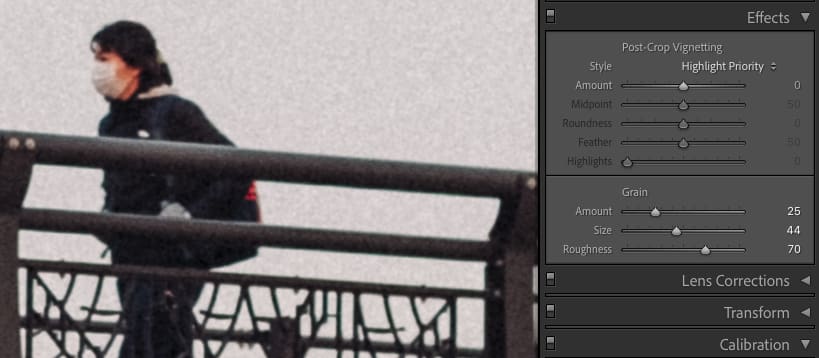
Grain Slider

How To Make Crispy Grain in Lightroom

To make grain crispy, you guessed it – you do the opposite of what made the grain soft. Move the size and roughness sliders further away from each other.

Again play with the amount to get the right feel.
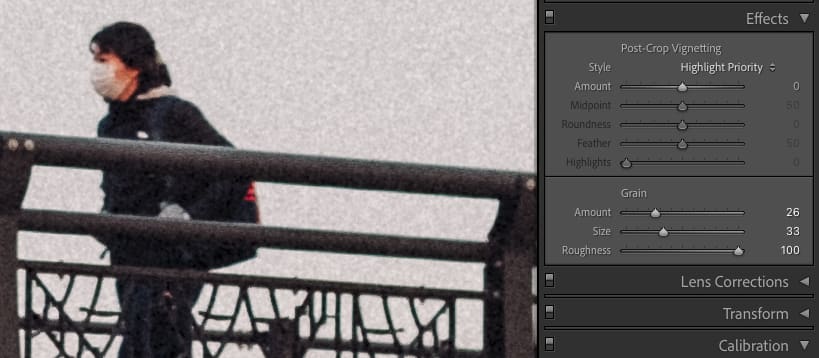
Grain Slider

What To Avoid When Working With Grain – Alien Grain

Anytime you move the roughness slider to a value less than the Size slider, the grain can often look strange and it never looks good to my eyes.

So always make sure the roughness is at least at the same level as the Size slider or higher.

Conclusions

This is a quick tip but I feel like an important one and it’s not really something you can just figure out unless you spend way too much time messing around with Lightroom breaking things and unbreaking things.

I like to build a different grain for web viewing like Instagram, which is maybe a little more aggressive, then build a softer grain for printing, or just to take a little edge off.

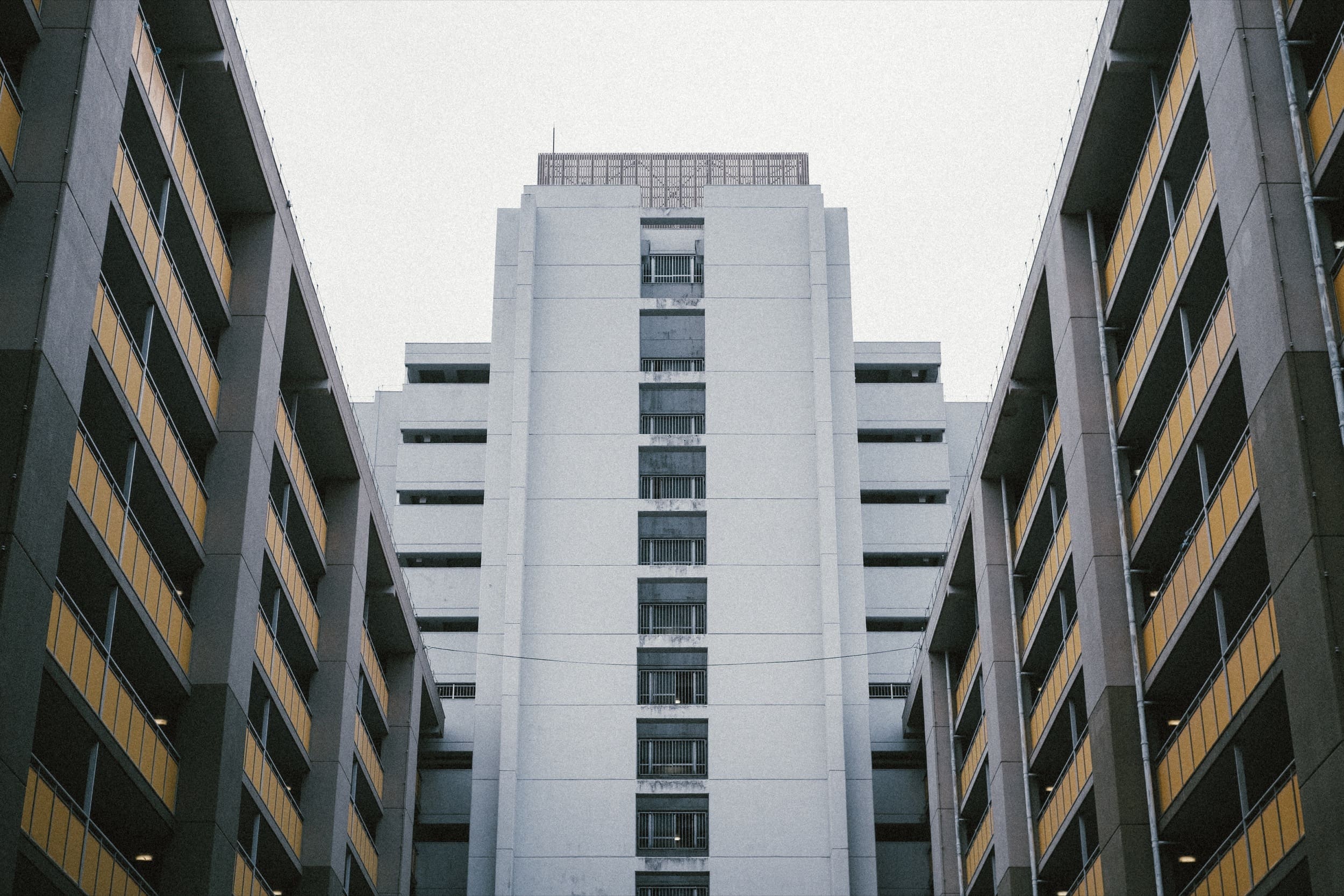
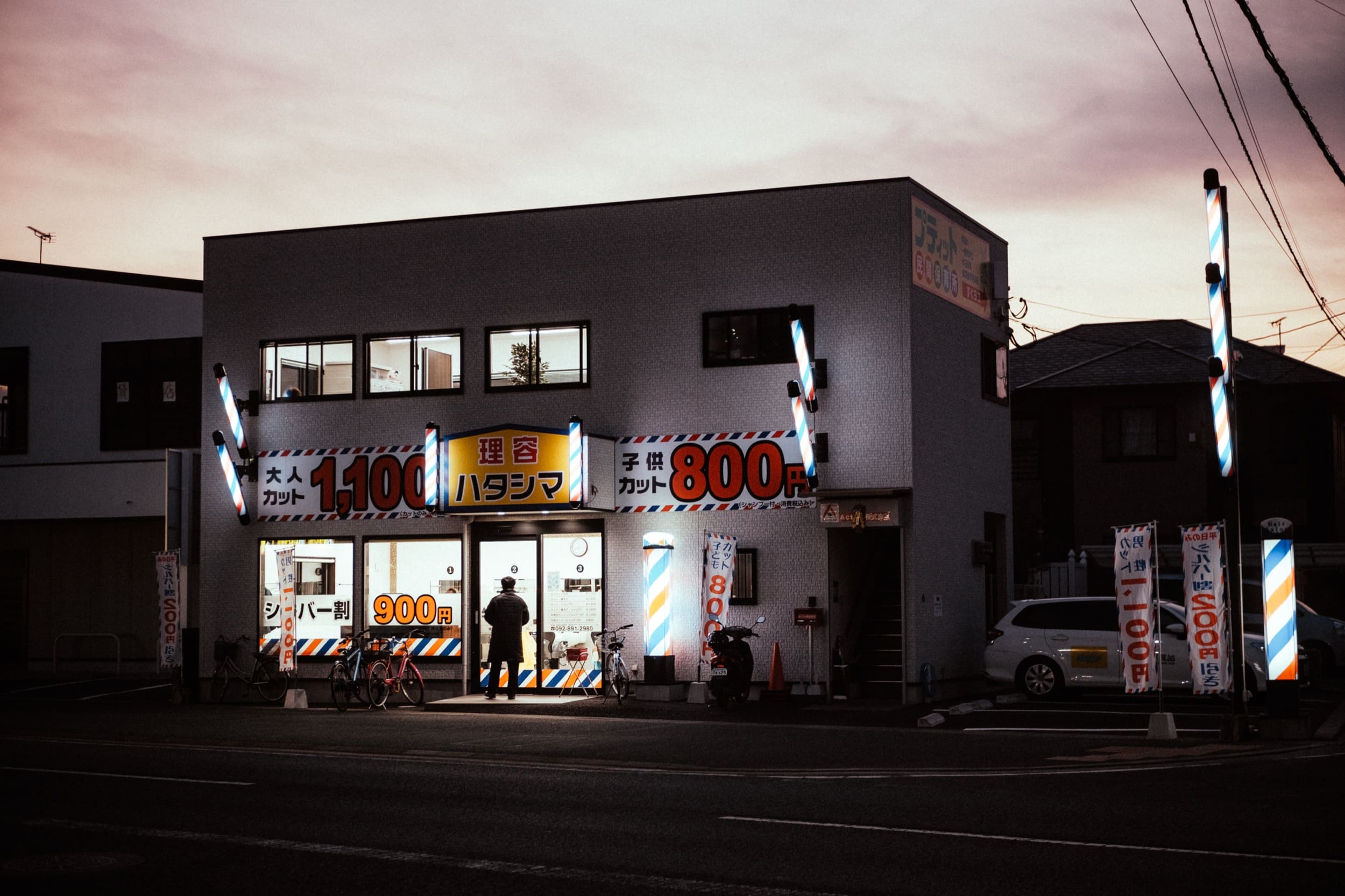
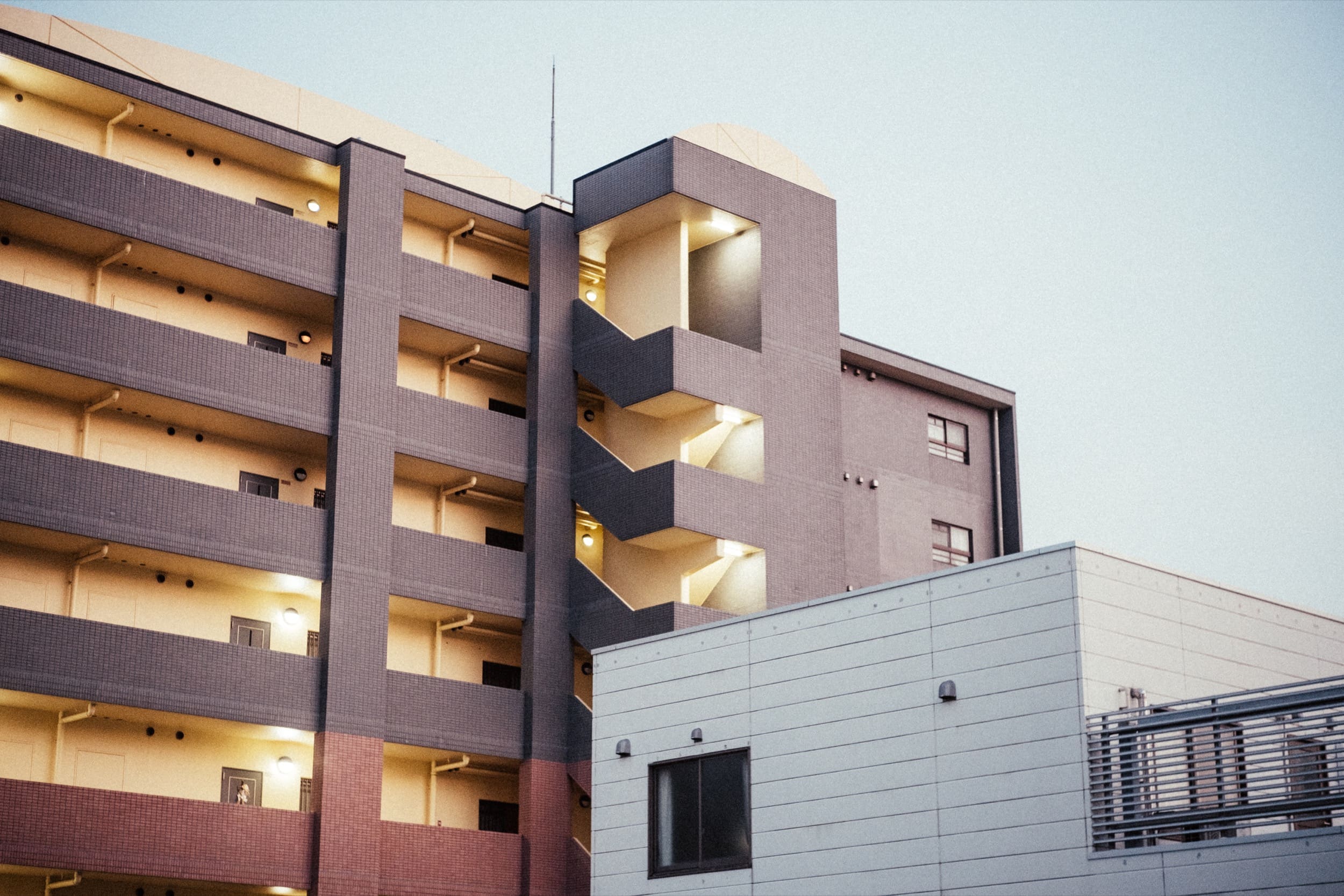
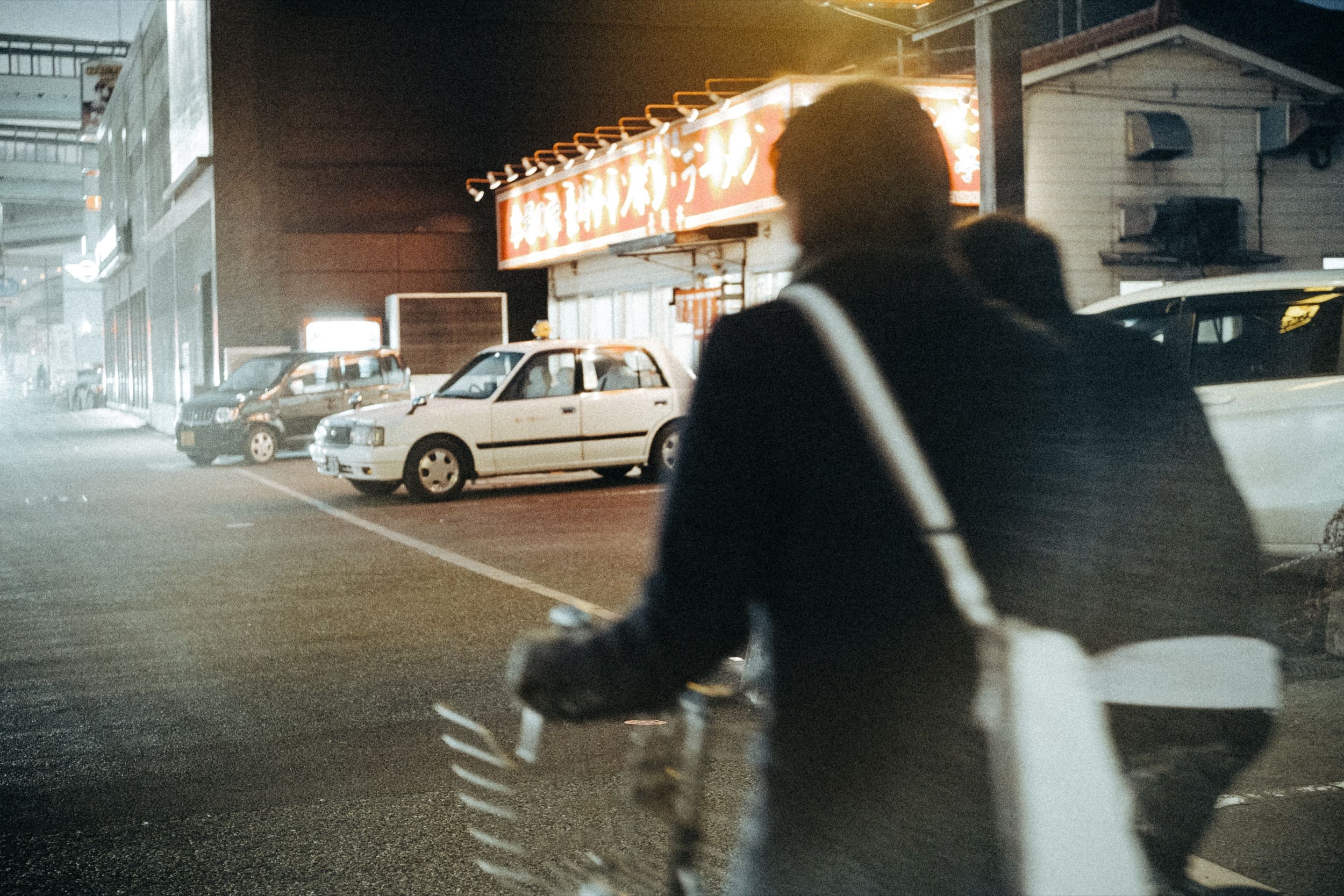
Samples of some images I shot the other day that needed a lot of grain work. Many of these were low light high ISO shot on the X-T3. I hate the look of doing noise reduction, but I like the look of the grain. So I threw some grain on top of the digital noise that was already there from shooting at a High ISO to make the grain feel more organic, more like film grain.
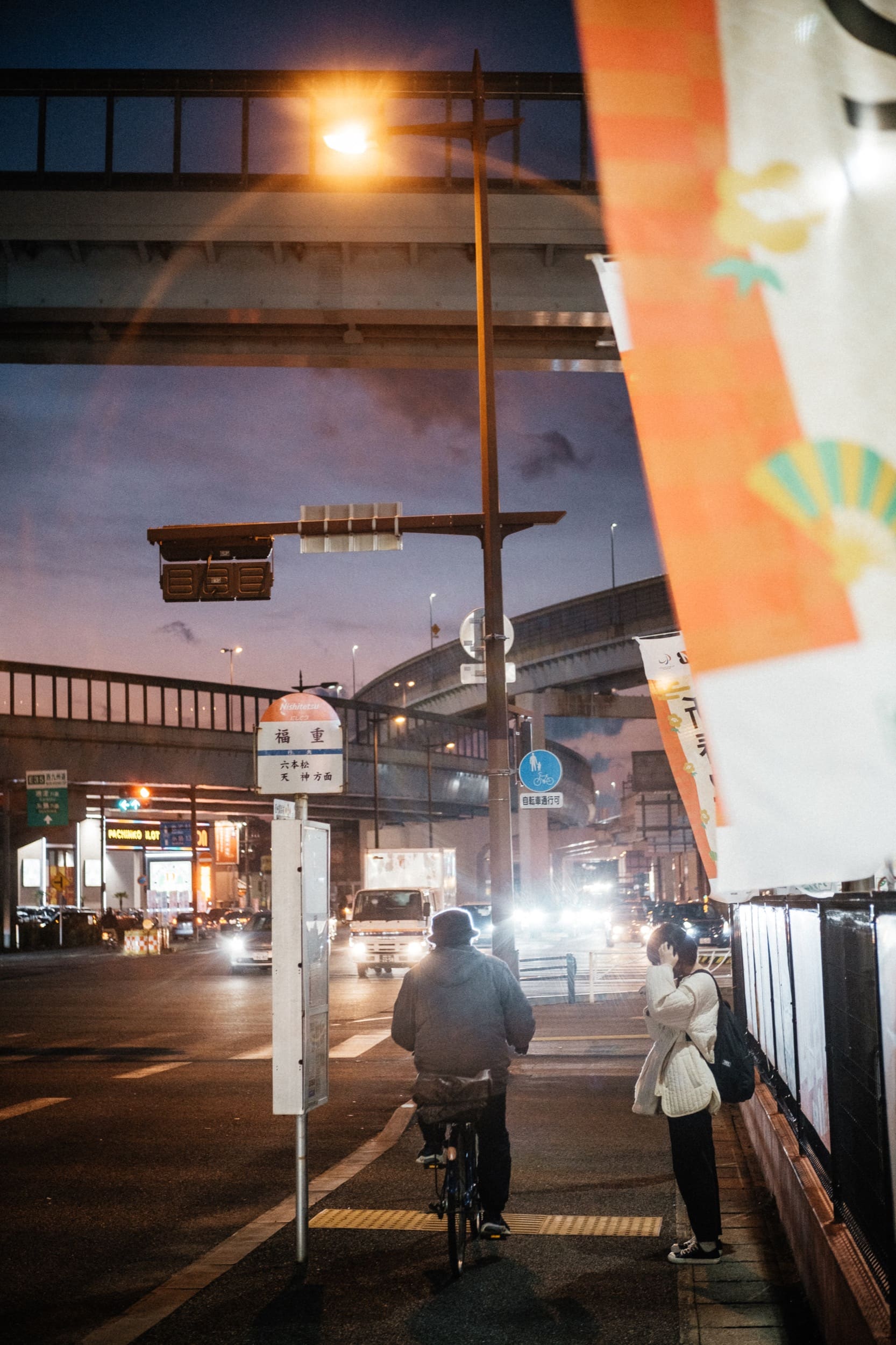
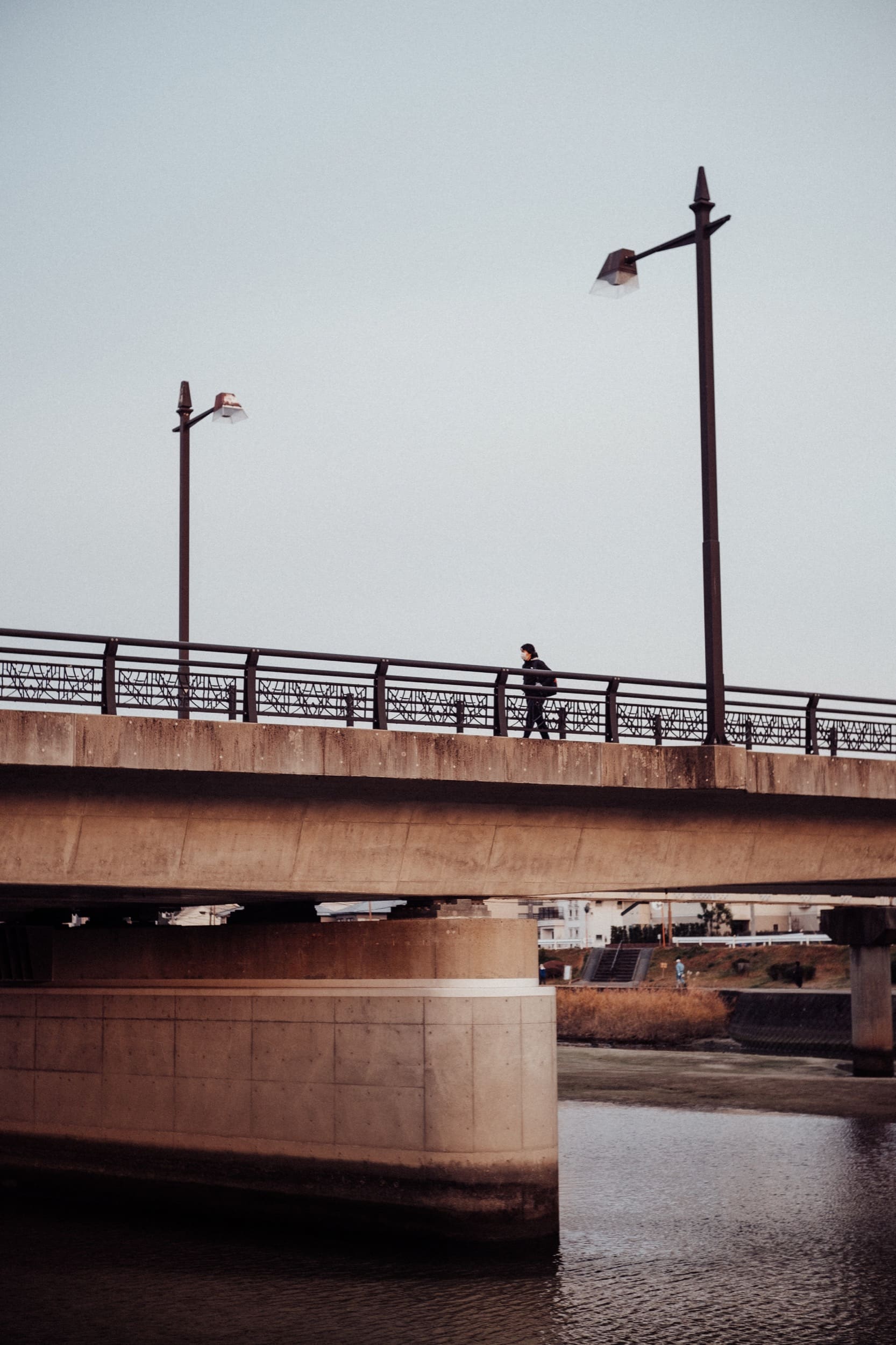
Good grain on digital sample
ISO 2500, f1.6, 1/125
Good grain on digital sample
ISO 320, f4, 1/160
Good grain on digital sample
ISO 1250, f1.6, 1/125
cityscape with grain applied
ISO 320, f4, 1/400
Night street photo with grain applied
ISO 640, f1.6, 1/125
Good grain on digital sample
ISO 4000, f1.6, 1/125
Night Street phoot with grain applied
ISo 6400, f1.6, 1/120
Night street photo with grain applied
ISO 6400, f1.6, 1/80
photo with grain applied
ISO 1000, f4, 1/125
Landscape photo with grain applied
ISo 800, f5.6, 1/125
Night street photo with grain applied
ISO 400, f1.6, 1/125
0
0
0
0
0
Alik Griffin

A professional video editor, and photographer with a Bachelors in Film studies from UCSD. Based in Los Angeles, I have created commercials, trailers, and other video content for various clients and platforms since 2005. I also love to write about my passions and share my insights on my blog.

Related Topics
  • Lightroom
  • Photography Tips
  • Street Photography
  • Youtube
Previous Article
  • Blog
  • Photo Stories

Mochitsuki Mochi With The Fujifilm X-T3

  • Alik Griffin
  • May 7, 2024
View Post
Next Article
Street Photography with the Fujifilm 90mm
  • Blog

Fujifilm 90mm f2 | Streets In The Snow

  • Alik Griffin
  • February 15, 2024
View Post

Subscribe

Subscribe now to our newsletter

You May Also Like
Pure Cinema
View Post
  • Blog
  • Featured
  • Lens Reviews
  • Reviews

Viltrox TCL-X100VI Review | A Budget-Friendly 50mm Upgrade

  • Alik Griffin
  • February 21, 2026
  • No comments
Thypoch Simera 75mm f1.4 Review
View Post
  • Blog
  • Featured
  • Lens Reviews

Thypoch Simera 75mm f1.4 Review & Sample Photos

  • Alik Griffin
  • February 18, 2026
  • No comments
Kakurajima View
View Post
  • Blog
  • Featured
  • Lens Reviews

Viltrox WCL-X100VI Review | A Budget-Friendly 28mm Upgrade

  • Alik Griffin
  • February 17, 2026
  • 2 comments
Sony A7V Announcement
View Post
  • Blog
  • What's New

Sony A7V – They’re Back In The Game

  • Alik Griffin
  • December 30, 2025
  • 4 comments

Leave a Reply Cancel reply

Your email address will not be published. Required fields are marked *

San Clemente Sunset

Join The Newsletter

Featured
  • Nikon Z 28mm f2.8 Review & Sample Photos
    • 18 comments
  • What is Micro Contrast
    Micro-Contrast, Is It Real? – Samples With Lens Comparisons
    • 17 comments
  • Nikon Z 40mm f2 Review | The New Compact King
    • 26 comments
  • Kalina Flower FIeld
    Nikon Z 50mm f1.4 Review & Sample Photos
    • 24 comments
  • Viltrox 9mm f2.8 Air Review
    Viltrox 9mm f2.8 AIR Review & Sample Photos
    • 2 comments
  • Thypoch Simera 75mm f1.4 Review
    Thypoch Simera 75mm f1.4 Review & Sample Photos
    • No comments
  • TTArtisan 27mm f2.8 AF Front of Lens
    TTArtisan AF 27mm f2.8 Review & Sample Photos
    • 5 comments
  • Pure Cinema
    Viltrox TCL-X100VI Review | A Budget-Friendly 50mm Upgrade
    • No comments

Subscribe

Subscribe now to our newsletter

Privacy Policy | Licensing | About Me | Contact

Copyright © Alik Griffin Inc. 2025

Input your search keywords and press Enter.