
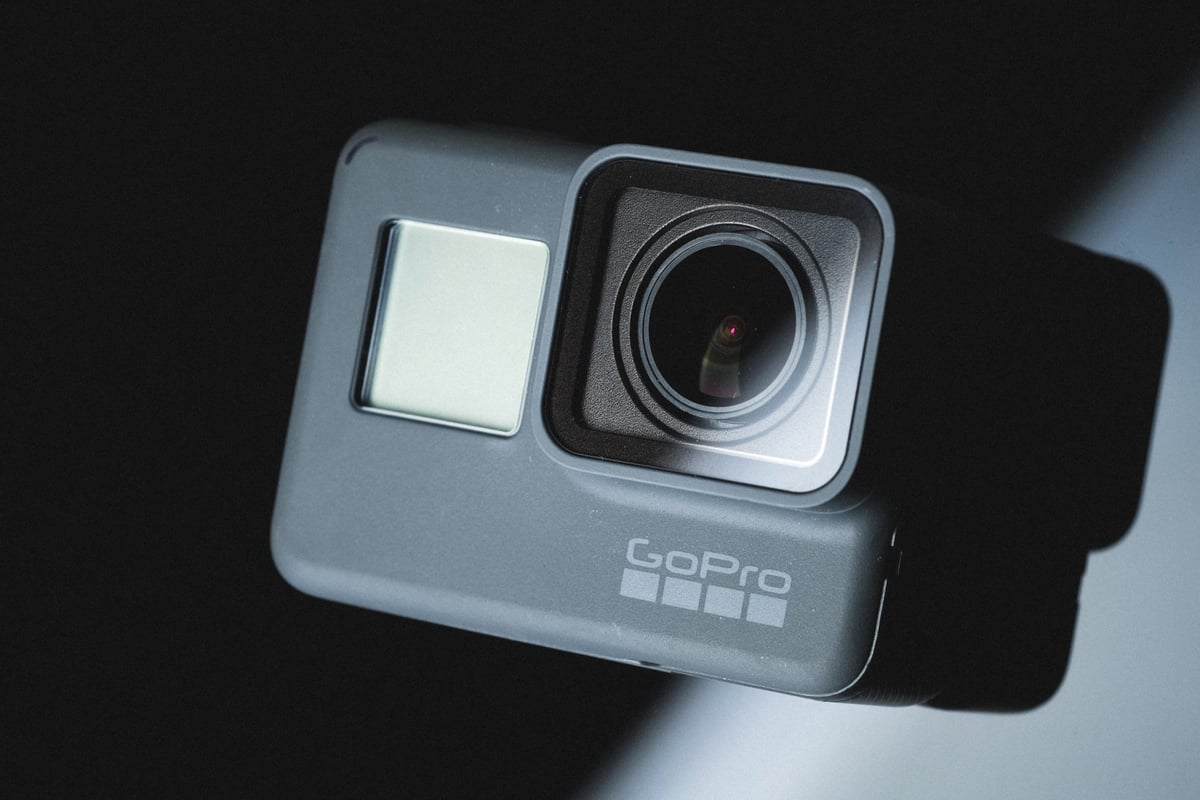
Using SD memory cards for GoPro cameras can be very confusing as each camera has different specs and different compatibility requirements.
With the Hero 6, it’s not about buying the fastest or biggest memory card, it’s more about finding one that just works. Just because your micro SD cards work in the Hero5 doesn’t necessarily mean they’ll work flawlessly in the Hero6 as the Hero6 has a lot of new features.
To make things simple, I’ve put together this nice guide to help you find the best micro SD memory cards for your GoPro Hero6.
Best Memory Cards GoPro Hero 6
Here are the top recommended cards. These are tested and work great. All cards in my list are not reported as having issues.
Recommended GoPro Hero 6 Memory Cards
| Recommended Cards | Speed Class | Check Price | ||
|---|---|---|---|---|
| MicroSD Express | ||||
| Lexar PLAY PRO EX 256/512GB / 1TB | EX | Amazon | ||
| Sandisk EX 128GB/512GB | EX | Amazon | ||
| Samsung EX 256GB | EX | Amazon | ||
| PNY EX 128GB/256GB | EX | Amazon | ||
| Adata Premier Extreme EX U3 | EX | Amazon | ||
| Addlink EX U3 | EX | Amazon | ||
| Dato EX V30 A1 | EX | Amazon | ||
| Gigastone EX V30 A1 256GB | EX | Amazon | ||
| Patriot EP EX V30 | EX | Amazon | ||
| TeamGroup APEX EX V30 A1 256GB | EX | Amazon | ||
| UHS-II | ||||
| Lexar 1800x V60 | UHS-II | |||
| Lexar 1000x V60 | UHS-II | Amazon | ||
| Lexar Gold V60 A1 | UHS-II | Amazon / B&H | ||
| ProGrade V60 | UHS-II | Amazon / B&H | ||
| Delkin Power V90 | UHS-II | Amazon / B&H | ||
| Angel Bird A1 V60 | UHS-II | Amazon / B&H | ||
| UHS-I | ||||
| Sandisk Extreme Pro U3 A2 | UHS-I | Amazon | X | |
| Sandisk Extreme Plus U3 A2 | UHS-I | Amazon / B&H | X | |
| Sandisk Outdoors 4k V30 A2 | UHS-I | Amazon / B&H | ||
| Sandisk Extreme U3 A2 256GB-1TB | UHS-I | Amazon / B&H | ||
| Sandisk Extreme U3 A2 128GB | UHS-I | Amazon / B&H | X | |
| Sandisk Ultra U1 A1 – 0ld | UHS-I | B&H | ||
| Sandisk Nintendo Switch V30 A1 | UHS-I | Amazon / B&H | ||
| Sandisk High Endurance V30 | UHS-I | Amazon / B&H | ||
| Sandisk Max Endurance V30 | UHS-I | Amazon / B&H | ||
| Samsung Pro Ultimate v30 A2 | UHS-I | Amazon / B&H | ||
| Samsung Pro Plus V30 A2 | UHS-I | Amazon / B&H | X | |
| Samsung EVO Plus V30 A2 | UHS-I | Amazon / B&H | X | |
| Samsung EVO Select V30 A2 | UHS-I | Amazon / B&H | ||
| Samsung Pro Endurance V30 | UHS-I | Amazon / B&H | ||
| Kingston Canvas Go! Plus V30 A2 | UHS-I | Amazon / B&H | X | |
| Kingston Canvas Select Plus V30 A1 | UHS-I | Amazon / B&H | ||
| Kingston Industrial V30 A1 | UHS-I | X | Amazon / B&H | |
| Lexar Silver Plus V30 A2 | UHS-I | Amazon / B&H | X | |
| Lexar Silver1066x A2 | UHS-I | Amazon / B&H | ||
| Lexar Blue 633x V30 A1/A2 | UHS-I | Amazon / B&H | ||
| Lexar FLY V30 A2 | UHS-I | Amazon / B&H | ||
| Lexar PLAY U3 A2 512GB-1TB | UHS-I | Amazon / B&H | ||
| Lexar PLAY U3 A1 256GB | UHS-I | Amazon / B&H | ||
| Lexar PLAY U1 A1 128GB | UHS-I | Amazon / B&H | ||
| Lexar E-Series Plus U3 A2 | UHS-I | Amazon | ||
| Lexar E-Series U3 A1 | UHS-I | Amazon | ||
| Delkin Black V30 | UHS-I | B&H | ||
| Delkin Hyperspeed V30 | UHS-I | Amazon / B&H | ||
| Delkin Select V30 64GB | UHS-I | Amazon / B&H | ||
| Delkin Dashcard V30 | UHS-I | Amazon / B&H | ||
| Transcend 500S U3 | UHS-I | X | Amazon / B&H | |
| Transcend 350V High Endurance U3 | UHS-I | X | Amazon / B&H | |
| Transcend 340S Ultra Performance V30 A2 | UHS-I | X | Amazon / B&H | |
| Transcend 330S High Performance V30 A2 | UHS-I | X | Amazon / B&H | |
| Transcend 300s V30 A1 | UHS-I | Amazon / B&H | ||
| PNY Premier-X A2 V30 | UHS-I | Amazon / B&H | X | |
| PNY PRO Elite U3 A2 | UHS-I | Amazon / B&H | X | |
| PNY PRO Elite U3 | UHS-I | Amazon / B&H | ||
| PNY Elite-X V30 A1 | UHS-I | Amazon / B&H | ||
| Amplim 667X V30 A1 | UHS-I | Amazon | ||
| Netac Pro A1 U3 | UHS-I | X | ||
| Patriot EP PRO U3 | UHS-I | Amazon | ||
| Patriot EP A1 V30 | UHS-I | Amazon / B&H | ||
| Patriot High Endurance U3 | UHS-I | X | ||
| Silicon Power Superior Pro | UHS-I | X | B&H | |
| Silicon Power Superior V30 A2 | UHS-I | Amazon / B&H | ||
| Silicon Power Superior V30 A1 | UHS-I | |||
| Silicon Power 3D NanD V30 A1 | UHS-I | Amazon / B&H | ||
| Silicon Power GAME V30 A1 | UHS-I | Amazon / B&H | ||
| Silicon Power High Endurance U3 | UHS-I | Amazon / B&H | ||
| Ritz Gear V30 A1 | UHS-I | Amazon | ||
| Gigastone 4k Camera Extreme Max | UHS-I | X | Amazon | |
| Gigastone 4k Camera Extreme | UHS-I | X | Amazon | |
| Gigastone 4k Camera Pro Max V30 A2 | UHS-I | X | Amazon | |
| Gigastone 4k Camera Pro V30 A2 | UHS-I | X | Amazon | |
| Gigastone Camera Plus V30 A1 | UHS-I | X | Amazon | |
| Gigastone 4k Game Turbo A2 U3 | UHS-I | X | Amazon | |
| Gigastone Game Pro Max V30 A2 | UHS-I | X | ||
| Gigastone 4k Game Pro V30 A2 | UHS-I | X | Amazon | |
| Gigastone Gaming Plus A1 V30 | UHS-I | X | Amazon | |
| Gigastone 10x High Endurance V30 | UHS-I | X | Amazon | |
| TeamGroup A2 Pro+ 256GB-1TB | UHS-I | X | Amazon | |
| TeamGroup A2 Pro+ 128GB | UHS-I | X | Amazon | |
| TeamGroup Go V30 A1 | UHS-I | X | Amazon | |
| TeamGroup High Endurance V30 | UHS-I | X | Amazon | |
| Amazon Basics V30 A2 | UHS-I | Amazon |
Memory Cards GoPro Hero 6 | Speed Chart
I’ve tested all the micro sd cards with Windows 10 to give you a general performance list between brands and models. This of course isn’t entirely accurate because different camera processors handle the different types of flash memory differently.
I’ve marked a lot of cards ‘Maybe’ in this chart just to be on the safe side since the high frame rate H265 recording of the GoPro Hero6 will peg the limitations of the U1 and class 10 memory card speeds. So you could run into some issues with some cards even though they do work fine for me when I am testing. This is of course assuming VLC is giving me the correct bitrate readings.
Memory card read / write speeds are determined using Crystal Disk on Windows 10.
| Micro SD Memory Card | Read Speeds | Write Speeds | Does It Work? |
| Sandisk Extreme Pro 64GB U3 | 99.38 MB/s | 90.33 MB/s | Yes |
| Sandisk Extreme Plus 64GB U3 | 99.45 MB/s | 89.85 MB/s | Yes |
| Sandisk Extreme 64GB U3 | 99.49 MB/s | 70.29 MB/s | Yes |
| Sandisk Ultra C10 – Old Version U1 | 47.69 MB/s | 36.23 MB/s | No |
| Sandisk Ultra C10 – New Version | 99.46 MB/s | 79.64 MB/s | Maybe |
| Lexar 1000x 64GB U3 UHS-II | 151.7 MB/s | 53.18 MB/s | Yes |
| Lexar 633x 64GB U1 | 96.89 MB/s | 33.29 MB/s | No |
| Lexar 300x 64GB U1 | 47.37 MB/s | 31.17 MB/s | No |
| Transcend Ultimate 633x 64GB U3 | 96.67 MB/s | 79.62 MB/s | Yes |
| Transcend Premium 400x 64GB U1 | 96.87 MB/s | 32.58 MB/s | Maybe |
| Transcend Premium 300x 64GB U1 | 96.88 MB/s | 33.29 MB/s | Maybe |
| Transcend High Endurance | 22.88 MB/s | 21.84 MB/s | Maybe |
| PNY Pro Elite 64GB U3 | 98.44 MB/s | 64.43 MB/s | Yes |
| PNY Elite U1 | 96.88 MB/s | 41.18 MB/s | Yes |
| Samsung Pro+ 64GB U3 | 97.72 MB/s | 87.23 MB/s | Yes |
| Samsung Pro 64GB U3 | 97.42 MB/s | 79.51 MB/s | Yes |
| Samsung Pro Select 64GB U3 | 97.84 MB/s | 86.80 MB/s | Yes |
| Samsung Evo+ 64GB U1 | 96.81 MB/s | 28.31 MB/s | Maybe |
| Samsung Evo Select 64GB U1 | 97.65 MB/s | 29.52 MB/s | Maybe |
| Samsung Evo 64GB U1 | 47.65 MB/s | 26.48 MB/s | Maybe |
| Patriot 64GB U1 | 82.76 MB/s | 14.92 MB/s | Maybe |
| Netac Pro 64GB U3 | 77.70 MB/s | 49.70 MB/s | Yes |
Can You Use a 128GB Memory Card In The Hero6?
Yes, 128GB memory card does work in the Hero6 but some people may experience some connection issues when trying to use the camera in a Karma Gimbal or Karma drone. If you’re having connection issues in your grip, drone, or even computer, try switching to one of the recommended 64GB cards above.
GoPro Hero6 | Specs
H265 Codec: 4k 60 – 1080p 240 – 2.7k 120
4k60: at 85Mbit/s with a H265 Codec
4k AVC Codec: at 66Mbit/s.
Check out all the GoPro Accessories
GoPro Hero6 Memory Cards | What’s New?
Since the GoPro Hero6 has a very different image processor than the Hero5, it also handles memory cards very differently and there are a few important details to know.
The Hero6 image processor and bus speeds are blazing fast compared to the old Hero5, Hero 2018, and Session. It seems a lot friendlier to different brands of memory cards. The new Hero6 also records in a new H265 codec.
H.265 files show as GX—– instead of GH—– (GX010282.mp4 or GH010283.mp4 as an example).
This is also true for shooting 1080p at 240 fps and 2.7k at 120 fps.
These HEVC Hero6 files may show up as black in your Quik app and you won’t be able to play them. Even with Quicktime, you can’t play them. I use an app called VLC and it will allow me to open them but they still struggle to play, at least on my hardware.
GoPro Hero6 vs Hero5 | Bitrate Improvements
The bitrate on the GoPro Hero6 is improved. I’m seeing speeds of about 67Mbit/s compared to the 60Mbit/s on the Hero5 and bitrates at around 85Mbps on high frame rate recordings assuming VLC is correct.
This means the Hero6 record times will be slightly lower than on the Hero5.
GoPro Hero 6 Video Record Times For Each Setting
Some quick and rough calculations based on the bitrates I was seeing coming from the camera with the different record settings.
I also toggled between GoPro color and Flat and the settings performed the same, unlike earlier generations. So ProTune or Superwide doesn’t make much of a difference in bitrate like the previous generation cameras.
Here is a rough calculation of record times in the GoPro Hero 6.
| Format | Frame Rate | Bitrate | 16GB | 32GB | 64GB |
| 4k | 60 | 85 Mbps | 25.00 | 50.00 | 100.00 |
| 4k | 30 / 24 | 67 Mbps | 31.50 | 63.68 | 127.36 |
| 2.7k | 120 | 85 Mbps | 25.00 | 50.00 | 100.00 |
| 2.7k | 60 | 67 Mbps | 31.50 | 63.68 | 127.36 |
| 2.7k | 30 / 24 | 45 Mbps | 47.40 | 94.81 | 189.62 |
| 1080 | 240 | 85 Mbps | 25.00 | 50.00 | 100.00 |
| 1080 | 120 | 67 Mbps | 31.50 | 63.68 | 127.36 |
| 1080 | 60 / 30 / 24 | 45 Mbps | 47.40 | 94.81 | 189.62 |
Issues playing back H265 HEVC clips
If you’re having issues playing HEVC H265 files on your computer or shooting 4k 60 with your GoPro Hero6, you may only see black video clips in the GoPro Quick app. This is not due to a corrupted file or an issue with your micro SD card, rather the camera is saving at a different codec that isn’t capable of playing on your computer.
It’s likely not a problem with your memory card and you should check to see if your computer has the specs required to playback HEVC files.
GoPro Hero6 Memory Cards| H265 HEVC Video Codec
H265 is supported by OSX Sierra and Windows 10 however you need to have the right computer to get it to work.
While most memory cards will work great, if you plan on using H.265 you’ll need to upgrade your GoPro Hero 6 memory cards to one of the recommended cards listed above.
Apple Computers Required To Play H265 HEVC
Macbook / Macbook Pro 2016 or later
iMac / iMac Pro 2017 or Later
27-inch 5K iMac 2015 or Later
Windows Computers Required To Play HEVC
Any Windows 10 – Kaby Lake Processor or Newer (Mid 2016)
What To Do If Your Computer Doesn’t Match Those Specs
If you don’t have a computer that can play HEVC natively there are a few things you can do.
The best way to edit HEVC footage from the GoPro Hero6 with a computer that is not compatible is to edit with Proxies in Premiere. Upon importing HEVC into Premiere, it will prompt you to install a codec. While playback will be a nightmare on old computers, you can create proxies that streamline the process. Check out that guide in the link.
Unfortunately, you can’t edit HEVC files in GoPro Quick if you have an incompatible computer.
Best SD Memory Cards GoPro Hero 6 | Conclusions
The new hardware of the GoPro Hero6 opened up the capability to a lot of new cards, however, the new H265 codec opened up a whole new can of worms. If you’re not using H.265 then you’ll have fewer issues with cards working. Most SD cards actually will work fine, but I still would buy only the cards recommended above just in case you ever want H.265 recording without any problems in the future.
If you want 128GB cards, just buy one of the 128GB variants of the recommended cards.
If you see any strange issues when using the GoPro with a grip, or drone, or just trying to connect to your computer, it could be because of the 128GB card you are using and you should try to change to a 64GB card to see if it solves the issue.















Leave a Reply