
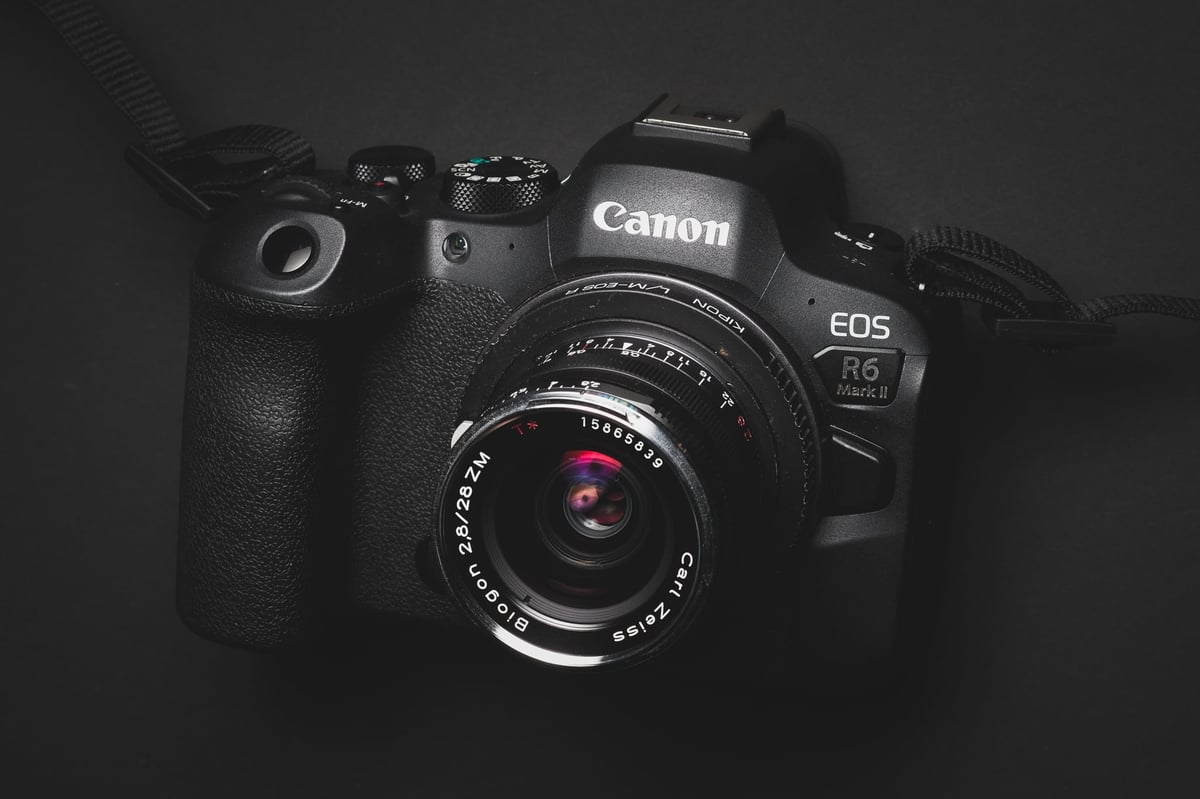
When it comes to maximizing the performance of your Canon EOS R6 II, choosing the right memory card is crucial. The Canon R6 II, with its dual SD card slots, supports both UHS-I and UHS-II cards, offering flexibility and speed for various shooting needs.
Here’s a guide to help you find the best memory cards for your Canon R6 II.
Memory Cards For The Canon R6 II
There are two types of UHS-II SD memory cards you should consider, depending on your use case. The fastest memory cards are the V90 UHS-II cards, but the V60 cards also offer great performance and might be a better value for casual shooters.
UHS-II V90 SD Memory Cards will provide the best performance in the Canon R6 II for photographers who need to clear the buffer quickly after a burst.
UHS-II V60 SD Memory Cards: Best for videographers or casual photographers. Since the Canon R6 II’s max video bitrate runs at 42.5 MB/s, you will only need v60 cards to take advantage of all the camera’s video features.
UHS-I V30 SD Memory Cards: I would not use UHS-I SD cards for this camera, as they will not support some video features.
Canon R6 Mark II – Amazon / B&H

Recommended Memory Cards Canon EOS R6 II
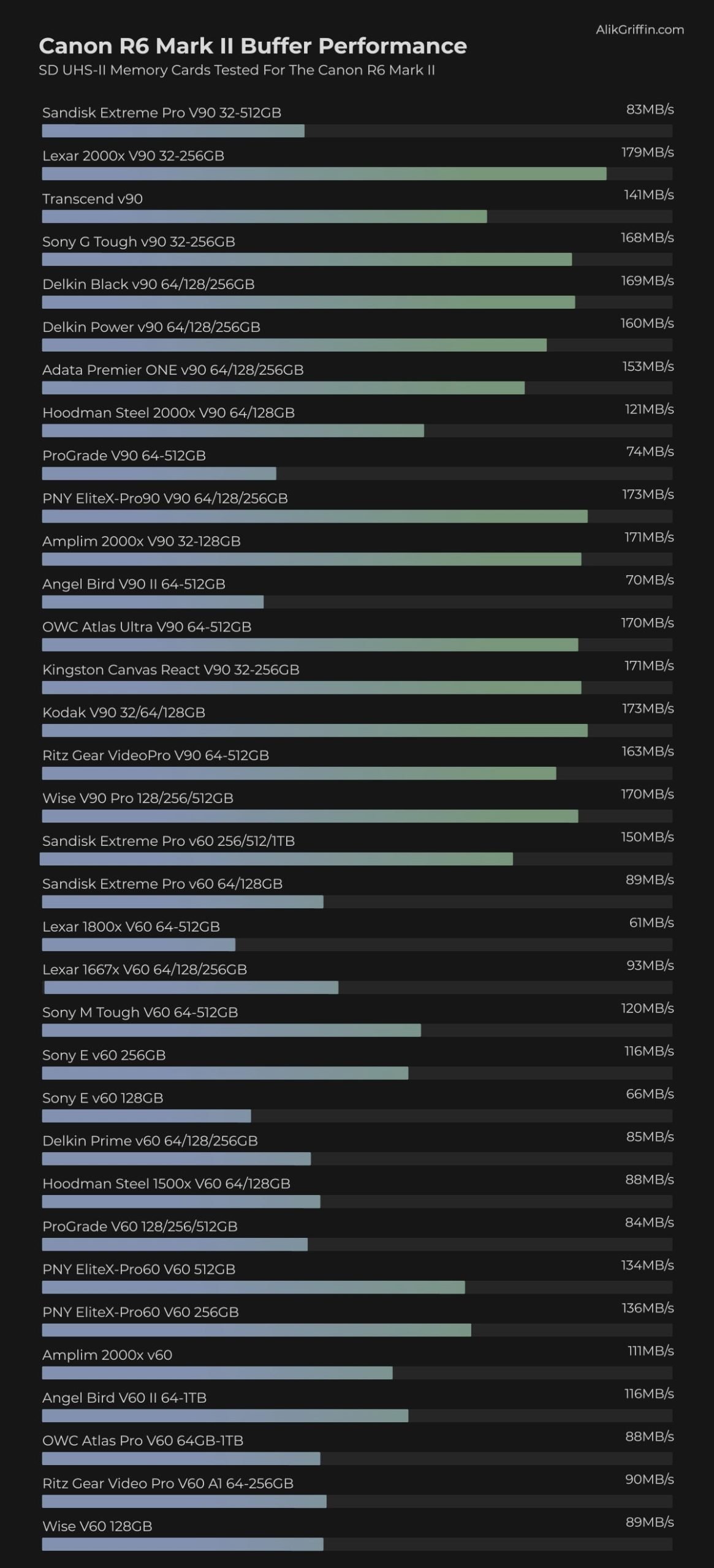
Here are recommended memory cards for the Canon R6 Mark II, tested in the camera to show how quickly the camera clears a full buffer.
The camera supports two UHS-II cards, and you will need two of the same cards to run backups without bottlenecks.
This list covers some of the recommended cards for the V90 and V60. I recommend V60 cards if you’re a casual photographer who doesn’t do much burst shooting. They are fast enough to use all the camera’s video features.
| Memory Cards | Canon R6II Speeds | Check Price |
| V90 SD Cards | ||
| Lexar 2000x | 179MB/s | Amazon / B&H |
| Sony G Tough | 168MB/s | Amazon / B&H |
| Delkin Black | 169 MB/s | B&H |
| Kingston Canvas React | 171MB/s | Amazon / B&H |
| V60 SD Cards | ||
| Sandisk Extreme Pro v60 | 150MB/s | Amazon / B&H |
| Sony M Tough v60 | 120MB/s | Amazon / B&H |
Aside from the Delkin Black and Sony M and G Tough cards, Lexar also now has a stainless steel tough card that will also work well in this camera. Check out the Lexar Armor V60 cards.
Canon R6 II Memory Card Benchmarks
This list shows how each memory card performed in-camera by calculating the time it takes to clear a continuous burst, measured against the amount of data written.
My Sandisk Extreme Pro, Prograde, and Angelbird cards seem defective in my last few tests, so you can safely ignore this card’s results until I can replace them.
Canon EOS R6 II Specs
| Sensor: Full Frame 25.6MP CMOS Processor: Digic X Continuous Shoot: 12fps Mechanical, 40fps Electronic Est. Buffer Size: 1.5GB RAW Shots To Fill Buffer: 75 RAW | 1000 JPEG @ 40fps Canon R6 II Memory Card Capacity: No limit 4k Datarate: 340 Mbps | 42.5 MB/s 1080p Datarate: 180 Mbps | 22.5 MB/s |
Best Memory Cards 4k Video
The Canon R6 Mark II can shoot 4K at 60 frames per second internally, with a maximum bitrate of 340 Mbps, which equates to 42.5 MB/s.
While it doesn’t require the fastest cards to write 4k video, using a V60 speed class UHS-II card is advisable to ensure a minimum write speed of 60MB/s. However, if you have newer U3 UHS-I cards available, they should work fine at bitrates below 30MB/s or 240Mbps.
For frequent video shooting, it’s recommended to use V60 UHS-II cards, which have fast read speeds during data transfer to the computer and provide more storage capacity per dollar.
Canon EOS R6 Mark II Video Specs & Recording Modes
Record Limit: None.
Audio File Format: AAC, Linear PCM
| 4k Recording Modes UHD 4k H.265: 4:2:2 10-bit 24p-60p | 60 to 340Mbps1080p Recording Modes Full HD H.265: 4:2:2 10-bit 24p to 120p | 12 to 270Mbp |
Canon R6 Mark II Record Times – Memory Card Capacity
Below is a chart showing record times for different bitrates based on several memory card sizes. Refer to this chart to determine memory card capacity for different recording settings.
Please note that the camera does not display the bitrate it is recording at. To determine which setting produces which bitrate, match the bitrate and setting to the chart above. Also, the ALL-I setting will provide a higher bitrate than the IPB settings.
| Canon R6 II Record Times | 64GB | 128GB | 256GB | 512GB |
| 4k | ||||
| 4k 340Mbps | 42.5MB/s | 25min | 50min | 100min | 201min |
| 4k 230 Mbps | 28.75 MB/s | 37min | 74min | 148min | 297min |
| 4k 170 Mbps | 21.25 MB/s | 50min | 100min | 201min | 402min |
| 4k 120 Mbps | 15 MB/s | 71min | 142min | 284min | 569min |
| 1080p | ||||
| 1080p 270Mbps | 33.75 MB/s | 32min | 63min | 126min | 253min |
| 1080p 120Mbps | 15 MB/s | 71min | 142min | 284min | 569min |
| 1080p 28Mbps | 3.8 MB/s | 305min | 610min | 1219min | 2438min |
| 1080p 12Mpbs | 1.5 MB/s | 711min | 1422min | 2844min | 5689min |
Other Resources
Also, check out this guide to all Canon RF lenses—I keep a list of every lens available for the Canon RF system.
See my favorite accessories for the Canon R6 Mark II.













Comments
3 responses to “Best Memory Cards For Canon R6 Mark II – 34 Tested”
Great article, THANKS
Very good research, and well written article. I’m looking for cards for my new R6 Mk II, and was wondering why the Kingston Canvas React didn’t make your recommended list. It seems to fit nicely between the Lexar 2000X and the Sony G Tough for W/R speeds and buffer clearing, and it’s very well priced. Is there some other factor that kept it off the list?
Kingston cards are great. I recommend them a lot I just didn’t didn’t put them on the recommendation list just to keep it from getting too inflated. They are a fairly well known brand that makes a lot of different types of memory, and their RAM is probably more popular than their memory cards.
The reason I don’t always put them on the recommendation list is Kingston is not as committed to the various types of memory cards like CFxA and CFxB. With cameras that use CFx cards, it’s nice to go for the brands that have bundles. But this camera is all UHS-II so they are great for it.
Other camera brands often give reports on what cards are compatible with various video formats, and Kingston is often not even tested by brands like Fujifilm or GoPro so there is that too. But I’ve always gotten great results from Kingston in the 10 years I’ve been benchmarking memory cards.