
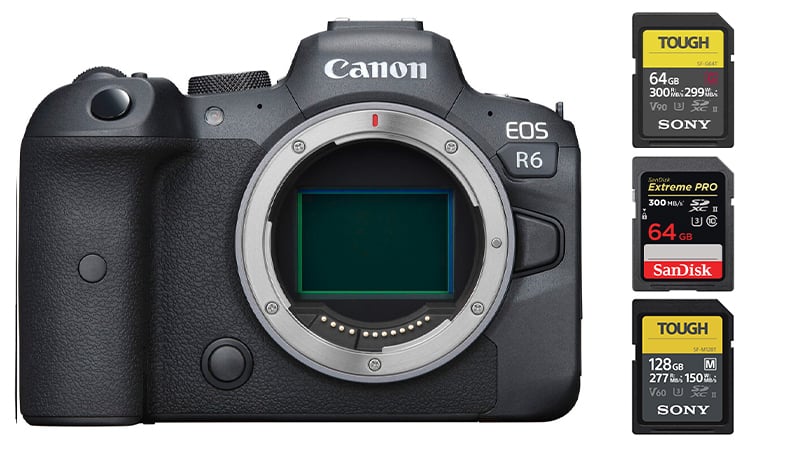
The Canon EOS R6 offers dual UHS-II memory card slots, which are great for quickly clearing the buffer since the camera can shoot up to 20fps with the electronic shutter.
While you might be tempted to go with UHS-II v90 cards for video, the Canon R6 has a max bitrate of 340Mbps. While that seems like a lot, converting that to MB/s requires only memory cards that can write at 42.5MB/s, which is well within UHS-II V60-rated speeds.
There are some updated tests for the latest camera from our Memory Cards Canon R6 Mark II guide.
Recommended Memory Cards Canon EOS R6
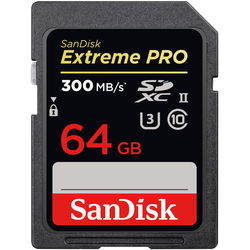
You probably won’t need the fastest V90 UHS-II cards if you’re on a budget, and most people will be happy with the performance of v60 cards.
You can use the dual SD card slots for backup with photos, but you cannot record video with redundancy to both cards.
I recommend using V60 cards for hybrid and casual shooters and V90 cards if you want the maximum performance the camera offers.
| Recommended UHS-II Cards | In-Camera Speed (EOS R6) | See Price |
| UHS-II V90 | ||
| Sony G Tough | 186.73MB/s | Amazon |
| Sandisk Extreme Pro 300MB/s | 181.05MB/s | Amazon |
| ProGrade V90 | 177.66MB/s | Amazon |
| Delkin Black | 185.30MB/s | B&H |
| Hoodman Steel 2000x | 142.53MB/s | Amazon |
| UHS-II V60 | ||
| Sony M Tough | 128.90MB/s | Amazon |
| ProGrade V60 | 87.38MB/s | Amazon |
Also, check out my Must-Have Accessories for the Canon EOS R6
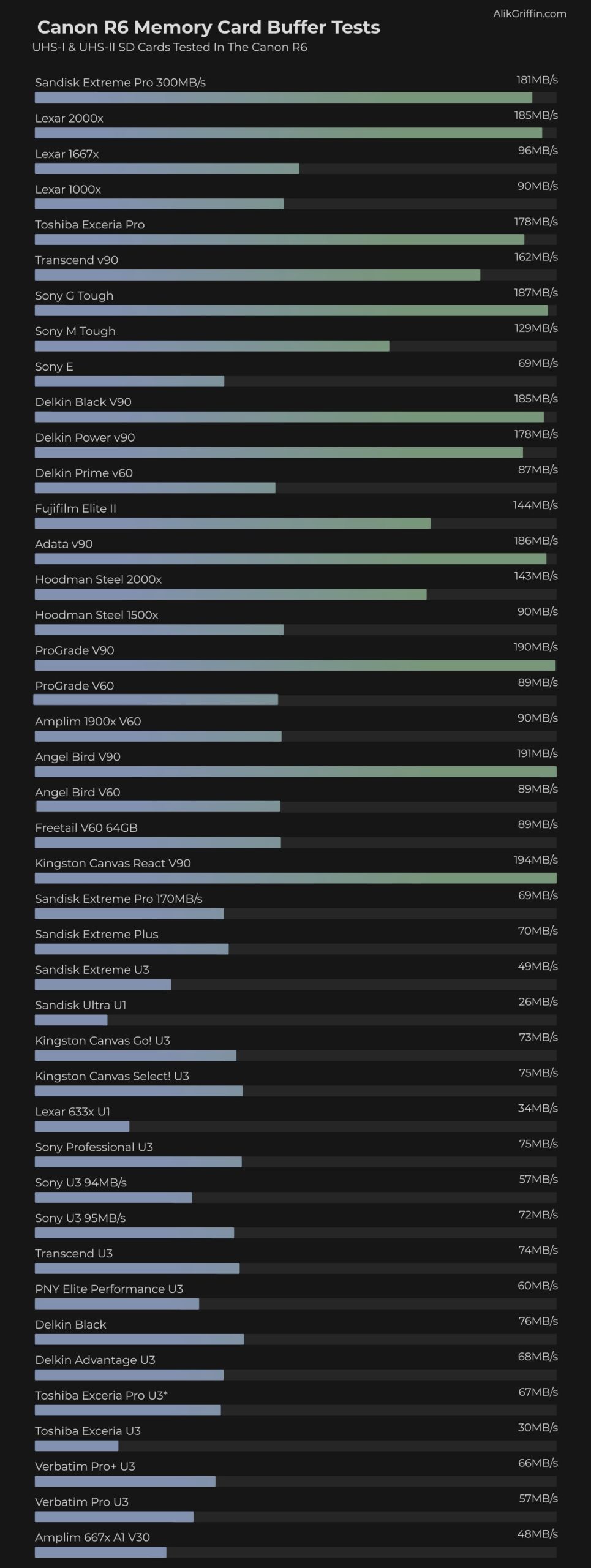
Canon R6 Memory Card Speed Test | Benchmarks
This list shows how each memory card performed in-camera by calculating the time it takes to clear a continuous burst.
Canon EOS R6 Specs
| Sensor: Full Frame 20MP CMOS Processor: Digic X Continuous Shoot: 12fps Mechanical, 20fps Electronic Est. Buffer Size: 1.5GB RAW Shots To Fill Buffer: 240 RAW | 1000 JPEG @ 12fps Max Memory Card Capacity: Any size, no limit. 4k Datarate: 340 Mbps | 42.5 MB/s 1080p Datarate: 180 Mbps | 22.5 MB/s |
Best Memory Cards 4k Video Canon R6
The Canon R6 shoots 4k at 60 frames per second with a maximum bitrate of 340Mbps. This translates to 42.5MB/s.
It won’t take a very fast card to write 4k video. You could use a UHS-I but you should stick with a v60 UHS-II speed class to guarantee a minimum write speed of 60MB/s. However, if you have extra UHS-I cards lying around, they will certainly work as long as they are U3 and fairly modern, especially for any bitrate under 240Mbps.
I would recommend sticking V60 UHS-II cards if you plan on shooting a lot of videos, they have very fast read speeds for when you transfer to your computer, and you can get a much larger size per dollar.
Sony M Tough cards are great, and the ProGrade V60 cards are also great.
Canon EOS R6 Video Specs & Recording Modes
The Video quality and recording modes of the Canon R6 are very impressive, and there is a lot of versatility to the way this camera can be used.
There is a very nice high-quality 10-bit 4:2:2 h.265 encoding for 4k UHD up to 60fps. There is also a very high bitrate 10-bit 4:2:2 230Mbps FullHD 1080p recording option. This, again, is a very competitive 1080p bitrate that packs a ton of data and color information.
You can also record 4k with an APS-C crop without any heat issues for longer recordings.
Record Limit: 30 minutes.
Audio File Format: AAC, Linear PCM
| 4k Recording Modes UHD 4k H.265: 4:2:2 10-bit 24p-60p | 170 to 340Mbps UHD 4k H.264: 4:2:0 8-bit 24p-60p | 120 to 230Mbps 1080p Recording Modes |
Canon R6 Record Times – Memory Card Capacity
Here are the record times for the various bitrates based on a few memory card sizes.
Use this table to see the memory card capacity with different record settings.
The camera won’t tell you which bitrate it is recording at. You’ll have to match the bitrate and the setting with the chart above to know which setting produces which bitrate. The ALL-I setting will give you a higher bitrate than the IPB settings.
| Canon R5 Record Times | 64GB | 128GB | 256GB | 512GB |
| 4k | ||||
| 4k 340Mbps | 42.5MB/s | 25min | 50min | 100min | 201min |
| 4k 230 Mbps | 28.75 MB/s | 37min | 74min | 148min | 297min |
| 4k 170 Mbps | 21.25 MB/s | 50min | 100min | 201min | 402min |
| 4k 120 Mbps | 15 MB/s | 71min | 142min | 284min | 569min |
| 1080p | ||||
| 1080p 180Mbps | 22.5 MB/s | 47min | 95min | 190min | 379min |
| 1080p 120Mbps | 15 MB/s | 71min | 142min | 284min | 569min |
| 1080p 28Mbps | 3.8 MB/s | 305min | 610min | 1219min | 2438min |
| 1080p 12Mpbs | 1.5 MB/s | 711min | 1422min | 2844min | 5689min |
What Size Memory Card Is Best?
If you’re unsure which memory card size you should buy, I will say that I’ve been shooting a lot more with 128GB cards on my lower 24MP cameras. I rarely fill the cards, but occasionally, at big events, they come in handy. Also, they are nice if you forget to clear off your card and need to shoot for a few days. This will ensure you have plenty of memory to last you through the weekend.
You can also use 64GB memory cards. I rarely fill 64GB cards unless I’m shooting on the same card over several days.
If you are shooting casually, Canon also has CRAW and now HIEF recording modes that will create files much smaller than the standard RAW. So you could use these and get way more shots per card.
If you’re shooting a lot of video, you’ll want to start with 128GB cards.













Leave a Reply