
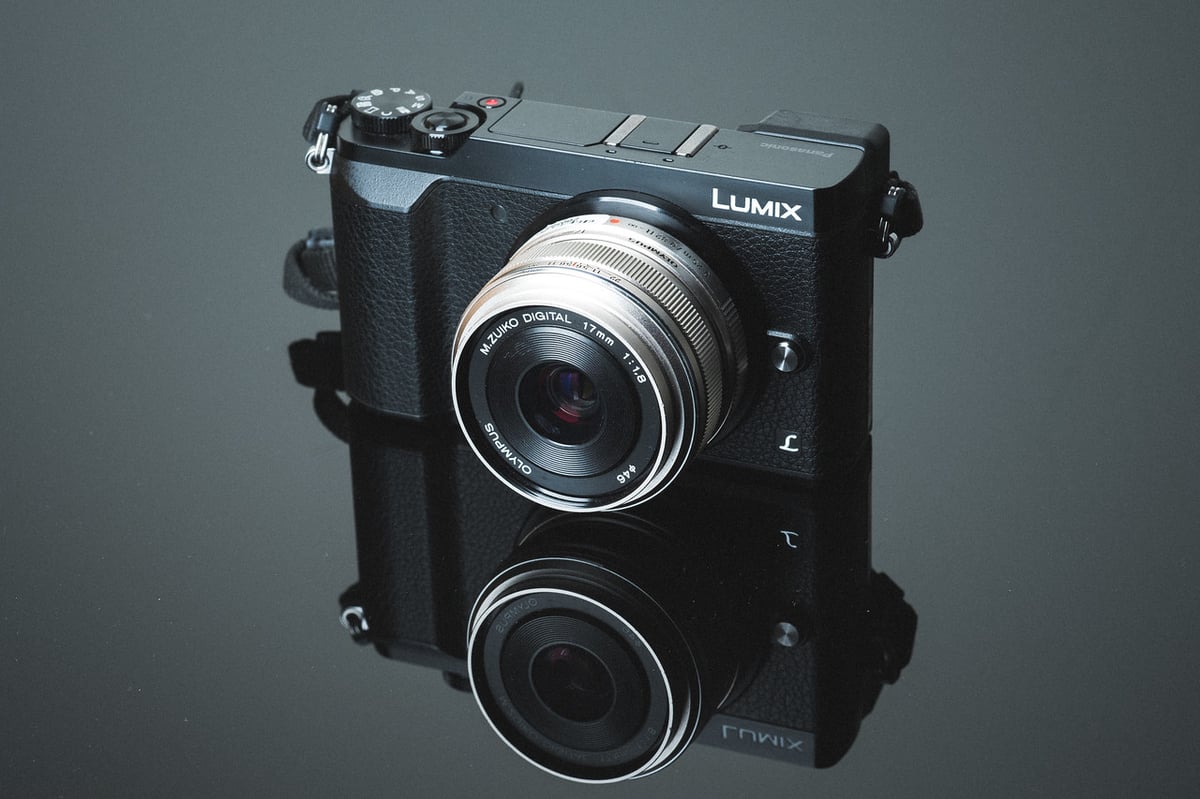
A speed comparison between the most popular UHS-I and UHS-II cards in the Panasonic GX85. Use this guide to find the fastest memory cards for your GX85.
Camera Specs
Sensor: Micro Four Thirds 16MP / Processor: Venus Engine
Memory Card Type: SD UHS-I
Video: UHD 4K Video Recording at 30/24 fps
Est. Size Of Buffer: 500MB
Continues Shooting Speed: 10fps
Shots To Fill Buffer: 55 RAW with the Samsung 64GB U1
Time To Clear Buffer: 21 seconds
Best Memory Cards For The Panasonic GX85
The memory card write speeds for the Panasonic GX85 aren’t great, but they’re still not terrible either. The fastest cards performed at around 35MB/s in camera. Still not as bad as Sony cameras but barely. This is usually due to an internal hardware limitation rather than a memory card flaw.
Because of this 35MB/s bottleneck, choosing the fastest memory cards is a moot issue since they all perform relatively the same. However, when buying cards you’ll still have to consider if you want to go with less expensive cards or a more trusted brand.
Panasonic GX85 Memory Card Speed Chart
| SD Memory Cards | USB 3.0 Read | USB 3.0 Write | GX85 Write |
| UHS-II | |||
| Lexar 2000x U3 64GB | 280.9 MB/s | 181.4 MB/s | 35.92 MB/s |
| Toshiba U3 64GB | 238.5 MB/s | 199.7 MB/s | 35.63 MB/s |
| Transcend U3 64GB | 268.9 MB/s | 174.3 MB/s | 35.04 MB/s |
| Sony UHS-II U3 64GB | 253.2 MB/s | 91.62 MB/s | 34.76 MB/s |
| Sandisk Extreme Pro 64GB – 300MB/s | 263.2 MB/s | 233.4 MB/s | 34.06 MB/s |
| Sandisk Extreme Pro 64GB – 280MB/s | 257.3 MB/s | 109.9 MB/s | 33.96 MB/s |
| Delkin UHS-II U3 32GB | 245.1 MB/s | 164.6 MB/s | 33.60 MB/s |
| Lexar 1000x U3 64GB | 145.0 MB/s | 60.7 MB/s | 33.16 MB/s |
| UHS-I | |||
| Samsung Pro 64GB U3 | 97.7 MB/s | 78.6 MB/s | 35.79 MB/s |
| Samsung Pro+ 64GB U3 | 97.5 MB/s | 87.3 MB/s | 35.77 MB/s |
| Sandisk Extreme Pro 64GB U3 | 98.6 MB/s | 90.8 MB/s | 35.57 MB/s |
| Sandisk Extreme Plus 64GB U3 | 99.0 MB/s | 64.4 MB/s | 35.44 MB/s |
| Kingston 64GB U3 | 98.1 MB/s | 90.4 MB/s | 35.28 MB/s |
| Sandisk Extreme 64GB U3 | 72.43 MB/s | 54.1 MB/s | 35.22 MB/s |
| Transcend 64GB U3 | 96.7 MB/s | 68.4 MB/s | 35.12 MB/s |
| Samsung Pro 64GB U1 | 96.3 MB/s | 82.2 MB/s | 34.68 MB/s |
| Lexar 633x 64GB U3 | 93.3 MB/s | 67.3 MB/s | 34.54 MB/s |
| PNY 64GB U1 | 96.5 MB/s | 66.5 MB/s | 34.33 MB/s |
| Sony 64GB U3 (Old Model) | 96.5 MB/s | 84.5 MB/s | 33.79 MB/s |
| Sony 64GB U3 (New Model) | 96.7 MB/s | 56.2 MB/s | 33.27 MB/s |
| Lexar 600x 64GB U1 | 95.4 MB/s | 64.8 MB/s | 33.26 MB/s |
| PNY 64GB U3 | 96.5 MB/s | 66.1 MB/s | 33.16 MB/s |
| Samsung 64GB SDXC EVO U1 | 47.7 MB/s | 27.3 MB/s | 22.70 MB/s |
Based on the speed chart, there is really no reason to buy UHS-II memory cards as they do not offer any performance gains in the camera. Save your money and go with UHS-I.
Fastest Memory Cards For the Panasonic GX85 | The Results
Best UHS-II Memory Card
If you still want to buy UHS-II memory cards then I personally would recommend any of them. None of them have given me any issues.
Lexar 2000x U3 64GB – Amazon / Adorama
Sandisk Extreme Pro 64GB 300MB – Amazon / Adorama
Delkin UHS-II U3 32GB – Amazon
Transcend U3 64GB – Amazon
Toshiba U3 64GB – Amazon
Best UHS-I Memory Cards
Since all the UHS-I memory cards perform about the same, you’ll want to either go with a more expensive top brand, like Sandisk or Lexar, or look for good deals from PNY, Transcend and Sony.
Personally for this camera, I would probably buy one of the Sandisk Extreme cards. However, any of these following cards are great.
The prices always bounce around as some cards get refreshed or discontinued, so make sure you compare a few.
Sandisk Extreme Pro U3 64GB – Amazon / Adorama
Sandisk Extreme 64GB U3 – Amazon / Adorama
Samsung Pro+ 64GB U3 – Amazon / Adorama
Samsung Pro 64GB U3 – Amazon / Adorama
Kingston 64GB U3 – Amazon / Adorama
Best Memory Card For Video In The Panasonic GX85
Because of the low bit rate of 4k recording in the Panasonic GX85, and the above memory cards will work fine for 4k video. You won’t have to worry about filling the buffer or anything like that.
Frequently Ask Questions
I’ve been doing these memory card speed tests for several years now and I get a lot of the same questions asked, so I’ll do my best to answer those here.
Do I need a UHS-II Memory Card? – While the camera works fine with UHS-I memory cards, you will gain significant buffer-clearing speeds when using UHS-II cards. Not only that you’ll also see much faster speeds when transferring from your cards to your computer if you have a fast UHS-II memory card reader.
What’s the difference between U1 and U3 SD Memory cards? – The main difference has to do with minimum write speeds. U1 cards are guaranteed to write at a minimum speed of 10MB/s, and U3 SD memory cards can write at a minimum speed of 30MB/s. Now of course there are many things that go on inside the camera that might not guarantee this, but it’s usually not the card’s fault. You’ll also start seeing V10, V30, V60, and V90 written on memory cards. It basically a new way of saying the same thing. V30 is 30MB/s minimum write speeds, V60 is 60MB/s minimum, and so on.
What’s the difference between SDHC and SDXC with SD memory cards? – This has to do with the formatting of the card. SDHC cards are Fat32, and SDXC cards are exFat. SDHC means any card 32GB and smaller, and SDXC means 64GB and bigger.
My memory card is creating corrupt shots what do I do? – Unfortunately in this situation, you likely have a bad card. There isn’t a lot you can do about this other than to replace your card.
My memory card doesn’t work what do I do? – It’s likely you could have a bad memory card, but also make sure you always format your card in camera. This tends to reduce issues with cards not working or not performing correctly.
My buffer keeps getting filled when recording video. – This usually means you’re memory card is not fast enough and you’ll need to get a faster card. If you already have a card on the list above, you should try a different brand. Not all cameras work the same with each card, different production cycles between cameras and cards can produce various results and there is no guarantee the cards I rated will work perfectly with your camera. Lexar, Toshiba, Samsung, and Sandisk are usually pretty safe bets.
Best Memory Card For The Panasonic GX85 | Conclusions
The Panasonic GX85 seems to be pretty memory card-friendly. It seems to take just about any modern card you throw at it with no complaints and because the cards all perform about the same, buying cards is easy, just buy your favorite brand.
If you don’t have a favorite brand, I think one of the Sandisk Extreme cards is your best bet, just buy whichever is priced better at the time of your purchase.









Leave a Reply to Vlad Kereketkin Cancel reply