
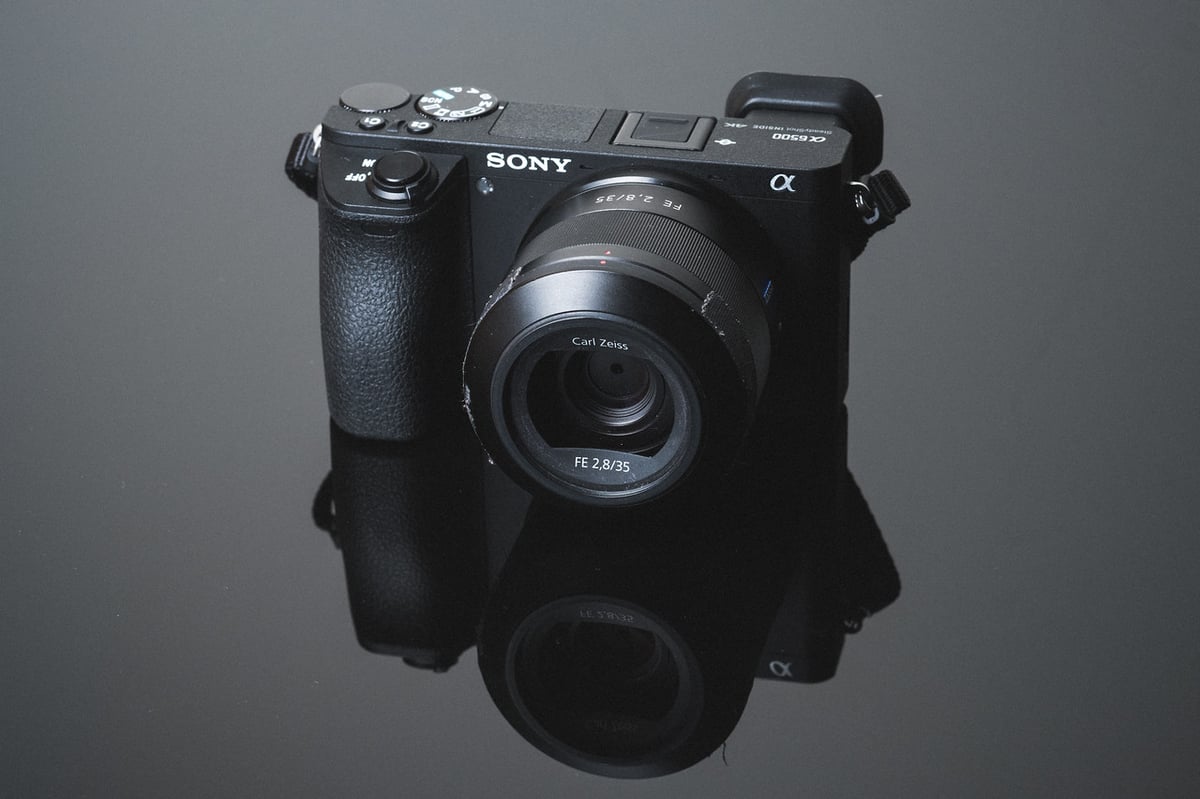
The Sony A6500 is an older camera that was released in 2016 with a lone SD card slot that accepts UHS-I speed class cards. If you want to bring this old wonder back to life and use it today, you might want to look at some of the new memory cards. This guide will explain some essentials and advise you on finding the best memory cards for the Sony A6500.
Recommended Memory Cards Sony A6500

The A6500 can handle UHS-I SD cards, which are a widespread and low-cost type of memory card.
The A6500 demands a UHS-I card that can write at least 12.5MB/s for 4K video. It writes data at 100Mbps, which is the same as 12.5MB/s. You need a U3 or V30 speed class card for this. Any of these cards are also suitable for taking photos.
The A6500 has a memory card capacity compatibility for cards of 4GB in size up to 1TB in size. You can use 64-1TB cards without any problems, but you’ll likely want cards no smaller than 64GB so you can record in the XAVC format which requires SDXC cards, which means 64GB minimum.
The A6500 cannot write faster than 33MB/s, so you do not need to buy the most expensive cards.
These are some of the best memory cards for the A6500. I recommend looking at the Sony E cards, they have UHS-I write speeds, great for UHS-I cameras, but feature UHS-II read speeds which is great for file transfers.
| Recommended SD Cards | Speed Class | USB Write | USB Read | Links |
|---|---|---|---|---|
| SD UHS-II V60 | Hide | |||
| Sony E v60 128GB | UHS-II v60 | 142 | 252 | Amazon / B&H |
| Sony E v30 64GB | UHS-II v30 | 73 | 247 | Amazon / B&H |
| UHS-I U3 | Hide | |||
| Sandisk Extreme Pro 32GB-1TB | UHS-I | 137 | 175 | Amazon / B&H |
| Kingston CanvasGo! 128/256/512GB/1TB | UHS-I | 124 | 161 | Amazon / B&H |
| Delkin Advantage 128GB-1TB | UHS-I | 77 | 93 | Amazon / B&H |
Camera Specs
Sensor: APS-C 24.2 MP / Processor: Exmor Cmos Sensor
Sensor SD Memory Card Type: UHS-I
Continuous Burst: 11fps
Est. Size of Buffer: 2.5GB
Shots To Fill Buffer (RAW): 107
Memory Card Capacity: 4GB – 1TB
Time To Clear Buffer: 1 minute 11 seconds
Video: 4k 100M
Best Memory Card For The Sony A6500
Like other Sony E-Mount cameras, the Sony A6500 has a slow memory card write speed bottleneck. Most memory cards perform about the same, peaking out at about 33MB/s.
Here are the numbers from the benchmarks I did back when the camera first came out. Most of these cards have been refreshed since then, but don’t expect to see faster speeds out of the Sony A6500 with new cards as that camera still has this bottleneck.
Check this guide to see the latest SD memory card performance benchmarks. Or check this guide to Memory Cards for Sony Cameras, to see how other Sony cameras are performing.
| SD Memory Cards | USB 3.0 Read | USB 3.0 Write | A6500 Write |
| UHS-II | |||
| Delkin 250MB 64GB | 271.6 MB/s | 235.3 MB/s | 32.62 MB/s |
| Lexar 64GB 2000x | 272.7 MB/s | 244.5 MB/s | 32.47 MB/s |
| Sandisk Extreme Pro 300MB 64GB | 263.2 MB/s | 233.4 MB/s | 32.47 MB/s |
| Delkin 100MB 64GB | 273.3 MB/s | 97.3 MB/s | 32.20 MB/s |
| Sony 64GB | 253.2 MB/s | 91.6 MB/s | 32.17 MB/s |
| Toshiba 64GB | 258.8 MB/s | 226.5 MB/s | 31.88 MB/s |
| Transcend 64GB | 290.2 MB/s | 182.1 MB/s | 31.75 MB/s |
| Sandisk Extreme Pro 280MB 64GB | 260.5 MB/s | 214.8 MB/s | 31.43 MB/s |
| Lexar 64GB 1000x | 147.4 MB/s | 78.4 MB/s | 31.06 MB/s |
| UHS-I | |||
| Sandisk Extreme Pro 64GB U3 | 98.6 MB/s | 90.8 MB/s | 32.23 MB/s |
| Kingston 64GB U3 | 98.1 MB/s | 90.4 MB/s | 32.23 MB/s |
| Samsung Pro 64GB U3 | 97.7 MB/s | 78.6 MB/s | 32.18 MB/s |
| Samsung Pro+ 64GB U3 | 97.5 MB/s | 87.3 MB/s | 32.17 MB/s |
| Delkin 633x 64GB U3 | 98.3 MB/s | 88.7 MB/s | 32.11 MB/s |
| Sandisk Extreme Plus 64GB U3 | 99.0 MB/s | 64.4 MB/s | 32.01 MB/s |
| Sandisk Extreme 64GB U3 | 72.43 MB/s | 54.1 MB/s | 31.93 MB/s |
| Samsung Pro 64GB U1 | 96.3 MB/s | 82.2 MB/s | 31.30 MB/s |
| Transcend 64GB U3 | 96.7 MB/s | 68.4 MB/s | 31.01 MB/s |
| PNY 64GB U3 | 96.5 MB/s | 66.1 MB/s | 30.92 MB/s |
| Lexar 633x 64GB U3 | 93.3 MB/s | 67.3 MB/s | 30.82 MB/s |
| Lexar 600x 64GB U1 | 95.4 MB/s | 64.8 MB/s | 30.66 MB/s |
| Sony 64GB U3 (Old Version) | 96.5 MB/s | 84.5 MB/s | 30.53 MB/s |
| Sony 64GB U3 (New Version) | 96.7 MB/s | 56.2 MB/s | 29.81 MB/s |
| PNY 64GB U1 | 96.5 MB/s | 66.5 MB/s | 29.06 MB/s |
| Samsung 64GB U1 EVO | 47.7 MB/s | 27.3 MB/s | 18.11 MB/s |
4k 100M Recording With Sony A6500
Many Sony users face difficulties with their memory cards when they want to shoot with the XAVC S codec with 4k 100M.
Why?
I think this is because Sony cameras scan each card when you put it in the camera to see if it’s U3 compatible or not. From my experience, it’s usually not the cards that are the problem, but the camera’s connection with the card. Some of my cards work well with one camera, then not with another. This could be because of the different batches of the camera and the parts that go into them.
4k 100M Requirements
Both SDHC and SDXC memory cards can now work for 4k video on the Sony A6500 but you still need U3 memory cards to record 4K 100M video without any issues. Some of my U1 cards also work fine.
SD Cards To Avoid
The only cards I had issues with were my Samsung cards. So 4k shooters should stay away from the Samsung cards for now, my camera just refuses most of them.
Everything else worked well for me but that’s not true for all cameras or all cards. I have the least problems with Sony cards and Sandisk cards. However, if you want to be sure your new card will work, you should go with the Sony brand.
Best SD Memory Card Sony A6500 Conclusions
The Sony A6500 is not a monster when it comes to writing data to SD cards like some of the bigger cameras out there, but it is a small powerhouse camera with a lot of features, so having a good card can matter.
There is a performance cap of about 33MB/s which has advantages and disadvantages. The drawback is that it will take a bit more time to clear the huge buffer, but the benefit is that it gives you a lot of options for memory cards. You don’t have to get the fastest memory cards because the camera can’t use the speed. I would still recommend looking into the Sony E UHS-II cards. I think they are the best and most practical cards for this camera today.














Leave a Reply to nomar95111 Cancel reply