We use minimal analytics to improve the site. Is that okay?

Alik Griffin
San Clemente Sunset
Subscription Form
  • Reviews
    • Accessory Reviews
    • Calculators
      • Video Data Rate Calculator | Record Time Calculator
      • Diffraction Calculator
      • DoF Calculator | Lens Equivalent
      • Shutter Speed to Shutter Angle Calculator
    • Camera Reviews
    • Lens Reviews
    • Memory Cards Recommendations
      • Fastests SD Memory Cards
      • Fastest MicroSD Cards
      • Fastest CFExpress Type-B Card
      • Fastest CFExpress Type-A Cards
      • Best CFast Memory Card
    • List of Mics
      • Best Streaming & Podcast Mics
  • Camera Guides
    • List of all Blackmagic Cameras
    • List Of all Canon RF Cameras
    • List of all Fujifilm Cameras
    • List of all Nikon Z Cameras
    • List of all Panasonic Cameras
    • List Of all Sony E Cameras
  • List of Lenses
    • Canon RF Lenses
    • Fujifilm GFX Lenses
    • Fujifilm XF Lenses
    • L-Mount Lenses
    • Leica M Lenses
    • Micro Four Thirds Lenses
    • Nikon Z Lenses
    • PL Mount Cine Lenses
    • Sony E Lenses (FE and APS-C)
  • Store
  • My account
Alik Griffin
Alik Griffin
  • Reviews
    • Accessory Reviews
    • Calculators
      • Video Data Rate Calculator | Record Time Calculator
      • Diffraction Calculator
      • DoF Calculator | Lens Equivalent
      • Shutter Speed to Shutter Angle Calculator
    • Camera Reviews
    • Lens Reviews
    • Memory Cards Recommendations
      • Fastests SD Memory Cards
      • Fastest MicroSD Cards
      • Fastest CFExpress Type-B Card
      • Fastest CFExpress Type-A Cards
      • Best CFast Memory Card
    • List of Mics
      • Best Streaming & Podcast Mics
  • Camera Guides
    • List of all Blackmagic Cameras
    • List Of all Canon RF Cameras
    • List of all Fujifilm Cameras
    • List of all Nikon Z Cameras
    • List of all Panasonic Cameras
    • List Of all Sony E Cameras
  • List of Lenses
    • Canon RF Lenses
    • Fujifilm GFX Lenses
    • Fujifilm XF Lenses
    • L-Mount Lenses
    • Leica M Lenses
    • Micro Four Thirds Lenses
    • Nikon Z Lenses
    • PL Mount Cine Lenses
    • Sony E Lenses (FE and APS-C)
  • Store
  • My account
  • Pure Cinema
    Viltrox TCL-X100VI Review | A Budget-Friendly 50mm Upgrade
    • February 21, 2026
  • Thypoch Simera 75mm f1.4 Review
    Thypoch Simera 75mm f1.4 Review & Sample Photos
    • February 18, 2026
  • Kakurajima View
    Viltrox WCL-X100VI Review | A Budget-Friendly 28mm Upgrade
    • February 17, 2026
  • Viltrox 9mm f2.8 Air Review
    Viltrox 9mm f2.8 AIR Review & Sample Photos
    • February 18, 2026
  • Biker Bro
    Viltrox Spark Z3 Flash – Review & Sample Photos
    • February 16, 2026
  • Pure Cinema

    Viltrox TCL-X100VI Review | A Budget-Friendly 50mm Upgrade

    View Post
  • Thypoch Simera 75mm f1.4 Review

    Thypoch Simera 75mm f1.4 Review & Sample Photos

    View Post
  • Kakurajima View

    Viltrox WCL-X100VI Review | A Budget-Friendly 28mm Upgrade

    View Post
Trending Posts
  • Nikon Zf Official Announcement 1
    Nikon Zf – The Fujifilm Killer?
    • February 18, 2026
  • Nikon Z 50mm f1.8 S Lens Review 2
    Nikon Z 50mm f1.8 S Lens Review & Sample Photos
    • February 18, 2026
  • Kamlan 50mm f1.1 II Product Shot 3
    Kamlan 50mm f1.1 II Review & Sample Photos
    • January 18, 2025
0
Fujifilm Color JPG Effects
  • Blog
  • Photo Tips

A Guide To Fujifilm’s JPG Effects

  • Alik Griffin
  • April 15, 2024
  • 16 comments

This website contains affiliate links. We will earn a small commission on purchases made through these links. Some of the links used in these articles will direct you to Amazon. As an Amazon Associate, I earn from qualifying purchases.

With every new generation of cameras, Fujifilm introduces a few new features. This guide goes over what each of these features does and should help you decide if the new JPG effects are worth the upgrade, or if you should use them yourself.

The New Fujifilm JPG Effects

Aside from the new color simulators, Eterna and Pro Neg, there are a few new color effects that were brought over from the X-Pro 3 or X-T4 to the new generation cameras. The effects can be mild, but add them all together and they can have a big impact on the overall look.

All samples in this article are shot with the Fujifilm X100V and processed with X Raw Studio.

What Is Clarity

Clarity is a new tool and it can have a nice effect for adding punch to images giving a deeper contrast or adding an almost soft glow effect by going the other way.

The Clarity here looks totally different than the Clarity you’re probably used to in Adobe Lightroom, it attempts to simulate a soft filter effect, by mostly blooming out highlights.

The different looks of clarity will have different effects when applied to a whole batch of images. Sometimes -1 Clarity has a big effect depending on the lighting or background. These images I’m using should give you a good idea of how it affects the contrast and what it will do to the overall look.

The clarity gives you values from 0 to +5 or -5. I took samples at +- 2 and +-5. Here is what it looks like.

Clarity 0
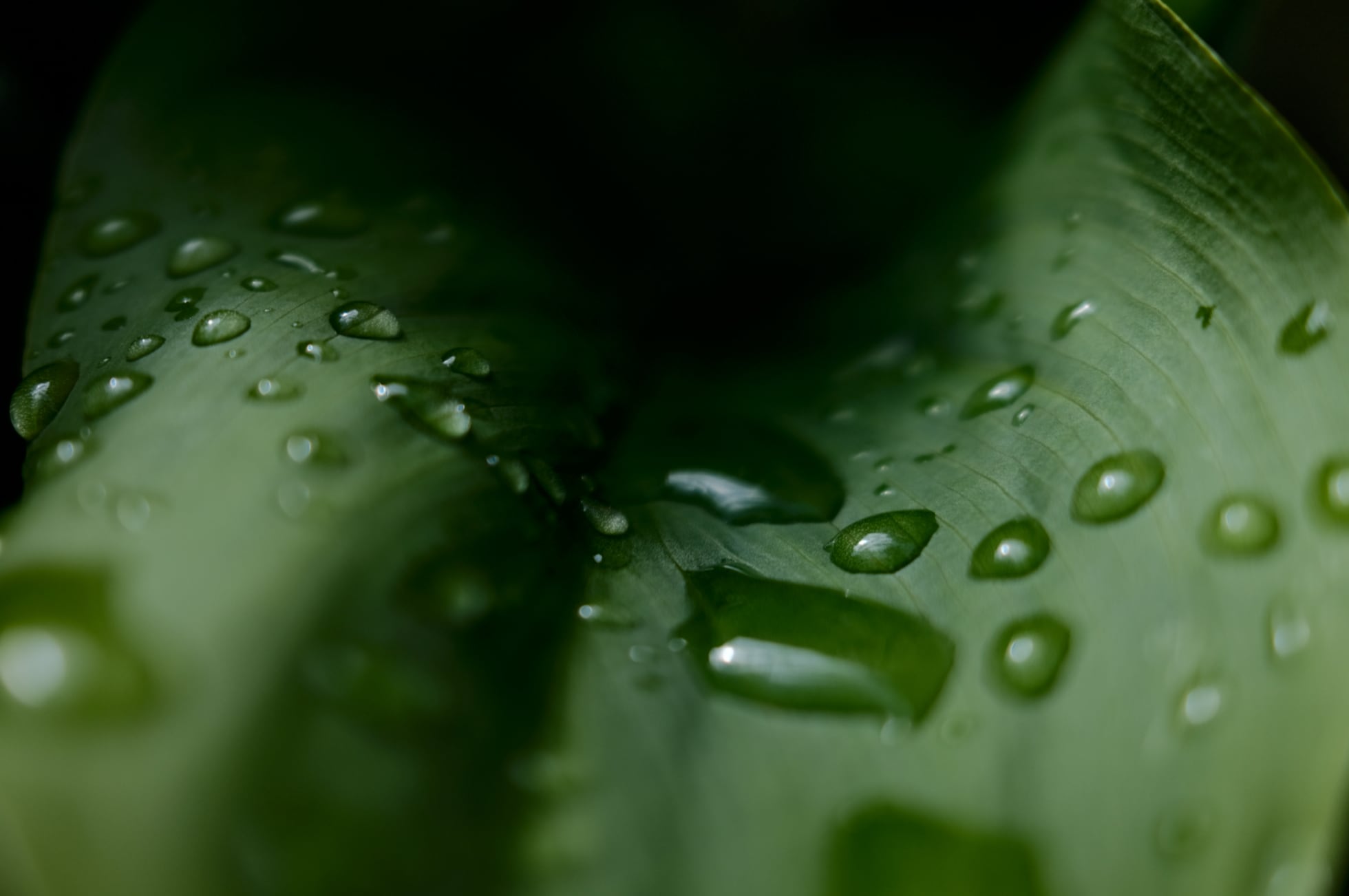
Fujifilm Sample of Clarity set to 0


Clarity +2

Fujifilm Sample of Clarity set to +2

Clarity +5

Fujifilm Sample of Clarity set to +5

Clarity -2

Fujifilm Sample of Clarity set to -2

Clarity -5

Fujifilm Sample of Clarity set to -5

What Is Color Chrome

Color Chrome is an effect added to Fujifilm cameras to make certain colors “pop” in digital photos. This unique feature increases contrast and saturation, giving photos more depth and vividness. With Color Chrome, you can dramatically enhance blues, greens, and other hues to create stunning images.

We initially saw Color Chrome with the X-T3 and it’s made its way into all the new cameras. Now Fujifilm added a new Color Chrome Blue.

The Color Chrome looks have two settings, Strong or Weak. I’ll show you Strong so you can see the full effect.

These are screenshots taken from X RAW Studio so my alignment isn’t perfect.

Color Chrome All Off
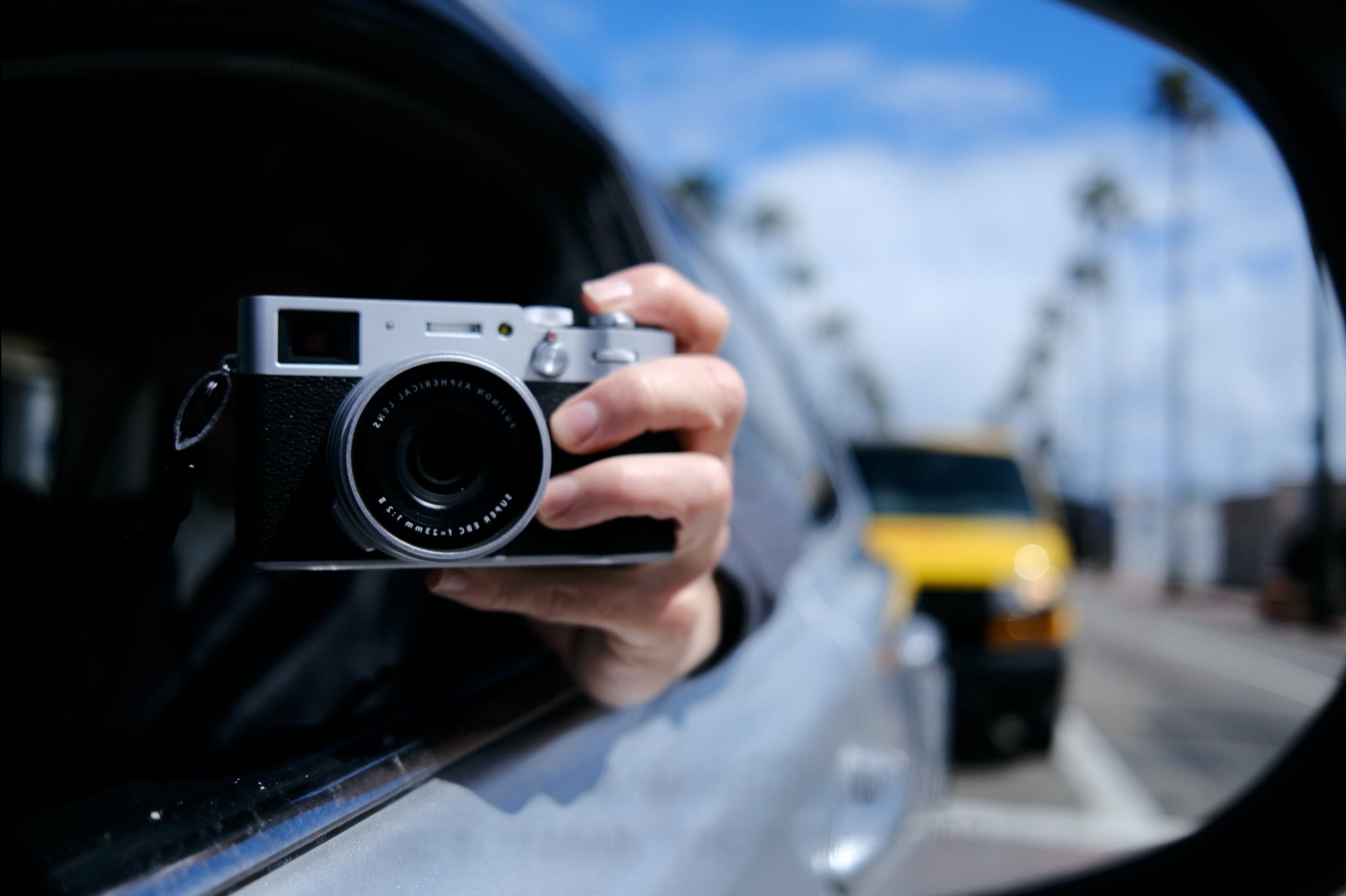
Fujifilm Color Chrome Set To Off


Color Chrome – Strong

It’s a subtle effect but you will notice it when applying it to a broad range of images. It brings out a little color depth.
Fujifilm Color Chrome Set To Strong

Color Chrome Blue – Strong

The Color Chrome Blue effect only really affects blue. When shots don’t have any blue in them, the effect makes no difference.

When there is blue in the photo, like with this sample, it really punches up the contrast of the blue. It looks like it is lowering the luminance of the blue colors.
Fujifilm Color Chrome Blue Set To Strong

Color Chrome + Color Chrome Blue

When you combine both Color Chrome effects it can have a very punchy look. These samples also have a +2 Clarity applied.

These effects can really be used to bring to life some of the older film simulations. I absolutely love Astia now. Actually, all the samples on this page are shot Astia.
Fujifilm Color Chrome Blue Set To Strong and Color Chrome Set To Strong.

I also haven’t seen Fujifilm mention this in any of their documents, but sometimes they do update the film simulators as the processors improve in power. They improved Veliva a few years ago with the X-T2.

What Is Grain

Fujifilm has built a really nice-looking natural grain pattern with different settings.

Weak or Strong with a Small or Large pattern.

I found Fujifilm JPGs tend to eat fine details as part of the in-camera noise reduction process. Adding a Weak – Small grain to the images really helps mask this while giving the images a nice organic touch. You can also get around this by lowering the noise reduction and then introducing the grain effect, for good detail and a nice film-like grain that masks the digital grain that might naturally be in the photo.

Here are some samples of what the different Fujifilm grain patterns look like. Click to see the full-size 100% crop.

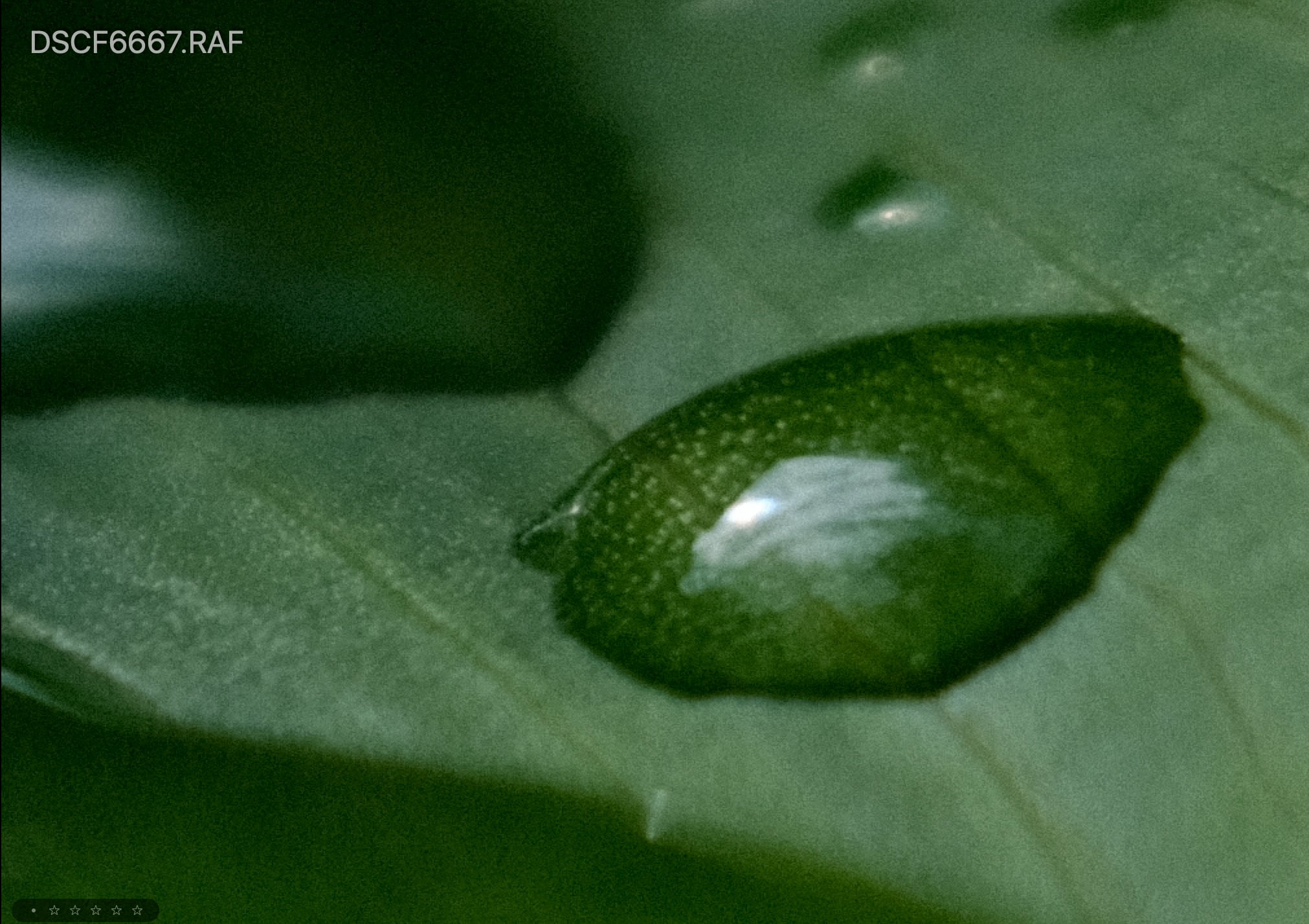
No Grain
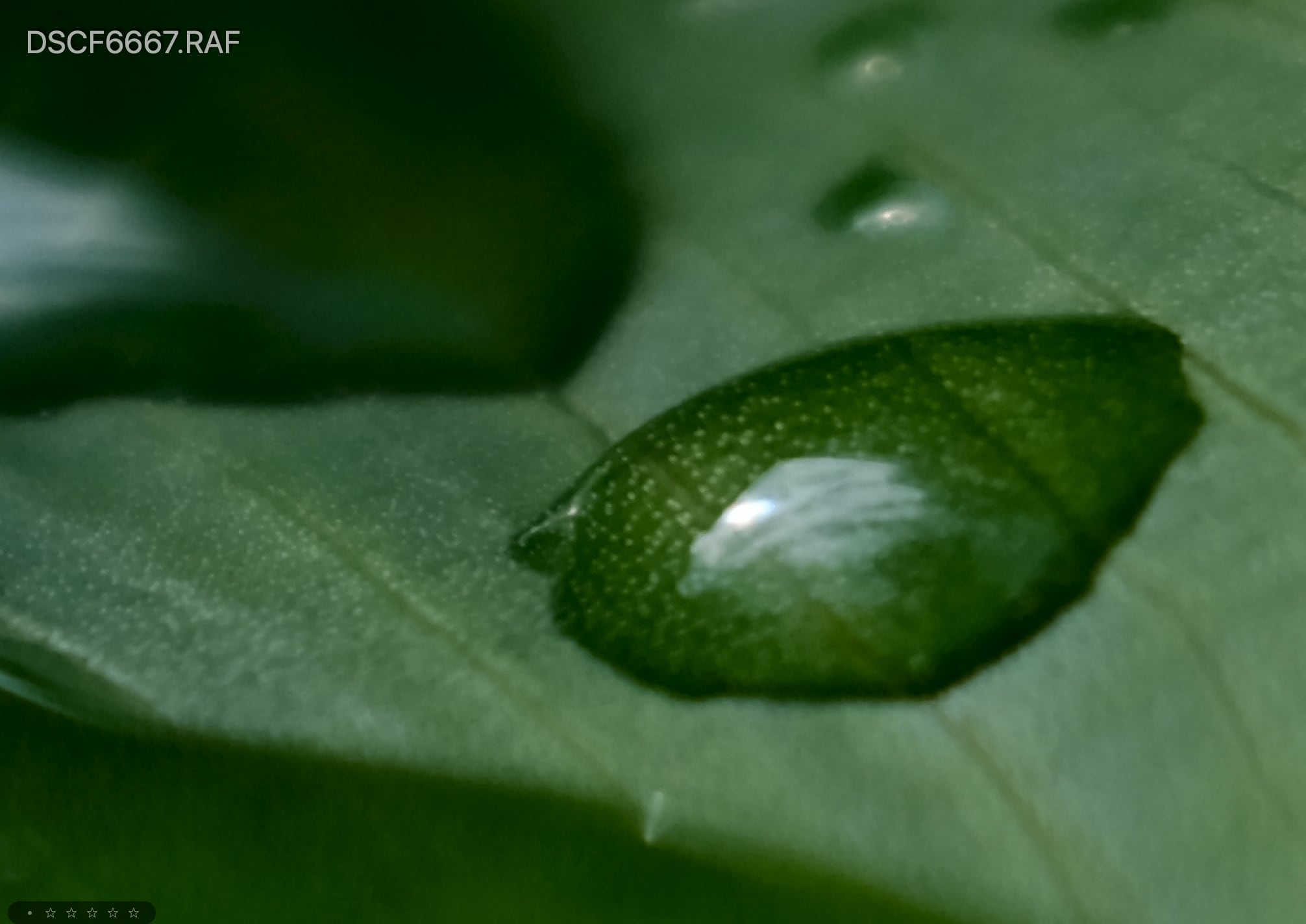
No Grain Set

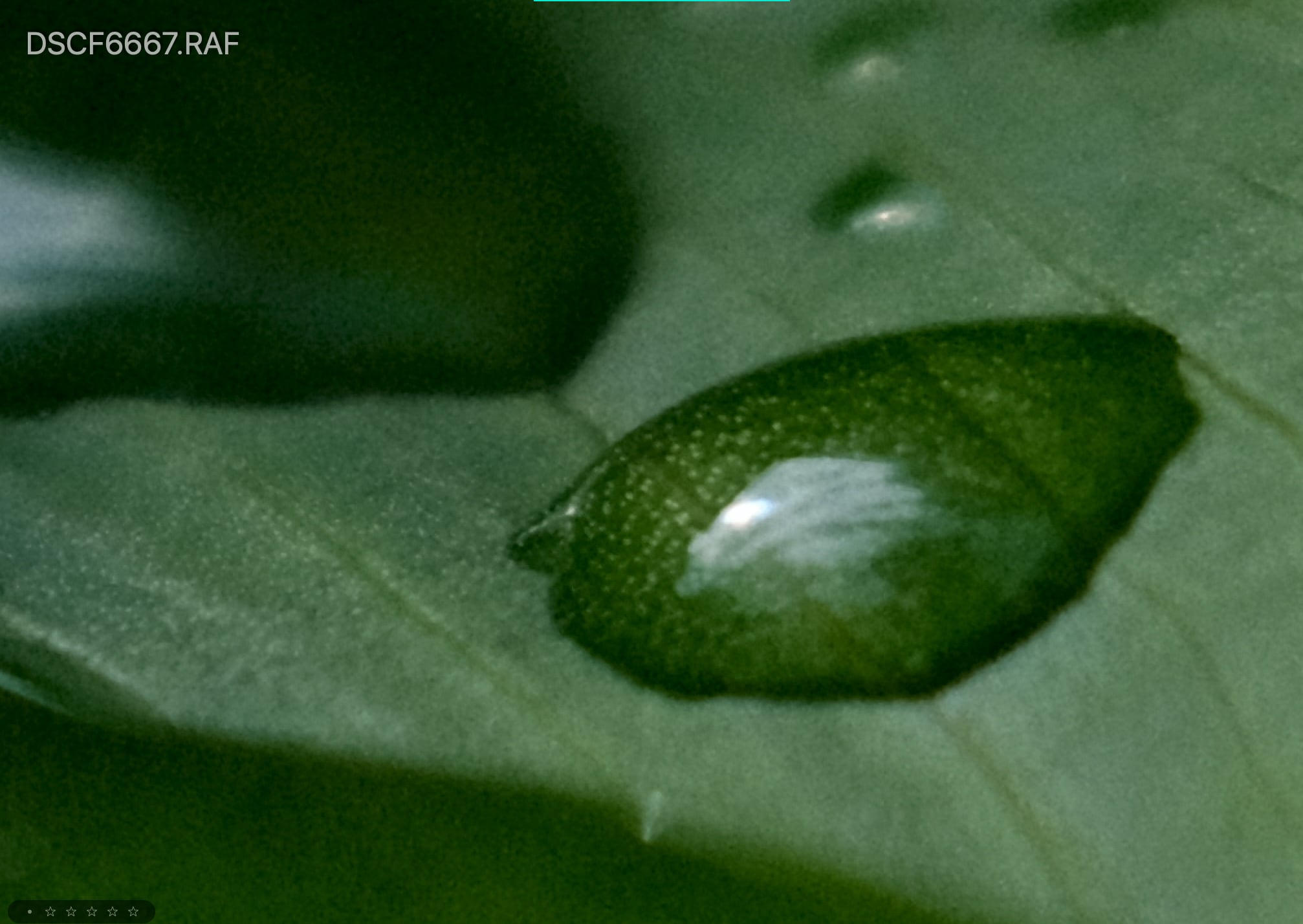
Grain Weak – Small

Fujifilm Grain sample - weak grain set to small.

Grain Weak – Large

Fujifilm Grain sample - weak grain set to large.

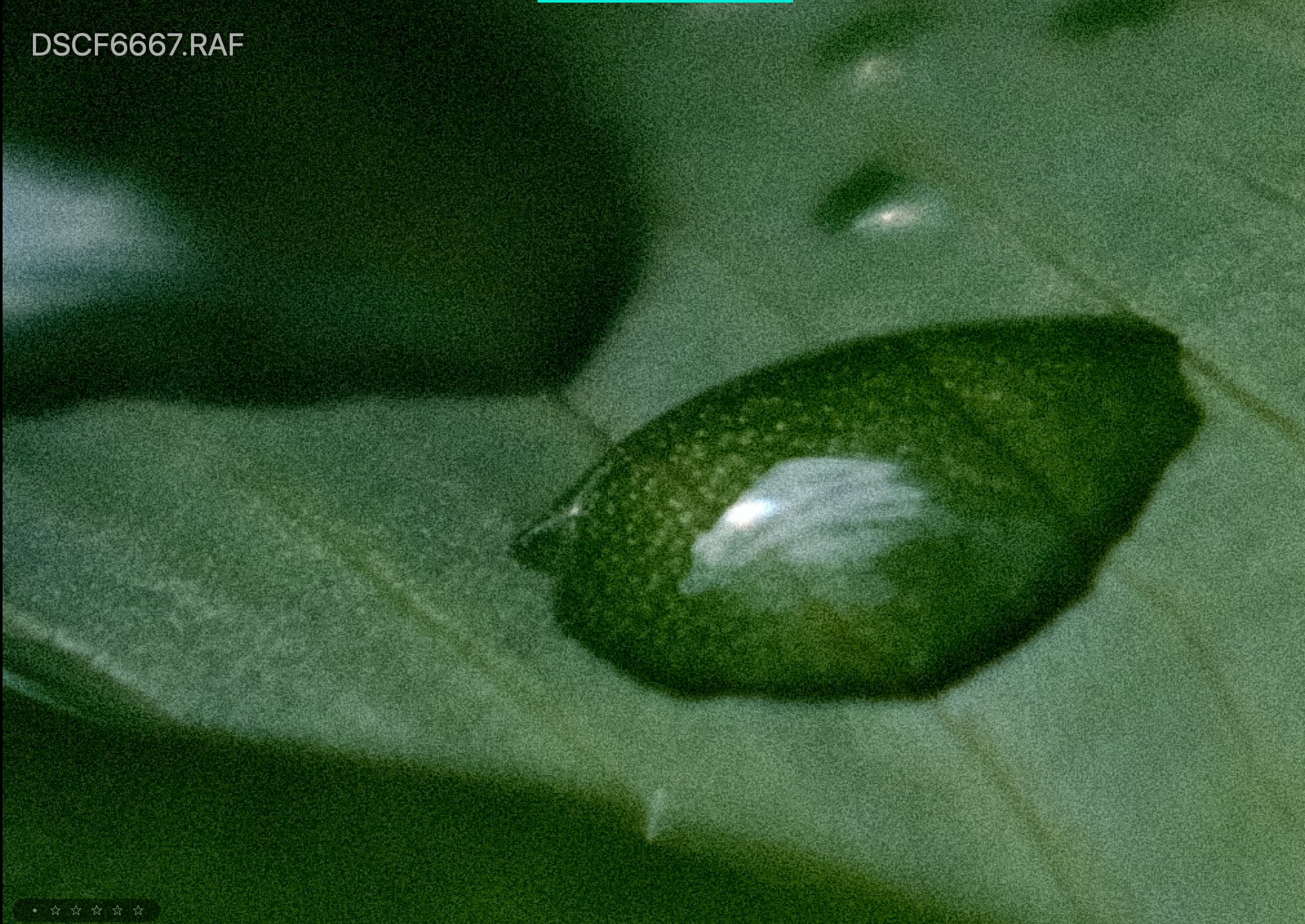
Grain Strong – Small

Fujifilm Grain sample - Strong grain set to small.

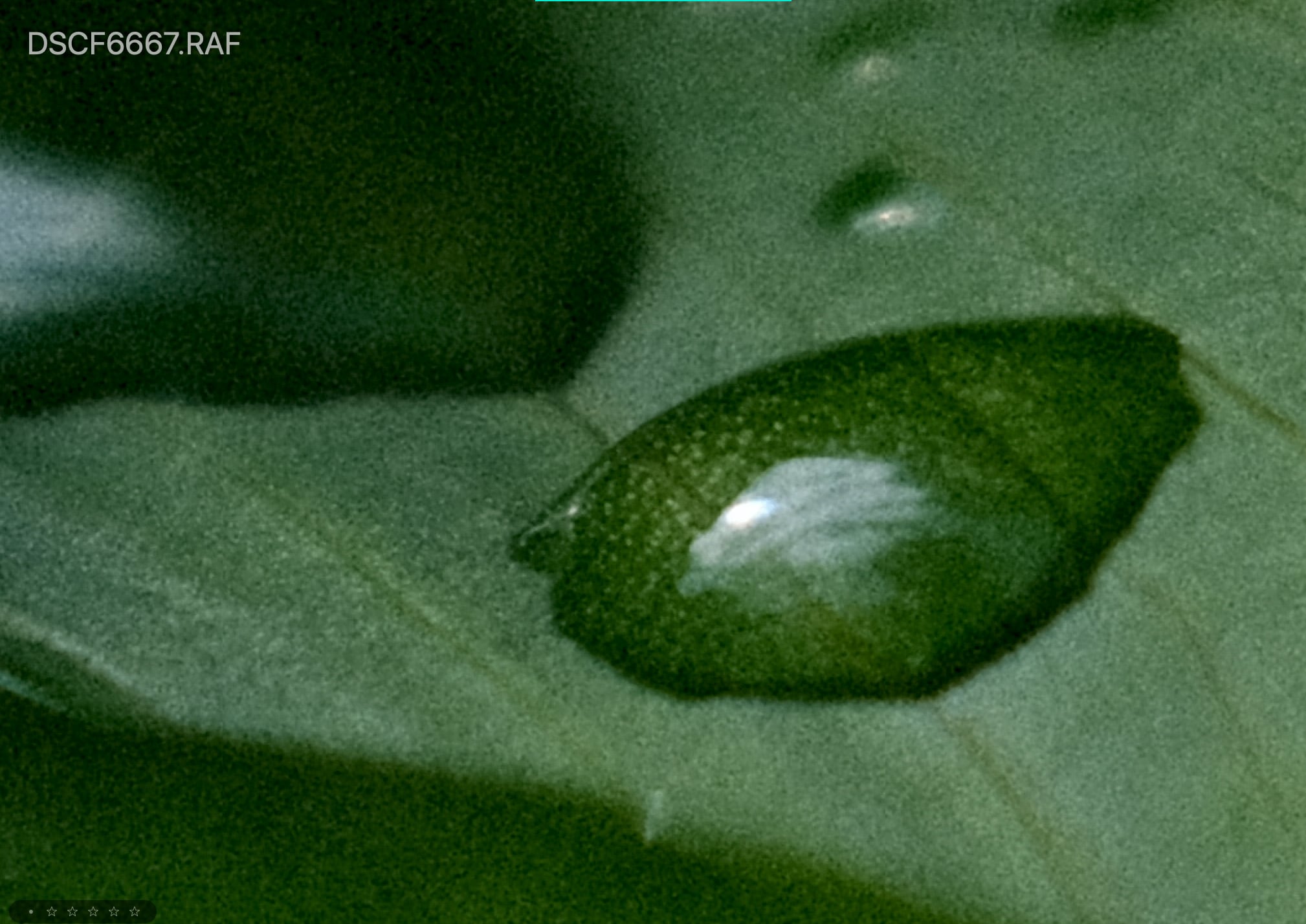
Grain Strong – Large

Fujifilm Grain sample - Strong grain set to large.

New Color Effects | Conclusions

There are a few other tricks the cameras offer like the multi-exposure settings and Dynamic Range Priority, but none of them will affect your images the same way as these three new effects above.

If you’re a Fujifilm JPG shooter and were on the fence about upgrading or a RAW shooter on the fence about shooting JPG these new tools could make it worth it. The only thing that’s missing is the ability to add a fade.

There are a few negatives to using the color effects, it uses quite a bit more processing power. This causes a few-second lag after taking a single photo forcing you to wait a few seconds before you can take another shot. This also drains your battery a little faster.

How I Like To Use JPG Effects

I’ve like shooting with Color Chrome and Color Chrome Blue on Strong with a +2 Clarity. If I shoot portraits I’ll sometimes go -1 on Clarity. I’ve been finding in many situations more than -1 is too much. It starts to look too much like a haze effect.

+1 Color has also been great with Classic Chrome and Classic Neg.

Classic Neg has a unique tonal curve but it’s a little too dark sometimes in the shadows so I’ll lift the shadows usually -2 and bring down the highlights -1.

I’m almost always using a weak and small-grain setting.

I’ve been pretty happy with these results. Also, don’t forget to revisit Astia with the new Color Chrome Effects. I think you’ll be surprised by the results.

0
0
1
0
0
Alik Griffin

A professional video editor, and photographer with a Bachelors in Film studies from UCSD. Based in Los Angeles, I have created commercials, trailers, and other video content for various clients and platforms since 2005. I also love to write about my passions and share my insights on my blog.

Related Topics
  • Fujifilm X-Pro3
  • Fujifilm X-T4
  • Fujifilm X100V
Previous Article
  • Camera Guides
  • Memory Cards Recommendations

Best Memory Cards Fujifilm X-T4 – Real Benchmarks

  • Alik Griffin
  • February 13, 2026
View Post
Next Article
  • Accessory Guides
  • Camera Guides

Must-Have Accessories Fujifilm X-T4

  • Alik Griffin
  • February 13, 2026
View Post

Subscribe

Subscribe now to our newsletter

You May Also Like
Pure Cinema
View Post
  • Blog
  • Featured
  • Lens Reviews
  • Reviews

Viltrox TCL-X100VI Review | A Budget-Friendly 50mm Upgrade

  • Alik Griffin
  • February 21, 2026
  • No comments
Thypoch Simera 75mm f1.4 Review
View Post
  • Blog
  • Featured
  • Lens Reviews

Thypoch Simera 75mm f1.4 Review & Sample Photos

  • Alik Griffin
  • February 18, 2026
  • No comments
Kakurajima View
View Post
  • Blog
  • Featured
  • Lens Reviews

Viltrox WCL-X100VI Review | A Budget-Friendly 28mm Upgrade

  • Alik Griffin
  • February 17, 2026
  • 2 comments
Sony A7V Announcement
View Post
  • Blog
  • What's New

Sony A7V – They’re Back In The Game

  • Alik Griffin
  • December 30, 2025
  • 4 comments
16 comments
  1. Ben Oh Bee says:
    March 20, 2020 at 12:28 pm

    Hi Alik
    Another great post (such a great resource for Fuji shooters). I think this is the first actual analysis of the new JPEG options I have seen. (And as we all know, all Fuji users should be shooting JPEG!). I did have a couple of questions about the “How I’ve Been Shooting” section…..
    – when you talk about +1 saturation with the classic film sims, do you mean clarity? Or something else?
    – for classic neg are you shooting + 2 shadows and – 1 highlights?
    Astia has always been my standard set-up (although -1 on highlights and shadows and +2 on colour) so excited if is going to get even better!
    Cheers
    Ben

    Reply
    1. Alik Griffin says:
      March 20, 2020 at 12:54 pm

      +1 saturation. Sorry, it should read +1 Color.

      For classic Neg I do -1 highlights which brings the highlights down. And -2 Shadows which bring the shadows up. It’s not really intuitive and has the opposite effect. +1 on highlights makes this brighter, but +1 on shadows makes things darker this always confuses me but at least now they have a visual curve display. I want lighter shadows so -2, and I want darker highlights so I do -1.

      I found Classic Neg was just producing too much contrast so I try to undo it a little.

      Reply
      1. Ben Oh Bee says:
        March 20, 2020 at 1:11 pm

        Thanks – very helpful. I will have a fiddle. You are right – the curve display is very useful and quite surprising vs the numbers!
        I await your analysis of black and white JPEGs!
        Have a good weekend (or as good as is possible right now….)

        Reply
  2. Aurélien Castanie says:
    March 26, 2020 at 2:29 am

    Hello Alik,

    Great post and good explanations, as usual !!

    I tried to add grain using my X-T2 (weak grain), but to my taste it’s a little bit too grainy. Grain Weak – Small as presented in your post seems interesting though !
    IMHO Astia is a good simulation for landscape photography, not too harsh, not too saturated. It’s a good way to share quickly a JPG to your friends or family of a landscape photo.

    Have a nice day

    Reply
    1. Alik Griffin says:
      March 26, 2020 at 10:48 am

      Thanks, I do actually wish there was an even milder grain and even a milder setting for clarity for the -1. Sometimes -1 is too much. Astia is looking great on landscapes, I agree. I donno why but I never liked it in the past, but lately I feel like it’s looking better. Maybe they did an upgrade?

      Reply
      1. Aurélien Castanie says:
        March 28, 2020 at 7:23 am

        Yes maybe they did an upgrade of the applied tone curve. I don’t even know if Astia gives the same result on my X-T1 and on my X-T2. I never tried to take the same photo of a landscape with both cameras to check the rendering.

        Reply
  3. Glenn MICHEL says:
    April 13, 2020 at 6:31 am

    Hello, thanks for your work sharing, much appreciate 🙂 Just a question, when I’m using Clarity, it takes 1-2 second to write de JPG on the card so it is not usable on my X100V… Is it the same with your camera?

    Reply
    1. Alik Griffin says:
      April 13, 2020 at 11:12 am

      Yes. One way to work around this is to shoot RAW with Clarity set to 0. Then convert your keepers to JPG and add the clarity back.

      Reply
  4. lyrklaunavan says:
    June 29, 2020 at 12:38 am

    I wonder what you think about LUTs. I am severe color blind so I tried Lightroom and other photo editing software and people generally but people do not like my edits rather than Fujifilm JPEG OOC. I really do not like JPEG so I tried a few LUTs like teal and orange luts. They are really good. Also because they do not change, they make my photograps consistent. I really wonder your opinion about LUTs on postprocessing for people with color problems.

    Reply
    1. Alik Griffin says:
      June 30, 2020 at 2:31 pm

      I believe Sean Tucker is also color blind, You should check out his work. He keeps keeps saturation to a minimum with just a hit of color for his street stuff. Last I saw he was used a lot of the Darkroom App with Fujfilm JPG files and he would apply a filter with some nice warmth then just turn it down a bit.

      When he does portraits he said he doesn’t really like to touch the red / pink tones since those are the colors he struggles with so he kind of lets the camera do that. But I guess it all depends on what colors are the issue.

      Regarding your Luts, I would say you have to be careful about where you get them from. Some people that design them are really bad at making sure they are consistent across photos with different balances and tonal ranges. Some are good. Mastin Labs are all pretty good, but sometimes they’re just a little too saturated. But in your case it’s probably better to desaturate most of the the colors a little and rely on some split tones with complimentary colors.

      Orange and teal is a very popular look right now so you can never go wrong with that. It’s gaining a tone of momentum with the street crowd but it looks like it’s dying off with the adventure/landscape crowd. Now I see people just sort of muting out all the colors and letting the teals come through in the highlights. It’s getting really weird actually, but sometimes it looks cool.

      There is a girl Instagram I follow that does a nice teal orange look. I like her old stuff. Her new stuff is drifting into that crazy muted teal look that’s burning through the New York scene right now. Check her out on Instagram – Heathergillich

      Here is a look I just built you can try, just copy it and make it a preset. It’s been working across most images, just tweak the oranges and teals and exposure so they’re not too intense. It’s a pretty safe look since the colors are for the most part muted. But if you’re out doors you might want to turn down the teal a touch on that split tone. It’s a faded retro look, not sure what you’re going for. You can unfade it with the curves and add back in contrast too and it should still work.

      For me personally I use Luts on almost everything I do except for my landscape stuff where I tune everything by hand. So yeah, presets are great.
      https://uploads.disquscdn.com/images/de21b7f3f188b153477ff2f8b58a74b91a7e6524192f5d31b3533bcb81d36c2f.png

      Reply
  5. Seamus Dobbs says:
    October 11, 2020 at 5:00 am

    Hi Mate… do you shoot everything right in camera… or do you apply all these effects in post?

    Reply
    1. Alik Griffin says:
      October 12, 2020 at 12:05 pm

      I do like half an half. Depending on what I’m doing and how much time I want to spend editing something. I do like making a lot of my own in-camera looks with this https://alikgriffin.com/how-to-use-fujifilm-x-raw-studio/

      Reply
  6. justinvaughn says:
    July 12, 2021 at 5:39 pm

    Great article but it seems the pics are missing. Mind updating?

    Reply
    1. Alik Griffin says:
      July 17, 2021 at 8:25 pm

      Should work now.. I was using a before / after image comparison slider and that seems to not be working at the moment. I replaced the images with a standard display.

      Thanks for letting me know.

      Reply
  7. Gabriel N says:
    February 9, 2023 at 8:37 am

    Really useful article, but I’m wondering : do we have the Color Chrome / Blue effect on the fujifilm XT-2 ? Or i have to do an update ?
    Nobody is talking about and it’s hard to find an answer, so i hope getting an answer there.

    Reply
    1. Alik Griffin says:
      February 10, 2023 at 4:16 am

      It is new, think it came to their cameras around late 2019 or early 2020.

      Reply

Leave a Reply to lyrklaunavan Cancel reply

Your email address will not be published. Required fields are marked *

San Clemente Sunset

Join The Newsletter

Featured
  • Kakurajima View
    Viltrox WCL-X100VI Review | A Budget-Friendly 28mm Upgrade
    • 2 comments
  • Pure Cinema
    Viltrox TCL-X100VI Review | A Budget-Friendly 50mm Upgrade
    • No comments
  • TTArtisan 27mm f2.8 AF Front of Lens
    TTArtisan AF 27mm f2.8 Review & Sample Photos
    • 5 comments
  • Nikon Z 50mm f1.8 S Lens Review
    Nikon Z 50mm f1.8 S Lens Review & Sample Photos
    • 59 comments
  • On Board
    Fujifilm X100VI Review & Sample Photo
    • 5 comments
  • Thypoch Simera 75mm f1.4 Review
    Thypoch Simera 75mm f1.4 Review & Sample Photos
    • No comments
  • How To Edit Photos To Look Like Film
    • 4 comments
  • What is Micro Contrast
    Micro-Contrast, Is It Real? – Samples With Lens Comparisons
    • 17 comments

Subscribe

Subscribe now to our newsletter

Privacy Policy | Licensing | About Me | Contact

Copyright © Alik Griffin Inc. 2025

Input your search keywords and press Enter.