We use minimal analytics to improve the site. Is that okay?

Alik Griffin
San Clemente Sunset
Subscription Form
  • Reviews
    • Accessory Reviews
    • Calculators
      • Video Data Rate Calculator | Record Time Calculator
      • Diffraction Calculator
      • DoF Calculator | Lens Equivalent
      • Shutter Speed to Shutter Angle Calculator
    • Camera Reviews
    • Lens Reviews
    • Memory Cards Recommendations
      • Fastests SD Memory Cards
      • Fastest MicroSD Cards
      • Fastest CFExpress Type-B Card
      • Fastest CFExpress Type-A Cards
      • Best CFast Memory Card
    • List of Mics
      • Best Streaming & Podcast Mics
  • Camera Guides
    • List of all Blackmagic Cameras
    • List Of all Canon RF Cameras
    • List of all Fujifilm Cameras
    • List of all Nikon Z Cameras
    • List of all Panasonic Cameras
    • List Of all Sony E Cameras
  • List of Lenses
    • Canon RF Lenses
    • Fujifilm GFX Lenses
    • Fujifilm XF Lenses
    • L-Mount Lenses
    • Leica M Lenses
    • Micro Four Thirds Lenses
    • Nikon Z Lenses
    • PL Mount Cine Lenses
    • Sony E Lenses (FE and APS-C)
  • Store
  • My account
Alik Griffin
Alik Griffin
  • Reviews
    • Accessory Reviews
    • Calculators
      • Video Data Rate Calculator | Record Time Calculator
      • Diffraction Calculator
      • DoF Calculator | Lens Equivalent
      • Shutter Speed to Shutter Angle Calculator
    • Camera Reviews
    • Lens Reviews
    • Memory Cards Recommendations
      • Fastests SD Memory Cards
      • Fastest MicroSD Cards
      • Fastest CFExpress Type-B Card
      • Fastest CFExpress Type-A Cards
      • Best CFast Memory Card
    • List of Mics
      • Best Streaming & Podcast Mics
  • Camera Guides
    • List of all Blackmagic Cameras
    • List Of all Canon RF Cameras
    • List of all Fujifilm Cameras
    • List of all Nikon Z Cameras
    • List of all Panasonic Cameras
    • List Of all Sony E Cameras
  • List of Lenses
    • Canon RF Lenses
    • Fujifilm GFX Lenses
    • Fujifilm XF Lenses
    • L-Mount Lenses
    • Leica M Lenses
    • Micro Four Thirds Lenses
    • Nikon Z Lenses
    • PL Mount Cine Lenses
    • Sony E Lenses (FE and APS-C)
  • Store
  • My account
  • Pure Cinema
    Viltrox TCL-X100VI Review | A Budget-Friendly 50mm Upgrade
    • February 21, 2026
  • Thypoch Simera 75mm f1.4 Review
    Thypoch Simera 75mm f1.4 Review & Sample Photos
    • February 18, 2026
  • Kakurajima View
    Viltrox WCL-X100VI Review | A Budget-Friendly 28mm Upgrade
    • February 17, 2026
  • Viltrox 9mm f2.8 Air Review
    Viltrox 9mm f2.8 AIR Review & Sample Photos
    • February 18, 2026
  • Biker Bro
    Viltrox Spark Z3 Flash – Review & Sample Photos
    • February 16, 2026
  • Pure Cinema

    Viltrox TCL-X100VI Review | A Budget-Friendly 50mm Upgrade

    View Post
  • Thypoch Simera 75mm f1.4 Review

    Thypoch Simera 75mm f1.4 Review & Sample Photos

    View Post
  • Kakurajima View

    Viltrox WCL-X100VI Review | A Budget-Friendly 28mm Upgrade

    View Post
Trending Posts
  • Nikon Zf Official Announcement 1
    Nikon Zf – The Fujifilm Killer?
    • February 18, 2026
  • Nikon Z 50mm f1.8 S Lens Review 2
    Nikon Z 50mm f1.8 S Lens Review & Sample Photos
    • February 18, 2026
  • Kamlan 50mm f1.1 II Product Shot 3
    Kamlan 50mm f1.1 II Review & Sample Photos
    • January 18, 2025
0
  • Memory Cards Recommendations

Best Memory Card For The Galaxy S8 & S8+

  • Alik Griffin
  • September 10, 2023
  • 19 comments

This website contains affiliate links. We will earn a small commission on purchases made through these links. Some of the links used in these articles will direct you to Amazon. As an Amazon Associate, I earn from qualifying purchases.

A speed test comparing all the most popular UHS-II and UHS-I memory cards in the Galaxy S8 and S8+ Phones.

Use this guide to find the best memory card for your needs.


Phone Camera Specs

Processor: Octa-Core Chipset

Memory Cards: UHS-I Single Slot

Rear Camera Front Camera
Sensor: 12MP 1/2.5″ Sensor: 8Mp 1/2.5″
Lens: f1.7 Lens: f1.7
Image Stabilization: Optical —
Video: 3840 x 2160p 60 fps —
35mm-Equivalent Focal Length: 26  —


Samsung Galaxy S8, S8+ – Amazon / BHphoto

Best Memory Cards Samsung Galaxy S10, S10+ – performance is very similar, I just tested way more cards.


Best Memory Cards For The Galaxy S8 & S8+ Phone

Unlike a lot of other sites that list memory cards for the Galaxy S8, I actually own and test them all.


There is a lot of confusion when it comes to testing SD memory cards in the Galaxy S8. Most of the benchmark software will test the emulated SD memory card which is not the real external memory card.

A1 SD allows you to test the real SD memory card. Many of the other programs will allow you to browse to find the external memory card in /storage/0000-0000 but I was then getting “access denied.” So A1 SD was my application of choice for doing these tests.


Samsung Galaxy S8 Memory Card Speed Comparison

Memory card read/write speeds were tested using A1 SD in the Samsung Galaxy S8+ using the Long-Default test with the fastest results taken out of several tests.

Micro SD Memory Card Read Speeds Write Speeds
UHS-II – phone not capable
Sandisk Extreme Pro 64GB UHS-II untested  untested
Lexar 1800x 64GB UHS-II untested  untested
Lexar 1000x 64GB UHS-II 70.88 MB/s 35.19 MB/s
Delkin 64GB UHS-II untested  untested
UHS-I
Sandisk Extreme Pro 64GB U3 72.23 MB/s 68.48 MB/s
Sandisk Extreme Plus 64GB U3 73.25 MB/s 66.67 MB/s
Sandisk Extreme 64GB U3 78.13 MB/s 56.89 MB/s
Sandisk Ultra C10 – Old Version U1 38.79 MB/s 15.80 MB/s
Sandisk Ultra C10 – New Version 70.55 MB/s 31.40 MB/s
Lexar 633x 64GB U1 67.46 MB/s 23.54 MB/s
Lexar 300x 64GB U1 36.98 MB/s 22.64 MB/s
Transcend Ultimate 633x 64GB U3 65.67 MB/s 39.65 MB/s
Transcend Premium 400x 64GB U1 64.75 MB/s 22.87 MB/s
Transcend Premium 300x 64GB U1 65.53 MB/s 23.41 MB/s
Transcend High Endurance 20.21 MB/s 20.44 MB/s
PNY Pro Elite 64GB U3 65.15 MB/s 64.60 MB/s
PNY Elite U1 66.11 MB/s 28.69 MB/s
Samsung Pro+ 64GB U3 66.10 MB/s 68.37 MB/s
Samsung Pro 64GB U3 66.99 MB/s 62.67 MB/s
Samsung Pro Select 64GB U3 67.56 MB/s 68.47 MB/s
Samsung Evo 64GB U3 15.16 MB/s 20.17 MB/s
Samsung Evo Select 64GB U3 15.02 MB/s 18.42 MB/s
Samsung Evo+ 64GB U1 63.92 MB/s 19.35 MB/s
Samsung Evo Select 64GB U1 67.26 MB/s 20.62 MB/s
Samsung Evo 64GB U1 37.48 MB/s 20.62 MB/s
Delkin 64GB 65.44 MB/s 64.78 MB/s
Patriot 64GB U1 53.42 MB/s 19.50 MB/s
Netac Pro 64GB U3 62.48 MB/s 32.39 MB/s


Top 3 Fastest Write Speeds – Micro SD Memory Galaxy S8 / S8+

These are the best micro SD memory cards for the Galaxy S8, S8+ at writing data.

(Tested in-phone)


Sandisk Extreme Pro
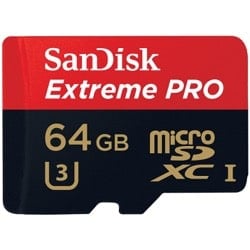
Sandisk Extreme Pro 64GB Micro SD Memory CardThe Sandisk Extreme Pro is the fastest micro SD memory card for the Galaxy S8, S8+. Sandisk all around usually makes the best card and are a very trusted brand. Because this card is U3, it will be a great card even for future devices. – Amazon


Samsung Pro+
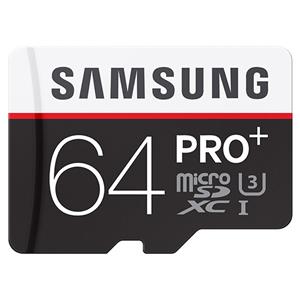
Samsung Pro+ Micro SD Memory CardThe Samsung Pro+ is the best micro sd memory card by Samsung that is UHS-I. In terms of performance and reliability, it’s up there with Sandisk. – Amazon


Samsung Pro Select
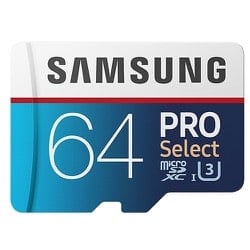
Samsung Pro Select Micro SD Memory CardThe Samsung Pro select is a newer card I’ve just added to the list. It’s very fast, not as fast as the other two, however, it can be found at a lot better of a price. – Amazon


Top 3 Fastest Cards Read Speed – Micro SD Memory Galaxy S8 / S8+

If you do mostly read access here are the best micro sd memory cards for S8, S8+ for read access.

(Tested in-phone)

Sandisk Extreme Pro

Sandisk Extreme Pro 64GB Micro SD Memory CardThe Sandisk Extreme Pro also has the fastest read speeds. All around it’s the best card for the Galaxy S8 / S8+. – Amazon


Sandisk Extreme Plus
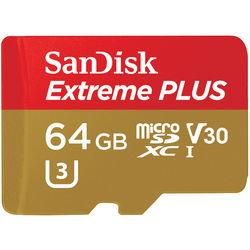
Sandisk Extreme Plus 64GB Micro SD Memory CardThe Sandisk Extreme Plus has a great balance between performance and price. It’s a fantastic card with both read and write speeds and is comparable to the Extreme Plus when tested in the Galaxy S8. – Amazon


Sandisk Extreme
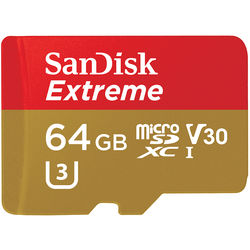
Sandisk Extreme 64GB Micro SD Memory CardIf you’re looking for the fastest sd card for read speeds in the Galaxy S8, this is it. This was the fastest card I tested for read speeds alone. It’s also a really good value between price and performance. – Amazon


Memory Cards and Brands To Avoid

The only cards that I would be cautious about would be any old cards, like the Sandisk Ultra – Old Version. That card ran very hot and its performance when testing was all over the place. In fact, avoid old versions of any card on Amazon. I think some have been labeled old even since I’ve purchased these so I’ll try to update as much as I can.

There is also Patriot and Netac Pro. I don’t know much about these brands so I wouldn’t trust them either. I actually gave one to my niece for her to use in her tablet, so I’ll know soon if there are any problems with them.


Memory Cards and Brands You Can Trust

The best all-around brand seems to be Sandisk. However, Lexar, Transcend, and Samsung are also great. It’s not uncommon for the cards made by Samsung to work best in Samsung devices. That’s the way Sony cards typically work. They may not be the fastest, but they usually are the most reliable.


Frequently Asked Questions


Will The Galaxy S8 Support 128GB and 256GB Cards?

Yes. The Galaxy S8 and S8+ support micro SD memory cards up to 256GB.


Does The Galaxy S8 / S8+ Support UHS-II Memory Cards?

While USH-II memory cards do work in camera, I see no speed improvements over standard UHS-I cards.


My Memory Card Is Slow Or Isn’t Working

There are a lot of counterfeit cards out there, especially on eBay, so make sure you buy your cards from a trusted source. If you buy on Amazon, buy from the manufacturer directly.

Sometimes cards can just be bad. It happens. Send it back for a replacement, or send it in for a warranty.

Be sure the card is clean and the connectors inside the phone are clean.


Best Micro SD Memory Cards For The Galaxy S8 / S8+ | Bottom Line

There are a lot of cards out there made by a lot of different brands. Some are better than others. A lot of the top brands like Sandisk make the fastest cards, but also the most reliable. If you’re using your phone to access your SD card a lot (like installing games on it), then it may be useful to buy one of these faster cards.

If you’re just looking for a card that you can use for storing extra photos or video, then there may be no need to break the bank, depending on your needs.

0
0
1
0
0
Alik Griffin

A professional video editor, and photographer with a Bachelors in Film studies from UCSD. Based in Los Angeles, I have created commercials, trailers, and other video content for various clients and platforms since 2005. I also love to write about my passions and share my insights on my blog.

Related Topics
  • Galaxy S8
  • Memory Card Speed Tests
Previous Article
Panasonic GH5 UHS-I vs UHS-II
  • Accessory Guides

Must-Have Accessories Panasonic GH5 / GH5s

  • Alik Griffin
  • April 19, 2024
View Post
Next Article
White Sands New Mexico After Dark
  • Blog

An Escape To New Mexico | A7rII – XT2 – X100F

  • Alik Griffin
  • April 24, 2025
View Post

Subscribe

Subscribe now to our newsletter

You May Also Like
Ricoh GRIV Memory Cards
View Post
  • Memory Card Buffer Tests
  • MicroSD Memory Cards

Ricoh GRIV – Best Memory Cards & Recommendations

  • Alik Griffin
  • January 30, 2026
  • No comments
Sony A7V Memory Cards
View Post
  • Camera Guides
  • Memory Cards Recommendations

Best Memory Cards For The Sony A7V (2026)

  • Alik Griffin
  • February 12, 2026
  • No comments
Nikon ZR Memory Cards
View Post
  • Camera Guides
  • Memory Cards Recommendations

Best Memory Cards For Nikon ZR

  • Alik Griffin
  • February 12, 2026
  • No comments
Canon R6 III Memory Cards
View Post
  • Memory Card Buffer Tests
  • Memory Cards Recommendations

Recommended Memory Cards Canon R6 III

  • Alik Griffin
  • November 24, 2025
  • No comments
19 comments
  1. Fin T. says:
    April 24, 2017 at 4:57 pm

    Have you tested the uhs-ii cards with the galaxy s8?

    Reply
    1. Alik Griffin says:
      April 24, 2017 at 9:49 pm

      Not yet, still waiting on getting the phone.

      Reply
      1. Fin T. says:
        April 25, 2017 at 9:42 am

        Bummer. I’ve had mine since 4/19… got the SanDisk uhs-ii card, but unsure if it’s being fully utilized. What benchmark can i run?

        Reply
        1. Alik Griffin says:
          April 25, 2017 at 2:24 pm

          Couple things you could try, A1 SD or SD Tools. You can also see if the card slot on the phone has the extra set of teeth that match with the UHS-II cards.

          Samsung with their NX1 camera shipped with UHS-II hardware, but it wasn’t until later that they released firmware to take advantage of it. So if the hardware is there and you see there are extra teeth, there could be hope that firmware offers UHS-II later if you see it underperforming right now.

          Let me know if you get UHS-II speeds or not so I can update. I won’t be able to test likely until this weekend or later. Just too much stuff on my plate right now.

          Reply
          1. Fin T. says:
            April 25, 2017 at 2:49 pm

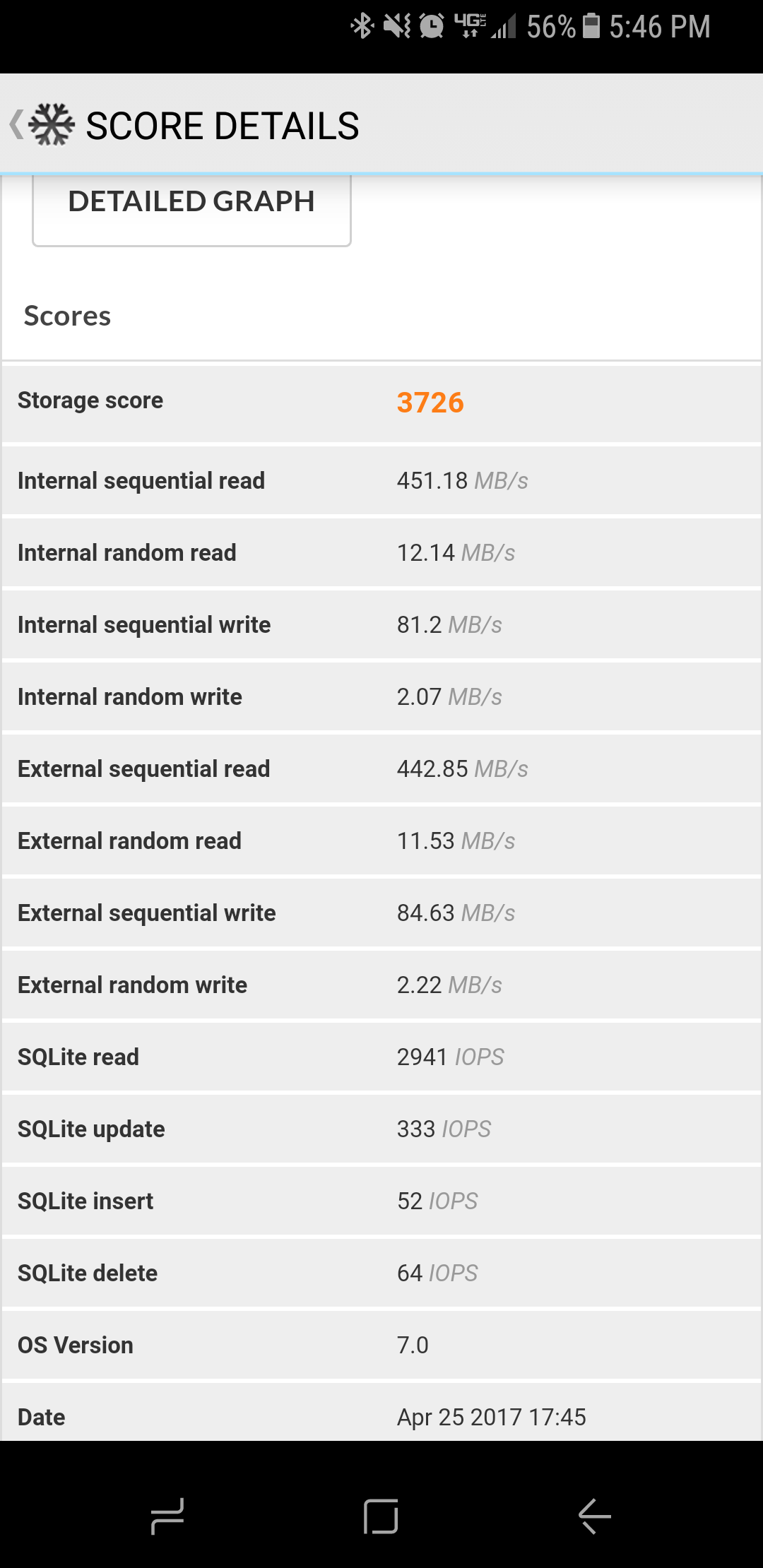
            PCMark score. https://uploads.disquscdn.com/images/1f4c8cf98b04c80f2e7bdd5fa6146994bd28d830cc0d757f429d5f8f5b9284d3.png

          2. Alik Griffin says:
            April 25, 2017 at 5:34 pm

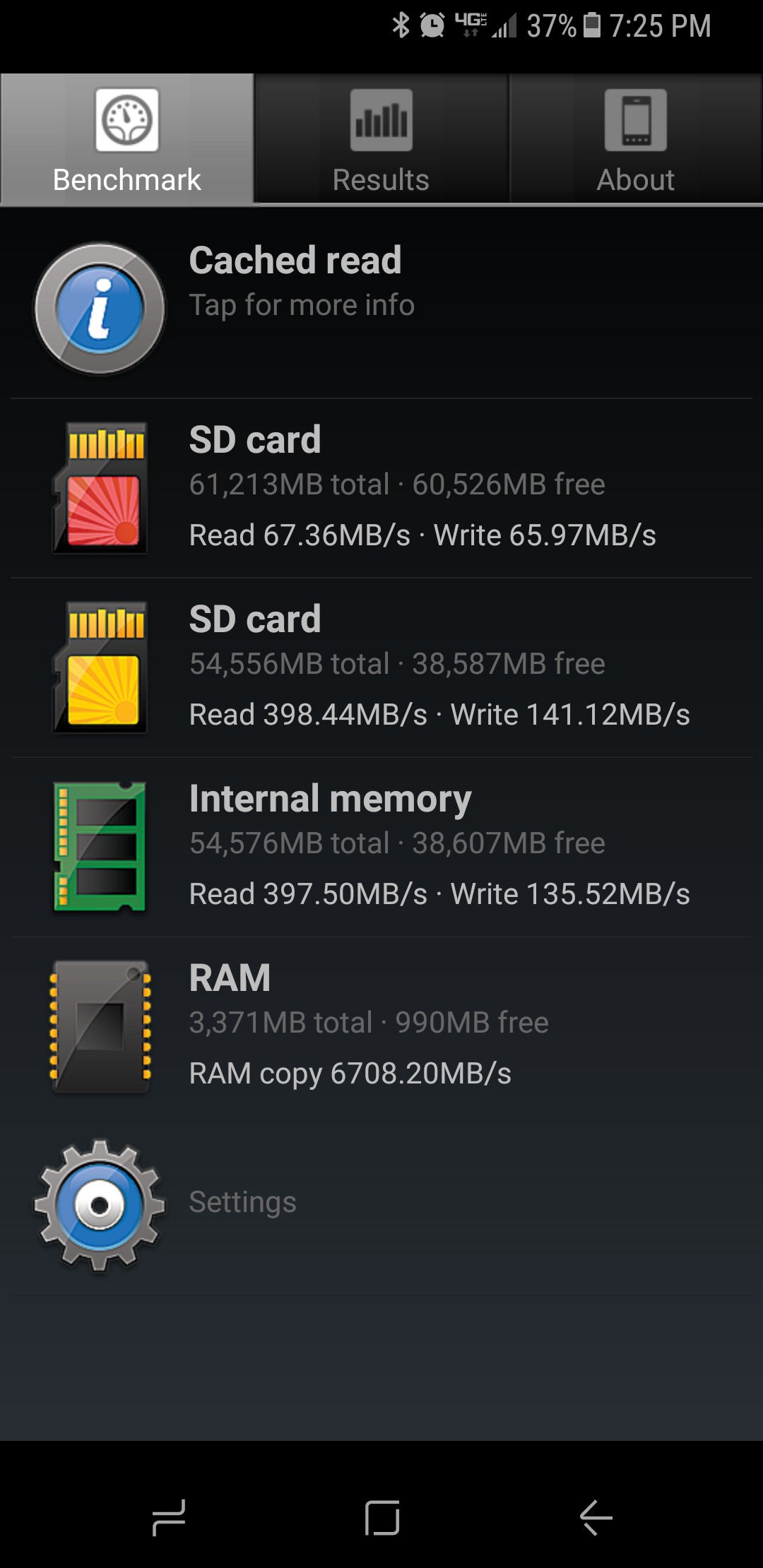
            Run the A1 SD benchmark a few times. There is something about that software caching the results so you need to run it a few times to get the most accurate results. PCMark seems like it’s not displaying accurate results. Based on A1 SD it looks like the phone is not utilizing UHS-II. You could also try SD Tools to confirm.

          3. Alik Griffin says:
            April 25, 2017 at 5:37 pm

            Actually it might UHS-II, The Red card on A1 SD use to be internal and the yellow was external. But if that’s the case, the internal memory seems like it’s very slow. So something seems off.

          4. Fin T. says:
            April 25, 2017 at 4:29 pm

            A1 SD results. https://uploads.disquscdn.com/images/eb767357d02e539324d079e9ca576cbcfd2620172ab7f15e79e4b9d3767e86e0.png

  2. Alik Griffin says:
    April 25, 2017 at 6:11 pm

    There are a few ways to test memory card speeds and there aren’t a lot of great options for Android.

    So Sequential means that data is written in order and read in order. 1,2,3,4,5,6 etc.

    Random would be if data was fragmented all over the card so it would read or write 1,6,3,5,4 etc. This slows things down a lot.

    I think some of the results might be testing the sim card, or maybe the internal memory is divided up.

    Reply
  3. JimBob_SF says:
    April 26, 2017 at 6:27 am

    Alik: Bravo for being the only place Google could find with relevant information on the S8 and whether it is UHS-II compliant. I’ve been searching for a month, talked with Samsung reps… nobody knows. I posted this blog link in an XDA thread so others can follow your testing. Thank you from many!

    Reply
    1. Stephen Amos says:
      May 1, 2017 at 1:05 am

      Link?

      Reply
  4. WhippetNYC says:
    April 26, 2017 at 10:43 am

    Hello Alik, I posted a comment earlier this morning but it’s no longer there. May I ask if you might be so kind as to see what might have happened? My comment ought not have been controversial, as it’s mostly technical vis-a-vis types of Micro SD cards, etc. Thank you.

    Reply
    1. Alik Griffin says:
      April 27, 2017 at 2:49 pm

      Hey WhippetNYC, your previous post included a link so it was awaiting moderation. I wasn’t able to check comments yesterday. I approve every comment that’s not spam.

      In answer to your question, the speed tests were done in windows 10. I don’t have the S8 because I’m ordering it from BHphoto as an unlocked version since I don’t plan to keep it and they don’t have any available until early May. I’ve been trying to find anyone else that has the phone but nobody I know has it so I can’t test the cards until they are in stock. It’s very frustrating.

      And thanks for the feedback on Samsung cards. There are so many different model numbers that do different things, I’ll try to clarify which card exactly I have based on model number on my next update.

      I’m still trying to see if I can get the phone sooner. But let me know if there is anything else you want to see when I do the tests in-phone. Maybe I’ll just walk into Verizon this weekend and get one cash.

      Reply
      1. WhippetNYC says:
        April 27, 2017 at 9:02 pm

        Hi Alik, thanks for your reply. May I ask if I should repost that “lost post” or might you moderate/post it after reading it please? Thanks.

        Reply
        1. Alik Griffin says:
          April 29, 2017 at 11:57 am

          I approved it. It went through.

          Reply
  5. Ben Hermagerd says:
    May 16, 2017 at 11:20 am

    Alik, I just picked up a SanDisk Ultra UHS-I Premium edition 200Gb C10 card for my S8+. How can I tell if it’s the old version (marked Don’t Buy) or the new version. Thank you,

    Reply
    1. Alik Griffin says:
      May 18, 2017 at 9:30 pm

      The old version has this serial: SDSDQUAN-064G-G4A Also, the new version is made in China. I think the old version was made in Malaysia, I’m out of town so I can’t confirm for sure.

      See on your packaging where the card was made. If it’s made in China I think you’re good to go.

      Reply
  6. Isa says:
    September 19, 2017 at 12:35 pm

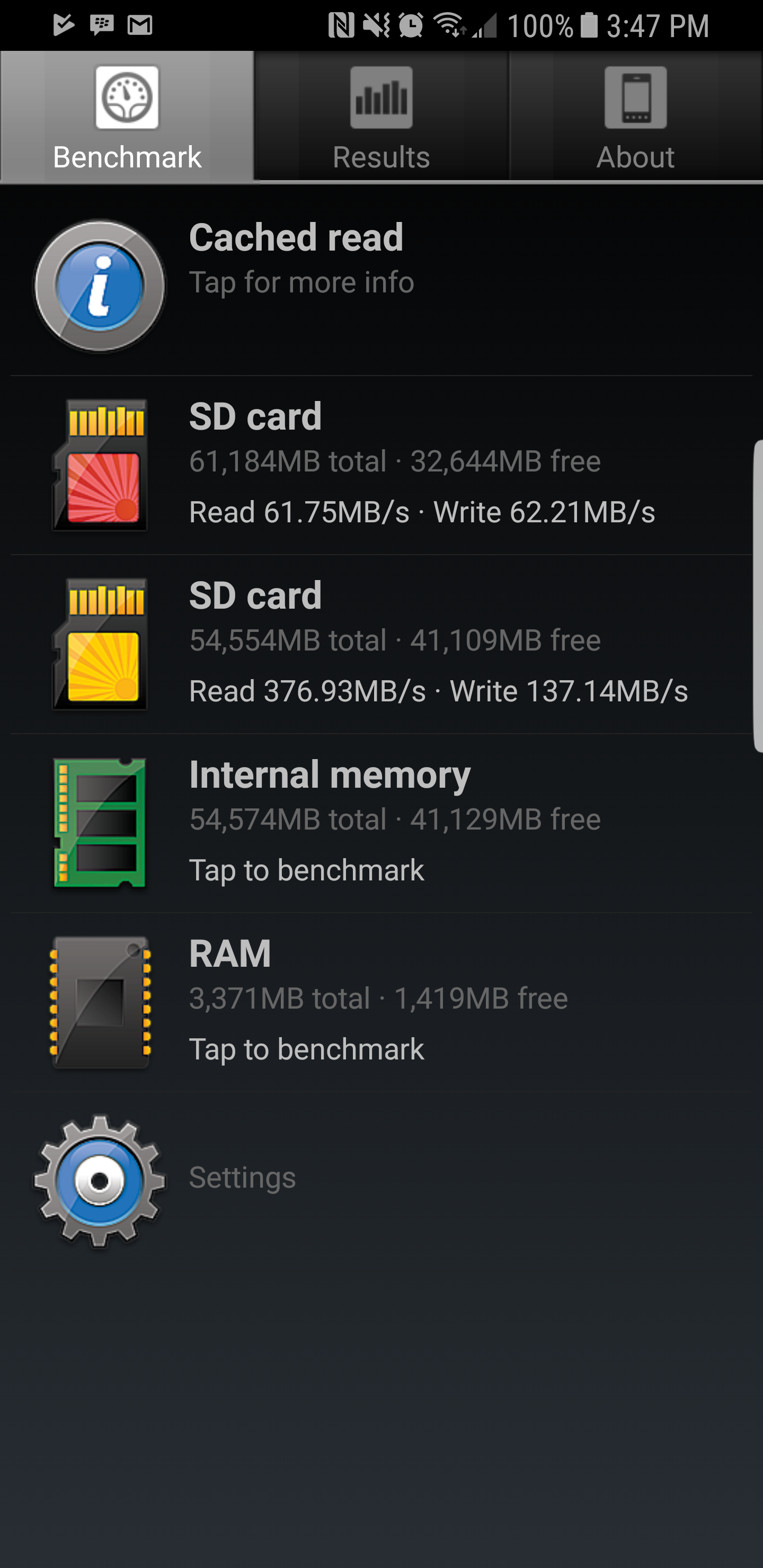
    That Delkin 64GB UHS-II… this is how it performs on a Samsung Galaxy S8 (Snapdragon 835 model).

    https://uploads.disquscdn.com/images/8bc80d1109b889f4c2d543252e1eebf92bfabaaeeb0720a25f0cf8e63566ee83.png

    Reply
  7. Isa says:
    September 21, 2017 at 9:53 am

    The Delkin 64GB UHS-II

    outputs 62MB/s of read/write performance when installed in a Samsung Galaxy S8 Snapdragon 835 Phone.

    https://uploads.disquscdn.com/images/7a5fd5bf55b7e38eb15d8db0d3a5a42694ccf7c4bf693820f94ca32a4f08d05c.png

    Reply

Leave a Reply to Ben Hermagerd Cancel reply

Your email address will not be published. Required fields are marked *

San Clemente Sunset

Join The Newsletter

Featured
  • Nikon Z 50mm f1.8 S Lens Review
    Nikon Z 50mm f1.8 S Lens Review & Sample Photos
    • 59 comments
  • Zeiss Planar 50mm f2 on the Leica M11
    Zeiss Planar 50mm f2 Review & Sample Photos
    • 5 comments
  • Kalina Picking Sakura
    Nikon Z 85mm f1.8 S Review & Sample Photos
    • 20 comments
  • Nikon Z 26mm f2.8 Review – A Little Miracle
    • 24 comments
  • TTArtisan 27mm f2.8 AF Front of Lens
    TTArtisan AF 27mm f2.8 Review & Sample Photos
    • 5 comments
  • Pure Cinema
    Viltrox TCL-X100VI Review | A Budget-Friendly 50mm Upgrade
    • No comments
  • What is Micro Contrast
    Micro-Contrast, Is It Real? – Samples With Lens Comparisons
    • 17 comments
  • Kalina Flower FIeld
    Nikon Z 50mm f1.4 Review & Sample Photos
    • 24 comments

Subscribe

Subscribe now to our newsletter

Privacy Policy | Licensing | About Me | Contact

Copyright © Alik Griffin Inc. 2025

Input your search keywords and press Enter.