We use minimal analytics to improve the site. Is that okay?

Alik Griffin
San Clemente Sunset
Subscription Form
  • Reviews
    • Accessory Reviews
    • Calculators
      • Video Data Rate Calculator | Record Time Calculator
      • Diffraction Calculator
      • DoF Calculator | Lens Equivalent
      • Shutter Speed to Shutter Angle Calculator
    • Camera Reviews
    • Lens Reviews
    • Memory Cards Recommendations
      • Fastests SD Memory Cards
      • Fastest MicroSD Cards
      • Fastest CFExpress Type-B Card
      • Fastest CFExpress Type-A Cards
      • Best CFast Memory Card
    • List of Mics
      • Best Streaming & Podcast Mics
  • Camera Guides
    • List of all Blackmagic Cameras
    • List Of all Canon RF Cameras
    • List of all Fujifilm Cameras
    • List of all Nikon Z Cameras
    • List of all Panasonic Cameras
    • List Of all Sony E Cameras
  • List of Lenses
    • Canon RF Lenses
    • Fujifilm GFX Lenses
    • Fujifilm XF Lenses
    • L-Mount Lenses
    • Leica M Lenses
    • Micro Four Thirds Lenses
    • Nikon Z Lenses
    • PL Mount Cine Lenses
    • Sony E Lenses (FE and APS-C)
  • Store
  • My account
Alik Griffin
Alik Griffin
  • Reviews
    • Accessory Reviews
    • Calculators
      • Video Data Rate Calculator | Record Time Calculator
      • Diffraction Calculator
      • DoF Calculator | Lens Equivalent
      • Shutter Speed to Shutter Angle Calculator
    • Camera Reviews
    • Lens Reviews
    • Memory Cards Recommendations
      • Fastests SD Memory Cards
      • Fastest MicroSD Cards
      • Fastest CFExpress Type-B Card
      • Fastest CFExpress Type-A Cards
      • Best CFast Memory Card
    • List of Mics
      • Best Streaming & Podcast Mics
  • Camera Guides
    • List of all Blackmagic Cameras
    • List Of all Canon RF Cameras
    • List of all Fujifilm Cameras
    • List of all Nikon Z Cameras
    • List of all Panasonic Cameras
    • List Of all Sony E Cameras
  • List of Lenses
    • Canon RF Lenses
    • Fujifilm GFX Lenses
    • Fujifilm XF Lenses
    • L-Mount Lenses
    • Leica M Lenses
    • Micro Four Thirds Lenses
    • Nikon Z Lenses
    • PL Mount Cine Lenses
    • Sony E Lenses (FE and APS-C)
  • Store
  • My account
  • Pure Cinema
    Viltrox TCL-X100VI Review | A Budget-Friendly 50mm Upgrade
    • February 21, 2026
  • Thypoch Simera 75mm f1.4 Review
    Thypoch Simera 75mm f1.4 Review & Sample Photos
    • February 18, 2026
  • Kakurajima View
    Viltrox WCL-X100VI Review | A Budget-Friendly 28mm Upgrade
    • February 17, 2026
  • Viltrox 9mm f2.8 Air Review
    Viltrox 9mm f2.8 AIR Review & Sample Photos
    • February 18, 2026
  • Biker Bro
    Viltrox Spark Z3 Flash – Review & Sample Photos
    • February 16, 2026
  • Pure Cinema

    Viltrox TCL-X100VI Review | A Budget-Friendly 50mm Upgrade

    View Post
  • Thypoch Simera 75mm f1.4 Review

    Thypoch Simera 75mm f1.4 Review & Sample Photos

    View Post
  • Kakurajima View

    Viltrox WCL-X100VI Review | A Budget-Friendly 28mm Upgrade

    View Post
Trending Posts
  • Nikon Zf Official Announcement 1
    Nikon Zf – The Fujifilm Killer?
    • February 18, 2026
  • Nikon Z 50mm f1.8 S Lens Review 2
    Nikon Z 50mm f1.8 S Lens Review & Sample Photos
    • February 18, 2026
  • Kamlan 50mm f1.1 II Product Shot 3
    Kamlan 50mm f1.1 II Review & Sample Photos
    • January 18, 2025
0
  • Memory Card Buffer Tests

Best Memory Cards For The Canon M6

  • Alik Griffin
  • April 19, 2024
  • 3 comments

This website contains affiliate links. We will earn a small commission on purchases made through these links. Some of the links used in these articles will direct you to Amazon. As an Amazon Associate, I earn from qualifying purchases.

A comparison in-camera between all the most popular SD memory cards and how they perform in the M6.

While many of the top brands of memory cards perform great in the Canon M6, there are a few clear winners.


If you’re wondering which memory cards to buy for the Canon M6, this guide should help you.


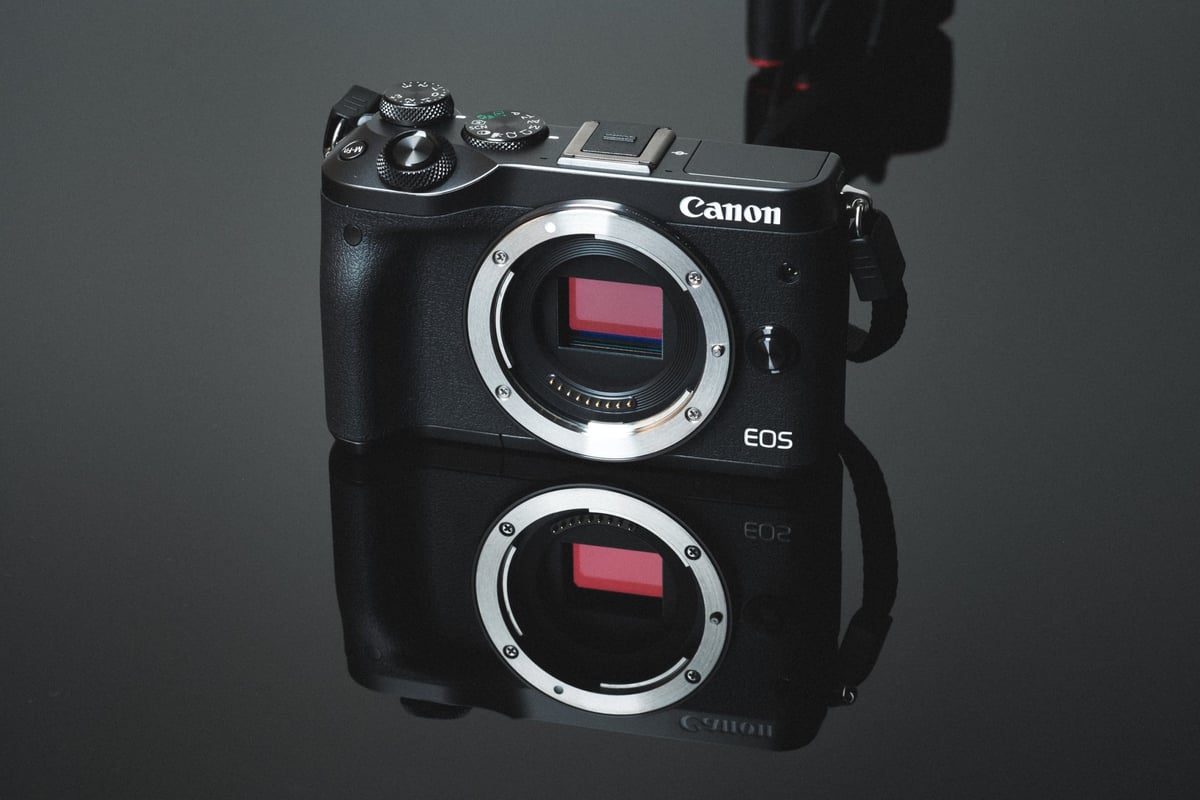
Best Memory Card For The Canon EOS M6


General Performance And Speed Chart

When doing the memory card speed tests with the Canon M6, there were no surprises. All cards performed as expected and the camera functioned flawlessly.

All USB 3.0 tests done using CrystalDisk – Windows 10, with the Lexar SR2.

SD Memory Cards USB 3.0 Read USB 3.0 Write Canon M6 Write
UHS-II      
Lexar 64GB 2000x 272.7 MB/s 244.5 MB/s 70.26 MB/s
Delkin 250 64GB 245.1 MB/s 164.6 MB/s 68.79 MB/s
Toshiba 64GB 258.8 MB/s 226.5 MB/s 67.25 MB/s
Sandisk Extreme Pro 300 64GB 263.2 MB/s 233.4 MB/s 66.93 MB/s
Transcend 64GB 290.2 MB/s 182.1 MB/s 65.13 MB/s
Sony M 64GB 253.2 MB/s 91.62 MB/s 65.13 MB/s
Delkin 100  64GB 273.3 MB/s 97.3 MB/s 59.83 MB/s
Lexar 64GB 1000x 147.4 MB/s 78.4 MB/s 56.60 MB/s
Sandisk Extreme Pro 280 64GB 260.5 MB/s 214.8 MB/s 38.80 MB/s
UHS-I      
Sandisk Extreme Pro 64GB U3 98.6 MB/s 90.8 MB/s 70.02 MB/s
Samsung Pro+ 64GB U3 97.5 MB/s 87.3 MB/s 69.01 MB/s
Kingston 64GB U3 98.1 MB/s 90.4 MB/s 67.61 MB/s
Sony 64GB U3 – Old Model 96.5 MB/s 84.5 MB/s 66.36 MB/s
Samsung Pro 64GB U1 96.3 MB/s 82.2 MB/s 65.82 MB/s
Delkin 633x 64GB U3 98.3 MB/s 88.7 MB/s 64.34 MB/s
Samsung Pro 64GB U3 97.7 MB/s 78.6 MB/s 64.31 MB/s
PNY 64GB U1 96.5 MB/s 66.5 MB/s 57.29 MB/s
Transcend 64GB U3 96.7 MB/s 68.4 MB/s 56.52 MB/s
Lexar 633x 64GB U3 93.3 MB/s 67.3 MB/s 56.31 MB/s
PNY 64GB U3 96.5 MB/s 66.1 MB/s 56.00 MB/s
Lexar 600x 64GB U1 95.4 MB/s 64.8 MB/s 55.57 MB/s
Sandisk Extreme Plus 64GB U3 99.0 MB/s 64.4 MB/s 53.86 MB/s
Sony 64GB U3 – New Model 96.7 MB/s 56.2 MB/s 51.57 MB/s
Sandisk Extreme 64GB U3 72.43 MB/s 54.1 MB/s 47.56 MB/s
Samsung 64GB U1 EVO 47.7 MB/s 27.3 MB/s 20.30 MB/s


Camera Specs

Sensor: APS-C 24.2MP CMOS / Processor: DIGIC 7

SD Memory Card Type: UHS-I

Video: 1080p 60fps

Continuous Burst: 9fps

Est. Size of Buffer: 500MB

Uncompressed Shots Till Buffer Fills: 19

Est. Time Taken To Clear Buffer: 8.5 seconds


Check out The Must Have Canon M6 Accessories.


Recommended SD Memory Cards For The M6

Since the Canon M6 does not take advantage of UHS-II cards, you’ll see no speed benefit using them in-camera. Because of this, I recommend the Sandisk Extreme Pro cards. They perform great and are very reliable. The next best option would be to use Samsung cards.


Fastest UHS-II Memory Cards

Although the Canon M6 doesn’t support the extra speed you can get out of UHS-II memory cards, many people still like to use UHS-II to gain performance when transferring from their cards to their computers. You will need a fast UHS-II memory card reader.

Lexar x2000 UHS-II 64GB – Amazon / Adorama

Delkin 250 64GB – Amazon / B&H

Sandisk Extreme Pro 300 64GB – Amazon / Adorama / BHphoto


Fastest UHS-I Memory Cards

UHS-I are all around the best cards for the M6, simply because they perform great and are very reasonably priced.

Sandisk Extreme Pro U3 64GB – Amazon / Adorama / B&H

Samsung Pro+ 64GB U3 – Amazon / Adorama

Kingston 64GB U3 – Amazon / Adorama / B&H


Cards Not To Use

I’ve been told there are issues with Sony cards not working correctly on this camera. For now, stay away from Sony cards when using the Canon M6. 


Canon M6 Frequently Asked Questions


Can I use Micro SD Memory Cards in the Canon M6?

Yes, you can. Some people love the versatility of using Micro SD memory cards, however, they are much smaller and easier to lose.

I have had some issues with the micro SD cards to SD card adapters losing connection causing memory card errors. Because of this, I don’t recommend buying micro SD cards for your M6, however, if you have a few lying around, go ahead and use them. 


What Cards Work Best For Video?

Since the Canon M6 is still only capable of shooting 1080p video, any decent memory card will work just fine. 


My Card Isn’t Fast, What’s Wrong?

If you’re having some issues with your memory cards, here is a list of a few things that could be your problem.

  • Sometimes cards are just bad. Try to get it replaced, or contact the manufacturer for warranty information.
  • There are a lot of counterfeit cards out there. If you bought of Ebay, chances are you got duped. Stick with BHphoto, Adorama, Amazon or other trusted stores..
  • Make sure your cards are clean and undamaged. The same applies to the pins inside the camera.


Do I need a UHS-II memory card?

Since the Canon M6 doesn’t have UHS-II technology, you’ll get not the benefit of using UHS-II cards in-camera. Only buy UHS-II cards if you want fast speed when transferring to your computer from a UHS-II card reader.


What Size Memory Card Should I Get, 32GB or 64GB?

I use 32GB cards if I’m just shooting photos and I rarely fill the cards. If I’m shooting photos with some videos here and there I’ll need a 64GB card.

If I’m traveling and shooting on a card that I don’t clear for a few days I’ll usually fill up a 32GB card. 


Best SD Memory Card Canon EOS M6 | Bottom Line

The Canon M6 performs very well in terms of memory card write speeds. It performs better than some cameras that support UHS-II (Like the Panasonic GH5) even though the M6 is only a UHS-I camera. Canon has always been known for building some of the best-performing and dependable cameras in the world and the M6 is no exception. 

0
0
1
0
0
Alik Griffin

A professional video editor, and photographer with a Bachelors in Film studies from UCSD. Based in Los Angeles, I have created commercials, trailers, and other video content for various clients and platforms since 2005. I also love to write about my passions and share my insights on my blog.

Related Topics
  • Canon M6
  • Memory Card Speed Tests
Previous Article
White Sands New Mexico After Dark
  • Blog

An Escape To New Mexico | A7rII – XT2 – X100F

  • Alik Griffin
  • April 24, 2025
View Post
Next Article
  • Memory Card Buffer Tests

Fastest Memory Cards For The Canon T7i / 800D

  • Alik Griffin
  • March 24, 2024
View Post

Subscribe

Subscribe now to our newsletter

You May Also Like
Ricoh GRIV Memory Cards
View Post
  • Memory Card Buffer Tests
  • MicroSD Memory Cards

Ricoh GRIV – Best Memory Cards & Recommendations

  • Alik Griffin
  • January 30, 2026
  • No comments
Canon R6 III Memory Cards
View Post
  • Memory Card Buffer Tests
  • Memory Cards Recommendations

Recommended Memory Cards Canon R6 III

  • Alik Griffin
  • November 24, 2025
  • No comments
Panasonic S9 Memory Card Guide
View Post
  • Memory Card Buffer Tests

Best Memory Cards For Panasonic S9 – Real Benchmarks

  • Alik Griffin
  • March 9, 2025
  • No comments
Best Panasonic GH7 Memory Cards
View Post
  • Memory Card Buffer Tests

Best Memory Cards For Panasonic GH7 – Real Benchmarks

  • Alik Griffin
  • February 11, 2026
  • No comments
3 comments
  1. Lisa T says:
    September 22, 2017 at 7:36 pm

    You might be interested to know that Canon is claiming that Sony cards *won’t* work with the M6 — or some Transcend cards either. They are specifically suggesting Lexar or Sandisk cards. This was their response to a camera with what I consider to be pretty serious issues (i.e., it hangs up for 3 minutes at a time):

    Customer reported after taking 16 shots (RAW), camera/card buffers for at least 30 seconds before she can take another picture and then only 1 shot
    before it buffers again. Even when it appears to be done, if camera is switched off, it still says “BUSY” and takes another minute to finish writing and
    power off. Customer’s cards (3 Sony and 1 SCT) were tested in another M6 and produced the same results. We saw similar results with some Trancend
    SD cards but all SanDisk and Lexar cards performed much better. Camera does not require repair. Cleaning unit and confirming functions. **We are
    including a SanDisk card the customer may keep and we recommend to use either SanDisk or Lexar cards based on our testing results or to contact Sony
    to see if they have another solution.**

    Reply
    1. Alik Griffin says:
      September 25, 2017 at 12:06 pm

      Thank you so much for this information, I wasn’t aware people were having issues with the Canon cameras on Sony cards.

      It’s very common for certain brands of cards to not work with certain cameras. Like Lexar cards are not working with the Panasonic GH5 and Sony cameras hate Samsung cards.

      Reply
  2. Paul Murphy says:
    February 12, 2018 at 8:01 am

    Why don’t you recommend 128gb card? I found your article after ordering a Sandisk Ultra 128 SDXC UHS1 C10.

    Reply

Leave a Reply to Alik Griffin Cancel reply

Your email address will not be published. Required fields are marked *

San Clemente Sunset

Join The Newsletter

Featured
  • TTArtisan 27mm f2.8 AF Front of Lens
    TTArtisan AF 27mm f2.8 Review & Sample Photos
    • 5 comments
  • Kalina Picking Sakura
    Nikon Z 85mm f1.8 S Review & Sample Photos
    • 20 comments
  • Nikon Z 50mm f1.8 S Lens Review
    Nikon Z 50mm f1.8 S Lens Review & Sample Photos
    • 59 comments
  • Tiffen Black Pro Mist Filter At Night. Streets Of Tenjin Japan
    Tiffen Black Pro Mist Review – Is This The One?
    • 10 comments
  • Viltrox 9mm f2.8 Air Review
    Viltrox 9mm f2.8 AIR Review & Sample Photos
    • 2 comments
  • TTArtisan 23mm f1.8 Product Shots
    TTArtisan AF 23mm f1.8 Lens Review & Sample Photos
    • 3 comments
  • Kakurajima View
    Viltrox WCL-X100VI Review | A Budget-Friendly 28mm Upgrade
    • 2 comments
  • Biker Bro
    Viltrox Spark Z3 Flash – Review & Sample Photos
    • 3 comments

Subscribe

Subscribe now to our newsletter

Privacy Policy | Licensing | About Me | Contact

Copyright © Alik Griffin Inc. 2025

Input your search keywords and press Enter.












