
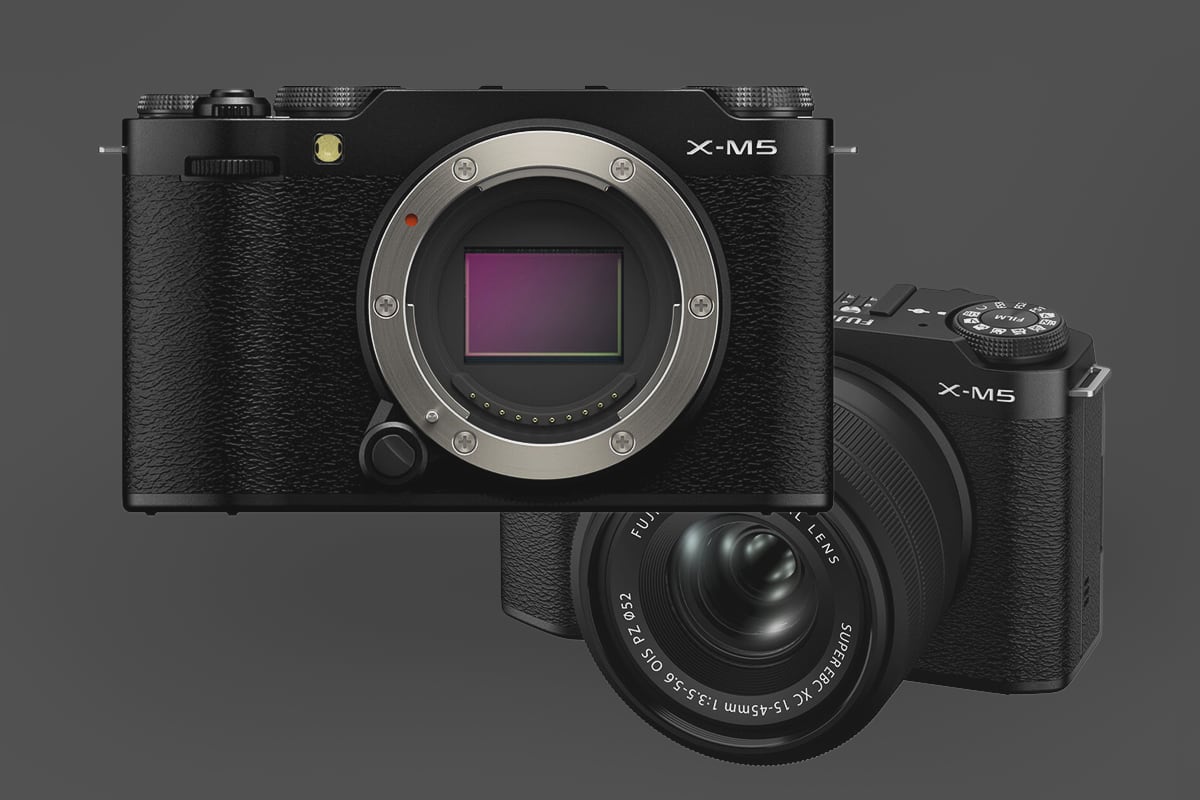
The Fujifilm X-M5 is limited by a single UHS-I slot supporting capacities of up to 2TB. In my tests with various cards in Fujifilm UHS-I cameras, the Lexar Silver Plus UHS-I and the SanDisk Extreme Pro are two of the top performers for fastest buffer-clearing times. While UHS-II cards like these will work, they are throttled to UHS-I speeds, making them an unnecessary expense for this body so don’t waste your money on those more expensive cards.
Best Memory Card Recommendations for Fujifilm X-M5
Here are the fastest UHS-I SD cards that deliver the best performance, reliability, and value for the Fujifilm X-M5, based on compatibility, speed tests, and real-world use.
| UHS-I U3 SD Memory Cards | Tested USB Write | Tested USB Read | Links |
|---|---|---|---|
| Sandisk Extreme Pro 64GB | 137 | 175 | Amazon / B&H |
| Sandisk Extreme 256GB-512GB | 126 | 175 | Amazon / B&H |
| Kingston Canvas Go! Plus 256GB-1TB | Amazon / B&H | ||
| Transcend Ultra 340s A2 128/256/512GB | 90 | 148 | Amazon / B&H |
Why Choosing the Right Memory Card Matters
While limited to UHS-I SD cards, similar to the Fujifilm X100VI, the Fujifilm X-M5 supports high-speed continuous shooting at 20 fps (electronic shutter) or 8 fps (mechanical shutter) and can record 4K or 6K video at bitrates of up to 200 Mbps. A minimum speed class of U3 or V30 is recommended to handle these demands without buffering or lag, especially for 4K or 6K video and RAW burst photography.
Using Film Simulator Will Slow Performance
If you’re shooting JPGs with heavy film simulator manipulation, you might notice slower performance when writing to memory cards. This isn’t due to the memory card being slow but rather from the processor taking its time encoding each shot.
If you limit some of the CPU-intensive film simulator options, such as clarity or grain, you see faster performance when it comes to clearing the camera’s internal buffer.
Key Considerations for Choosing a Memory Card
When selecting a memory card for your Fujifilm X-M5, keep these factors in mind:
- Speed Class: Choose UHS-I cards with U3 or V30 ratings (minimum 30 MB/s write speed) to support 4K/6K video and burst shooting. Even Class 10 or V10 cards can handle lower-bitrate HD video, but U3/V30 is recommended for maximum quality settings.
- Capacity: The X-M5 supports up to 2TB, but 64GB–256GB cards are practical for most users. A 64GB card can store approximately 1,900 RAW images or 2 hours of 4K video at 200 Mbps, while 128GB or 256GB offers more flexibility for extended shoots.
Conclusion
The Fujifilm X-M5 is a powerful, compact camera that demands a reliable UHS-I SD card to unlock its full potential. The Lexar Silver Plus UHS-I is our top pick for its speed and durability, while the SanDisk Extreme Pro offers strong performance at a similar price.
By choosing a card with at least a V30/U3 rating and sufficient capacity, you’ll ensure smooth performance for 4K/6K video and burst photography.
In-Camera Write Speeds — What to Expect
The X-M5’s UHS-I slot limits in-camera write speeds to roughly 50–65 MB/s for the fastest UHS-I cards — consistent with what we see across other UHS-I cameras. The difference between a fast U3 card (50–55 MB/s) and a slow U1 card (15–25 MB/s) is real and affects how quickly the buffer clears between burst sequences. The difference between UHS-I and UHS-II doesn’t apply here — UHS-II cards in a UHS-I slot run at UHS-I speed, so there’s no reason to pay the premium.
For video, the X-M5 records 4K at up to 200 Mbps (25 MB/s) and 6.2K at higher bitrates. Any U3/V30 card covers the minimum write requirement for all recording modes with headroom to spare. Card speed matters most for stills burst shooting — specifically how long you wait for the buffer to recover before you can fire another full sequence.
Cards to avoid: anything rated U1 or Class 10 without a U3 or V30 speed class marking. These may work for lower-bitrate modes but will slow down 4K recording and noticeably extend burst recovery time. Stick with U3/V30 minimum from a reputable brand and you’re covered across every mode the X-M5 offers.
Burst Shooting at 20fps — What the Buffer Actually Feels Like
The X-M5’s 20fps electronic shutter burst is fast for a UHS-I camera, and the buffer fills quickly. In my testing of Fujifilm UHS-I bodies — including the X100VI and X-T2 — the fastest U3 cards clear the buffer roughly 2–3x faster than a slow U1 card after a sustained burst. On the X-M5 specifically, shooting RAW at 20fps will fill the buffer in a few seconds; how long you wait afterward depends almost entirely on your card speed. Heavy film simulator processing (clarity, grain, noise reduction) adds additional processor load that compounds the recovery time regardless of card speed.
Can I Use a MicroSD Card in the Fujifilm X-M5?
The X-M5 uses a full-size SD card slot. MicroSD cards work with an adapter, but from experience they can lose connection inside the adapter — I wouldn’t use one for anything critical. See the microSD memory card guide if you need to use one.
Frequently Asked Questions
Can I use a UHS-II card in the Fujifilm X-M5?
Yes, physically — but it runs at UHS-I speeds. The X-M5’s slot is UHS-I only, so a UHS-II card offers no performance benefit. Buy the fastest UHS-I U3 card you can find and save the UHS-II cost for a camera that has a UHS-II slot.
What’s the fastest memory card for the Fujifilm X-M5?
In my testing of Fujifilm UHS-I cameras, the Lexar Silver Plus and SanDisk Extreme Pro consistently top the in-camera write speed charts. Both regularly hit 55–65 MB/s in UHS-I Fujifilm bodies. The speed difference between these and cheaper U3 cards is real — particularly for burst recovery.
Does the X-M5 need a V60 or V90 card?
No. The X-M5 is UHS-I only, and V60/V90 are UHS-II speed classes. They don’t apply here. For this camera, V30 or U3 is the relevant speed class, and any reputable U3 card handles everything the X-M5 can throw at it — including 6.2K video and 20fps burst.
How much card capacity do I need?
128GB is the sweet spot for most X-M5 shooters. At roughly 25MB per compressed RAW file, you’re looking at around 5,000 images per card — more than enough for a full day. For 6.2K video at 200 Mbps (25 MB/s), 128GB holds about 85 minutes of recording. If you shoot long video sessions or travel without frequent card transfers, 256GB makes sense.













Leave a Reply