
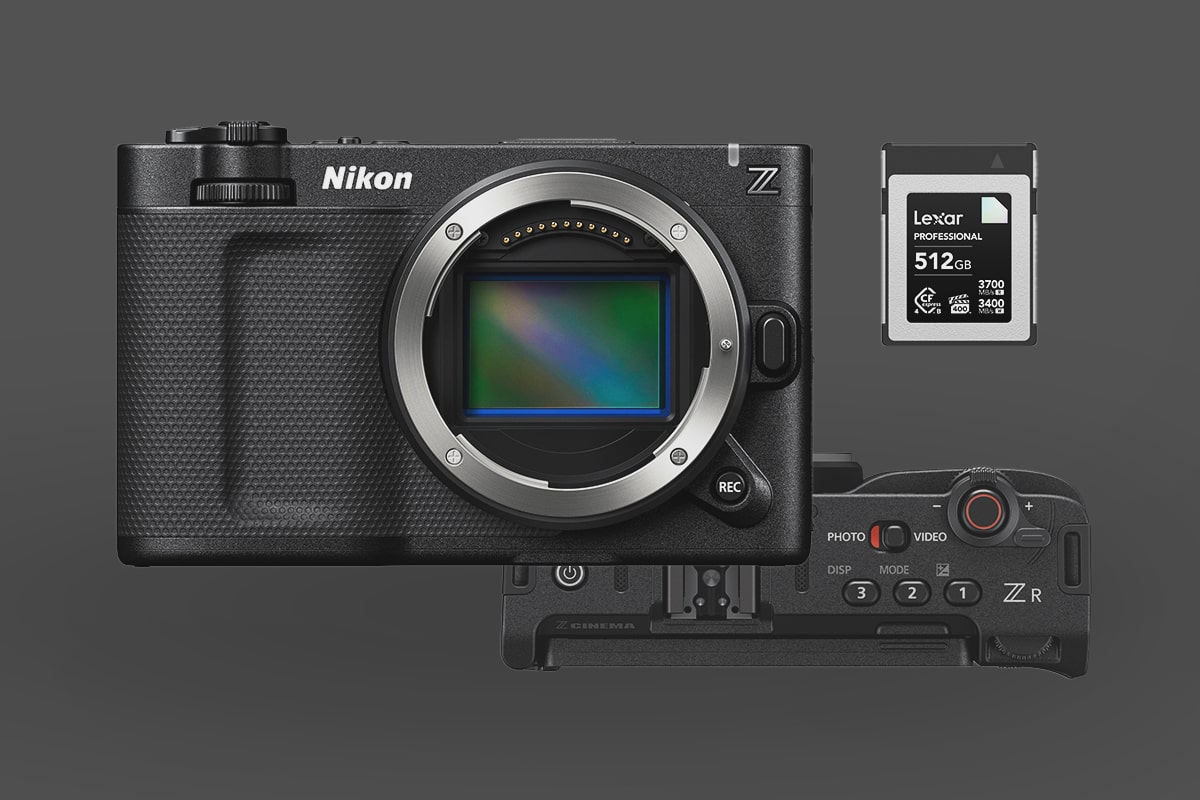
This is a quick guide covering everything you need to know about memory cards for the Nikon ZR.
The Nikon ZR is the first Nikon camera to feature RedRaw, but not the first Nikon camera to support RAW. So, fundamentally, the memory card requirements will be very similar to what you need for the Nikon Z8 or Nikon Z9, except that this camera only shoots 6k, so you won’t need to be as strict about minimum write speeds.
The camera has two memory card slots: a CFexpress Type-B slot and an SD UHS-I card slot, which is mostly unusable for anything other than LUTs, camera settings or firmware. Theoretically, you could record some low-bitrate H.265 or H.264 to this slot as well.
Which Memory Cards for RAW video on the Nikon ZR?
You’ll probably want a CFexpress Type-B card with the VPG-400 rating. This rating guarantees the card will perform at 400MB/s, which is still below the Nikon ZR’s output. R3D files at 6k want 472.5MBps, but only 237.5MB/s at 29.97 or 190MB/s at 23.97fps.
If you only plan to record at 23.97, you could be fine with a lower-rated card unless you’re recording ProRes RAW, which is a very heavy codec at 500MB/s, but ProRes RAW at 29.97 will need 625MB/s.
To play it safe, grab a VGP400-rated card. This will give you the best performance overall. However, if you’re not shooting 60p often, there are a lot of great cards with high sustain capabilities, or look for RED-certified cards. For example, the ProGrade Gold isn’t rated for VGP400, but it is RED-certified and can record RAW 8k with a sustained 1500MB/s. Also, many cards have very high sustain rates and claim to record 8K RAW, even though they are not VPG400-certified. It’s probably safe to use any of these cards, but for professional shoots, consider a VPG400 card.
Here is a list of all the recommended CFexpress Type-B memory cards. Some of these are VPG400-rated; the others are either stated to be able to record 8k RAW, RED-certified, or have a minimum sustain speed of at least 1300 MB/s. Keep in mind that different-sized cards will have different sustain ratings. Usually, lower-capacity cards are slower, so pay attention to the specs when selecting your capacity.
| Memory Cards | Review Links | Rating | Sustained | USB-C Write | USB-C Read | Tested Sustain Speeds | Check Price |
|---|---|---|---|---|---|---|---|
| Lexar Diamond CF4.0 128GB-1TB | VPG400 | 3200 | Amazon / B&H | ||||
| Lexar Diamond 128/256/512GB | Lexar Diamond CFeB Review | VPG400 | 1600 | 1621 | 1700 | 1565 | Amazon / B&H |
| Lexar Gold CF4.0 512/1TB/2TB | 3000 | Amazon / B&H | |||||
| Lexar Gold 2TB | Lexar Gold 1TB-2TB CFeB Review | 1300 | 1642 | 1695 | 1582 | B&H | |
| Sandisk Pro-Cinema 256GB | VPG400 | 755 | 1177 | 496 | Amazon / B&H | ||
| Prograde Iridium CF4.0 1.6TB | VPG400 | 1500 | Amazon / B&H | ||||
| Prograde Iridium CF4.0 800GB | VPG400 | 1500 | Amazon / B&H | ||||
| Prograde Iridium CF4.0 400GB | VPG400 | 850 | 2704 | 3212 | 808 | Amazon / B&H | |
| ProGrade Gold CF4.0 1TB/2TB | RED Cert | 1500 | 2098 | 3201 | 1545 | Amazon / B&H | |
| Delkin Black CF4.0 1.3TB | 2150 | Amazon / B&H | |||||
| Delkin Black CF4.0 512GB/1/2TB | 2040 | 1736 | 2476 | 1693 | Amazon / B&H | ||
| Delkin Power CF4.0 2TB | 1420 | Amazon / B&H | |||||
| Delkin Power CF4.0 1TB | 1570 | Amazon / B&H | |||||
| Wise Pro MkII CF4.0 2TB/4TB | 2400 | B&H | |||||
| Wise Pro MkII CF4.0 660GB/1.3TB | 3400 | B&H | |||||
| Wise Advance Mk II CF4.0 2TB/4TB | 2400 | B&H | |||||
| Wise Advance Mk II CF4.0 1TB | 1500 | B&H | |||||
| Angelbird Pro XT Mk II 330/660/1320GB | 1480 | 1595 | 1597 | 1583 | Amazon / B&H | ||
| AngelBird Pro SE 1TB | 1300 | Amazon / B&H | |||||
| Angelbird Pro SX 160GB/330GB | 1480 | 1521 | 1688 | 1447 | Amazon / B&H | ||
| OWC Atlas Ultra CF4.0 1TB/2TB | 1500 | Amazon / B&H | |||||
| Sabrent Rocket 512GB/1TB/2TB | 1300 | 856 | 1183 | 858 | Amazon / B&H | ||
| Nextorage B2 Pro CF4.0 660/1330GB | VPG400 | 3400 | B&H | ||||
| Nextorage B2 Pro CF4.0 165/330GB | VPG400 | 3400 | B&H |
SD Card Slot
As far as I can tell, unless there is a typo in Nikon’s official material, the SD slot is only UHS-I. It’s essentially useless except for loading firmware or LUTs.
The High-End Codecs and Bitrates
Here are the bitrates from the codecs you’ll likely use. This list is just for 6k to keep things simple. Obviously, 4k will be lower, but if you’re buying a memory card, you’ll want one that can handle everything the camera has to offer.
R3D NE / N-RAW High Quality
6048 x 3402 59.94p (3780 Mbps / 472.5 MB/s) 29.97 (1900 Mbps / 237.5 MB/s), 23.97 (1520 Mbps / 190 MB/s)
N-RAW Normal
6048 x 3402 59.94p (1920 Mbps / 240 MB/s) 29.97 (970 Mbps / 121.25 MB/s), 23.97 (780 Mbps / 97.5 MB/s)
Apple ProRes RAW HQ
6048 x 3402 29.97 (5000 Mbps / 625 MB/s), 23.97 (4000 Mbps / 500 MB/s)
Apple ProRes 422 HQ
5376×3024 4:2:2 All-I – 29.97p (1920 Mbps / 240 MB/s), 23.97 (1540 Mbps / 192.5 MB/s)
H.265/HEVC
5376×3024 4:2:0 10-bit LongGOP 59.94fps (400 Mbps / 50 MB/s), 29.97 (340 Mbps / 42.5 MB/s)













Leave a Reply