
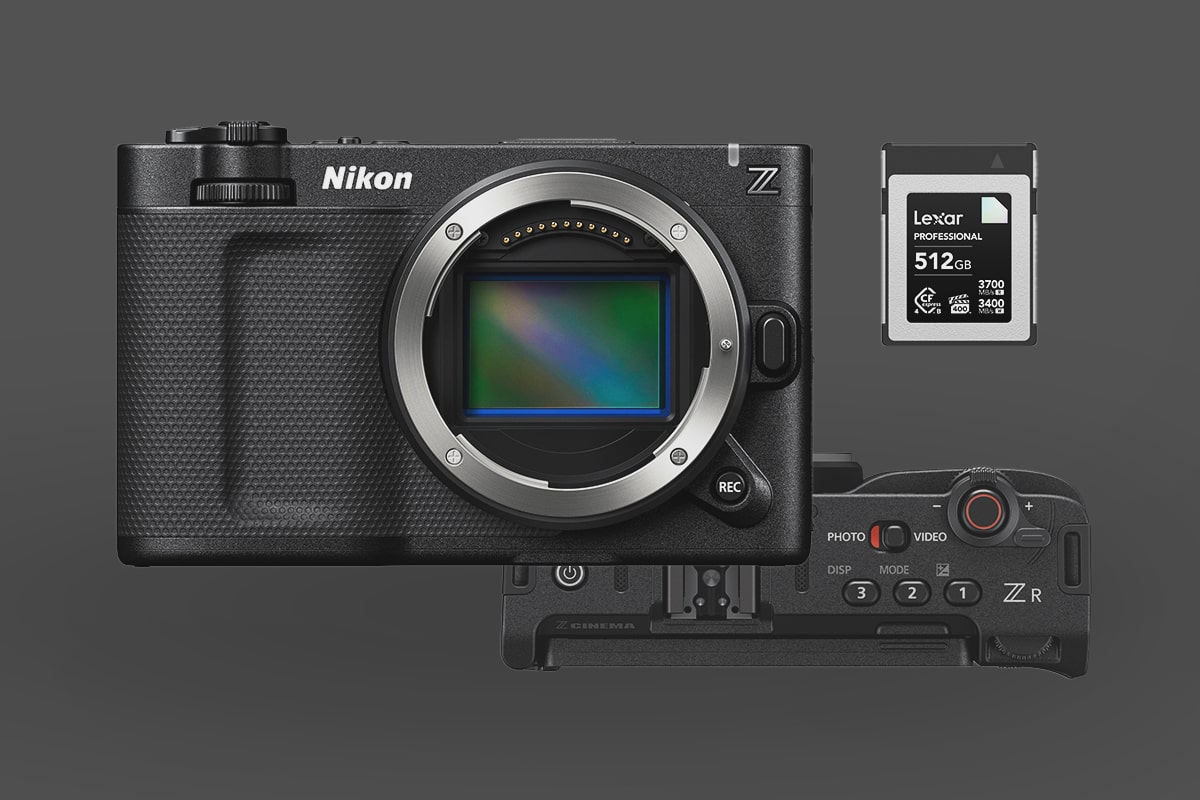
This is a quick guide covering everything you need to know about memory cards for the Nikon ZR.
The Nikon ZR is the first Nikon camera to feature RedRaw, but not the first Nikon camera to support RAW. So, fundamentally, the memory card requirements will be very similar to what you need for the Nikon Z8 or Nikon Z9, except that this camera only shoots 6k, so you won’t need to be as strict about minimum write speeds.
The camera has two memory card slots: a CFexpress Type-B slot and an SD UHS-I card slot, which is mostly unusable for anything other than LUTs, camera settings or firmware. Theoretically, you could record some low-bitrate H.265 or H.264 to this slot as well.
Which Memory Cards for RAW video on the Nikon ZR?
You’ll probably want a CFexpress Type-B card with the VPG-400 rating. This rating guarantees the card will perform at 400MB/s, which is still below the Nikon ZR’s output. R3D files at 6k want 472.5MBps, but only 237.5MB/s at 29.97 or 190MB/s at 23.97fps.
If you only plan to record at 23.97, you could be fine with a lower-rated card unless you’re recording ProRes RAW, which is a very heavy codec at 500MB/s, but ProRes RAW at 29.97 will need 625MB/s.
To play it safe, grab a VGP400-rated card. This will give you the best performance overall. However, if you’re not shooting 60p often, there are a lot of great cards with high sustain capabilities, or look for RED-certified cards. For example, the ProGrade Gold isn’t rated for VGP400, but it is RED-certified and can record RAW 8k with a sustained 1500MB/s. Also, many cards have very high sustain rates and claim to record 8K RAW, even though they are not VPG400-certified. It’s probably safe to use any of these cards, but for professional shoots, consider a VPG400 card.
Here is a list of all the recommended CFexpress Type-B memory cards. Some of these are VPG400-rated; the others are either stated to be able to record 8k RAW, RED-certified, or have a minimum sustain speed of at least 1300 MB/s. Keep in mind that different-sized cards will have different sustain ratings. Usually, lower-capacity cards are slower, so pay attention to the specs when selecting your capacity.
| Memory Cards | Review Links | Rating | Sustained | USB-C Write | USB-C Read | Tested Sustain Speeds | Check Price |
|---|---|---|---|---|---|---|---|
| Lexar Diamond CF4.0 128GB-1TB | VPG400 | 3200 | Amazon / B&H | ||||
| Lexar Gold CF4.0 512GB-4TB | 3000 | Amazon / B&H | |||||
| Sandisk Pro-Cinema 256GB | VPG400 | 755 | 1177 | 496 | Amazon / B&H | ||
| Prograde Iridium CF4.0 1.6TB | VPG400 | 1500 | Amazon / B&H | ||||
| Prograde Iridium CF4.0 800GB | VPG400 | 1500 | Amazon / B&H | ||||
| Prograde Iridium CF4.0 400GB | VPG400 | 850 | 2704 | 3212 | 808 | Amazon / B&H | |
| ProGrade Gold CF4.0 1TB/2TB | RED Cert | 1500 | 2098 | 3201 | 1545 | Amazon / B&H | |
| Delkin Black CF4.0 512GB/1/2TB | 2040 | 1736 | 2476 | 1693 | Amazon / B&H | ||
| Delkin Power CF4.0 2TB | 1420 | Amazon / B&H | |||||
| Delkin Power CF4.0 1TB | 1570 | Amazon / B&H | |||||
| Angelbird Pro XT Mk II 660/1320GB | 1480 | 1595 | 1597 | 1583 | Amazon / B&H | ||
| OWC Atlas Ultra CF4.0 1TB/2TB | 1500 | Amazon / B&H | |||||
| Nextorage B2 Pro CF4.0 660/1330GB | VPG400 | 3400 | B&H | ||||
| Nextorage B2 Pro CF4.0 165/330GB | VPG400 | 3400 | Amazon / B&H | ||||
| Lexar Silver 512GB | 850 | 1141 | 1624 | 891 | B&H |
SD Card Slot
As far as I can tell, unless there is a typo in Nikon’s official material, the SD slot is only UHS-I. It’s essentially useless except for loading firmware or LUTs.
The High-End Codecs and Bitrates
Here are the bitrates from the codecs you’ll likely use. This list is just for 6k to keep things simple. Obviously, 4k will be lower, but if you’re buying a memory card, you’ll want one that can handle everything the camera has to offer.
R3D NE / N-RAW High Quality
6048 x 3402 59.94p (3780 Mbps / 472.5 MB/s) 29.97 (1900 Mbps / 237.5 MB/s), 23.97 (1520 Mbps / 190 MB/s)
N-RAW Normal
6048 x 3402 59.94p (1920 Mbps / 240 MB/s) 29.97 (970 Mbps / 121.25 MB/s), 23.97 (780 Mbps / 97.5 MB/s)
Apple ProRes RAW HQ
6048 x 3402 29.97 (5000 Mbps / 625 MB/s), 23.97 (4000 Mbps / 500 MB/s)
Apple ProRes 422 HQ
5376×3024 4:2:2 All-I – 29.97p (1920 Mbps / 240 MB/s), 23.97 (1540 Mbps / 192.5 MB/s)
H.265/HEVC
5376×3024 4:2:0 10-bit LongGOP 59.94fps (400 Mbps / 50 MB/s), 29.97 (340 Mbps / 42.5 MB/s)
How Much Storage Do You Actually Need?
The bitrates above tell you your write speed requirement, but they also dictate how fast you burn through cards. ProRes RAW HQ at 6K 29.97 runs at 625 MB/s — a 512GB card gets you roughly 13 minutes of recording time. N-RAW High Quality at the same frame rate drops to 237.5 MB/s, stretching a 512GB card to about 36 minutes. N-RAW Normal at 23.97 comes in at 97.5 MB/s — roughly 88 minutes on 512GB. H.265 at 50 MB/s is dramatically more forgiving, putting well over two hours on the same card.
If you’re shooting ProRes RAW or high frame rate R3D, plan your card inventory in terms of scenes, not run time, and bring more cards than you think you need.
CFexpress Type B Performance — What to Expect
The ZR uses the same CFexpress Type-B slot interface as the Nikon Z8 and Z9. In my testing of CFexpress cards in those bodies, the ProGrade Gold and Sony Tough CFexpress both sustained well above 400 MB/s under continuous recording loads. Cards that perform reliably in the Z8 or Z9 will behave the same in the ZR — the slot interface is identical.
Where cards diverge is sustained write performance under heat and extended recording sessions. A card with a high peak write speed but poor thermal management will throttle during long clips. Also note that smaller capacity versions of the same card model often have lower sustained write speeds than the 256GB or 512GB version, so check the spec sheet for the exact capacity you’re purchasing, not just the model name.
Frequently Asked Questions
Do I need a VPG400-rated card for normal shooting on the ZR?
Only if you’re recording R3D at 59.94fps or ProRes RAW. For N-RAW Normal at 23.97 (97.5 MB/s) or H.265 (50 MB/s), virtually any current CFexpress Type-B card will handle it without needing the VPG400 rating. Cinematographers buying this camera primarily for its RAW capabilities should default to VPG400 or RED-certified cards; for hybrid use or H.265, a quality non-rated CFexpress is fine.
Can I use my existing CFexpress cards from a Z8 or Z9?
Yes. The ZR uses the same CFexpress Type-B slot, so any card that works in the Z8 or Z9 will work in the ZR. The practical difference is the ZR’s codec requirements are more demanding at high frame rates. If you’ve been using a mid-tier CFexpress for stills-focused burst shooting on a Z9, check its sustained write speed against the ZR’s bitrate table before relying on it for extended RAW video recording.
Is the SD card slot actually useful?
Marginally. The SD slot is UHS-I only, which tops out at roughly 104 MB/s — below what any of the ZR’s high-bitrate codecs require. Nikon designates it for LUTs, camera settings, and firmware updates. You could record low-bitrate H.265 or H.264 to it, but this camera is bought for its RAW capabilities and the SD slot isn’t meaningfully part of that workflow. Budget for the CFexpress slot, not the SD slot.













Leave a Reply