
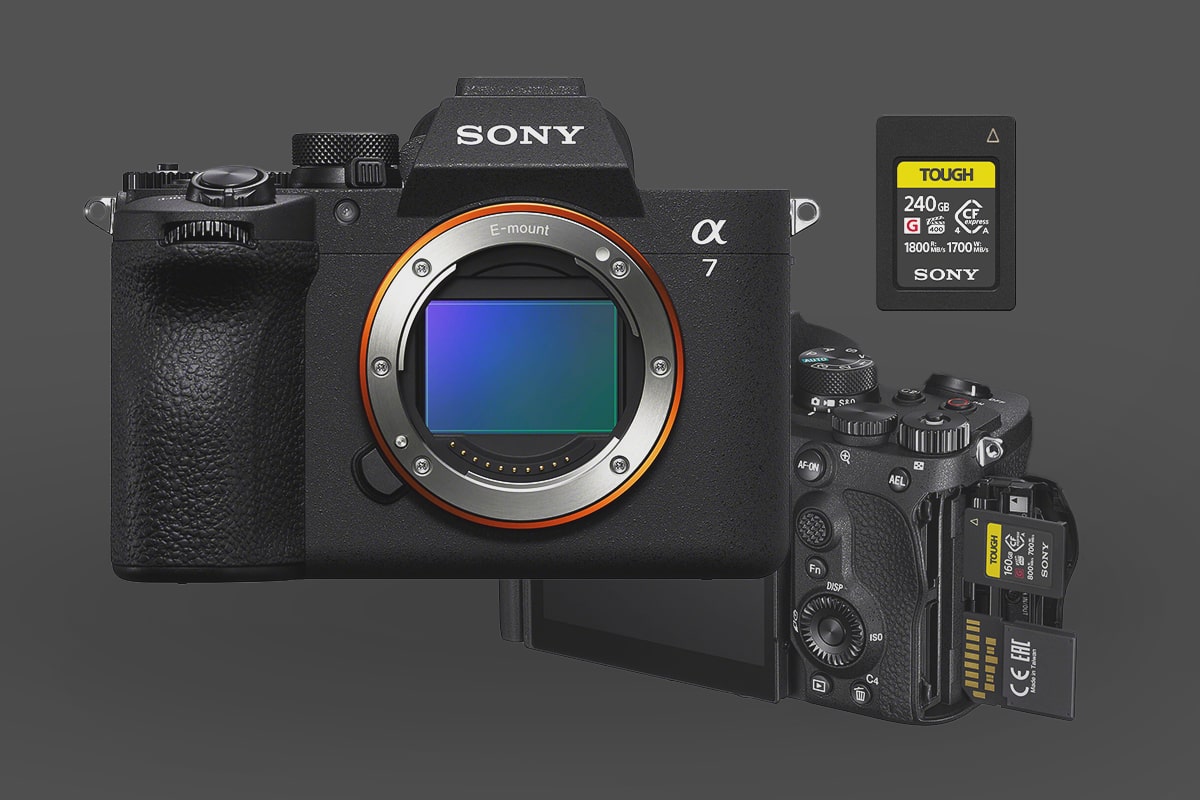
Unlike its predecessor, the A7V features a partially stacked 33MP sensor and an upgraded BIONZ XR2 processor. These upgrades make memory card choice even more critical for handling the new 30fps burst rates and 4K/120p video.
Maximizing the New Partially Stacked Sensor
To get the most out of the Sony A7V’s new high-speed capabilities, understanding its storage architecture is key. The A7V retains a dual-slot setup, but they are not identical:
- Slot 1 (Top): A versatile hybrid slot that accepts both CFexpress Type A and SD (UHS-II/UHS-I) cards.
- Slot 2 (Bottom): Dedicated exclusively to SD cards (supports up to UHS-II).
While the flagship Sony A7RV offers dual CFexpress slots, the Sony A7 Mark V has only one CFexpress Type A card in Slot 1 to unlock its maximum performance.
Why You Should Choose CFexpress Type A
For the Sony A7V, CFexpress Type A is no longer just a luxury—it’s the practical choice. With the camera now capable of 30fps blackout-free bursts and high-bitrate 4K 120p (Super35), the buffer-clearing speeds of CFexpress are essential.
On a price-to-performance basis, CFexpress Type A cards have finally reached parity with (and often beat) high-end V90 UHS-II SD cards. You get significantly higher durability and much faster offload speeds to your computer for a similar investment.
Top CFexpress Type A Recommendations for the Sony A7V
Since the A7V doesn’t require the ultra-high sustained writes of an 8K flagship, you can find incredible value in the mid-range market.
- Best Value: The Lexar Professional Silver and Pergear Standard series. These cards provide unbeatable value and efficiently support the A7V’s 600 Mbps All-Intra video codecs.
- Future Proofing (CF4.0): You will see the new CFexpress 4.0 Type A cards hitting shelves now. While the A7V hardware (and most current card readers) operate at 2.0 speeds, these newer cards are backward compatible. If you find a CF4.0 card on sale, grab it for the faster transfer speeds to your desktop once you upgrade your reader.
Pro Tip: If you primarily shoot stills and don’t rely on long bursts, a high-quality V60 or V90 UHS-II SD card in Slot 2 is a perfect backup for redundant recording.
| Recommended For Sony | USB Write | USB Read | Check Price | |
|---|---|---|---|---|
| CFExpress Type-A | Hide | |||
| Sony G Tough CF4.0 240/480/960/1920GB | B&H | |||
| Sony M Tough 960GB | Sony M Tough CFExpress Type-A Review | Amazon / B&H | ||
| Sony G Tough 80/160/320/640GB | Sony G Tough CFExpress Type-A Review | 658 | 847 | Amazon / B&H |
| Lexar Gold 80/160GB/320GB | 825 | 886 | Amazon / B&H | |
| Delkin Black 80GB | 654 | 845 | Amazon / B&H | |
| ProGrade Iridium CF4.0 480-960GB | 1272 | 1532 | Amazon / B&H | |
| Pergear Standard 256GB | Pergear Standard 256GB CFxA Review | 768 | 812 | Amazon |
Sony A7V SD Card Strategy: V60 vs. V90
The choice between V60 and V90 SD cards for your Sony A7V comes down to your primary use case: speed vs. savings.
V90: For Maximum Performance
- Speed: Guarantees 90 MB/s minimum write speed.
- Use: Required for the A7V’s highest bitrate video modes, such as All-Intra (XAVC S-I) and high frame rate S&Q.
- Dual-Card: If you use simultaneous backup recording (writing the same file to both cards), you need a V90 in Slot 2 (SD) to match a fast card in Slot 1 (CFexpress Type A).
V60: For Budget-Friendly Video
- Speed: Guarantees 60 MB/s minimum write speed.
- Use: Perfect for lower-bitrate, efficient codecs like XAVC HS (H.265). This can cover many 4K recording options.
- Savings: V60 UHS-II cards cost significantly less than V90s. If your focus is H.265 videography, this saves money while still providing high performance.
| Priority | Card Recommendation | Key Consideration |
| Highest Video Quality/Backup | V90 UHS-II | Needed for simultaneous backup of all high-end codecs. |
| Efficient Video Recording | V60 UHS-II | Sufficient for H.265; saves money. |
| Recommended For Sony | Review Links | USB Write | USB Read | Check Price |
|---|---|---|---|---|
| SD UHS-II V90 | Hide | |||
| Sandisk Extreme Pro V90 32-512GB | Sandisk Extreme Pro V90 UHS-II Review | 268 | 293 | Amazon / B&H |
| Sony G Tough v90 32-256GB | Sony G Tough V90 UHS-II Review | 258 | 296 | Amazon / B&H |
| Delkin Black v90 64/128/256GB | 253 | 278 | B&H | |
| Kingston Canvas React V90 32-256GB | Kingston Canvas React Plus V90 | 274 | 292 | Amazon / B&H |
| Kodak V90 32/64/128GB | 260 | 272 | Amazon | |
| Ritz Gear VideoPro V90 64-512GB | 258 | 273 | Amazon | |
| SD UHS-II V60 | Hide | |||
| Lexar ARMOR Gold V90 256GB-1TB | 191 | 258 | Amazon / B&H | |
| Sony M Tough V60 64-512GB | Sony M V60 UHS-II Review | 153 | 269 | Amazon / B&H |
| Sony E v60 256GB | Sony E Series V60 256GB Review | Amazon / B&H |
Card Durability: Sony TOUGH vs. Lexar ARMOR
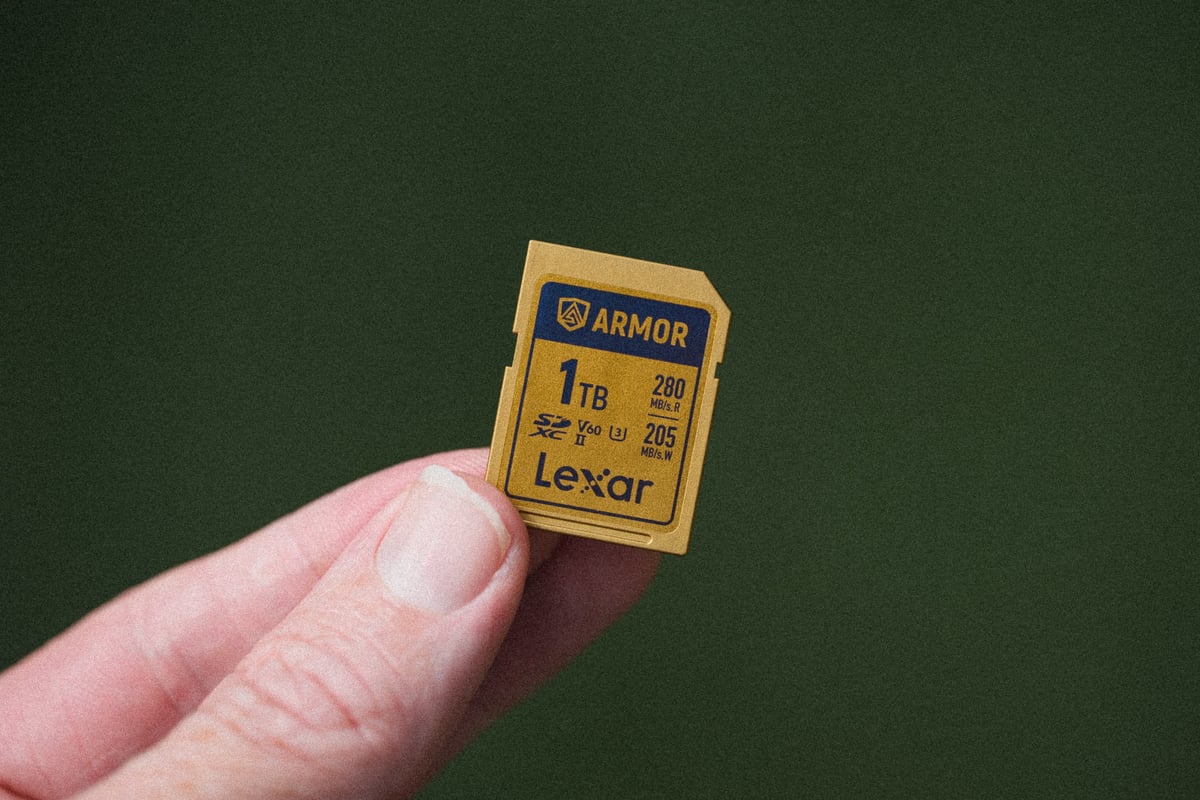
If durability is a priority, ditch the plastic cards with fragile write-protection switches. “Tough-style” cards, like the new Lexar ARMOR series or Sony TOUGH M/G series, eliminate the weakest point of standard SD cards.
Recommendation: Both brands offer fantastic performance and ruggedness (often dust-, water-, and shock-resistant). Compare the prices of the equivalent-speed Lexar ARMOR and Sony TOUGH cards and choose the more affordable option.
Sony A7V Technical Specifications
Understanding the A7V’s hardware is key to selecting the right card.
| Feature | Detail | Note |
| Sensor | 33MP Full-Frame Exmor R BSI CMOS | High resolution requires fast card to clear buffer. |
| Processor | BIONZ XR Image Processor | Enables high-speed processing and 30fps bursts. |
| Card Slots | Slot 1: CFxA / SD UHS-II. Slot 2: SD UHS-II. | Only one slot supports the fastest cards (CFxA). |
| Continuous Shoot (Compressed RAW) | 30fps (Electronic Shutter) / 10fps (Mechanical) | 10fps for Lossless Compressed RAW. |
| Estimated Buffer Size | 1GB | 65+ shots (Compressed RAW) with V90 SD. Nearly unlimited with CFxA. |
| Max 4K Bitrates | H.265 (XAVC HS): 200Mbps (25 MB/s) H.264 (XAVC S-I): 600 Mbps (75 MB/s) |
Memory Card Performance in the A7V
| Card Type | Max Tested Speed (Read) | Best Use Case | Performance Summary |
| CFexpress Type A | Up to 800 MB/s (Card Spec) | High-Volume Action & 30 fps Bursts | The fastest card for the A7V. Provides a near-bottomless buffer for Compressed RAW shooting. Budget CFxA cards may now beat V90 SD cards on price-to-performance. |
| UHS-II V90 | Up to 222 MB/s (Tested) | All Video Modes & General Photography | The best SD card for the A7V. Supports all frame rates and video codecs, including the highest-bitrate $600\text{ Mbps}$ All-Intra. |
| UHS-II V60 | Up to 174 MB/s (Tested) | Casual Photo & Efficient Video | The best budget option. Great for photographers and videographers using efficient codecs like H.265 (XAVC HS). You will be limited in some high-demand recording formats. |
Sony A7V Video Record Time
Here is a handy chart of record times in minutes for the different record formats. You’ll need to refer to this chart to determine the best size memory card for your needs.
You can also use my camera record time calculator to customize your results.
| Format | Bitrate | Frame Rate | 64GB | 128GB | 256GB |
| XAVC S-I 4k | 600Mbps | 120, 60, 30, 24 | 14min | 28min | 57min |
| XAVC S-I HD | 222Mbps | 120, 60, 30, 24 | 38min | 77min | 154min |
| XAVC HS 4k, XAVC S 4k | 200 Mbps | 120, 60, 30, 24 | 43min | 85min | 171min |
| XAVC S HD, XAVC | 100 Mbps | 120, 60, 30, 24 | 85min | 171min | 341min |
Beyond Storage: Completing Your Sony A7V Setup
Once you’ve optimized your storage for the A7V’s new partially stacked sensor, the next step is rounding out the rest of your kit. From finding the best cages and batteries to choosing the right external monitors for that 4K/120p output, there is plenty of gear that can help you get more out of this hybrid body. Check out my full guide to the Best Sony A7V Accessories for a deep dive into the top-rated essentials I’ve tested with this system.













Leave a Reply