
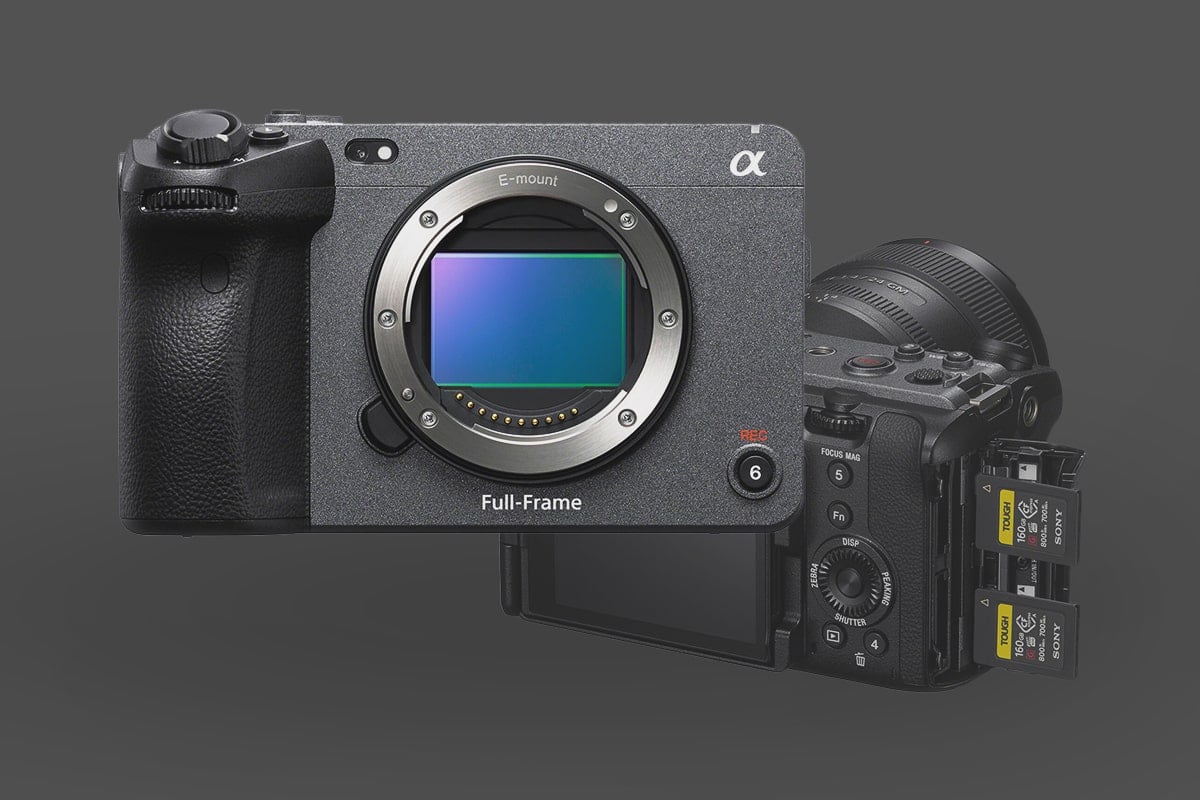
While the FX3 shares its body design with its sibling, the FX30, the full-frame sensor in the FX3 demands a different approach to media handling. Because the FX3 is often used as a primary ‘A-Cam’ for high-bitrate narrative work, choosing a card that supports Full Frame 4K 120p or the high-end 600 Mbps recording rate without thermal throttling is essential. This camera, after all, is Netflix-approved and part of Sony’s professional cinema line.
Since the Sony FX3 supports both CFExpress Type-A and SD Memory cards, I would recommend CFExpress cards for this one.
Table of Contents
Sony FX3 Memory Card Recommendations: Quick Pick
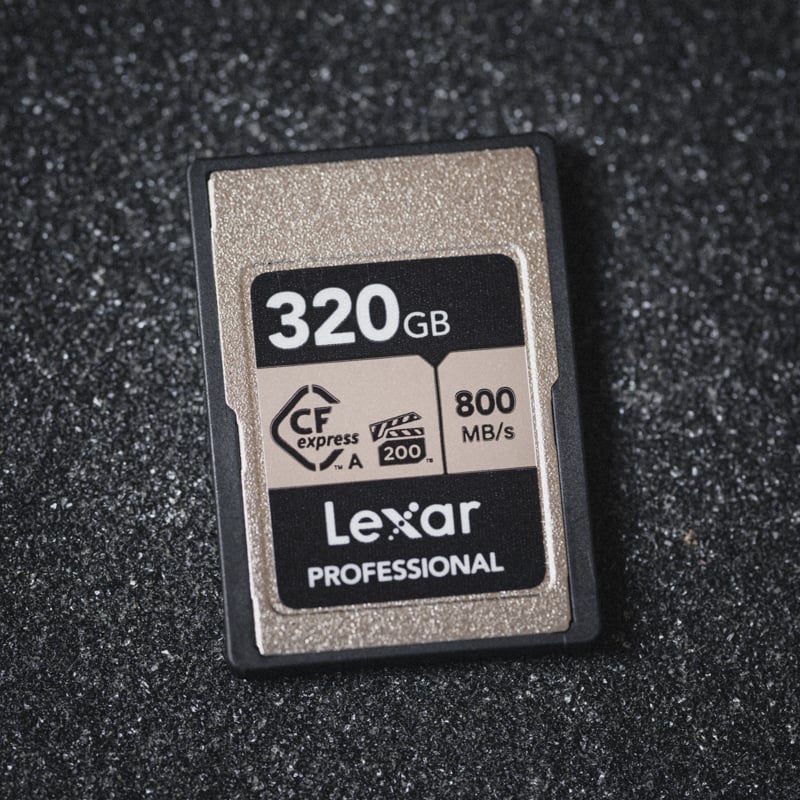
The Lexar Silver Type A is one of the best-value memory cards for the Sony FX3, as it lets you do everything with CFeA cards with a 200MB/s sustained guarantee and is now priced very similarly to UHS-II V90 cards; it might make sense to jump up to these faster cards now.
Also, new CF4.0 Type-A cards have much faster read and write speeds, which can be useful with file transfers. However, pay attention to sustained speeds, as that’s the most important metric for video recording. See all the CFexpress Type-A benchmarks to see how the latest cards perform.
| Recommended For Sony | USB Write | USB Read | Check Price | |
|---|---|---|---|---|
| CFExpress Type-A | Hide | |||
| Sony G Tough CF4.0 240/480/960/1920GB | B&H | |||
| Sony M Tough 960GB | Sony M Tough CFExpress Type-A Review | Amazon / B&H | ||
| Sony G Tough 80/160/320/640GB | Sony G Tough CFExpress Type-A Review | 658 | 847 | Amazon / B&H |
| Lexar Gold 80/160GB/320GB | 825 | 886 | Amazon / B&H | |
| Delkin Black 80GB | 654 | 845 | Amazon / B&H | |
| ProGrade Iridium CF4.0 480-960GB | 1272 | 1532 | Amazon / B&H | |
| Pergear Standard 256GB | Pergear Standard 256GB CFxA Review | 768 | 812 | Amazon |
Why I Recommend CFexpress Type A for the FX3
While the FX3 can take SD cards, I recommend exclusively using CFexpress Type A for professional projects.
CF 4.0 & Post-Production: We are seeing new CF 4.0 cards. While they don’t change how the camera records, they will cut your offload times by 50% if you use a USB4 or Thunderbolt reader. For a professional editor, that time saved is worth the investment.
The Sustained Speed Advantage: Unlike SD cards, which often “dip” in speed during long takes, CFexpress Type A is designed for the heat and data throughput of 600Mbps video.
All-Intra (XAVC S-I): If you want to shoot in the All-Intra codec—which I prefer for its ease of playback in the edit suite—you need a card with a high minimum sustained speed. The Lexar Silver Series is currently the best value here, offering Pro-level speeds at a consumer price point.
UHS-II V90 SD Memory Cards – Like the CFexpress cards, the SD UHS-II V90 cards will also allow you to use all the video modes of the Sony FX3; however, with CFexpress Type-A cards now sometimes being less expensive, these cards don’t make as much sense, and generally, it would be better to either spend a little more on a CFexpress card or go for one of the budget options.
UHS-II V60 SD Memory Cards – If you’re recording in H.265 (XAVC HS), you can use V60 UHS-II memory cards for significant cost savings. However, you will be limited to some of the S&Q slow-motion modes; the regular slow-motion settings will still work fine.
Sony FX3 Specs
| Sensor: 12MP Full-Frame Exmor R BSI CMOS Sensor Processor: BIONZ XR Image Processor Memory Card Slots: 2 UHS-II / 2 CFe A Continuous Shoot: 10fps Est. Buffer Size: — RAW Shots To Fill Buffer: 1000 Frames Max Memory Card Size: Unlimited 4k Datarate: H.265 280Mbps / H.264 600Mbps |
Here is a speed test of the Sony A9 II to see how each UHS-II memory card performs in Sony cameras.
Best Memory Cards For 4k Video
Sony FX3 Video Specs & Recording Modes
With the Sony FX3, various record modes use different codecs. It gets a little complicated, so here is the breakdown.
What’s new on the Sony FX3 compared to older Sony cameras is XAVC HS and XAVC S-I.
Choosing the Right Codec for Your Workflow
As an editor, I often get asked: Should I shoot H.265 (XAVC HS) or H.264 (XAVC S-I)? >
XAVC HS (H.265): This is incredibly efficient, allowing you to fit more footage on cheaper V60 SD cards. However, H.265 is a “heavy” codec for your CPU to decode. If you’re on an older MacBook, expect some stuttering in the timeline.
XAVC S-I (All-Intra): The gold standard for quality. It compresses every frame individually. It requires a faster card (V90 or CFexpress), but it’s much easier for your computer to play back. If you want a smooth editing experience without making proxies, this is your codec.
Multi-Cam Shooters: If you use the FX3 as your A-Cam and the FX30 as your B-Cam, good news: they use the exact same media. You can swap cards freely between bodies. Check out my Sony FX30 Media Compatibility List.
Sony FX3 Recording Specs & Details
Record Limit: Unlimited
Audio File Format: AAC, Linear PCM
|
4k Recording Modes |
Sony FX3 Record Times – Memory Card Capacity
This table shows the different recording modes and the time required for each card size. To get your own numbers, I have to build a bitrate-to-time converter.
| Sony FX3 Record Times | 64GB | 80GB | 128GB | 160GB | 256GB | 512GB |
| 4k | ||||||
| 4k 600Mbps | 75MB/s H.264 | 14min | 18min | 28Min | 36min | 57min | 114min |
| 4k 280Mbps | 35MB/s H.265 | 30min | 38min | 61min | 76min | 122min | 244min |
| 4k 200Mbps | 25MB/s | 43min | 53min | 85min | 107min | 171min | 341min |
Other Guides and Gear Recommendations
Now that your media is sorted, you might want to look into screen protectors or audio gear. I’ve compiled a list of the must-have gear for the Sony FX3 to help you finish building out your kit.
A Note on Lens Choice: If you plan to use the FX3’s ‘Focus Breathing Compensation’ feature, you are limited to specific Sony lenses. However, for standard shooting, you have hundreds of options. Check my Ultimate Sony E-Mount Lens Guide to see which third-party lenses from Sigma or Tamron might offer better value for video work.







Leave a Reply