
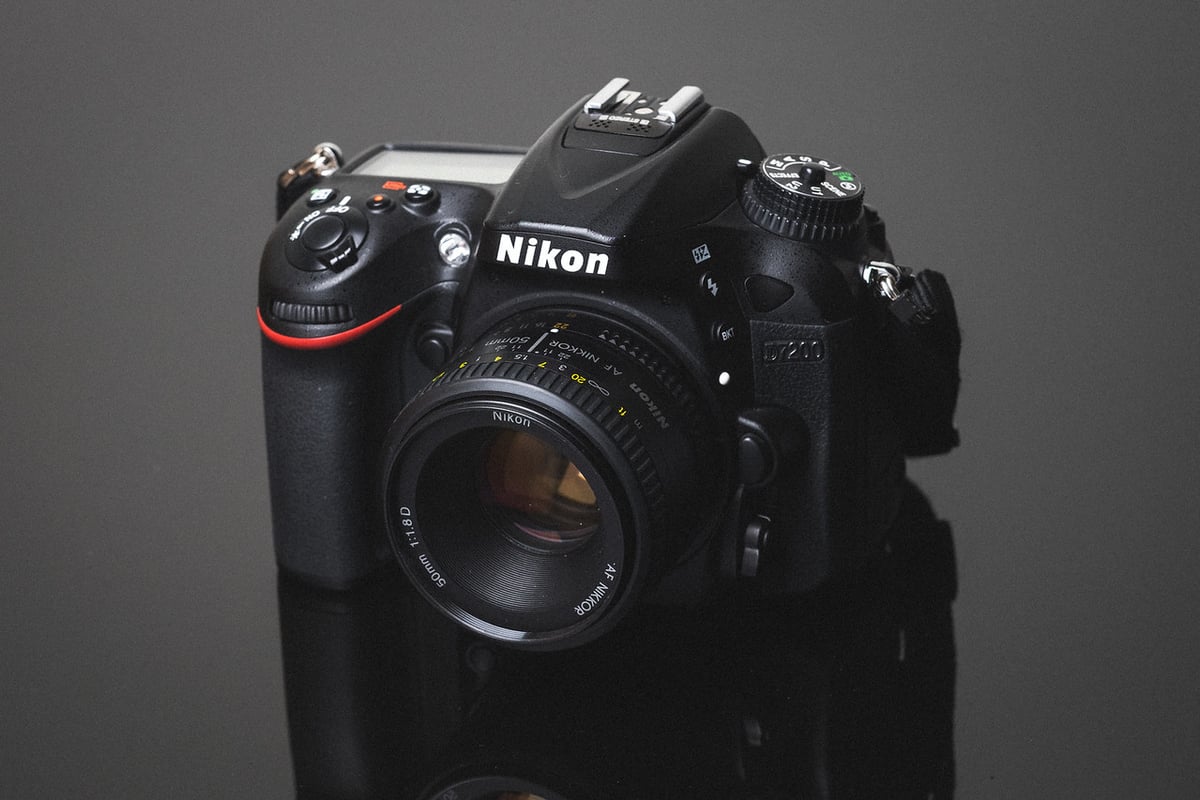
A memory card speed comparison between all the most popular cards in-camera to find the best memory cards for the Nikon D7200.
Nikon D7200 Speed Tests
For the D7200 write speeds; three tests buffer are performed and the average is calculated. Here is a chart that illustrates how each card performs in-camera.

Best Memory Cards Nikon D7200
The top-performing UHS-I memory cards that are still around today are the Kingston and Sandisk Cards. You won’t need UHS-II memory cards for this camera, so stick with these UHS-I memory cards.
Here are the two cards I recommend for the Nikon D7200.
SanDisk Extreme Pro UHS-I 128GB SD Card
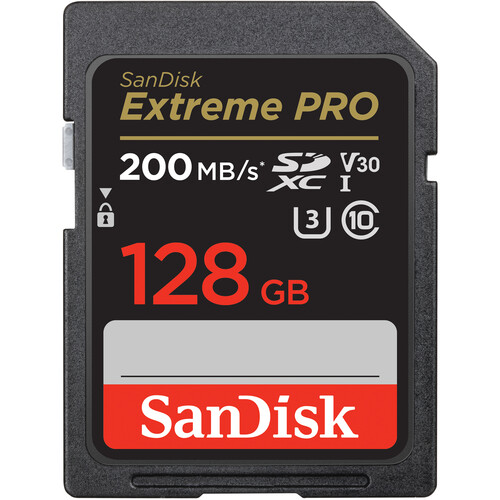
The Sandisk Extreme Pro UHS-I SDXC Memory Card at 128GB is rated with a 90MB/s write speed. The 256GB and larger cards are rated at 140MB/s.
Rated Write Speed: 90MB/s
Rated Read Speed: 200MB/s
Rated Sustain: 30MB/s
Kingston Canvas Go! Plus UHS-I 128GB SD Card
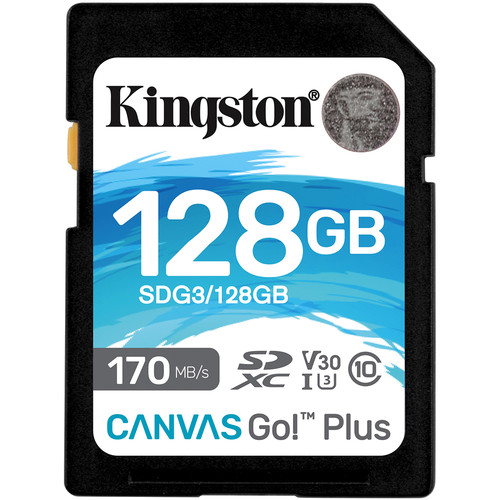
Kingston CanvasGo! Plus SDXC UHS-I SD cards 128GB or higher have a rated write speed of 90MB/s and a rated read speed of 170MB/s.
Rated Write Speed: 90MB/s
Rated Read Speed: 170MB/s
Rated Sustain: 30MB/s
Camera Specs
Sensor: 24.2 MP / No OLP
Processor: EXPEED 4 Image Processor
Continuous: 6fps
Video: 1080p60
The Difference Between SDHC and SDXC
When you see SDHC or SDXC on a memory card, this has to do with how the card uses memory.
SDHC are 32-bit cards while SDXC are 64-bit cards. Typically any card 64GB or higher is going to be SDXC and 32GB cards and lower will be SDHC.
These formats only matter if you’re shooting with Sony cameras and want to take advantage of certain video codecs. Although, recently Sony has been adding support to allow for these codecs to work even in SDHC.
The Difference Between U1 and U3
The U1 and U3 specs on a card have to do with the minimum write speed. It doesn’t mean U3 is faster than U1, it just means that U1 cards are guaranteed to perform at a minimum speed of 10MB/s, and U3 cards are guaranteed to perform at a minimum speed of 30MB/s.
While it looks as though the Nikon D7200 doesn’t perform according to U3 minimum specs, it does get very close when it writes to the card. What we are seeing are other delays involved when processing each shot before transferring. The Nikon D7200 also has an internal bus speed max similar to USB 2.0 speeds which has a cap at around 30MB/s.
Best SD Memory Card Nikon D7200
While not a great performer in terms of memory card write speeds, it’s still a great camera, especially for the average Joe who doesn’t do a lot of burst shooting. Stick with the Sandisk or Kingston cards to maximize that buffer performance and you should have well performing and fun camera.
Dual Card Slots — The D7200’s Advantage
Unlike the D7500 that came after it, the Nikon D7200 has two SD card slots — both UHS-I. This gives you options the D7500 doesn’t: overflow recording (fill slot 1, automatically continue to slot 2), backup recording (both slots recording simultaneously for redundancy), or RAW+JPEG to separate cards. For wedding and event photographers, dual slots were one of the reasons to stick with the D7200 over its successor. Carry two matched cards and set slot 2 as backup — it’s one of the most useful features on a camera at this price point.
What the ~30 MB/s Ceiling Means in Practice
The D7200’s internal bus caps around 30 MB/s regardless of how fast the card is — UHS-II cards offer no in-camera benefit. As the benchmark chart above shows, even the fastest UHS-I cards cluster around the same in-camera write speed. A 24.2MP RAW file from the D7200 is roughly 25–28MB, so at 6fps the buffer fills in just a few seconds of sustained shooting. Recovery time after a full burst is the main variable that changes with card speed — and even there the D7200 is constrained more by its internal bus than card spec.
Can I Use microSD Cards in the Nikon D7200?
The Nikon D7200 uses full-size SD card slots. MicroSD cards work with an adapter, but from experience they can lose connection inside the adapter — I wouldn’t use one for anything critical. See the microSD memory card guide if you need to use one.
Frequently Asked Questions
Does the D7200 support UHS-II cards?
The slots are UHS-I only. UHS-II cards work physically but run at UHS-I speeds. Given the D7200’s internal bus cap at around 30 MB/s, even a mid-range UHS-I card reaches the camera’s performance ceiling. Save the UHS-II budget for a camera that can actually use it.
How should I configure the two card slots?
The most reliable setup for anything important: set slot 1 as primary and slot 2 as backup (simultaneous recording). Both slots write the same images, so if one card fails you lose nothing. For casual shooting, overflow (slot 1 fills then continues to slot 2) is simpler. RAW to slot 1 and JPEG to slot 2 is useful if you need quick-share JPEGs while keeping full RAW files on a separate card.
Does the D7200 shoot 4K video?
No. The D7200 tops out at 1080p60. For video, any U3 UHS-I card handles the D7200’s video bitrates comfortably — this camera was never demanding from a card-speed perspective for video. The bigger consideration for video is using 64GB or larger SDXC cards (not 32GB SDHC) to avoid the 4GB file fragmentation limit on FAT32.













Leave a Reply