
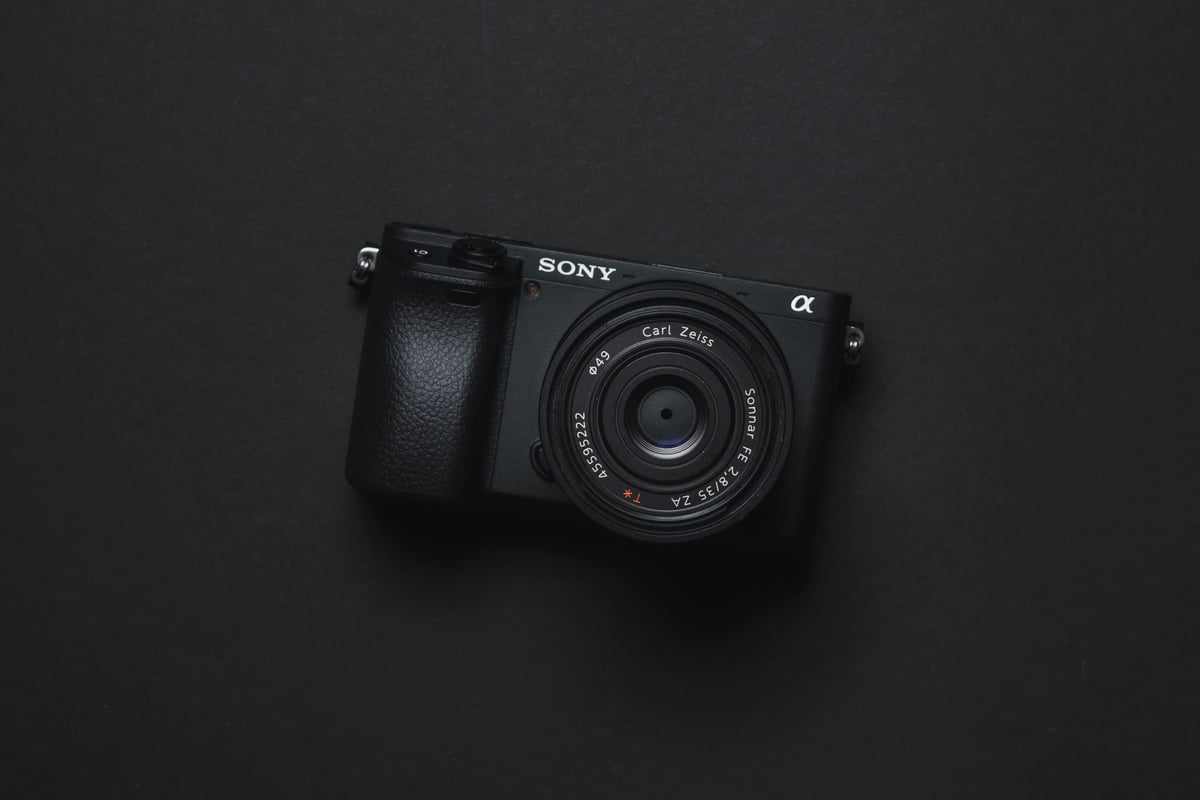
The A6400 has a single UHS-I slot — no UHS-II, no CFexpress, no dual-card setup. And there’s a hardware write cap around 38–39 MB/s that applies regardless of card speed: a V90 UHS-II card running in this slot produces the same in-camera write speed as a basic U3 UHS-I card. The only real benefit of a faster card is USB transfer speed to your computer when offloading. For shooting, any reliable U3 card is all you need. Full camera impressions in the Sony A6400 review.
Recommended Memory Cards Sony A6400
The Sony A6400 does not use UHS-II technology so it’s smarter to spend your money on UHS-I cards but to use 4k video, you will need U3 memory cards.
The Sony A6400 has no limits to the memory card capacity so it will accept cards from 4GB in size up to 1TB. However, you will need SDXC memory cards to take advantage of all the video features of this camera, meaning, you’ll need at minimum a 64GB card.
Like with the Sony A6300 and A6500, we’re noticing a small memory card buffer slowdown of around 38-39MB/s on the Sony A6400. This is either caused by the processor or by some other hardware part.
Because of this, you will not have to buy the quickest memory cards available, but any good memory card will work. Here are some great SD card recommendations for the Sony A6400. A fast UHS-I U3 card from SanDisk, Lexar, or Sony hits the camera’s write cap without paying UHS-II prices. If you have UHS-II cards from another body, they’ll work here at UHS-I speeds — but there’s no reason to buy them specifically for the A6400.
| Recommended SD Cards | Speed Class | USB Write | USB Read | Links |
|---|---|---|---|---|
| SD UHS-II V60 | Hide | |||
| Sony E v60 128GB | UHS-II v60 | 101 | 278 | Amazon / B&H |
| Sony E v30 64GB | UHS-II v30 | 51 | 274 | Amazon / B&H |
| UHS-I U3 | Hide | |||
| Sandisk Extreme Pro 64GB | UHS-I | 137 | 175 | Amazon / B&H |
| Kingston Canvas Go! Plus 256GB-1TB | UHS-I | Amazon / B&H | ||
| Prograde Cobalt CF2.0 165/325/650GB | CFx-B | 1429 | 1029 | Amazon / B&H |
Sony A6400 In-Camera Memory Card Speed Test
This memory card list shows the in-camera speeds, which are measured by how long it takes to empty the buffer compared to how much data was written. Most of the cards have close performance in the Sony A6400, so it doesn’t matter much which card you pick, just get any reliable brand and as long as it is a U3 card, it will work well with Sony cameras.
| Memory Card | Speed Class | USB Read | USB Write | Sony A6400 |
|---|---|---|---|---|
| Sandisk Extreme Pro 170MB/s U3 | UHS-I | 99.2 | 88.3 | 38.67 |
| Sandisk Extreme Plus U3 | UHS-I | 99.3 | 88.2 | 38.46 |
| Sandisk Extreme U3 | UHS-I | 99.3 | 56.8 | 38.75 |
| Sandisk Ultra U1 | UHS-I | 99.5 | 34.3 | 25.95 |
| Kingston CanvasReact A1 U3 | UHS-I | 99.6 | 82.5 | 36.77 |
| Kingston CanvasGo! U3 | UHS-I | 99.6 | 74.0 | 36.93 |
| Lexar 633x U1 | UHS-I | 95.0 | 54.6 | 36.53 |
| Sony Professional U3 | UHS-I | 98.5 | 60.2 | 39.38 |
| Sony U3 94MB/s | UHS-I | 96.7 | 57.5 | 37.84 |
| Sony U3 95MB/s | UHS-I | 96.6 | 85.4 | 37.95 |
| Transcend U3 U3 | UHS-I | 96.7 | 87.8 | 38.42 |
| PNY Elite Performance U3 | UHS-I | 96.7 | 66.9 | 38.65 |
| Delkin Advantage U3 | UHS-I | 99.6 | 78.8 | 37.27 |
| Toshiba Exceria Pro U3 | UHS-I | 97.8 | 74.7 | 39.06 |
| Toshiba Exceria U3 | UHS-I | 97.2 | 29.9 | 28.50 |
| Verbatim Pro+ U3 | UHS-I | 98.5 | 83.7 | 39.36 |
| Verbatim Pro U3 | UHS-I | 96.6 | 68.0 | 36.61 |
| Amplim 667x A1 V30 | UHS-I | 99.6 | 52.2 | 35.99 |
| Sandisk Extreme Pro 300MB/s | UHS-II | 258.5 | 190.5 | 39.28 |
| Lexar 2000x | UHS-II | 258.9 | 201.5 | 38.62 |
| Lexar 1000x | UHS-II | 153.4 | 83.09 | 38.78 |
| Toshiba Exceria Pro | UHS-II | 263.6 | 223.8 | 39.26 |
| Transcend v90 | UHS-II | 258.2 | 164.9 | 38.92 |
| Sony G Tough | UHS-II | 256.8 | 201.0 | 39.59 |
| Sony G | UHS-II | 258.0 | 206.7 | 39.57 |
| Sony M | UHS-II | 253.6 | 91.60 | 39.24 |
| Delkin Power | UHS-II | 257.6 | 191.0 | 39.34 |
| Delkin Prime | UHS-II | 252.8 | 89.1 | 39.13 |
| Fujifilm Elite II | UHS-II | 259.3 | 168.4 | 38.66 |
| Adata V90 | UHS-II | 259.4 | 187.4 | 38.84 |
| Hoodman Steel 2000x | UHS-II | 268.7 | 183.9 | 38.92 |
| Hoodman Steel 1500x | UHS-II | 258.1 | 169.2 | 38.83 |
| ProGrade V90 | UHS-II | 258.2 | 212.8 | 39.03 |
| ProGrade V60 | UHS-II | 166.9 | 105.9 | 38.78 |
| Amplim 1900x V60 | UHS-II | 249.8 | 104.5 | 39.02 |
| Angel Bird V90 | UHS-II | 256.6 | 211.1 | 39.01 |
| Angel Bird V60 | UHS-II | 166.9 | 80.24 | 38.52 |
| FreeTail Evoke Pro V60 | UHS-II | 238.5 | 102.8 | 39.93 |
The chart shows that all the cards have a close performance. We’ve mostly given up on testing U1 memory cards as they do not fit the requirements for 4k in most cameras and the U1 technology is now almost outdated for anyone who wants to use all the features a Sony camera has.
Also, check this guide to see the latest SD memory card speed tests. Or check this guide to Memory Cards for Sony Cameras, to see how other Sony cameras are performing.
Camera SpecsSensor: 24.2MP APS-C Exmor CMOS SensorProcessor: BIONZ X Image Processor Continuous Shooting: 11 fps Memory Card Slots: 1 – UHS-I Buffer Size: 1GB Memory Card Capacity: You can use any size memory card in the Sony A6400. No limit. Shots to Fill Buffer: 50 RAW Est Time To Clear Buffer: 24.5 seconds |
Sony A6400 Best Memory Cards For 4k Video
The Sony A6400 has a light 4k video codec of 100mbps which translates to about 12.5MB/s. Any of the U3 cards will work for video in the Sony A6400 (except Samsung SD cards which have compatibility issues).
You must use a U3 memory card!
When deciding which size memory card is best for video, you should be sure to get an SDXC card which is any card 64GB or larger because these cards use a 64-bit file system that allows you to record clips longer than 4GB. If you go with a 32-bit card, known as SDHC, you will see what’s called chaptering. This is where long clips are broken into 4GB chunks. Sometimes this is good, sometimes this is bad. I actually prefer this on my GoPro Hero 7 where I often have very long clips because it allows me to delete huge chunks of what I don’t need.
Memory Card Codes – What They All Mean
Best Memory Cards Sony A6400 Conclusions
The Sony A6400 is not very picky about memory cards with a 38-39MB/s speed cap and a nice 1GB buffer, so buying memory cards is a lot simpler since most modern cards can match this rate. I wouldn’t get UHS-II cards unless you have another camera that can use that tech, otherwise, I would only get UHS-I cards since they are much cheaper.
Buy from a reliable seller and you won’t have any trouble with fake cards. All of the brands listed (except the two U1 cards I still test) now work well with no issues and Sony firmware keeps improving the stability and reliability of memory card performance.
The A6400 uses a standard SD slot, which means microSD cards work with an adapter. From experience they can lose connection inside the adapter — for anything critical I’d stick to a full-size card. See the microSD memory card guide if you need to use one.
Sony A6400 Memory Card FAQ
Do I need UHS-II cards for the A6400?
No. The A6400 has a single UHS-I slot — UHS-II cards physically fit but run at UHS-I speeds. Save your money for a camera that can actually use UHS-II.
Will a faster card give me better in-camera performance?
Not really. The camera has a hardware write cap around 38–39 MB/s, so cards faster than that see no improvement in write speed or buffer clearing. Faster USB read speeds do help when offloading to your computer, but that’s outside the camera.
Why do V90 and basic U3 cards perform the same here?
The camera’s buffer controller is the bottleneck, not the card. Once any card exceeds the ~39 MB/s threshold, extra speed is unused. The benchmark table above confirms this — nearly every card from Sandisk Extreme to Sony G Tough lands within 1–2 MB/s of each other.
What’s the minimum card size for 4K video?
64GB. The A6400 requires a 64-bit SDXC filesystem to record clips longer than 4GB without chaptering — any card smaller than 64GB uses the 32-bit SDHC format and will split long clips into chunks. For most people 64GB or 128GB covers a full day of shooting.















Leave a Reply