
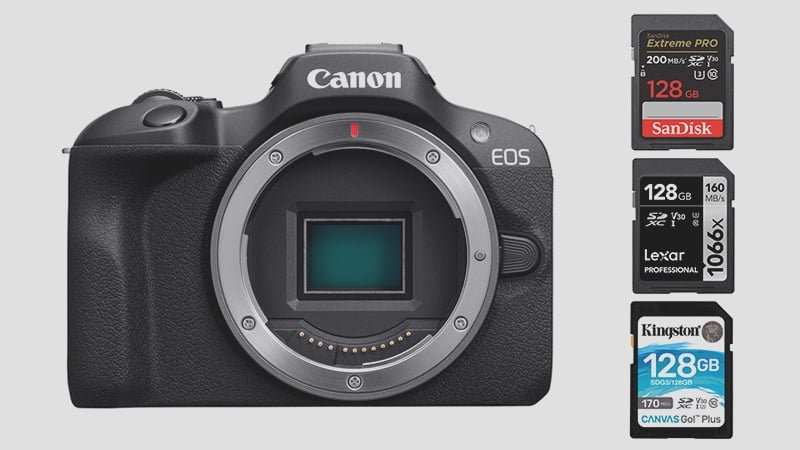
The Canon EOS R100 keeps things simple with a single SD card slot that supports UHS-I V30 or U3 cards. Understanding the camera’s performance limits is key to picking the perfect media.
For stills, the R100 offers a continuous burst speed of 6.5 frames per second (fps). In the video department, it pushes a maximum internal recording bitrate of 120 Mb/s when shooting 8-bit 4K.
Why You Need a U3 Card
Since the 120Mb/s bitrate translates to a required sustained write speed of around 15MB/s, you absolutely must opt for U3 cards, not U1. To avoid dropped frames and ensure reliable video capture, your safest bet is to simply grab the fastest UHS-I U3 SD card you can find.
Recommended Capacity
Given the camera’s 24MP resolution, a 64GB card should be enough unless you frequently fire off long, continuous bursts at 6.5fps or shoot a ton of video.
However, playing it safe with a 128GB card is a wise move for better overall media management. I strongly advise against going below 32GB, as these cards often use an older file structure that can impose strict limits on video recording time. Stick with 64GB or 128GB for the best performance.
Recommended SD Cards For Canon EOS R100
Here are some of the best UHS-I cards for the Canon R100. While you’re setting up the R100, the Canon RF lens list is worth bookmarking for when you’re ready to expand your glass collection.
| Memory Cards | Review Links | USB Write | USB Read | Check Price |
|---|---|---|---|---|
| UHS-I U3 | Hide | |||
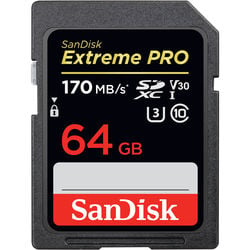
| Sandisk Extreme Pro 64GB | Sandisk Extreme Pro 170 | 137 | 175 | Amazon / B&H |
| Kingston Canvas Go! Plus 256GB-1TB | Amazon / B&H | |||
| Prograde Cobalt CF2.0 165/325/650GB | 1429 | 1029 | Amazon / B&H |
What Size SD Card Should I Get for the Canon EOS R100?
The good news is that the Canon EOS R100 doesn’t set a specific limit on SD card capacity, giving you flexibility.
Your ideal card size ultimately boils down to your personal shooting style and the file format you use.
If your workflow mainly involves shooting compressed RAW or JPEG photos, a reliable 64GB SD card should easily do the trick. However, if you are an avid shooter of 4K video—especially given the camera’s file sizes—you should absolutely consider a larger card for uninterrupted recording and peace of mind. For serious video content creators, a 128GB or even 256GB card is highly recommended.
Canon R100 Camera Specs
Sensor Size: 24.1MP APS-C CMOS Sensor |
Canon R100 Record Times – Memory Card Capacity
Check out the table below to gauge the recording time for various card sizes and modes. For a precise estimate tailored to your specific settings, my handy tool can provide the details – bitrate-calculator.
| Canon R100 Record Times | 64GB | 128GB | 256GB | 512GB |
| 4k | ||||
| 120Mbps | 15MB/s | 71min | 142Min | 284min | 569min |
How Card Speed Actually Affects the R100
At 6.5fps with 24MP JPEG files, the R100’s burst demands are modest by current standards. Based on my in-camera testing of similar Canon APS-C bodies — including the Canon SL3, T6i, and 77D — even a mid-tier UHS-I card clears the buffer quickly enough that you won’t notice speed differences during typical portrait or travel shooting. Where the speed class matters is video: 4K at 120 Mbps requires a minimum sustained write speed of 15 MB/s, and U1 cards can’t reliably guarantee that. U3 (which also covers V30) is the minimum you want.
The R100 slot is UHS-I only. If you insert a UHS-II card, it will work — but it runs at UHS-I speeds, so you’re paying for a spec the camera can’t use. Stick with the fastest UHS-I U3 cards and you’ve covered everything the R100 can actually do.
Can I Use a microSD Card in the Canon R100?
The R100 uses a full-size SD card slot. MicroSD cards work with an adapter, but from experience they can lose connection inside the adapter — I wouldn’t use one for anything critical. See the microSD memory card guide if you need to use one.
Frequently Asked Questions
Will a UHS-II card make my R100 faster?
No. The Canon R100 only supports UHS-I, so a UHS-II card inserted into the slot will operate at UHS-I speeds. You’ll get no benefit from the UHS-II bus and just pay a premium for it. Buy a good UHS-I U3 card instead.
Do I need a V60 or V90 card for the R100?
No. V60 and V90 are UHS-II ratings designed for cameras that can actually use that speed — the R100 is a UHS-I camera. The relevant rating here is V30 (or equivalently U3), which guarantees 30 MB/s sustained write speed. That’s more than enough to cover the R100’s 15 MB/s 4K requirement with headroom to spare.
What’s the fastest SD card for the R100?
On a UHS-I camera, the practical ceiling for real-world write speed is around 90–95 MB/s regardless of what the card is rated for. Cards like the SanDisk Extreme Pro (170 MB/s read) or Lexar Professional 1066x perform at the top of what UHS-I can deliver. That said, the R100 won’t fully saturate even a mid-range UHS-I card for stills — any U3 card from a reputable brand covers everything this camera needs.
What card size should I use for 4K video?
At 120 Mbps, a 64GB card gives you about 71 minutes of 4K recording — plenty for most sessions. If you’re shooting all day or mixing 4K with continuous burst stills, go to 128GB. There’s rarely a reason to go above 256GB on a camera at this level; multiple smaller cards give you better redundancy if one fails.













Leave a Reply