
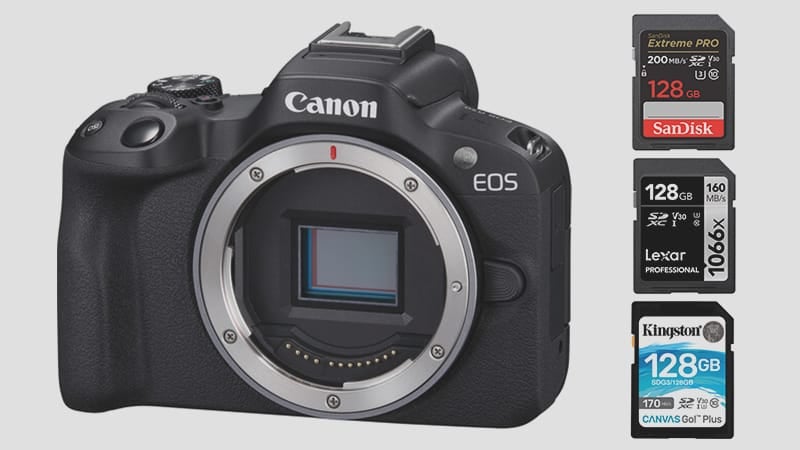
The Canon R50 keeps it simple with a single SD card slot supporting UHS-I V30 or U3 cards.
Regarding photos, the R50 bursts at 15fps, and for video, it hits a max internal recording bitrate of 180Mb/s at 8-bit 4k, running at around 22.5MB/s. So, for video, go for U3 cards, not U1.
It’s pretty straightforward; grab the best UHS-I memory card you can find.
Since the camera is 24MP, unless you’re using continuous bursts at 15fps frequently or shooting a lot of video, a card around 64GB should be fine, but I’d recommend playing it safe with a 128GB card anyway.
Recommended SD Cards For The Canon EOS R50
Check out these top-performing UHS-I cards for the Canon R50.
| Memory Cards | Review Links | USB Write | USB Read | Check Price |
|---|---|---|---|---|
| UHS-I U3 | Hide | |||
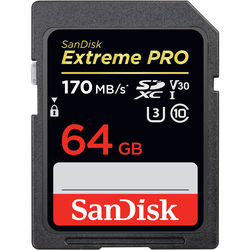
| Sandisk Extreme Pro 64GB | Sandisk Extreme Pro 170 | 137 | 175 | Amazon / B&H |
| Kingston Canvas Go! Plus 256GB-1TB | Amazon / B&H | |||
| Prograde Cobalt CF2.0 165/325/650GB | 1429 | 1029 | Amazon / B&H |
Also, check out the Canon RF Lenses I keep a list of everything available.
Canon EOS R50 Capacity
The Canon R50 does not have a specific limit on the size of SD cards it can use.
However, the size of the card depends on how much you plan to shoot and what format you use.
For example, if you shoot mostly photos in compressed RAW or especially JPEG format, a 64 GB card may be enough for you. But if you shoot a lot of videos in 4K resolution, you may need a larger card, such as 256 GB or 512 GB.
A 1 TB card may be too much for most users unless you shoot very frequently and do not transfer your files often. I usually take a year to fill up a 1 TB hard drive with photos, and I shoot a lot.
Canon R50 Camera Specs
Sensor Size: 24.2MP APS-C CMOS Sensor |
Canon EOS R50 Record Times – Memory Card Capacity
You can see how much recording time you can get with different card sizes and modes in the table below. If you want to know how long your card will last for your specific settings, you can use my trusty bitrate-to-time converter.
| Canon R50 Record Times | 64GB | 128GB | 256GB | 512GB |
| 4k | ||||
| 180Mbps | 22.5MB/s | 47min | 95Min | 190min | 379min |
In-Camera Write Speeds — What to Expect
The R50’s UHS-I slot caps in-camera write speeds at roughly 45–60 MB/s for the fastest UHS-I cards. That ceiling is imposed by the interface, not the cards — a V90 UHS-II card will write at the same speed as a good U3 UHS-I card here, so there’s no reason to spend on UHS-II for this camera.
For 4K video at 180 Mbps (22.5 MB/s), any U3 or V30 card clears the minimum write speed requirement with headroom to spare. The speed difference between cards shows up mainly in burst recovery — how long you wait after a burst sequence before the buffer is clear and you can fire again. At 15fps with 24MP files, faster UHS-I cards recover meaningfully quicker than slow ones.
Cards to look for: U3 or V30 speed class from a reputable brand. SanDisk Extreme Pro, Lexar Silver Plus, and Kingston Canvas React are consistent top performers in UHS-I cameras. Cards to avoid: anything rated U1 or plain Class 10 without a U3/V30 marking — they’ll work for stills but struggle with 4K and slow down burst recovery noticeably.
The R50 does not officially support UHS-II, and there’s no unofficial workaround — the slot is electrically UHS-I only. Buy accordingly.
How Card Speed Affects the R50 in Practice
The R50 is an entry-level body but its 15fps burst rate at 24MP produces a real buffer load. Based on my in-camera testing of similar Canon APS-C bodies — including the Canon SL3, T6i, and 77D — UHS-I cameras in this class top out at around 45–55 MB/s write speed in-camera, regardless of how fast the card is rated on the box. The limiting factor is the camera’s interface, not the card.
In practice, this means there’s a noticeable difference between a slow U1 card and a fast U3 card in burst mode. A U1 card running at 20–25 MB/s will leave you waiting several extra seconds after a burst before the buffer clears. A fast U3 card in the 50–60 MB/s range clears it in roughly half the time. For 4K video at 180 Mbps (22.5 MB/s), even mid-range U3 cards have no trouble keeping up — the bitrate is well within what any U3 card can sustain.
Can I Use a MicroSD Card in the Canon R50?
The R50 uses a full-size SD card slot. MicroSD cards work with an adapter, but from experience they can lose connection inside the adapter — I wouldn’t use one for anything critical. See the microSD memory card guide if you need to use one.
Frequently Asked Questions
Does the Canon R50 support UHS-II memory cards?
No. The R50 has a single UHS-I slot. UHS-II cards will work physically but are throttled to UHS-I speeds — you get no performance benefit. Buy a fast UHS-I U3 card and save the UHS-II premium for a camera that can actually use it.
What size memory card should I get for the R50?
For stills or mixed shooting, 128GB covers most people comfortably. At the R50’s compressed RAW size (roughly 20–25MB per file), a 128GB card holds around 5,000 images. For 4K video at 180 Mbps, 128GB gives approximately 95 minutes of recording. If you shoot long 4K sessions, step up to 256GB.
What is the fastest memory card for the Canon R50?
Any UHS-I U3 card from SanDisk, Lexar, or Kingston will max out the R50’s interface. The SanDisk Extreme Pro, Lexar Silver Plus, and Kingston Canvas React Plus consistently hit the 50–60 MB/s in-camera ceiling across the Canon UHS-I bodies I’ve tested. Beyond that, you’re paying for speed the camera can’t use.
Do I need a V30 card for 4K video on the R50?
Yes — V30 or U3 is the minimum for 4K at 180 Mbps. V30 guarantees 30 MB/s sustained write, and 180 Mbps translates to 22.5 MB/s, so V30 clears the requirement with headroom. U1 cards only guarantee 10 MB/s and can struggle with sustained 4K recording, particularly in longer clips.













Leave a Reply