
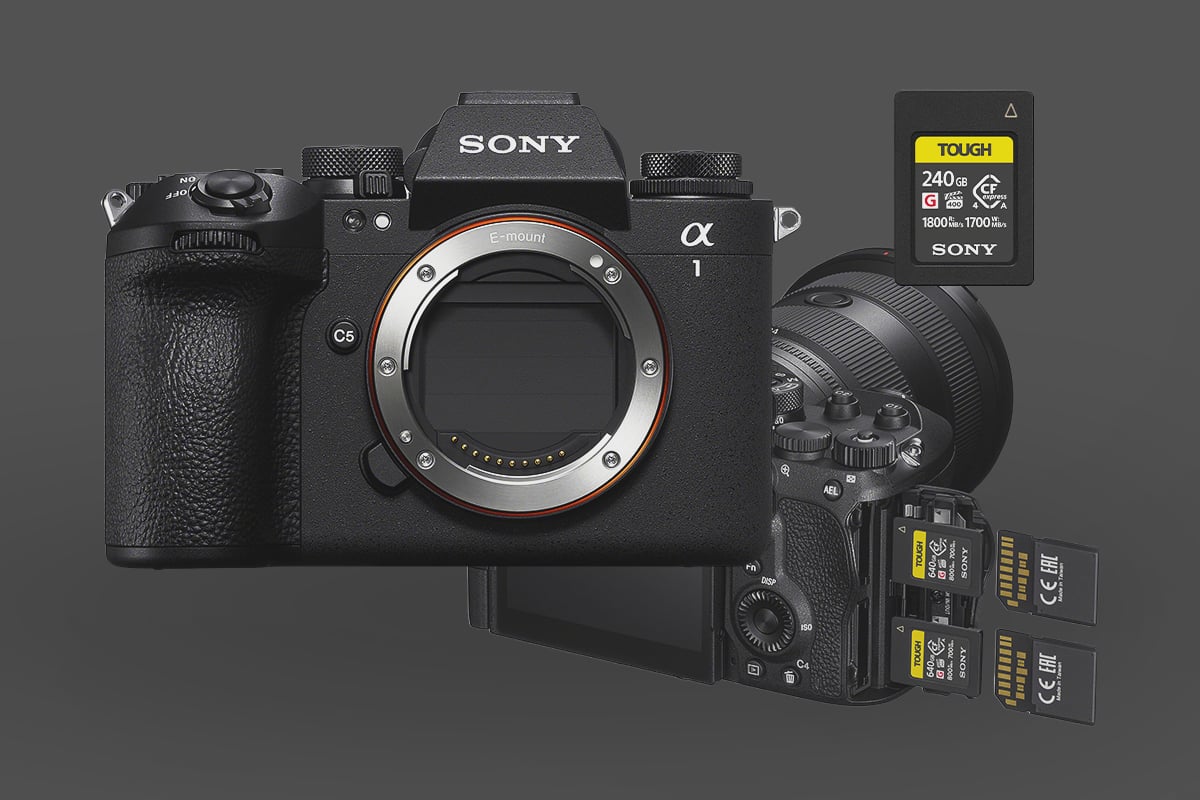
The A1 II is Sony’s current flagship — 50MP stacked sensor, 30fps electronic shutter, 8K video, and dual slots that each accept CFexpress Type A or UHS-II SD in either position. The 7GB buffer holds around 155 frames at full speed before it fills — roughly 5 seconds of continuous shooting. CFexpress clears that buffer about twice as fast as V90 UHS-II SD, and at current pricing, there’s no meaningful cost reason to pick V90 for new purchases. One thing worth knowing up front: the A1 II’s interface runs at PCIe Gen 3 (CFexpress 2.0 speeds), so CFexpress 4.0 cards won’t write faster in-camera — but they will offload to your computer significantly faster if you have a 4.0-compatible card reader.
Quick Recommendations
- Best Overall Performance: Sony G Tough CFexpress Type A (4.0) – The official choice. Reliable VPG400 rating and future-proof speeds.
- Best Value: Sony M Tough CFexpress Type-A – Excellent price-to-performance ratio for general use.
- Best for Casual Photographers (Budget): Sony M Tough V60 SD Cards – Sufficient for standard shooting, though buffer clearing will be slower. Also great for H. 265 Video Codecs.
- Video Requirement: You must use a CFexpress Type A card (VPG200+) for high-bitrate Slow & Quick (S&Q) modes.
Recommended Memory Cards Sony A1 II
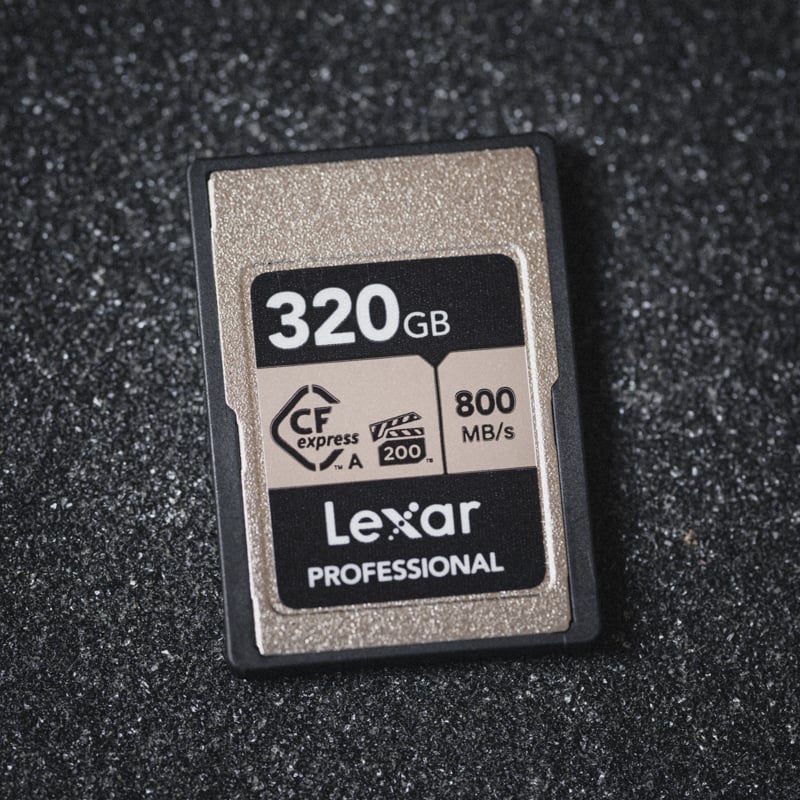
For the professional using the a1 II for sports or action, CFexpress Type A cards are non-negotiable for maximum performance. They deliver the faster sustained write speeds necessary to keep up with the camera’s massive data flow.
While advanced hobbyists can certainly use a UHS-II V90 SD card, you will notice a difference. V90 cards allow you to use all the camera’s features, but they won’t clear the buffer as quickly after a long burst. This difference in buffer clearance speed is the main reason to step up to CFexpress Type A.
Given the increasingly competitive pricing of CFexpress Type-A cards compared to premium UHS-II V90 SD options, I strongly recommend outfitting your Sony a1 II with CFexpress Type-A for the best performance-to-cost ratio.
| Recommended For Sony | USB Write | USB Read | Check Price | |
|---|---|---|---|---|
| CFExpress Type-A | Hide | |||
| Sony G Tough CF4.0 240/480/960/1920GB | 1552 | 1614 | Amazon / B&H | |
| Sony M Tough 960GB | Sony M Tough CFExpress Type-A Review | Amazon / B&H | ||
| Lexar Gold 80/160GB/320GB | 781 | 816 | Amazon / B&H | |
| Delkin Black 80GB | 602 | 805 | Amazon / B&H | |
| ProGrade Iridium CF4.0 480-960GB | 1502 | 1616 | Amazon / B&H |
CFexpress 4.0 vs 2.0 on the Sony A1 II
There is a lot of confusion regarding the new CFexpress 4.0 standard. Here is the technical reality you need to know before buying.
1. The Camera Bottleneck The Sony A1 II hardware uses a PCIe Gen 3 interface (CFexpress 2.0 standard). While it is physically compatible with the newer, faster CFexpress 4.0 cards, the camera cannot utilize their maximum speeds. It will “down-throttle” any 4.0 card to 2.0 speeds (approx. 700-900 MB/s max).
2. Why Buy 4.0 Cards Then? Even though the camera can’t shoot faster with them, your computer can read them faster. If you use a CFexpress 4.0 Card Reader, you can offload footage to your computer at speeds up to 1850 MB/s—literally twice as fast as older cards. For photographers moving hundreds of gigabytes of 50MP RAW files, this workflow advantage is massive.
Verdict: Buy CFexpress 4.0 cards for future-proofing and faster offloading, not for in-camera burst performance.
Best SD UHS-II Memory Cards
Photographers must factor in current market costs. CFexpress Type A cards now deliver substantially higher read and write speeds, yet are often priced competitively—frequently matching or even undercutting the cost of V90 cards. This shift in value makes the significantly faster CFexpress format the more logical primary media for maximizing the A1 II’s capabilities.
If, for some reason, you need SD cards, here are some of the best options.
| Recommended For Sony | Review Links | USB Write | USB Read | Check Price |
|---|---|---|---|---|
| SD UHS-II V90 | Hide | |||
| SD UHS-II V60 | Hide | |||
| Lexar ARMOR Gold V60 256GB-1TB | 179 | 252 | Amazon / B&H | |
| Kingston Canvas React Plus V60 128GB | 101 | 276 | Amazon | |
| Sony M Tough V60 64-512GB | Sony M V60 UHS-II Review | 155 | 277 | Amazon / B&H |
| Sony E v60 256GB | Sony E Series V60 256GB Review | 183 | 275 | Amazon / B&H |
Buffer Performance: CFexpress vs. UHS-II
The performance difference between the two card formats is most apparent during intensive burst shooting. CFexpress Type A can clear the shooting buffer approximately two to two-and-a-half times faster than the fastest UHS-II memory cards.
My Sony A1 In-camera benchmarking confirms this significant speed gap. With a top-tier Sony CFexpress Type A card, measured in-camera write speeds are typically around 600 MB/s. By contrast, the fastest UHS-II V90 cards usually max out at an in-camera write speed of approximately 250 MB/s; this massive difference is critical, directly impacting your ability to shoot long, uninterrupted bursts of high-resolution compressed or uncompressed RAW files.
Video Compatibility: When V90 is Enough
For video recording on the Sony A1 II, UHS-II V90 cards offer excellent compatibility for the most popular modes.
- A V90 rating guarantees a minimum sustained write speed of 90 MB/s, which is sufficient for high-bitrate codecs like the 600 Mbps XAVC S-I 4K (which equates to 75 MB/s).
- Therefore, UHS-II V90 cards will work for all standard video recording, including 600 Mbps H.264 (XAVC S-I) and most S&Q (Slow & Quick) slow-motion modes.
Note on Extremes: Only the absolute highest bitrate or most demanding S&Q settings (such as 4K 120fps XAVC S-I in some configurations) may require a CFexpress Type A card for maximum quality, but the V90 card handles the vast majority of video options.
Camera Specs Related To Memory Card Performance
| Sensor: 50MP Full-Frame, Exmor RS BSI CMOS Processor: BIONZ XR Image Processor Memory Card Slots: 2 UHS-II / 2 CFe A Continuous Shoot Electronic: 30fps Continuous Shoot Mechanical: 10fps Est. Buffer Size: 7GB RAW Shots To Fill Buffer: 155 Frames @ 30fps Max Memory Card Capacity: Unlimited 4k Datarate: H.265 280Mbps / H.264 600Mbps 8k Datarate: H.265 520Mbps / No 8k With H.264 |
Dual-Slot Strategy: Performance vs. Redundancy
The Sony A1 II’s dual-slot capability provides critical redundancy (simultaneous backup) but introduces a major performance bottleneck when the cards are mismatched.
The Bottleneck of Mismatched Cards
When you set the camera to record to both slots simultaneously for backup (e.g., RAW to Slot 1 and RAW to Slot 2), the entire system’s write speed is limited by the slower card in the pair.
- If you pair a fast CFexpress Type A card with a slower card, even a high-end UHS-II card, the slower card will bottleneck the camera’s performance. You will lose the buffer-clearing speed advantage of the CFexpress card.
- The clear advice is: If you require backup/redundancy without sacrificing burst performance, you must purchase and use two cards with the same speed rating (i.e., two CFexpress Type A cards).
RAW + JPEG and Performance
Using a slower card in Slot 2 to record smaller files, such as JPEGs (while Slot 1 records RAW), will still incur a performance penalty.
Though JPEGs are smaller than RAW files, the camera’s processor still allocates resources to generating and writing the JPEG simultaneously, resulting in a minor but noticeable slowdown in overall system performance. To maintain maximum speed and redundancy, it is always recommended to utilize a RAW + RAW setup with identical, high-speed cards in both slots.
Sony A1 II Memory Card FAQ
Do CFexpress 4.0 cards work in the Sony A1 II?
Yes — CFexpress 4.0 cards are backward compatible and work in the A1 II. The camera’s PCIe Gen 3 interface means in-camera write speeds cap at roughly 700–900 MB/s regardless of card generation, so a 4.0 card won’t shoot faster than a 2.0 card in this body. The benefit shows up at offload: paired with a CFexpress 4.0 card reader, you can transfer to your computer at up to 1850 MB/s — roughly twice as fast as a 2.0 card. If you’re moving hundreds of gigabytes of 50MP RAW files per shoot, that workflow gain is real.
How big is the A1 II buffer and how fast does it clear?
The A1 II buffer is approximately 7GB, holding around 155 uncompressed RAW frames at 30fps — about 5 seconds of continuous shooting before slowdown. With CFexpress Type A, the buffer clears at roughly 600 MB/s in-camera; with V90 UHS-II SD, roughly 250 MB/s. After a 5-second burst, CFxA has the buffer ready again in a few seconds; V90 takes noticeably longer. For sports and action, that recovery time is the main reason to use CFexpress over V90 SD.
Can I use the same cards in both the A1 and A1 II?
Yes — any CFexpress Type A or UHS-II SD card that works in the original A1 also works in the A1 II. The slot format is identical. The practical difference is that the A1 II accepts CFexpress 4.0 cards (the original A1 supports 2.0 only), so 4.0 cards in the A1 II will offer faster offload speeds with a compatible reader. For in-camera performance, cards are interchangeable between the two bodies.
Which modes on the A1 II require CFexpress Type A?
The highest-bitrate S&Q modes — particularly 4K 120fps XAVC S-I — require CFexpress Type A. V90 UHS-II SD handles most standard video, including 600Mbps H.264 and 280Mbps H.265 at normal frame rates. For 8K recording (520Mbps H.265), CFexpress is the safer choice; V90 SD may not sustain extended 8K recording reliably under load.










Leave a Reply