We use minimal analytics to improve the site. Is that okay?

Alik Griffin
San Clemente Sunset
Subscription Form
  • Reviews
    • Accessory Reviews
    • Calculators
      • Video Data Rate Calculator | Record Time Calculator
      • Diffraction Calculator
      • DoF Calculator | Lens Equivalent
      • Shutter Speed to Shutter Angle Calculator
    • Camera Reviews
    • Lens Reviews
    • Memory Cards Recommendations
      • Fastests SD Memory Cards
      • Fastest MicroSD Cards
      • Fastest CFExpress Type-B Card
      • Fastest CFExpress Type-A Cards
      • Best CFast Memory Card
    • List of Mics
      • Best Streaming & Podcast Mics
  • Camera Guides
    • List of all Blackmagic Cameras
    • List Of all Canon RF Cameras
    • List of all Fujifilm Cameras
    • List of all Nikon Z Cameras
    • List of all Panasonic Cameras
    • List Of all Sony E Cameras
  • List of Lenses
    • Canon RF Lenses
    • Fujifilm GFX Lenses
    • Fujifilm XF Lenses
    • L-Mount Lenses
    • Leica M Lenses
    • Micro Four Thirds Lenses
    • Nikon Z Lenses
    • PL Mount Cine Lenses
    • Sony E Lenses (FE and APS-C)
  • Store
  • My account
Alik Griffin
Alik Griffin
  • Reviews
    • Accessory Reviews
    • Calculators
      • Video Data Rate Calculator | Record Time Calculator
      • Diffraction Calculator
      • DoF Calculator | Lens Equivalent
      • Shutter Speed to Shutter Angle Calculator
    • Camera Reviews
    • Lens Reviews
    • Memory Cards Recommendations
      • Fastests SD Memory Cards
      • Fastest MicroSD Cards
      • Fastest CFExpress Type-B Card
      • Fastest CFExpress Type-A Cards
      • Best CFast Memory Card
    • List of Mics
      • Best Streaming & Podcast Mics
  • Camera Guides
    • List of all Blackmagic Cameras
    • List Of all Canon RF Cameras
    • List of all Fujifilm Cameras
    • List of all Nikon Z Cameras
    • List of all Panasonic Cameras
    • List Of all Sony E Cameras
  • List of Lenses
    • Canon RF Lenses
    • Fujifilm GFX Lenses
    • Fujifilm XF Lenses
    • L-Mount Lenses
    • Leica M Lenses
    • Micro Four Thirds Lenses
    • Nikon Z Lenses
    • PL Mount Cine Lenses
    • Sony E Lenses (FE and APS-C)
  • Store
  • My account
  • Pure Cinema
    Viltrox TCL-X100VI Review | A Budget-Friendly 50mm Upgrade
    • February 21, 2026
  • Thypoch Simera 75mm f1.4 Review
    Thypoch Simera 75mm f1.4 Review & Sample Photos
    • February 18, 2026
  • Kakurajima View
    Viltrox WCL-X100VI Review | A Budget-Friendly 28mm Upgrade
    • February 17, 2026
  • Viltrox 9mm f2.8 Air Review
    Viltrox 9mm f2.8 AIR Review & Sample Photos
    • February 18, 2026
  • Biker Bro
    Viltrox Spark Z3 Flash – Review & Sample Photos
    • February 16, 2026
  • Pure Cinema

    Viltrox TCL-X100VI Review | A Budget-Friendly 50mm Upgrade

    View Post
  • Thypoch Simera 75mm f1.4 Review

    Thypoch Simera 75mm f1.4 Review & Sample Photos

    View Post
  • Kakurajima View

    Viltrox WCL-X100VI Review | A Budget-Friendly 28mm Upgrade

    View Post
Trending Posts
  • Nikon Zf Official Announcement 1
    Nikon Zf – The Fujifilm Killer?
    • February 18, 2026
  • Nikon Z 50mm f1.8 S Lens Review 2
    Nikon Z 50mm f1.8 S Lens Review & Sample Photos
    • February 18, 2026
  • Kamlan 50mm f1.1 II Product Shot 3
    Kamlan 50mm f1.1 II Review & Sample Photos
    • January 18, 2025
0
  • Memory Card Buffer Tests

Recommended SD Cards Canon R10

  • Alik Griffin
  • April 22, 2025
  • No comments

This website contains affiliate links. We will earn a small commission on purchases made through these links. Some of the links used in these articles will direct you to Amazon. As an Amazon Associate, I earn from qualifying purchases.

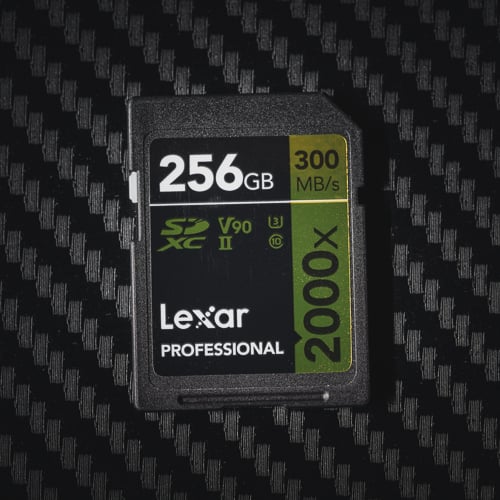
Lexar 2000x 256GB SD V90 UHS-II Memory Card

The Canon R10 supports a single SD card slot compatible with SD/SDHC/SDXC and UHS-I/UHS-II cards. The choice of memory card affects the camera’s performance, especially in high-speed shooting and 4K video recording. UHS-II cards are recommended for faster read and write speeds, which is essential for handling the camera’s high data rates.

Canon R10 – Amazon / B&H

Memory Cards For The Canon R10 – All You Need To Know

The R10 can have a continuous burst speed of 23fps, so a fast memory UHS-II V90 memory card will be useful when shooting at these high frame rates. If you often shoot with high frame rates, consider a v90 memory card.

Otherwise, you can use SD UHS-II V60 cards just fine for casual shooting and videography.

In the video modes, it hits a max internal recording bitrate of 340Mb/s for 4K, which translates to around 42.5MB/s. This would require only a v60 card, but this is in the 4K mode with the crop. The standard 4K recording tops at 170Mbps, where a U3 UHS-I card can work. So, for video, lean towards v60 cards rather than UHS-I U3 cards so you can still access all the video features if needed.

Recommended SD Cards For Canon EOS R10

While v90 UHS-II SD cards are the fastest memory cards for the Canon R10, they might be overkill, depending on how you use the camera.

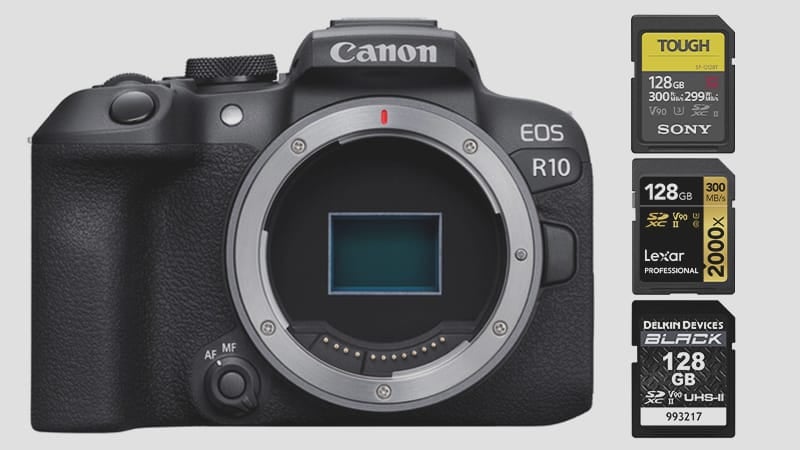
If you have some cash and don’t mind having the best SD cards for this camera, some of my favorites are the Lexar 2000x V90 cards, Sandisk Extreme Pro, and the Kingston v90 card. The Sony Tough cards can sometimes be a tight fit, and they don’t have a write protect switch, but the tough build is nice, and these cards are less likely to break over time.

I didn’t put the Sandisk v90 card on the list because mine has been giving me issues lately, but it should be fine. I just got unlucky with a bad card, so for most people, it works great.

For V60 cards, I like the Lexar 1800x and the Sandisk Extreme Pro V60 cards; these cards perform fantastic.

If you want to know how most of these cards perform in a Canon camera, check out the Canon R6 II memory card benchmarks. I tested 34 different cards with that camera. The Canon R8 is another camera I benchmarked as well.

Here are some best-performing cards that will work great in the Canon R10.

SD Memory Card RecommendationsReview LinksUSB WriteUSB ReadCheck Price
SD UHS-II V90Hide
Sandisk Extreme Pro V90 32-512GBSandisk Extreme Pro V90 UHS-II Review268293Amazon / B&H
Sony G Tough v90 32-256GBSony G Tough V90 UHS-II Review258296Amazon / B&H
Delkin Black v90 64/128/256GB253278B&H
Delkin Power v90 64/128/256GBDelkin Power v90240275Amazon / B&H
Adata Premier ONE v90 64/128/256GBAdata v90229268Amazon
Amplim 2000x V90 32-128GB275287Amazon
Kingston Canvas React V90 32-256GBKingston Canvas React Plus V90274292Amazon / B&H
Kodak V90 32/64/128GB260272Amazon
SD UHS-II V60Hide
Sandisk Extreme Pro v60 256/512/1TB189279Amazon / B&H
Lexar ARMOR Gold V90 256GB-1TB191258Amazon / B&H

Canon R10 Capacity

The Canon R10 does not have a specific limit on SD card capacity. You can use a 32GB card or a 1TB card. However, remember that any memory card under 64GB will use a 32-bit file structure, and all your video files will get chaptered into 4GB chunks.

If your focus is mainly on compressed RAW or JPEG photos, a 128GB card should suffice. However, for enthusiasts capturing extensive 4K videos, opting for a higher capacity card, like 256GB or 512GB, might be the way to go.

Canon R10 Camera Information


Sensor Size: 24.2MP APS-C CMOS Sensor
SD Card Slot: Single UHS-II
Maximum SD Card Size / Memory Card Capacity: No restrictions
Estimated Buffer Size: untested
Video Bitrate: Canon R10 has a bitrate of up to 340Mbps internally.
Video Resolution: 4k up to 60p, 1080p up to 100fps

Canon EOS R10 Record Times – Memory Card Capacity

Check out the table below to gauge the recording time for various card sizes and modes. For a precise estimate tailored to your specific settings, my handy tool can provide the details – bitrate-calculator.

While the Canon R10 can shoot 340Mbps with the cropped 4k modes, most people will likely use standard bitrate at 170Mbps.

It also has a 470Mbps, which is produced for timelapse.

Canon R10 Record Times64GB128GB256GB512GB
4k    
340Mbps | 42.5MB/s24min50min100min201min
170Mbps | 21.25MB/s50min100Min201min402min

5 Tips For Getting The Most Out Of Your Memory Cards

  1. You don’t need to buy the fastest memory cards unless you need that bleeding-edge performance. V60 cards like the Sandisk Extreme Pro v60 and the Lexar 1800x perform very close to v90 cards and are significantly less expensive. You won’t notice the difference in the real world.
  2. Make sure your minimum speed matches the video codec you’re shooting in. If you’re shooting at 340Mbps, you’ll need a V60 card at minimum. V60 cards guarantee sustained speeds of 60MB/s, whereas U3 cards only guarantee 30MB/s. With 340Mbps running at 42.5 MB/s, you’ll need a V60 card.
  3. Keep your cards clean. If one of the pins is dirty and doesn’t make a good connection with the camera, the cards might run only at UHS-I speeds.
  4. When you first buy your cards, fill them to max capacity with some video. Make sure they hit close to their rated capacity or the number written on the card. A 128GB card will never let you fill it to 128, but it should get within around 10GB of that rated capacity.
  5. As cards age, the plastic tends to become brittle. After a few years, be a little more careful about handling them, as the ribs around the pins often break off, or the cards themselves can break in half.


0
0
0
0
0
Alik Griffin

A professional video editor, and photographer with a Bachelors in Film studies from UCSD. Based in Los Angeles, I have created commercials, trailers, and other video content for various clients and platforms since 2005. I also love to write about my passions and share my insights on my blog.

Related Topics
  • Canon
  • Canon R10
  • Memory Card Speed Tests
Previous Article
Best Memory Card Canon R100
  • Memory Card Buffer Tests

Best Memory Cards For Canon R100

  • Alik Griffin
  • October 23, 2025
View Post
Next Article
Memory Cards Canon C70
  • Memory Card Buffer Tests

Best Memory Card Canon C70

  • Alik Griffin
  • August 28, 2024
View Post

Subscribe

Subscribe now to our newsletter

You May Also Like
Ricoh GRIV Memory Cards
View Post
  • Memory Card Buffer Tests
  • MicroSD Memory Cards

Ricoh GRIV – Best Memory Cards & Recommendations

  • Alik Griffin
  • January 30, 2026
  • No comments
Canon R6 III Memory Cards
View Post
  • Memory Card Buffer Tests
  • Memory Cards Recommendations

Recommended Memory Cards Canon R6 III

  • Alik Griffin
  • November 24, 2025
  • No comments
Panasonic S9 Memory Card Guide
View Post
  • Memory Card Buffer Tests

Best Memory Cards For Panasonic S9 – Real Benchmarks

  • Alik Griffin
  • March 9, 2025
  • No comments
Best Panasonic GH7 Memory Cards
View Post
  • Memory Card Buffer Tests

Best Memory Cards For Panasonic GH7 – Real Benchmarks

  • Alik Griffin
  • February 11, 2026
  • No comments

Leave a Reply Cancel reply

Your email address will not be published. Required fields are marked *

San Clemente Sunset

Join The Newsletter

Featured
  • Kakurajima View
    Viltrox WCL-X100VI Review | A Budget-Friendly 28mm Upgrade
    • 2 comments
  • TTArtisan 23mm f1.8 Product Shots
    TTArtisan AF 23mm f1.8 Lens Review & Sample Photos
    • 3 comments
  • What is Micro Contrast
    Micro-Contrast, Is It Real? – Samples With Lens Comparisons
    • 17 comments
  • Nikon Z 40mm f2 Review | The New Compact King
    • 26 comments
  • Nikon Z 50mm f1.8 S Lens Review
    Nikon Z 50mm f1.8 S Lens Review & Sample Photos
    • 59 comments
  • How To Edit Photos To Look Like Film
    • 4 comments
  • Viltrox 9mm f2.8 Air Review
    Viltrox 9mm f2.8 AIR Review & Sample Photos
    • 2 comments
  • Pure Cinema
    Viltrox TCL-X100VI Review | A Budget-Friendly 50mm Upgrade
    • No comments

Subscribe

Subscribe now to our newsletter

Privacy Policy | Licensing | About Me | Contact

Copyright © Alik Griffin Inc. 2025

Input your search keywords and press Enter.










