
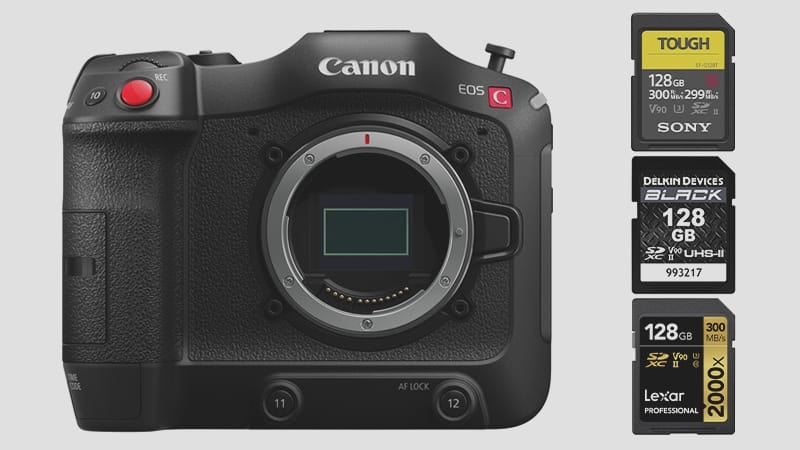
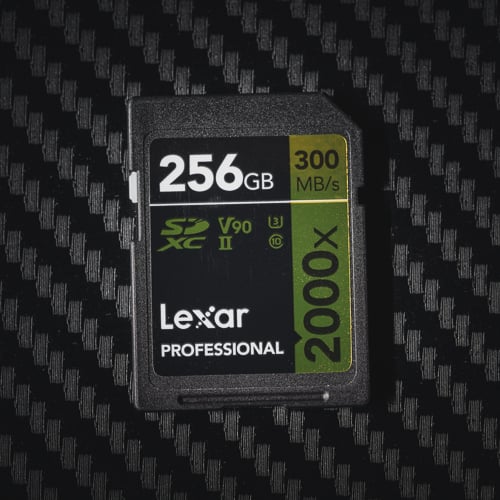
The Canon C70 has a dual SD memory card configuration supporting the fastest SD cards up to the UHS-II V90 speed class.
To use the max bitrate of 645Mbps (80.62MB/s) with the new Cinema Raw Light. You need the fastest v90 UHS-II cards if you want. But you can use a V60 card in the second slot to record Proxies.
To use the standard intra-frame XF-AVC mode records at 410Mbps or 51MB/s, you need V60 UHS-II cards.
The HEVC (H.265) codec with a max bitrate of 225Mbps or 28MB/s only requires UHS-I V30 or U3 memory cards.
Recommended Memory Cards For Canon C70
I recommend going with V60 cards unless you plan on shooting Cinema RAW Light, in which case you’ll need V90 cards.
Here are some of the best options for UHS-II SD cards for the Canon C70.
| SD Memory Card Recommendations | Review Links | USB Write | USB Read | Check Price |
|---|---|---|---|---|
| SD UHS-II V90 | Hide | |||
| Delkin Power v90 64GB-2TB | Delkin Power v90 | 248 | 287 | Amazon / B&H |
| SD UHS-II V60 | Hide | |||
| Sandisk Extreme Pro v60 256/512/1TB | 191 | 270 | Amazon / B&H | |
| Lexar ARMOR Gold V60 256GB-1TB | 179 | 252 | Amazon / B&H | |
| Kingston Canvas React Plus V60 128GB | 101 | 276 | Amazon | |
| Sony M Tough V60 64-512GB | Sony M V60 UHS-II Review | 155 | 277 | Amazon / B&H |
Canon C70 Memory Card Capacity
The Canon C70 doesn’t impose a specific limit on SD card capacity.
However, you might need some fairly large cards if you’re shooting Cinema Raw, as a 256GB card will only record 53 minutes.
Canon EOS C70 Camera Specs
Sensor Size: 8.85MP (Super35) CMOS Sensor |
Canon C70 Record Times – Memory Card Capacity
Check out the table below to gauge the recording time for various card sizes and modes. For a precise estimate tailored to your specific settings, my handy tool can provide the details – bitrate-calculator.
| Canon C70 Record Times | 64GB | 128GB | 256GB | 512GB |
| 4k | ||||
| 645Mbps | 80.62MB/s | 13min | 26min | 53min | 106min |
| 410Mbps | 51.25MB/s | 21min | 42Min | 83min | 167min |
| 225MBps | 28.12MB/s | 38min | 76min | 152min | 303min |
How to Configure the Dual Card Slots
The C70’s dual SD slots give you several useful recording options. The most common professional setup is primary + backup (relay or simultaneous): both slots record the same footage, so if one card fails, the other has a complete copy. For proxy workflows, you can record Cinema RAW Light to slot 1 (V90 card) and a compressed H.265 proxy to slot 2 (a V60 or V30 card), which your editor can cut with while the RAW files are offline. The third option is relay recording — when slot 1 fills, the camera automatically continues to slot 2 without stopping, which is useful for long-form event coverage.
For high-bitrate work at 645 Mbps, both slots writing simultaneously doubles your storage throughput requirement — bring enough V90 cards for both slots if you’re running simultaneous recording.
Storage Planning for Production Work
At 645 Mbps Cinema RAW Light, a 256GB card holds only 53 minutes of footage. For a full production day with multiple takes, you need to think in terms of card rotations, not just total capacity. A typical narrative shoot day at max bitrate might require 500GB–1TB of card capacity before you factor in failed takes and coverage. At 410 Mbps XF-AVC intra, the same 256GB card stretches to 83 minutes — more manageable, but still plan accordingly. H.265 at 225 Mbps buys you 152 minutes on 256GB, which is workable for event coverage and interviews.
Frequently Asked Questions
Do both slots need to be the same speed class?
Not necessarily. In proxy mode, slot 1 takes the primary high-bitrate recording (requiring V90 or V60 depending on codec) and slot 2 takes the proxy (which can use a V60 or even V30 card). In simultaneous/backup mode, both slots are recording the same stream, so both cards need to meet the bitrate requirement. Check your recording mode and match the card class to each slot’s actual workload.
Can I use UHS-I cards in the C70?
Only for the lowest bitrate mode. H.265 at 225 Mbps (28 MB/s) falls within UHS-I territory — a fast U3 card can technically handle it. For XF-AVC intra at 410 Mbps or Cinema RAW Light at 645 Mbps, you need UHS-II V60 and V90 respectively. Trying to record high-bitrate codecs on UHS-I cards will result in recording errors or dropped frames.
Can I record Cinema RAW Light to both slots simultaneously?
Yes, but both slots need V90 cards. Cinema RAW Light at 645 Mbps requires V90 UHS-II to sustain reliably. Running simultaneous dual-slot recording at that bitrate with V60 cards in one slot risks recording failures mid-take — use matched V90 cards in both slots if you need full redundancy at maximum quality.
What’s the best card size for a production day?
256GB cards are the practical minimum for any serious shooting day at high bitrates — and even then, plan on multiple cards per slot. At 645 Mbps you’re through a 256GB card in under an hour. For a 10-hour shoot day, budget 512GB–1TB of total card capacity depending on how much you roll. 512GB individual cards exist and reduce the number of swaps, but verify your specific card model’s sustained write spec at that capacity before relying on it for production.












Leave a Reply