
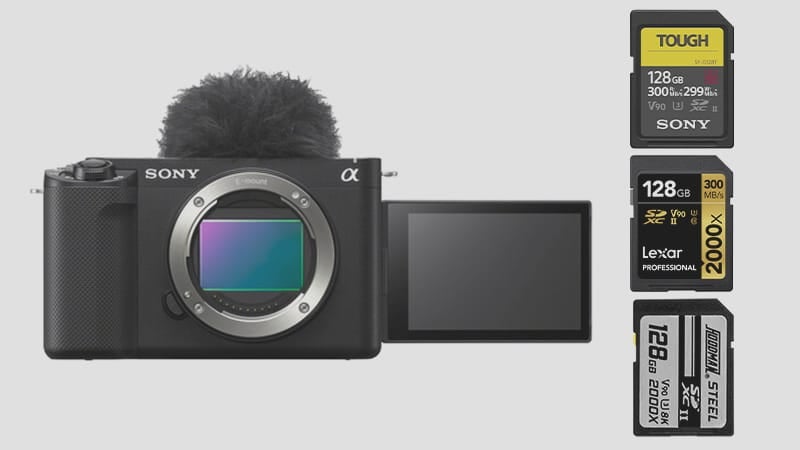
The Sony ZV-E1 has only a single SD card slot that will utilize UHS-II cards up to the v90 speed class. There is no CFxA slot like we have with the FX3 and A7sIII. You will only need a single UHS-II card.
Recommended SD Cards For Sony ZV-E1
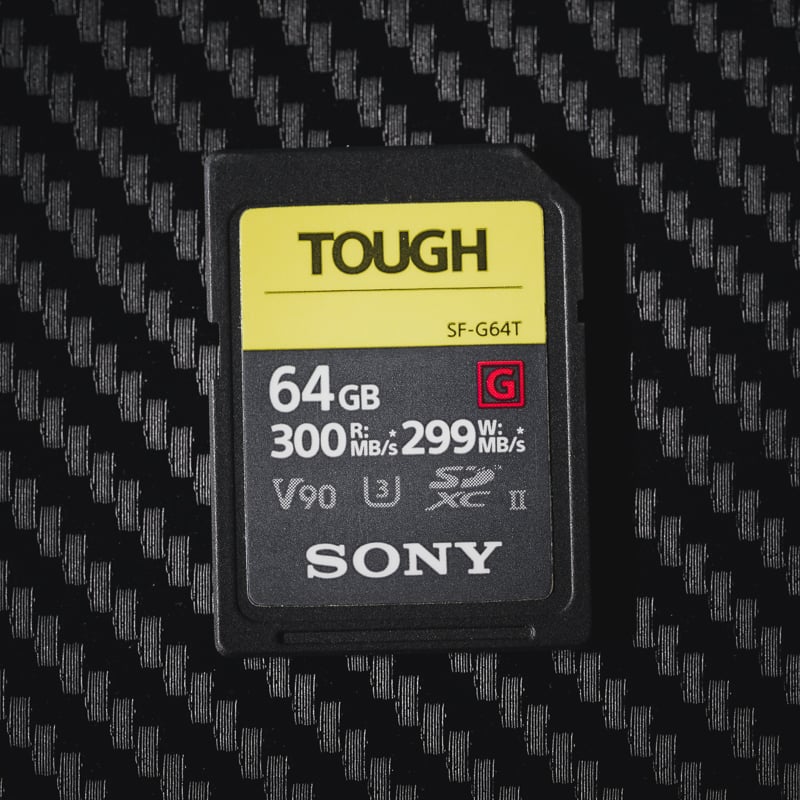
V90 UHS-II cards are the best memory cards for the Sony ZV-E1, particularly suitable for shooting at the higher bitrates of 600Mbps or for S&Q slow-motion recording. For example, the XAVC S-I uses H.264 at up to 600Mbps with intraframe recording. This will give you a compression similar to Prores422.
For bitrates of 480Mbps or lower, V60 cards work perfectly and offer significant cost savings. This is especially beneficial when using the efficient H.265 XAVC HS codec.
Also, you can even use UHS-I cards if you’re vlogging or running a podcast with a low bitrate of anything under 240Mbps.
Below are recommendations for the best SD cards for the Sony ZV-E1. Sony Tough is probably the way to go. Depending on which encoder you’re planning on using, you can use either M or G. If you’re just planning on using a very light data rate, then I also like the Sony E cards a lot.
| Recommended For Sony | Review Links | USB Write | USB Read | Check Price |
|---|---|---|---|---|
| SD UHS-II V90 | Hide | |||
| SD UHS-II V60 | Hide | |||
| Lexar ARMOR Gold V60 256GB-1TB | 179 | 252 | Amazon / B&H | |
| Kingston Canvas React Plus V60 128GB | 101 | 276 | Amazon | |
| Sony M Tough V60 64-512GB | Sony M V60 UHS-II Review | 155 | 277 | Amazon / B&H |
| Sony E v60 256GB | Sony E Series V60 256GB Review | 183 | 275 | Amazon / B&H |
Sony ZV-E1 Capacity
What’s the maximum memory card size for the Sony ZV-E1?
Sony doesn’t specify a maximum SD card size for the ZV-E1. But newer Sony cameras handle cards up to 2TB just fine.
Sony ZV-E1 Camera Specs
|
Sensor Size: 12MP Full-Frame Exmor R Sensor |
Sony ZV-E1: What Size Card To Buy?
If videography is your primary focus, I recommend starting with a 128GB card. Of course, a lot of this depends on what bitrate you plan on shooting with. If you plan on shooting at 600Mbps, a larger card would likely be necessary, as a 600Mbps card will write 75MB a second, giving you only 28 minutes of record time on a 128GB card.
Sony ZV-E1 Recording Specs & Details
Record Limit: Unlimited
Audio File Format: AAC, Linear PCM
|
4k Recording Modes |
Sony ZV-E1 Record Times – Memory Card Capacity
Use this table to understand the various record times when using different data rates or the bitrate-to-time converter.
| Sony ZV-E1 Record Times | 64GB | 80GB | 128GB | 160GB | 256GB | 512GB |
| 4k | ||||||
| 4k 600Mbps | 75MB/s H.264 | 14min | 18min | 28Min | 36min | 57min | 114min |
| 4k 280Mbps | 35MB/s H.265 | 30min | 38min | 61min | 76min | 122min | 244min |
| 4k 200Mbps | 25MB/s | 43min | 53min | 85min | 107min | 171min | 341min |
Which Speed Class You Actually Need
The ZV-E1 is a video-first camera, so card speed matters more here than on most bodies. At 600 Mbps H.264 (75 MB/s required), V90 is mandatory — V60 cards are rated at a 60 MB/s minimum sustained write and will refuse to record or drop frames at the highest bitrate. For everything at 480 Mbps and below (60 MB/s), V60 covers it comfortably. For H.265 XAVC HS at 200 Mbps (25 MB/s), V60 has triple the headroom needed.
In practice: if you’re vlogging or shooting at standard 4K bitrates, V60 is sufficient and saves money. If you’re using S&Q slow motion or the XAVC S-I 600 Mbps mode for cinematic work, V90 is required — there’s no workaround.
One practical note on Sony UHS-II card compatibility: some cards initialize incorrectly if inserted while the camera is powered on. Always power off the ZV-E1 before swapping cards. If a card still won’t initialize, remove the battery, reinsert it, add the card, then power on. This resolves initialization failures on virtually every Sony UHS-II camera.
Real-World Card Performance in Sony UHS-II Bodies
In my testing of Sony UHS-II cameras — including the A7C II and A7S III, both of which share the same UHS-II SD slot interface — the Sony Tough G V90 and ProGrade Cobalt V90 consistently hit 120–135 MB/s sustained in-camera write speeds. The ZV-E1’s slot behaves the same way. The on-paper gap between V60 and V90 card ratings narrows considerably in practice: the best V60 cards (Sony M Tough, SanDisk Extreme Pro V60) also post strong sustained speeds that well exceed their 60 MB/s rated minimum.
Where the class difference matters is at the extremes — if you’re recording XAVC S-I at 600 Mbps, V90 is non-negotiable. For everything else, V60 delivers full performance. This camera is used heavily as a vlogging and streaming body, and for that workflow, even a good V30 UHS-I card works at H.265 bitrates.
Can I Use a microSD Card in the Sony ZV-E1?
The Sony ZV-E1 uses a full-size SD card slot. MicroSD cards work with an adapter, but from experience they can lose connection inside the adapter — I wouldn’t use one for anything critical. See the microSD memory card guide if you need to use one.
Frequently Asked Questions
Can I use a UHS-I card in the Sony ZV-E1?
Yes, for lower bitrate recording. At H.265 XAVC HS 200 Mbps (25 MB/s) or any of the standard H.264 modes below 240 Mbps, a fast UHS-I U3 card will handle it. At 600 Mbps H.264 XAVC S-I (75 MB/s), UHS-I tops out around 90–95 MB/s write — the buffer would technically cover it, but sustained recording will cause dropout. V90 UHS-II is the only reliable choice at the top bitrate.
Which Sony Tough card should I get — G or M?
The Sony Tough G is V90 (minimum 90 MB/s sustained) and the right choice if you’re shooting at 600 Mbps or using S&Q slow motion. The Sony Tough M is V60 (minimum 60 MB/s sustained) and covers everything up to 480 Mbps at a lower price. For most ZV-E1 users shooting 4K at standard bitrates, the M is sufficient. If you’re pushing the camera’s cinematic video modes, go with the G.
How large a card do I need for a full day of shooting?
It depends heavily on your codec choice. At 600 Mbps, a 256GB card buys you 57 minutes — bring multiple cards. At 200 Mbps H.265, a 256GB card covers nearly three hours. For vlogging-style content where you’re shooting clips rather than long takes, 128GB is enough for a full day at moderate bitrates. If you’re shooting events or documentary-style long form, go 256GB minimum and carry spares.
Does the ZV-E1 have a second card slot for backup?
No — single slot only. Unlike the FX3 or A7S III, there’s no CFexpress Type-A slot alongside the SD. If you need redundancy for professional work, you’d need to pair this with an external recorder or accept the single-card limitation. Most ZV-E1 buyers are using this for content creation rather than high-stakes production where backup recording is mandatory, but it’s worth knowing going in.













Leave a Reply