
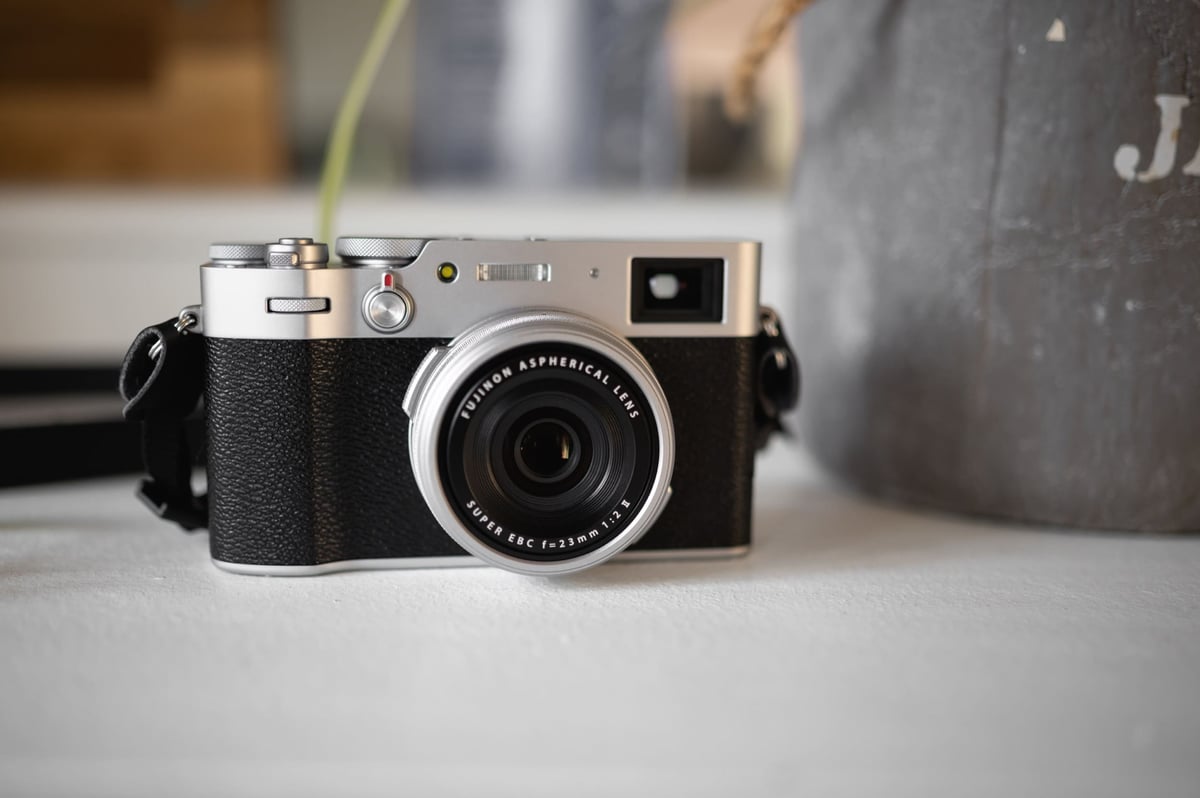
The Fujifilm X100V is the latest in the X100 series, and we’ve seen some major changes to the overall package. An upgraded lens, a new sensor, a new button layout, a new look, and upgraded software tools, all together help this camera stand apart from the previous models.
This is by far the most unique update to date, but is it worth it?
Table of Contents
Fujifilm X100V Review
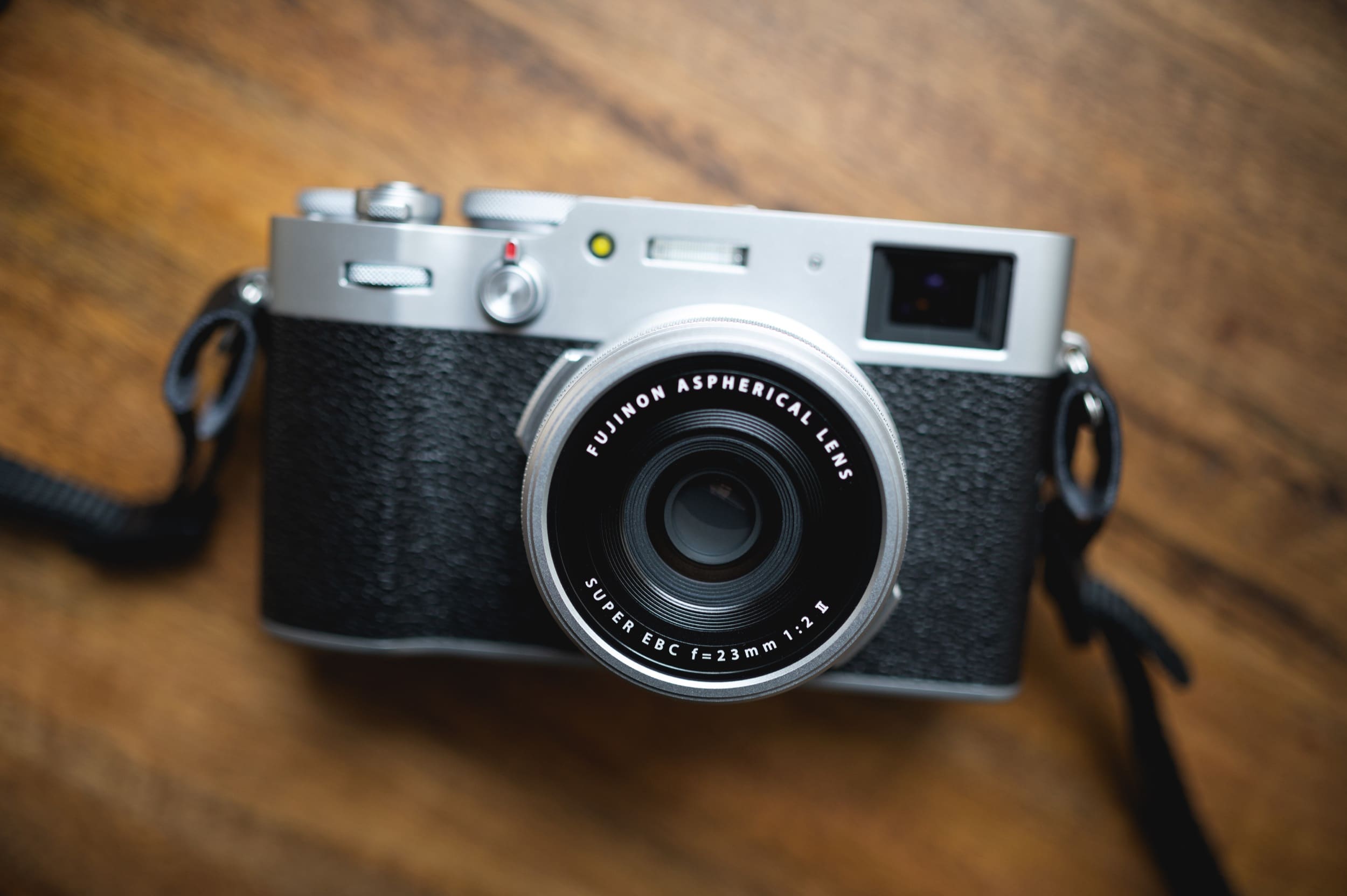
I’m using a mix of out-of-camera JPG and RAW files for this review. The strength of the X100V is how good images look without any processing at all, or by just using the built-in camera settings.
I’ve seen a lot of reviews of this camera now from many big channels and websites, and I wanted to touch on several things the camera does well that are often missed by inexperienced X100 users. So instead of just going through a normal review of this camera, I’ll try to highlight some unique experiences I have had with it and some strengths and weaknesses that aren’t usually covered.
Table of Contents
Fujifilm X100V – Amazon / Adorama / B&H
Fujifilm X100V Memory Card Recommendations
Fujifilm X100V My Favorite Accessories
Camera Specs
| Camera Features | Fuji X100V |
| Sensor | 26.1 MP X-Trans CMOS 4 BSI |
| Lens | 23mm f2, 2 Aspherical |
| AF | 425-Point Hybrid AF |
| Optical ViewFinder | 0.52x Mag |
| EVF | 0.5″ 3.69m-Dot OLED |
| Display | 3.0″ 1.62m-Dot Tilting |
| Video | 4k 30p, 1080p120 – 10m limit 4k |
| Connectivity | USB 3.1 Type-C |
| Wireless | Wifi + Bluetooth |
| Battery Life | 350/420 Frames |
| Weather-Sealed | Minus Clarity for a soft filter effect, plus clarity for a punchier look. |
| ND Filter | 4-stops |
| New Software Features | |
| AF Range Limiter | Allows you to custom-set AF distance restrictions |
| Classic Neg Film Sim | New film simulator |
| Color Chrome | Gives the colors a bit more punch |
| Color Chrome FX Blue | Enhances the blues with more punch |
| Clarity | Minus Clarity for a soft filter effect, Plus clarity for a punchier look. |
| Grain | Strong, Weak, Small or Large |
| D Range Priority | HDR-like effect |
| WB Shift In Custom Profiles | White Balance Shift is preserved in custom profiles |
The X100V took a huge leap forward in what the camera offers. To get a general idea of the little details that differ, check out this X100F vs X100V comparison.

This new, updated camera body is insanely capable and offers so much for general photographers looking to break free from the creative limitations of smartphones or even other compacts.
We will touch on some of these new features, but first, let’s look at the great and not-so-great things about this camera. I’ll start with the not-so-great things.
Of course, these “not-so-great things” are based on my current perspective. What I was expecting from this camera and how it compares to other cameras. There is no other camera like the X100V, so these limitations are likely engineering constraints based on the current state of technology. This is a great camera, and I love it, but I will do my best to manage your expectations. There are a few things you need to know, especially if you’re coming from an A7III, X-T3, or one of the newer models, whether mirrorless or DSLR.
The Not-So-Great Things
Some Lens Imperfections
The new lens has some changes to the image quality. Overall, it’s a nice upgrade from the older X100f lens, but it still has a few little funky characteristics, like onion-ring bokeh. I don’t remember the X100F having this bad of onion ringing. Overall, I’m noticing that Bokeh with the X100V looks worse than the older lens on the older bodies.
Here is an example of how the bokeh can look a bit busy and smeary. I’ll explain a little bit later why Fujifilm made this compromise, and it’s worth it in my opinion.
Bokeh Sample

The lens Is Still Loud
The new lens is loud, chung . . . chung . . . chung . . . and doesn’t feel like lens AF is any faster.
Autofocus Still Has Room For Improvement
The camera Autofocus does not feel much faster than the X100F. AF-C performance is just not there, and I get a ton of misses. You pretty much need to live in AF-S.
Shooting in the AF-C mode, with my kids, produces at least a 20% miss rate when eye and face tracking are used. You need to set your AF Range Limiters to guide the lens so it doesn’t constantly search and back-focus.
I’m going to elaborate on this to avoid any misunderstanding.
The camera can still acquire focus very fast. It’s very responsive, even in low light, thanks to the improved software and processor.
Eye AF is pretty good; it tracks objects well, even in low light when using the rear LCD screen.
However. . .
Autofocus requires two things: camera performance and lens performance. You can have the best autofocus in the world, but you’re still limited by the lens speed. A slow lens on a fast camera is like putting tiny wheels on a 600hp car.
So if you’ve watched YouTubers filming the back of their screen showing the autofocus being all quick and responsive, this is sort of misleading. I see these kinds of videos a lot, and you should be careful about judging a camera’s autofocus based on what you see on the back of a screen. Just because a camera has a fast refresh rate when drawing boxes on a rear LCD screen does not make it automatically good at autofocusing.
The X100V camera software is very good at tracking and seeing objects and defining what it should focus on, but the lens has slow reflexes and can’t keep up with what the camera sees. This results in quite a few missed shots, especially when shooting with kids and at close distances, which challenges autofocus.
You will get better, faster acquisition in low light, which is an important upgrade over the X100F, but the lens still performs very similarly to the X100F, so you still need to be slow and deliberate with the way you shoot. This isn’t necessarily a bad thing.
If you want a faster, more responsive camera, this is not a significant upgrade over the X100F in autofocus, but it is more intelligent in low light.
This is not a criticism of the camera either. Because honestly, what other compact APS-C camera does it better? I’m just bringing this up because many people, like myself, thought this new lens would mean faster AF. Like the X-T3 with the XF23mm f2, it falls short of that level of performance. I would say it’s probably slower than any of the XF f1.4 lenses paired with an X-T3, even though the camera has a much more significant boost to AF acquisition.
Again, it’s still very capable and can still get amazing results. I’m just saying this to manage expectations, especially if you’re coming from a Nikon Z6, A7III, or something similar.
The good news is, that there is a new feature called AF Range Limiter that can make all the difference, as this will allow you to program in a custom range of where you want the AF to look. You can see how the AF Range Limiter works in the x100v here.

The Camera Gets Hot
This is kind of a dump point, but for whatever reason, nerds care about what temperature cameras run at, so I’m letting you know this does get warm. Because of this, there are limitations to recording video at 4k and 1080p. 4k has a 10-minute limit and 1080p has a 15-minute limit.
They may have lost some internal camera space for heat management because of that new screen. But this heat issue isn’t really a problem for anything other than video. I’ve never had the overheating warning or anything.
LCD Screen Is Hard To Open
If you have big fingers, the LCD screen is a little hard to open. This is sort of a silly complaint, but I think it’s valid.
There is only one small spot at the bottom-left of the screen that lets you flip it up. If you have big fingers with clipped fingernails, good luck. I have a hard time with it.
Of course, this is a fairly superficial complaint.
Buttons & Wheels Are Stiff At First
When you first get the camera, the buttons and wheels will be a little stiff, but they do loosen up over time.

The Great Things
The new sensor
The new sensor is a decent upgrade, but not really a game-changer. I shoot a lot back and forth between my X-Pro2, X-T2, and X-T3, and I do notice a general improvement with the 26MP X-T3 sensor. There is just slightly less noise in the shadow,s even at low ISO values, like 400-800. Not a huge difference, but there is some.
IQ Of The Lens Is Better
The new lens is significantly sharper at close distances. However, it does now have some of that signature Fujifilm onion-ring bokeh, likely due to how Fujifilm implements its aspherical elements, and this new lens now has two of them.
If you shoot a lot of close-up stuff with kids at f2, this new lens is kind of game-changing because it now maintains sharpness at f2 at close distances. Before, with the older models, you would need to back away at least 4-5 feet (1.2 – 1.5m) to get good results at f2, and you pretty much had to stop down to f4 for close focus.
Again, the new lens also has a new look to the bokeh. The images look foreign to me, and it’s not the X100 look we’re all used to; it’s a new look. Images feel a little punchy, but the bokeh is a little strange at times.

The New JPG tools
There are some major improvements to the camera’s software, including new JPG tools.
The Color Chrome Effect, Color Chrome Blue FX, Clarity, Grain, and Classic Neg are just a ton of fun. You even have Eterna, which is also a very cool look.
Also, if you’re setting custom profiles, it does retain a custom WB shift in each profile.
I have always had problems with Fujifilm JPGs losing fine details, especially at high ISO. Throwing on a +1 grain really helps hide this. With clarity, grain, and all the new film simulators, you can really get a better JPG experience.
I’m still shooting RAW and then converting it to JPG manually in-camera. But to me, the JPGs are the unique character of this camera, and I will be processing a lot more of my shots to JPG before tuning in LR because the in-camera tools are so good and the film simulations look so great.
I put together a full comparison of before-and-after images with a slider for all the new JPG effects. See that here Fujifilm JPG Effects Before And After


USB-C connectivity
Finally, I can slowly start getting rid of my old cables.
New Close Focus Capabilities
The updated lens adds significant improvements to the camera’s close-focus capabilities. With the previous lens, you would have to shoot at f/4 if you were anything closer than about 4-5 feet. Now, I’m getting pretty sharp images even at f2. With 35mm equivalent lenses, this is actually a pretty significant improvement. Especially if you like shooting full headshots. You can now do so at f2 without a significant loss in sharpness.
There is no longer a macro setting either, and Fujifilm has now introduced a focus range limiter, as mentioned earlier.
These are all Astia, Color Chrome Strong with some Clarity.
This is the most game-changing feature of the camera.




Big Updates Body & Build
Weather Sealing
The new body of the Fuji X100V is weather-sealed when using the UV filter adapter. You can order the version Fujifilm offers for around $45, or the one made by JJC for around $12. They both will get the job done, but you will need to use a UV filter to get the actual weather sealing.
With this new weather sealing, I’m way more comfortable bringing my camera to the beach or out in the rain.
Everyone was asking for a weather-sealed X100, and Fujifilm delivered.



Changes To The Button Layout
Next, we reconfigure all the buttons. They moved the Q button, and they got rid of the directional D-pad.

I don’t mind this change, and I think it was a good move. By removing the D-Pad, your entire thumb has a place to rest against the camera without any obstruction. It helps with the grip quite a bit, although I now use a Lensmate Thumbgrip.
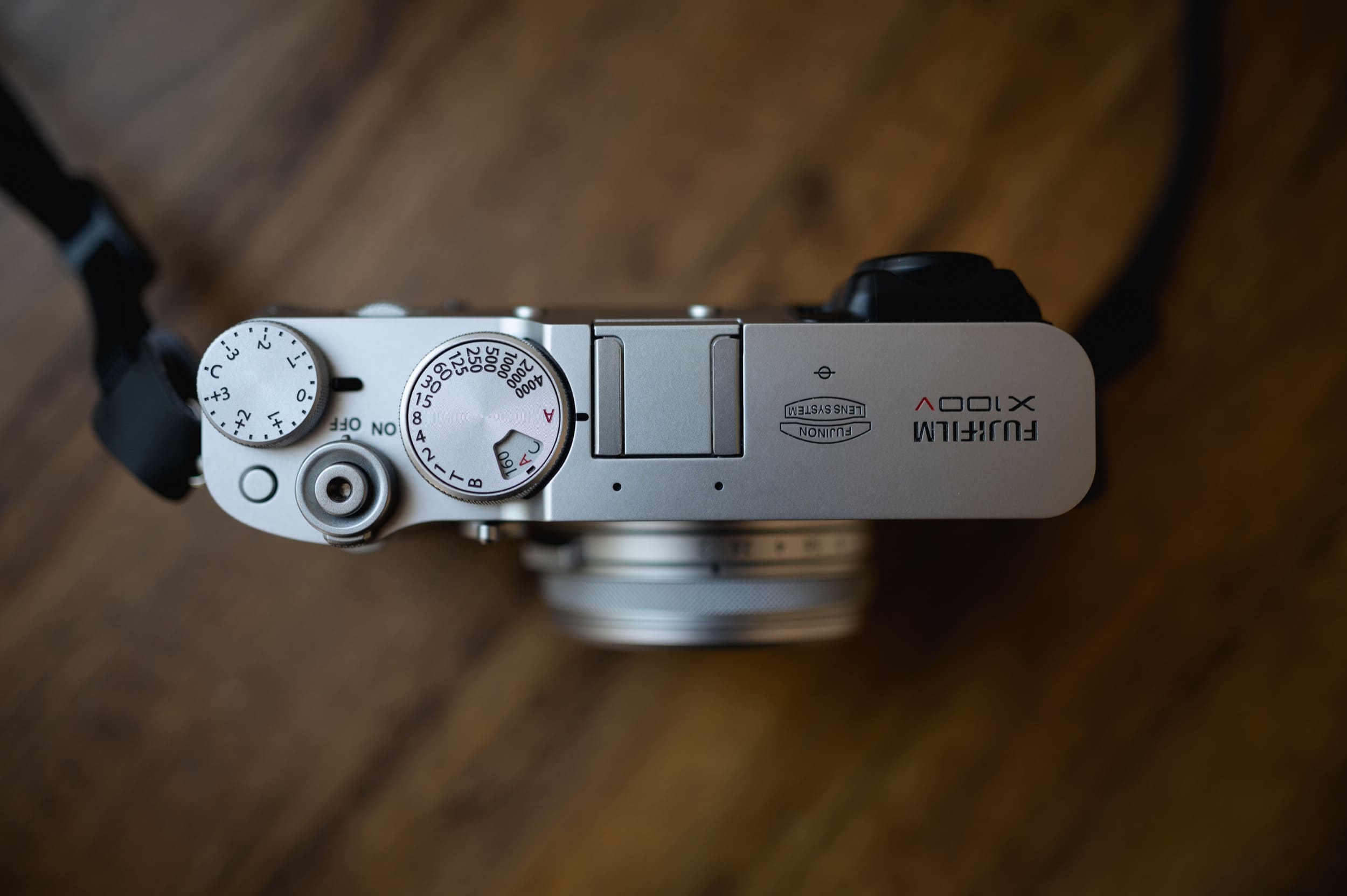
The more modern look I also think is cool. I’ve had the last two X100 cameras, and it’s nice seeing something that feels new and different. Some people like the older look, but I don’t mind having looks shift over time.
The New Tilting LCD Screen
The new flip screen is very handy at times. If this came at the cost of thermal issues, I don’t think it was worth it, but the LCD screen sits flush against the body, which looks great, and you won’t even realize it’s a flip-out screen. They’ve also updated the LCD resolution to 1.62m-Dot, up from the older model’s 1.04m-Dot. This is nice, and as you guys know, I care a lot about LCD screen quality, especially on a camera with such powerful in-camera processing tools. You need to be able to see what you’re doing, as it allows you to catch mistakes.
New 4-Stop ND Filter
This is nice when using the camera outside with a flash. Because the camera has a leaf shutter, you can get some crazy fast sync speeds. I found that with the older Fujifilm X100 cameras, the 3-Stop ND filter sometimes wasn’t enough when shooting at f2 in the sun, as your background with the flash lighting up the foreground. Sometimes the background was still a little too bright, and having that extra stop here makes the camera a lot more useful.
It’s also really nice for landscape work.
Fun Features
The Film Simulators
The film simulators are one reason I could not own a Fujifilm. They’re just too good.
Today we have Provia, Astia, Classic Chrome, Pro Neg, Std Neg, Classic Neg, B&W, Eterna, and Velvia.
Then, with the new Color Chrome and Color Chrome FX Blue, mixed with some Clarity, some of the older looks can now have so much more vibe.
This is a straight-out-of-camera sample of Astia.

This is what Classic Chrome can look like with a warm WB shift, straight out of the camera. No editing is required.



Flash & ND
A lot of people sort of skip over the fact that the X100V has a leaf shutter. It’s not the only camera with a leaf shutter; my Panasonic LX100 II also has one, but it’s still a very rare feature.
What the leaf shutter means is that you can achieve flash sync speeds with the mechanical shutter up to 1/4000 seconds.
Why is that important? Because it allows you to control the background exposure on bright, sunny days while using the flash to light the foreground.
Pair that with the built-in ND filter, and you can get a nice balance of outdoor flash-lit photography that looks cool. I’m constantly using my flash with this camera when shooting outside. I’ve even set my FN1 button as my ND and my FN2 button as my flash controls, so I can quickly adjust ND and flash settings.
It makes the X100V a unique camera because it can do one thing no other camera can easily or quickly do.

These were shot RAW and manually colored in the flash.
Fuji X100V Review Bottom Line
These two shots have a -1 Clarity, and I lifted the blacks with a curve in LR. I believe these were Classic Neg.

If you don’t already have an X100 of any type, this camera will blow you away. It’s just awesome! There is so much to learn with it and explore (in a good way), it will change photography for you and the capabilities are insane.
If you shoot RAW, are pretty happy with your X100F, and live in a place that doesn’t rain much, you might not even notice this is a different camera, aside from the aesthetics and new design features. There are some improvements to the sensor that help, but that sensor upgrade is not that big of a deal. However, you will notice the improved sharpness at close focus on the new lens.
If you want a faster-focusing camera that has good tracking, this is not it, and you’ll likely have to wait for the next generation or hope some cool firmware comes along.
If you love the JPG features of the camera, shoot a lot of close-up photography in the rain, need a flip screen, and have tiny, nimble fingers that let you open it without issues, this is a great upgrade.
I like the new film simulators and JPG tools, and I’m excited about them. I now have a camera that lets me do some basic editing in-camera from my RAWs, then send them to my smartphone for quick sharing. This alone is a big upgrade for me, given all the new tools. The JPG tools and profiles on the X100F were still pretty limited, and now the X100V is much more powerful for processing and tuning looks.
To sum it up, the camera looks awesome, is super fun to use, and is now a lot more versatile. If you’re just shooting RAW and hoping for a faster, more responsive camera, this isn’t there yet, but the improvements to the lens and the software engine are still very nice.
Wish List
I wish all modern cameras would pull themselves out of this pre-Internet mentality of having limited wifi controls and apps. Let me use my camera to connect to the Internet, at least to download firmware upgrades. Better yet, let me connect to Dropbox or Google Photos. Seriously, TVs have been doing this for at least 5 years. Even refrigerators and microwaves do this now!
Having to use your phone as a middleman to the outside world in 2020 is sad and inexcusable, and these camera companies should be embarrassed at how far behind they are in software features, especially since smartphones are eating them alive.
I use my cameras less and less because smartphones are so good at this, and when my kids are doing something, the smartphone quality is good enough and getting better, but the convenience of sending photos around and sharing on Google Photos or iCloud makes it harder and harder to use real cameras like this for on-the-go family photography.
Having to sync to some poorly designed Android or iPhone app is just such a bummer in 2020. Granted, the new Fujifilm app is a lot better than the old one.
Seriously, Fujifilm, if you can develop anti-viral meds that help fight off coronavirus, you can do this!
Something Better Than JPG: Canon and most smartphones support HEIC. I would love something a little better than JPG because I still do like to tune some of my JPGs for my posts here or on Instagram, but I don’t want to lose the Fujifilm look by going to RAW. I know you can load the profiles in LR or Capture One, but they are not the same.
IBIS – As you can see, a lot of my shots are slightly soft, not just from being out of focus, but because of motion blur. Yes, even at 1/200 shutter. I used to be a snobby anti-ibis dude until I started noticing the results I was getting from the Nikon Z6. The thing is, everyone keeps telling you IBIS is great for getting 1-second exposures. No, IBIS is very effective at keeping images tack-sharp, even at 1/160 shutter. You will notice the benefits even at those faster shutter speeds, especially with these APS-C cameras that have such a tight pixel pitch. Fujifilm could have put an IBIS in this camera. If the GRIII did it with a 3-axis sensor, shift, Fujifilm could have done it here. But likely we’ll have to wait for the next model.
Again, it’s 2020, Fujifilm, please get up to date with modern technology and software. This means Internet connectivity for firmware updates and the ability to sync with cloud photo apps.
Fuji X100V Further Reading
There are a lot of great tools and capabilities that Fujifilm has built into its products, which often don’t get enough coverage. I’ve written a few articles that can help you get the maximum capabilities out of the system.
How To Improve Your AF – This is a quick guide on some of the features to help you get better AF out of the X100v. You can also use the AF Range Limiter.
X-RAW Studio Tutorial – This goes over the free software from Fujifilm called X-RAW Studio. You can use it to manage your custom JPG profiles. Or if you load it with some RAW files, you can build and experiment with some new looks.
Fujifilm Recipes – Here is a quick guide on how to get the most out of your Fujifilm JPG Recipes. Including a few looks, I like to use.
Fujifilm Eterna Recipe – Here is a great Eterna Recipe I love using.
Fujifilm X100V Memory Card Recommendations – Use this guide to find the best memory cards for the X100v.
Fujifilm X100V My Favorite Accessories – Some of my favorite accessories.
Fujifilm X100V Review | Sample Images
Samples of RAW and JPG. Some of the portraits use -1 Clarity for a dreamy look.


































Leave a Reply