
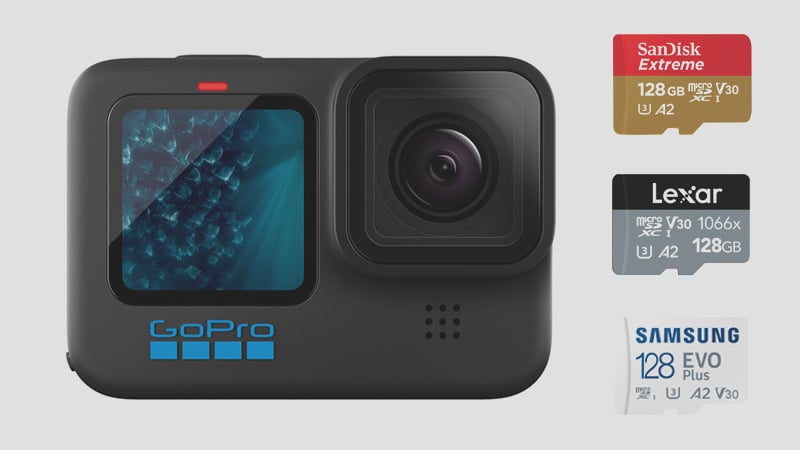
There are many memory cards to choose from when considering a memory card for your GoPro Hero 11 Black. This guide will help you find the best cards.
Recommended micro SD Cards For GoPro Hero 11
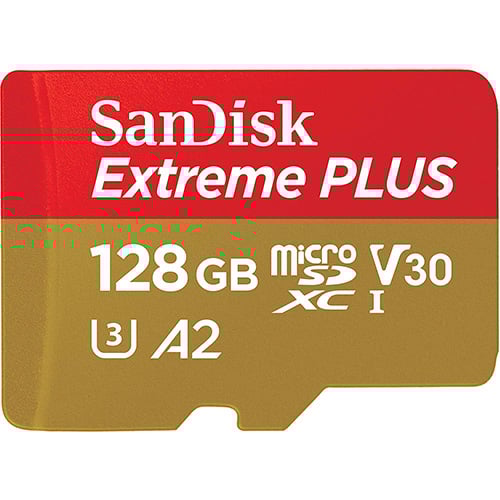 The Hero 11 requires a minimum U3 UHS-I microSD card to support the max bitrate of 120mbps, so avoid U1 cards.
When looking at capacity, the GoPro Hero 11 supports memory cards of up to 2TB
Here are some great recommendations.
| Recommended Cards | Speed Class | Check Price | ||
|---|---|---|---|---|
| MicroSD Express | ||||
| Lexar PLAY PRO EX 256/512GB / 1TB | EX | Amazon | ||
| Sandisk EX 128GB/256GB/512GB | EX | Amazon | ||
| Sandisk EX 1TB | EX | |||
| Samsung EX 256GB | EX | Amazon | ||
| PNY EX 128GB/256GB/512GB | EX | Amazon | ||
| Adata Premier Extreme EX U3 | EX | Amazon | ||
| Patriot EP EX V30 | EX | Amazon | ||
| TeamGroup APEX EX V30 A1 128GB-1TB | EX | Amazon | ||
| Transcend USD710S EX V30 A1 256GB/512GB | EX | |||
| UHS-II | ||||
| Lexar Gold V60 A1 | UHS-II | Amazon / B&H | ||
| ProGrade V60 | UHS-II | Amazon / B&H | ||
| Delkin Power V90 | UHS-II | Amazon / B&H | ||
| Angel Bird A1 V60 | UHS-II | Amazon / B&H | ||
| UHS-I | ||||
| Sandisk Extreme Pro U3 A2 | UHS-I | Amazon | X | |
| Sandisk Outdoors 4k V30 A2 | UHS-I | Amazon / B&H | ||
| Sandisk Extreme U3 A2 256GB-1TB | UHS-I | Amazon / B&H | ||
| Sandisk Extreme U3 A2 128GB | UHS-I | Amazon / B&H | X | |
| Sandisk Ultra U1 A1 – 0ld | UHS-I | B&H | ||
| Sandisk Nintendo Switch V30 A1 | UHS-I | Amazon / B&H | ||
| Sandisk High Endurance V30 | UHS-I | Amazon / B&H | ||
| Sandisk Max Endurance V30 | UHS-I | Amazon / B&H | ||
| Samsung Pro Ultimate v30 A2 | UHS-I | Amazon / B&H | ||
| Samsung Pro Plus V30 A2 | UHS-I | Amazon / B&H | X | |
| Samsung EVO Plus V30 A2 | UHS-I | Amazon / B&H | X | |
| Samsung EVO Select V30 A2 | UHS-I | Amazon / B&H | ||
| Samsung Pro Endurance V30 | UHS-I | Amazon / B&H | ||
| Kingston Canvas Go! Plus V30 A2 256GB-1TB | UHS-I | |||
| Kingston Canvas Go! Plus V30 A2 64GB-128GB | UHS-I | |||
| Kingston Canvas Select Plus V30 A1 | UHS-I | Amazon / B&H | ||
| Kingston Industrial V30 A1 | UHS-I | Amazon / B&H | ||
| Lexar Silver Plus V30 A2 | UHS-I | Amazon / B&H | X | |
| Lexar Silver1066x A2 | UHS-I | Amazon / B&H | ||
| Lexar Blue 633x V30 A1/A2 | UHS-I | Amazon / B&H | ||
| Lexar FLY V30 A2 | UHS-I | Amazon / B&H | ||
| Lexar PLAY U3 A2 512GB-1TB | UHS-I | Amazon / B&H | ||
| Lexar PLAY U3 A1 256GB | UHS-I | Amazon / B&H | ||
| Lexar PLAY U1 A1 128GB | UHS-I | Amazon / B&H | ||
| Lexar E-Series Plus U3 A2 | UHS-I | Amazon | ||
| Lexar E-Series U3 A1 | UHS-I | Amazon | ||
| Delkin Black V30 | UHS-I | B&H | ||
| Delkin Hyperspeed V30 | UHS-I | Amazon / B&H | ||
| Delkin Dashcard V30 | UHS-I | Amazon / B&H | ||
| Transcend 500S U3 | UHS-I | Amazon / B&H | ||
| Transcend 350V High Endurance U3 | UHS-I | Amazon / B&H | ||
| Transcend 340S Ultra Performance V30 A2 | UHS-I | Amazon / B&H | ||
| Transcend 330S High Performance V30 A2 | UHS-I | Amazon / B&H | ||
| Transcend 300s V30 A1 | UHS-I | Amazon / B&H | ||
| PNY Premier-X A2 V30 | UHS-I | Amazon / B&H | ||
| PNY PRO Elite U3 A2 | UHS-I | Amazon / B&H | ||
| PNY PRO Elite U3 | UHS-I | Amazon / B&H | ||
| PNY Elite-X V30 A1 | UHS-I | Amazon / B&H | ||
| Patriot EP PRO U3 | UHS-I | Amazon | ||
| Patriot EP A1 V30 | UHS-I | Amazon / B&H | ||
| Patriot High Endurance U3 | UHS-I | |||
| Silicon Power Superior Pro | UHS-I | B&H | ||
| Silicon Power Superior V30 A2 | UHS-I | Amazon / B&H | ||
| Silicon Power Superior V30 A1 | UHS-I | |||
| Silicon Power 3D NanD V30 A1 | UHS-I | Amazon / B&H | ||
| Silicon Power GAME V30 A1 | UHS-I | Amazon / B&H | ||
| Silicon Power High Endurance U3 | UHS-I | Amazon / B&H | ||
| TeamGroup A2 Pro+ 256GB-1TB | UHS-I | Amazon | ||
| TeamGroup A2 Pro+ 128GB | UHS-I | Amazon | ||
| TeamGroup Go V30 A1 | UHS-I | Amazon | ||
| TeamGroup High Endurance V30 | UHS-I | Amazon | ||
| TeamGroup Ultra A2 V30 512GB-1TB | UHS-I | |||
| TeamGroup Ultra A2 V30 256GB | UHS-I | |||
| TeamGroup Ultra A2 V30 128GB | UHS-I | |||
| TeamGroup ACE 8K V30 A2 256GB-1TB | UHS-I | |||
| TeamGroup ACE 8K V30 A2 128GB | UHS-I | |||
| Third-Party / OEM | ||||
| Amazon Basics V30 A2 | UHS-I | Amazon | ||
| Ritz Gear V30 A1 | UHS-I | Amazon | ||
| Gigastone 4k Camera Extreme Max | UHS-I | Amazon | ||
| Gigastone 4k Camera Extreme | UHS-I | Amazon | ||
| Gigastone 4k Camera Pro Max V30 A2 | UHS-I | Amazon | ||
| Gigastone 4k Camera Pro V30 A2 | UHS-I | Amazon | ||
| Gigastone Camera Plus V30 A1 | UHS-I | Amazon | ||
| Gigastone 4k Game Turbo A2 U3 | UHS-I | Amazon | ||
| Gigastone Game Pro Max V30 A2 | UHS-I | |||
| Gigastone 4k Game Pro V30 A2 | UHS-I | Amazon | ||
| Gigastone Gaming Plus A1 V30 | UHS-I | Amazon | ||
| Gigastone 10x High Endurance V30 | UHS-I | Amazon | ||
| Amplim 667X V30 A1 | UHS-I | Amazon | ||
| Netac Pro A1 U3 | UHS-I | |||
| Addlink EX U3 | EX | Amazon | ||
| Dato EX V30 A1 | EX | Amazon | ||
| Gigastone EX V30 A1 256GB | EX | Amazon | ||
| Discontinued | ||||
| Lexar 1800x V60 | UHS-II | X | ||
| Lexar 1000x V60 | UHS-II | X | Amazon | |
| Sandisk Extreme Plus U3 A2 | UHS-I | X | Amazon / B&H | |
| Delkin Select V30 64GB | UHS-I | X | Amazon / B&H | |
| Kingston Canvas Go! Plus V30 A2 | UHS-I | X | Amazon / B&H | X |
GoPro Hero 11 Capacity
What is the maximum capacity of memory cards that can be used with the GoPro Hero 11 Black?
The GoPro Hero11 Black takes micro SD memory cards ranging from 32GB to a theoretical maximum size of 2TB. To make the most of the Hero 11’s improved battery life and bitrate, using a card between 128 GB and 256 GB will likely be the sweet spot for most people, as this camera records at 120Mbps or 15MB/s.
GoPro Hero 11 Memory Card Compatibility
You must use a U3-speed microSD memory card. These cards provide a minimum write speed of 30MB/s, which is required by the camera, which shoots at 120mbps or 15MB/s.
To avoid any technical issues, it is recommended to stick to compatible memory cards that have been tested with the device. Avoid using specialty memory cards e.g. those intended for Nintendo switches, as these sometimes do not work. If you encounter problems such as battery life draining quickly or lost clips even though you have a compatible card, try switching cards or reducing the capacity from 512GB to 256GB, that’s helped me in the past.
Can You Use UHS-II cards?
Yes, UHS-II works fine, but it does not improve the camera’s performance since it has only a single UHS-I memory card slot. For GoPro’s maximum speeds of 120mbps or 15MB/s, only a UHS-I U3 memory card is necessary.
If you are looking for faster footage offloading speeds with a UHS-II card, using an adapter to make your UHS-II card compatible with your computer might be beneficial.
SD Card Related Camera Specs
Sensor Size: 27 MP 4:3 1/1.9 inch CMOS |
Best Size Memory Card For GoPro Hero11 Black
What is the best size microSD card for the GoPro Hero11? With its maximum theoretical storage of around 2TB, at 5.3k 120Mbps you could theoretically capture around 2,276 minutes on a card.
For casual shooting, a 64GB card should suffice if you’re recording a fair amount of footage. However, if you plan on shooting over multiple days, the 128GB card would be your best bet. This should provide you with enough room for extended use without worrying about running out of space.
GoPro Hero 11 Bitrates
This chart shows the expected record times of various size cards when shooting at the max 120Mbps bitrate.
| Video Rates | Megabytes | 128GB | 256GB | 512GB |
| H.265 120Mbps | 15MB/s U3 | 142min | 284min | 569min |
Alternatively, you can use the bitrate calculator.
Best SD Cards GoPro Hero11 Black | Conclusions
At 120 Mbps (15 MB/s), the Hero11 is one of the least card-demanding cameras you’ll use. Any U3/V30 microSD from a reputable brand clears that threshold by double. One thing worth knowing: the A2 app performance rating on microSD cards does nothing for GoPro recording — GoPro confirms that U3 is the only relevant speed class for their cameras. A2 is an app loading spec for Android devices. Don’t pay extra for it. The Hero11 does run warm in sustained 4K/60fps and 5.3K recording sessions, and GoPro pushed several firmware updates in late 2022 and early 2023 specifically to address thermal throttling. This is a camera-level issue, not a card issue — the card itself doesn’t contribute to overheating. What it does mean is that shorter takes and letting the camera breathe between clips is good practice regardless of which card you use.
Related Articles
Best Memory Cards GoPro Hero12
Best Memory Cards GoPro Hero10
Have an even older camera? Check out this guide to the Best SD Cards For GoPro Cameras.
GoPro Hero 11 Black Memory Card FAQ
Does the A2 rating matter for the Hero 11?
V30 is the critical rating for recording. A2 is a random-read spec for app loading — it doesn’t affect video write speed. That said, most good V30 cards also carry A2, so the spec overlap is common. What you actually need for the Hero 11’s 120Mbps recording is a minimum 30MB/s sustained write, which V30 guarantees. Don’t buy an A2 card that isn’t also V30.
Can I use a Nintendo Switch SD card in the Hero 11?
No. Switch cards are designed for Nintendo’s file system and aren’t tested to standard V30 spec. GoPro cameras have reported compatibility issues: the card may not be recognized, or the camera may drain battery while off. Use a standard UHS-I microSD card from the list above.
Why does my Hero 11 stop recording mid-clip?
The most common cause is card speed throttling under sustained heat. The Hero 11 records continuously in a sealed body, and budget or no-name cards often can’t maintain the rated write speed once the camera (and card) warm up. The fix is to switch to a card from the recommendation list. If the problem persists with a known-good card, check for a firmware update — GoPro has addressed some thermal throttling behavior through firmware on the Hero 11.
How much storage do I need?
At 120Mbps maximum bitrate, recording uses about 15MB/s. A 128GB card holds roughly 145 minutes of footage at that rate. For a full day of surfing, mountain biking, or skiing without offloading, 256GB is comfortable. The Hero 11 supports up to 1TB in some configurations, but 256GB is the practical ceiling for most use cases.
Why does my Hero 11 split long recordings into multiple files?
All GoPro cameras chapter recordings into individual files of roughly 4GB each — a one-hour 4K session comes back as multiple files. This is normal behavior, not a card error or malfunction. GoPro’s Quik app handles chapters automatically, and most editing software (Premiere Pro, Final Cut, DaVinci Resolve) imports them as continuous clips. The card has nothing to do with the splitting — it happens on every GoPro regardless of which card you use.













Leave a Reply