
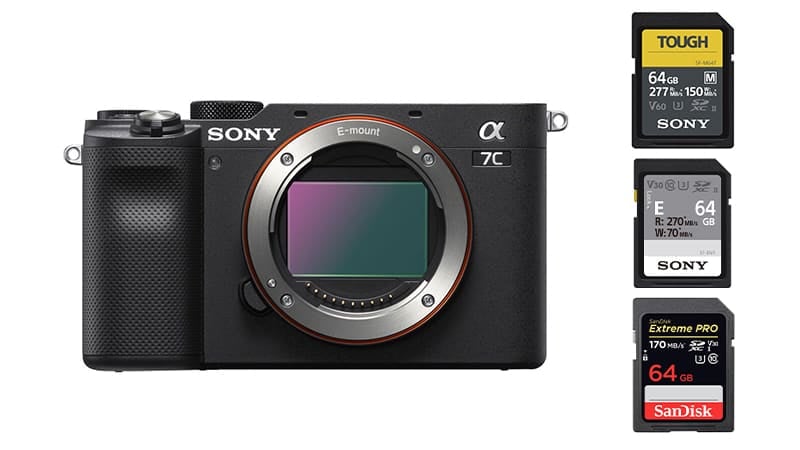
The Sony A7c uses a single UHS-II memory card of any size. Here is a quick list of the best SD cards for the Sony A7c, with a few great options. You most likely don’t need the fastest SD cards.
Sony A7c Recommended Memory Cards
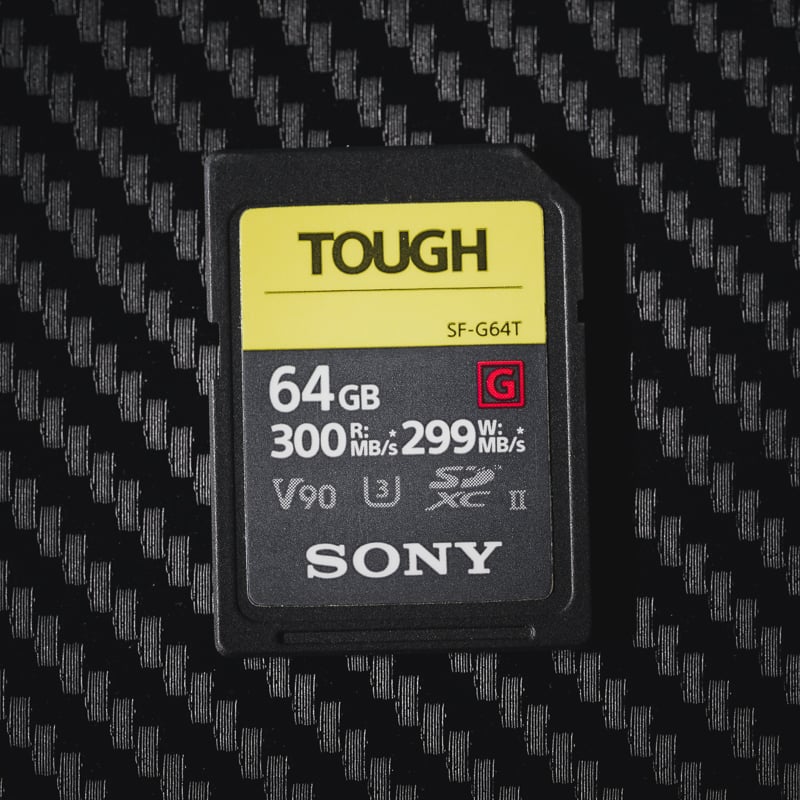
You should decide between three categories of SD memory cards: fast v90 UHS-II cards, v60 UHS-II cards, and U3 UHS-I cards.
V90 UHS-II cards are the fastest memory cards for the Sony a7c. They are great for photographers who do a lot of continuous bursting but are overkill for everything else.
V60 UHS-II cards are perfect for photographers who occasionally burst but mostly shoot in single-shot mode. They’re also great for video shooters because they allow you to transfer large files quickly to your computer.
v30 UHS-I cards are fine for casual photographers and video shooters. These are great for photographers who want large cards at a reasonable price.
Here are the top cards for each speed class.
| Recommended For Sony | Review Links | USB Write | USB Read | Check Price |
|---|---|---|---|---|
| SD UHS-II V90 | Hide | |||
| SD UHS-II V60 | Hide | |||
| Lexar ARMOR Gold V60 256GB-1TB | 179 | 252 | Amazon / B&H | |
| Kingston Canvas React Plus V60 128GB | 101 | 276 | Amazon | |
| Sony M Tough V60 64-512GB | Sony M V60 UHS-II Review | 155 | 277 | Amazon / B&H |
| Sony E v60 256GB | Sony E Series V60 256GB Review | 183 | 275 | Amazon / B&H |
Do You Need UHS-II Memory Cards?
UHS-II cards come in three speed classes: U3, V60, and V90. These numbers represent the minimum write speed of the card. V90 can maintain a minimum of 90MB/s, V60 cards 60MB/s, and U3 30MB/s.
You should choose one of these cards depending on the price, how much money you’re willing to spend, and the performance you need. Casual shooters might just like V60 cards. They can buy a bigger card for the same price and probably never notice the speed difference. Sports shooters who do a lot of continuous bursting would benefit from a V90 card.
Videographers and vloggers only need U3 cards, allowing you to buy much larger cards to store all that video.
What Size Memory Card Is Best For The Sony A7c?
The best-sized memory card is going to be different for everyone.
64GB – If you’re just shooting JPG and not a lot of video, a 64GB card will be fine.
128GB—If you shoot RAW and video occasionally, I’d start with a 128GB card.
256GB—You most likely won’t need a bigger card than 128GB unless you shoot a lot of video and don’t clear off the card regularly or you’re traveling and are not bringing a computer.
Sony A7C Memory Card-Related Specs
| Sensor: 24.2MP Full-Frame Exmor R BSI Sensor Processor: BIONZ X Image Processor Continuous Shoot: 10fps Record Limit: unlimited Est. Buffer Size: 1.5GB (estimate based on A7III buffer) Memory Card Compatibility: Single Card Slots -UHS-II Maximum Memory Card Size: no limit. Shots To Fill Buffer RAW: 115 Video: 4k30p 8-bit 4:2:0 100Mbps. |
Also, check out my Sony A7c Accessories List
Best Memory Cards For 4k Video
Although 4 K video seems like a lot of data, the video bitrate is only 100 Mbps, translating to a 12.5MB/s data stream.
A U3-rated card can maintain a minimum stream of 30MB/s, so all you’ll need for a 4k video is a U3 UHS-I card.
You do not need a UHS-II card for 4 K video, but they are great for transferring data from the card to a computer with a UHS-II memory card reader, since this transfer speed can be significantly faster.
Maximum Video Record Times by Memory Card Size
This chart shows the various bit rates and the amount of record time you can get from memory cards of different sizes.
| Resolution | Format | Bitrate | 32GB | 64GB | 128GB | 256GB |
| 4k30p, 24p | XAVC S 4K | 100Mbps | 43min | 85min | 171min | 341min |
| 4k30p, 24p | XAVC S 4K | 60Mbps | 71min | 142min | 284min | 569min |
| 1080 120p, 100p | XAVC S HD | 100Mbps | 43min | 85min | 171min | 341min |
| 1080 120p, 100p | XAVC S HD | 60Mbps | 71min | 142min | 284min | 569min |
| 1080 24p, 25p, 30p, 50p, 60p | XAVC S HD | 50Mbps | 85min | 171min | 341min | 683min |
| 1080 25p, 30p | XAVC S HD | 16Mbps | 267min | 533min | 1067min | 2133min |
| 1080 60i | AVCHD | 24Mbps | 178min | 356min | 711min | 1422min |
| 1080 60i | AVCHD | 17Mbps | 251min | 502min | 1004min | 2008min |
How Card Speed Performs in the A7C — Real-World Context
The A7C shares its sensor and processing pipeline with the A7 III. In my testing of Sony UHS-II bodies including the A7C II and ZV-E1 — which use the same slot interface — V90 cards like the Sony Tough G and ProGrade Cobalt consistently sustain 120–135 MB/s in-camera write speeds. The A7C’s behavior in the UHS-II slot is comparable. With 115 RAW frames in the buffer at 10fps, even a V60 card clears the backlog in a reasonable time for most shooting scenarios. V90 makes the most difference when you’re firing rapid full-burst sequences back-to-back.
One Sony-specific note: some UHS-II cards initialize incorrectly if inserted while the camera is powered on. Power off the A7C before swapping cards. If a card doesn’t initialize, remove the battery, reinsert with the card seated, then power on — this resolves initialization failures on virtually every Sony UHS-II body.
Can I Use a microSD Card in the Sony A7C?
The Sony A7C uses a full-size SD card slot. MicroSD cards work with an adapter, but from experience they can lose connection inside the adapter — I wouldn’t use one for anything critical. See the microSD memory card guide if you need to use one.
Frequently Asked Questions
Does the A7C have a second card slot?
No — single UHS-II SD slot only. Sony made this a single-slot body to keep it compact and affordable. There’s no backup recording option. If you’re shooting events or any professional work where losing footage isn’t acceptable, carry spare formatted cards and develop a discipline of offloading regularly.
Do I need V90 for the A7C or will V60 work?
V60 handles almost everything the A7C does. With 115 RAW frames in the buffer at 10fps, V60 clears it quickly enough for most real-world shooting. V90 benefits sports and action photographers who shoot rapid repeated full bursts — the faster buffer clear means shorter waits between sequences. For video, portrait, travel, and street shooting, V60 is the better value.
Can I use a UHS-I card in the Sony A7C?
Yes, and for video at 100 Mbps it’s perfectly adequate — the table above shows 85+ minutes on a 64GB UHS-I card at 4K 100 Mbps. For stills burst shooting at 10fps with 24.2MP RAW files, UHS-I will slow your buffer recovery compared to UHS-II, but the A7C’s 115-frame buffer means you’ll rarely actually hit that limit in typical use.













Leave a Reply