
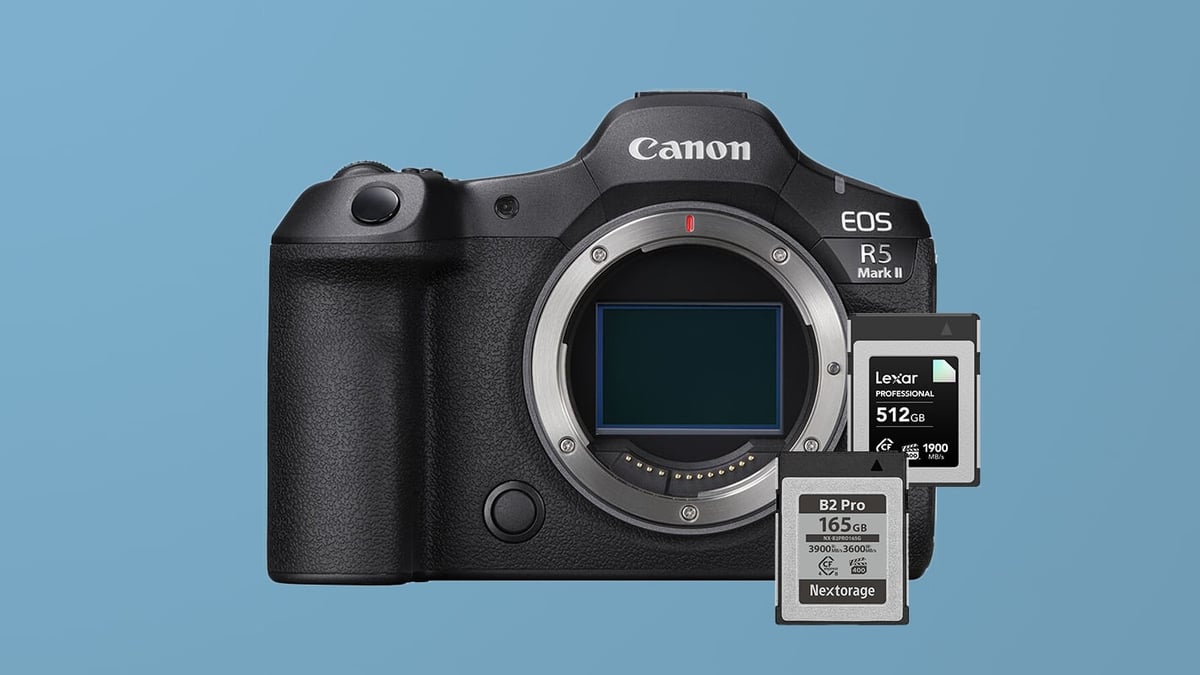
The Canon EOS R5 Mark II is a powerhouse hybrid camera, but getting the most out of it requires navigating a confusing landscape of memory card speeds and standards. With one CFexpress Type B slot and one SD UHS-II slot, your choice of media dictates everything from video reliability to how fast your buffer clears during action bursts.
The CFexpress Type B market has fully transitioned to CF4.0. Every card in the table below is a CF4.0 card — the question is no longer whether to buy CF4.0, but which CF4.0 card is right for your shooting style and budget.
In this guide, I break down the best memory cards for the Canon R5 II based on compatibility, sustained write performance, and value. Whether you are shooting 8K RAW video or casual landscapes, these recommendations will help you avoid overspending on specs you can’t use.
Table of Contents
Quick Top Picks: Canon R5 II Memory Cards
Capacity Note: The camera supports memory cards up to 2TB.
If you don’t want to get bogged down in the technical specs, here are the cards that offer the best balance of price, performance, and reliability for the R5 Mark II.
Best CFexpress Type B (Overall): Lexar Diamond CF4.0 — VPG400 certified, 3200 MB/s sustained write, available on both Amazon and B&H. The easiest recommendation for most R5 II shooters.
Best CFexpress Type B (Max Sustained): Nextorage B2 Pro CF4.0 — VPG400, 3400 MB/s sustained, the highest sustained write speed in the table. B&H only.
Best Value CFexpress: Lexar Gold CF4.0 (512GB or larger) or Delkin Power CF4.0 — both deliver solid performance for hybrid shooters at a better price than the top tier.
Best SD Card (UHS-II): Sony SF-G Tough V90 or SanDisk Extreme Pro V90 — fastest possible backup speeds to prevent bottlenecks in dual-slot recording.
Best Budget SD: Lexar Armor Gold V60 Series — good for JPG backup or standard 4K video in the second slot.
Best CFexpress Type B Cards for Canon R5 II
Every card in the table below is a CF4.0 card. The column to pay closest attention to is Sustained — that’s the metric that determines real-world video performance and buffer clearing under continuous load. Peak sequential speeds (RatedW and RatedR) reflect burst performance; sustained write is what actually matters when you’re in the middle of a long 8K RAW sequence.
A couple of things worth knowing before you buy. The Lexar Gold CF4.0 comes in two distinct tiers: the 128GB and 256GB capacities have 1000 MB/s sustained write, while the 512GB, 1TB, and 2TB versions deliver 3000 MB/s sustained. They’re priced differently for a reason — if you’re shooting video, go 512GB or larger. The ProGrade Iridium and Gold also have relatively low sustained writes (850 MB/s) despite strong peak sequential numbers, which makes them better suited to photo-heavy use than long-form video recording.
Cards marked VPG400 in the Rating column carry Canon’s recommended certification for Cinema RAW Light and high-bitrate video work — they guarantee a minimum sustained write of 400 MB/s regardless of conditions.
| CFExpress Type-B Memory Cards | Review Links | Rating | RatedW | RatedR | Sustained | Minimum | USBW | USBR | Tested Sustain | Check Price |
|---|---|---|---|---|---|---|---|---|---|---|
| CFExpress Type-B | ||||||||||
| Lexar Diamond CF4.0 128GB-1TB | VPG400 | 3400 | 3700 | 3200 | 400 | Amazon / B&H | ||||
| Lexar Gold CF4.0 512GB-4TB | 3300 | 3600 | 3000 | Amazon / B&H | ||||||
| Lexar Silver CF4.0 512GB/1TB | 1650 | 1750 | 200 | Amazon | ||||||
| Lexar Gold 128/256GB | Lexar Gold 128-512GB CFeB Review | 1500 | 1750 | 1000 | 1410 | 1525 | 1382 | Amazon / B&H | ||
| Prograde Iridium CF4.0 400GB | VPG400 | 3000 | 3550 | 850 | 2704 | 3212 | 808 | Amazon / B&H | ||
| ProGrade Gold CF4.0 512GB | 3,000 | 3,400 | 850 | 2545 | 3203 | 844 | Amazon / B&H | |||
| Delkin Black CF4.0 512GB/1/2TB | 3200 | 3600 | 2040 | 400 | 1736 | 2476 | 1693 | Amazon / B&H | ||
| Delkin Power CF4.0 512GB | 3240 | 3650 | 820 | Amazon / B&H | ||||||
| Nextorage B2 Pro CF4.0 660/1330GB | VPG400 | 3600 | 3700 | 3400 | 400 | B&H | ||||
| Nextorage B2 Pro CF4.0 165/330GB | VPG400 | 3600 | 3900 | 3400 | 400 | Amazon / B&H |
Best SD UHS-II Memory Cards for Slot 2 (V90 vs V60)
Critical Warning for Dual Slot Shooters: If you record to both cards simultaneously (Backup Mode), your camera will slow down to the speed of the SD card. Even the fastest CFexpress card will be throttled. If you need redundancy, use a V90 SD card to minimize the performance hit.
Note on PNY Cards: I have received reader reports of file corruption with PNY Elite X-Pro60 cards on the R5 Mark II. While this may be isolated, I recommend sticking to Sony, Delkin, SanDisk, and Lexar for critical professional work until this is better understood.
| SD Memory Card Recommendations | Review Links | USB Write | USB Read | Check Price |
|---|---|---|---|---|
| SD UHS-II V90 | Hide | |||
| Delkin Power v90 64GB-2TB | Delkin Power v90 | 248 | 287 | Amazon / B&H |
| SD UHS-II V60 | Hide | |||
| Sandisk Extreme Pro v60 256/512/1TB | 191 | 270 | Amazon / B&H | |
| Lexar ARMOR Gold V60 256GB-1TB | 179 | 252 | Amazon / B&H | |
| Kingston Canvas React Plus V60 128GB | 101 | 276 | Amazon | |
| Sony M Tough V60 64-512GB | Sony M V60 UHS-II Review | 155 | 277 | Amazon / B&H |
CFexpress 4.0 and the Canon R5 II
The Canon R5 II’s CFexpress slot runs on a PCIe 3.0 (CFexpress 2.0) interface. CF4.0 cards are fully backward compatible, so they work fine in the camera — but you will not see the card’s full CF4.0 write speeds in-camera. The camera’s internal bus is the speed limit, not the card.
Where CF4.0 makes a real difference is offloading. With a CF4.0-capable reader connected to a fast Mac or PC, transfer times can be roughly half what you’d see with older CF2.0 cards. If you shoot high volumes of 8K RAW or large burst sequences, that adds up quickly at the end of a shoot day.
Since the entire market has moved to CF4.0, there’s no reason to seek out older CF2.0 cards unless you find one on clearance at a significantly lower price. For in-camera performance, you’re not giving anything up — and you’re gaining faster offload speeds when you upgrade your reader.
Memory Card Requirements for 8K & RAW Video
The card you choose directly determines the video quality and bitrate you can record. If you’re running into heat issues, switching to SD cards and recording at lower bitrates can help.
| Recording Mode | Maximum Bitrate (MB/s) | Required Card Type | Rationale |
| RAW Standard | Up to 325 MB/s (2600 Mb/s) | CFexpress Type B | Absolutely required to handle the extreme data rate of internal RAW video. |
| High Bitrate Video | Above 90 MB/s (720 Mb/s) | CFexpress Type B | Necessary for all professional, high-quality codecs and high frame rates. |
| Medium Bitrate Video | Under 90 MB/s (720 Mb/s) | SD UHS-II V90 | Usable for lower bitrate codecs. |
Why VPG400 Matters for R5 II Video
When looking at R5 II CFexpress cards, you will see a “VPG400” label (Video Performance Guarantee) on some models. For general photography, it doesn’t matter much. If you plan to shoot high-bitrate video or Cinema RAW Light, Canon recommends VPG400-certified cards. This certification guarantees a minimum sustained write speed of 400 MB/s, ensuring your camera doesn’t stop recording unexpectedly due to a drop in card performance. If you’re a serious videographer, stick to the VPG400 options in the table above.
Budget-Friendly SD Cards: V60 vs V90
A practical advantage of using SD cards in slot 2 is thermal performance — they typically don’t heat up the camera as quickly as CFexpress Type B cards, at least in my experience after heavy use with my Nikon Z8, which has a similar card setup. The tradeoff is that V60 and V90 cards limit your bitrate options. If you’re struggling with overheating during long shoots, also look into cooling fans in my full Canon R5 Mark II accessories guide.
Backup Performance (JPEG/HEIF/RAW): Use V90
If you’re using the second slot for simultaneous backup of JPEG or HEIF files while shooting RAW to your CFexpress Type B card, V90 UHS-II SD cards are the right choice. The slower SD slot dictates your maximum write speed during simultaneous recording, so using the fastest SD card available minimizes the bottleneck on your continuous shooting performance.
Casual and Cost-Effective Use: V60
For photographers shooting in a slower-paced environment — landscape, portraiture, or lower bitrate video — V60 UHS-II SD cards offer a cost-effective solution with ample speed for most scenarios.
What Size Memory Card Do I Need?
The Canon R5 Mark II produces large 45MP image files and massive 8K video files. The right capacity depends entirely on whether you shoot mostly stills or video.
For photographers (128GB–256GB): If you primarily shoot stills, 128GB or 256GB is the sweet spot. A 128GB card holds approximately 2,200+ standard RAW images or nearly 4,000 C-RAW images. Unless you’re shooting a multi-day event without offloading, 256GB provides ample space for a full day of heavy shooting without forcing a card change.
For hybrid and video shooters (512GB–2TB): If you plan to shoot video regularly, storage requirements skyrocket. Shooting 8K RAW can consume roughly 18–20GB per minute — a 128GB card fills in less than 7 minutes. For mixed hybrid use, 512GB is a reasonable starting point. If you’re shooting 8K RAW or long-form 4K HQ, 1TB or 2TB is almost mandatory to avoid constant card swapping.
If you can afford it, two 512GB cards is often a safer choice than one 1TB card. If one fails or gets lost, you haven’t lost the entire shoot.
Your Canon R5 II Memory Card Checklist
Choosing the right media for the Canon R5 II is a balance between performance, budget, and intended use. Here is the concise breakdown of the best choices for every scenario:
| Use Case | Recommended Card Type | Key Feature Required | Performance Summary |
| Max Performance (Photo/Video) | CFexpress Type B CF4.0 | VPG400, High Sustained Write | Essential for 12 fps mechanical shutter bursts and all Cinema RAW Light modes (up to 325 MB/s). Clears buffer 2–3x faster than SD. |
| High-Quality Video (Value) | SD UHS-II V90 or mid-tier CFexpress Type B CF4.0 | Minimum 90 MB/s Sustained | Sufficient for most high-bitrate compressed 4K modes and less demanding video codecs. |
| Slower Video / Cost Savings | SD UHS-II V60 | Minimum 60 MB/s Sustained | Fine for landscape and portrait work. Using a slower card for backup will bottleneck burst performance. |
Final Takeaway: Invest in at least one high-speed CFexpress Type B CF4.0 card with strong sustained write performance — VPG400 if you shoot video professionally. Since the second slot is limited to SD UHS-II speeds, recording with redundancy will lower overall performance, so pair your CFexpress card with the fastest V90 SD you can justify.















Leave a Reply