
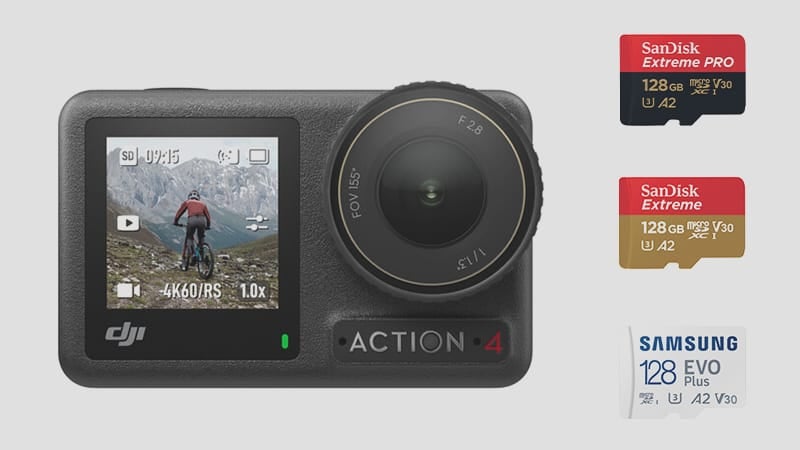
The DJI Osmo Action 4 shoots 4K at up to 120fps with a max bitrate of 130 Mbps — about 16.25 MB/s in actual write demand. Any V30 or U3 microSD card covers that comfortably; the V30 speed class guarantees a minimum sequential write speed of 30 MB/s. In practice, I haven’t found a modern card from a reputable brand that causes problems on this camera, but older and no-name cards do trigger the low-speed warning or cause recording to stop mid-clip. The cards below work cleanly.
Recommended MicroSD Cards For DJI Osmo Action 4
The Action 4’s 130 Mbps max bitrate works out to 16.25 MB/s — any UHS-I microSD rated V30 or U3 handles that with room to spare. Here are the ones I’ve tested.
Quick Picks
Best overall: Lexar Silver Plus — the fastest UHS-I microSD I’ve tested at 151 MB/s write. Handles the Action 4’s 4K120 with headroom to spare.
Best value: Kingston Canvas Go! Plus — 128 MB/s write, V30/U3. Reliable, widely available, and priced right.
Budget pick: Samsung EVO Plus — 123 MB/s write, V30/A2. Meets spec at the lowest price point.
| Recommended Cards | Speed Class | Check Price | ||
|---|---|---|---|---|
| MicroSD Express | ||||
| Lexar PLAY PRO EX 256/512GB / 1TB | EX | Amazon | ||
| Sandisk EX 128GB/256GB/512GB | EX | Amazon | ||
| Sandisk EX 1TB | EX | |||
| Samsung EX 256GB | EX | Amazon | ||
| PNY EX 128GB/256GB/512GB | EX | Amazon | ||
| Adata Premier Extreme EX U3 | EX | Amazon | ||
| Patriot EP EX V30 | EX | Amazon | ||
| TeamGroup APEX EX V30 A1 128GB-1TB | EX | Amazon | ||
| Transcend USD710S EX V30 A1 256GB/512GB | EX | |||
| UHS-II | ||||
| Lexar Gold V60 A1 | UHS-II | Amazon / B&H | ||
| ProGrade V60 | UHS-II | Amazon / B&H | ||
| Delkin Power V90 | UHS-II | Amazon / B&H | ||
| Angel Bird A1 V60 | UHS-II | Amazon / B&H | ||
| UHS-I | ||||
| Sandisk Extreme Pro U3 A2 | UHS-I | Amazon | X | |
| Sandisk Outdoors 4k V30 A2 | UHS-I | Amazon / B&H | ||
| Sandisk Extreme U3 A2 256GB-1TB | UHS-I | Amazon / B&H | ||
| Sandisk Extreme U3 A2 128GB | UHS-I | Amazon / B&H | X | |
| Sandisk Ultra U1 A1 – 0ld | UHS-I | B&H | ||
| Sandisk Nintendo Switch V30 A1 | UHS-I | Amazon / B&H | ||
| Sandisk High Endurance V30 | UHS-I | Amazon / B&H | ||
| Sandisk Max Endurance V30 | UHS-I | Amazon / B&H | ||
| Samsung Pro Ultimate v30 A2 | UHS-I | Amazon / B&H | ||
| Samsung Pro Plus V30 A2 | UHS-I | Amazon / B&H | X | |
| Samsung EVO Plus V30 A2 | UHS-I | Amazon / B&H | X | |
| Samsung EVO Select V30 A2 | UHS-I | Amazon / B&H | ||
| Samsung Pro Endurance V30 | UHS-I | Amazon / B&H | ||
| Kingston Canvas Go! Plus V30 A2 256GB-1TB | UHS-I | |||
| Kingston Canvas Go! Plus V30 A2 64GB-128GB | UHS-I | |||
| Kingston Canvas Select Plus V30 A1 | UHS-I | Amazon / B&H | ||
| Kingston Industrial V30 A1 | UHS-I | Amazon / B&H | ||
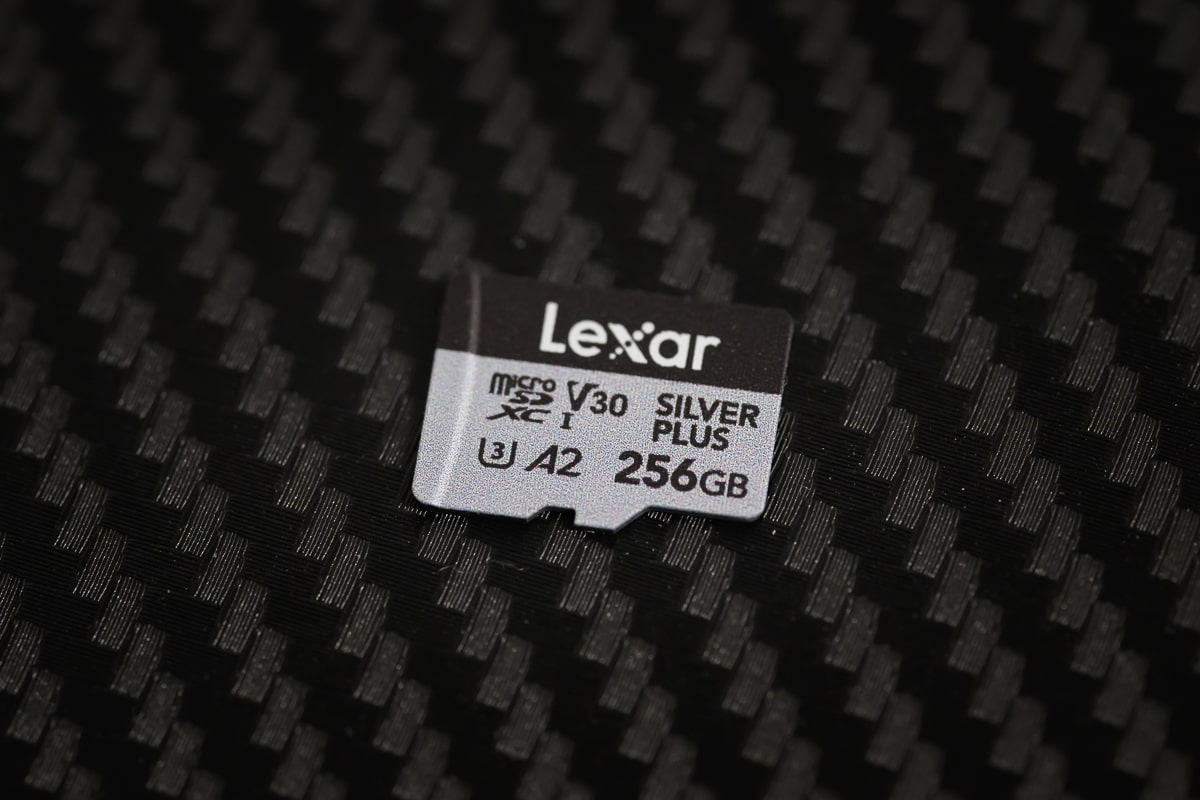
| Lexar Silver Plus V30 A2 | UHS-I | Amazon / B&H | X | |
| Lexar Silver1066x A2 | UHS-I | Amazon / B&H | ||
| Lexar Blue 633x V30 A1/A2 | UHS-I | Amazon / B&H | ||
| Lexar FLY V30 A2 | UHS-I | Amazon / B&H | ||
| Lexar PLAY U3 A2 512GB-1TB | UHS-I | Amazon / B&H | ||
| Lexar PLAY U3 A1 256GB | UHS-I | Amazon / B&H | ||
| Lexar PLAY U1 A1 128GB | UHS-I | Amazon / B&H | ||
| Lexar E-Series Plus U3 A2 | UHS-I | Amazon | ||
| Lexar E-Series U3 A1 | UHS-I | Amazon | ||
| Delkin Black V30 | UHS-I | B&H | ||
| Delkin Hyperspeed V30 | UHS-I | Amazon / B&H | ||
| Delkin Dashcard V30 | UHS-I | Amazon / B&H | ||
| Transcend 500S U3 | UHS-I | Amazon / B&H | ||
| Transcend 350V High Endurance U3 | UHS-I | Amazon / B&H | ||
| Transcend 340S Ultra Performance V30 A2 | UHS-I | Amazon / B&H | ||
| Transcend 330S High Performance V30 A2 | UHS-I | Amazon / B&H | ||
| Transcend 300s V30 A1 | UHS-I | Amazon / B&H | ||
| PNY Premier-X A2 V30 | UHS-I | Amazon / B&H | ||
| PNY PRO Elite U3 A2 | UHS-I | Amazon / B&H | ||
| PNY PRO Elite U3 | UHS-I | Amazon / B&H | ||
| PNY Elite-X V30 A1 | UHS-I | Amazon / B&H | ||
| Patriot EP PRO U3 | UHS-I | Amazon | ||
| Patriot EP A1 V30 | UHS-I | Amazon / B&H | ||
| Patriot High Endurance U3 | UHS-I | |||
| Silicon Power Superior Pro | UHS-I | B&H | ||
| Silicon Power Superior V30 A2 | UHS-I | Amazon / B&H | ||
| Silicon Power Superior V30 A1 | UHS-I | |||
| Silicon Power 3D NanD V30 A1 | UHS-I | Amazon / B&H | ||
| Silicon Power GAME V30 A1 | UHS-I | Amazon / B&H | ||
| Silicon Power High Endurance U3 | UHS-I | Amazon / B&H | ||
| TeamGroup A2 Pro+ 256GB-1TB | UHS-I | Amazon | ||
| TeamGroup A2 Pro+ 128GB | UHS-I | Amazon | ||
| TeamGroup Go V30 A1 | UHS-I | Amazon | ||
| TeamGroup High Endurance V30 | UHS-I | Amazon | ||
| TeamGroup Ultra A2 V30 512GB-1TB | UHS-I | |||
| TeamGroup Ultra A2 V30 256GB | UHS-I | |||
| TeamGroup Ultra A2 V30 128GB | UHS-I | |||
| TeamGroup ACE 8K V30 A2 256GB-1TB | UHS-I | |||
| TeamGroup ACE 8K V30 A2 128GB | UHS-I | |||
| Third-Party / OEM | ||||
| Amazon Basics V30 A2 | UHS-I | Amazon | ||
| Ritz Gear V30 A1 | UHS-I | Amazon | ||
| Gigastone 4k Camera Extreme Max | UHS-I | Amazon | ||
| Gigastone 4k Camera Extreme | UHS-I | Amazon | ||
| Gigastone 4k Camera Pro Max V30 A2 | UHS-I | Amazon | ||
| Gigastone 4k Camera Pro V30 A2 | UHS-I | Amazon | ||
| Gigastone Camera Plus V30 A1 | UHS-I | Amazon | ||
| Gigastone 4k Game Turbo A2 U3 | UHS-I | Amazon | ||
| Gigastone Game Pro Max V30 A2 | UHS-I | |||
| Gigastone 4k Game Pro V30 A2 | UHS-I | Amazon | ||
| Gigastone Gaming Plus A1 V30 | UHS-I | Amazon | ||
| Gigastone 10x High Endurance V30 | UHS-I | Amazon | ||
| Amplim 667X V30 A1 | UHS-I | Amazon | ||
| Netac Pro A1 U3 | UHS-I | |||
| Addlink EX U3 | EX | Amazon | ||
| Dato EX V30 A1 | EX | Amazon | ||
| Gigastone EX V30 A1 256GB | EX | Amazon | ||
| Discontinued | ||||
| Lexar 1800x V60 | UHS-II | X | ||
| Lexar 1000x V60 | UHS-II | X | Amazon | |
| Sandisk Extreme Plus U3 A2 | UHS-I | X | Amazon / B&H | |
| Delkin Select V30 64GB | UHS-I | X | Amazon / B&H | |
| Kingston Canvas Go! Plus V30 A2 | UHS-I | X | Amazon / B&H | X |
DJI Action 4 Capacity
What is the maximum memory card capacity compatible with the DJI Osmo Action 4?
The DJI Action 4 is compatible with microSD memory cards ranging from 32GB up to 512GB, which is officially supported for now, although larger cards may be possible.
To optimize your experience with the Action 4’s enhanced battery life and 130 Mbps bitrate, a card in the 128GB to 256GB range is probably the ideal choice for most users, as that data rate will be recorded to the cards at up to 16.25 MB/s.
Can You Use UHS-II cards?
Yes, you can use UHS-II cards with the camera, but they won’t enhance the performance because it has only one UHS-I memory card slot.
If you want faster transfer speeds when offloading footage, use a UHS-II card reader on your computer — no adapter needed.
Can You Use MicroSD Express Memory Cards?
MicroSD Express memory cards will also work in the DJI Action 4. However, they will be limited to UHS-I speeds and offer no additional performance.
SD Card Related Camera Specs
Sensor Size: 10 MP 4:3 1/1.3 inch CMOS |
What Size Card To Buy?
You can shoot at several resolutions and bitrates, but when using the best settings, you’ll likely want to start with a 128GB or 256GB card. This allows you to shoot through a few battery charges with some room to spare.
DJI Action 4 Bitrates
This chart shows the anticipated recording durations for different card sizes when shooting at the maximum bitrate of 130 Mbps.
| Video Rates | Megabytes | 128GB | 256GB | 512GB |
| H.265 130Mbps | 16.25MB/s | 131min | 263min | 525min |
Alternatively, you can use the bitrate calculator.
Best SD Cards DJI Action 4 | Bottom Line
The Action 4 doesn’t ask much of a memory card — 130 Mbps translates to 16.25 MB/s, and V30 guarantees a minimum of 30 MB/s. Any of the cards above cover it. If I were buying one card for this camera, it’d be the Lexar Silver Plus: fastest UHS-I option I’ve tested, widely available, and reasonably priced. If budget is a factor, the Kingston Canvas Go! Plus covers everything the Action 4 needs without overpaying.
Heat and Sustained Recording
Action cameras put different stress on memory cards than regular cameras. They run hot, often mounted in waterproof housings with no airflow, writing continuously for extended sessions. A card that performs fine in a mirrorless may throttle under sustained heat in an action camera. This is why sticking to established brands matters here more than it does for intermittent burst shooting — generic and no-name cards are more likely to drop speed under heat, which on the Action 4 means the recording stops mid-clip.
Recording at 4K/120fps generates significantly more heat than 4K/30fps. For long 4K/120p sessions in warm conditions — strapped to a helmet, mounted on a bike, or filming in direct sun — cards rated for sustained operation up to 70°C are worth prioritizing. The Lexar Silver Plus and SanDisk Extreme Pro are both validated for this range. Budget cards typically aren’t.
DJI Osmo Action 4 Memory Card FAQ
Does the A2 rating matter for the Action 4? V30 (or U3) is the relevant rating — it guarantees a 30MB/s minimum write speed, which covers the Action 4’s 130Mbps (16.25MB/s) maximum bitrate. A2 is a random-read performance spec designed for Android app loading — it does nothing for action camera recording. A card rated V30 without A2 records identically to one rated V30 A2 in this camera. Why stick to name brands in an action camera? Action cameras write continuously in hot, enclosed conditions — strapped to a helmet in summer sun or mounted in a waterproof housing with no airflow. Budget flash memory throttles speed under sustained heat, which on the Action 4 triggers the low-speed warning and stops recording mid-clip. A card that performs fine in a mirrorless camera used intermittently can fail under 30 minutes of continuous action-cam recording at 4K/120fps. How much storage per battery charge? The Action 4 battery lasts roughly 60–75 minutes depending on resolution and temperature. At 130Mbps maximum, that’s about 58–68GB per charge. A 128GB card covers a full battery with room to spare. For a full day with multiple batteries, 256GB prevents having to offload mid-day. Can I use a 1TB card? The Action 4 officially supports cards up to 512GB. Larger cards may work but aren’t validated by DJI. For most shooting, 256GB is the practical sweet spot — enough for a full multi-battery day at maximum bitrate.












Leave a Reply