

The Sony A6700 has one SD card slot and no CFexpress option, so the SD card you choose decides which video modes you can use. A good V60 card covers stills and standard 4K recording in H.265 (XAVC HS) or H.264 (XAVC S). You need a V90 card for 600 Mbps H.264 All-Intra (XAVC S-I) and Sony lists V90 cards for S&Q slow motion in every format. I tested 35 UHS-II SD cards in-camera to find out which ones are worth buying.
How I tested: I shoot Lossless Compressed RAW only, using Continuous Hi+ with the electronic shutter. Sony notes that Lossless Compressed RAW shoots slower than the camera’s 11fps maximum. I shoot a burst, then measure how fast the camera writes it to the card. Sony rates the buffer at about 23 Lossless Compressed RAW shots, compared with about 59 for Compressed RAW. My test scene is fairly simple, so files from more detailed scenes can be larger, which means fewer shots before the buffer fills. I don’t test with RAW+JPEG, because processing the JPEGs puts more load on the camera’s processor than on the card, which muddies the card speed results.
Best Memory Cards for the Sony A6700
The fastest V90 cards wrote between 213 and 223 MB/s in the A6700, about the same as in my ZV-E10 II tests. The best V60 cards wrote 168–174 MB/s. If you shoot H.265 and don’t use S&Q, a good V60 card is all you need.
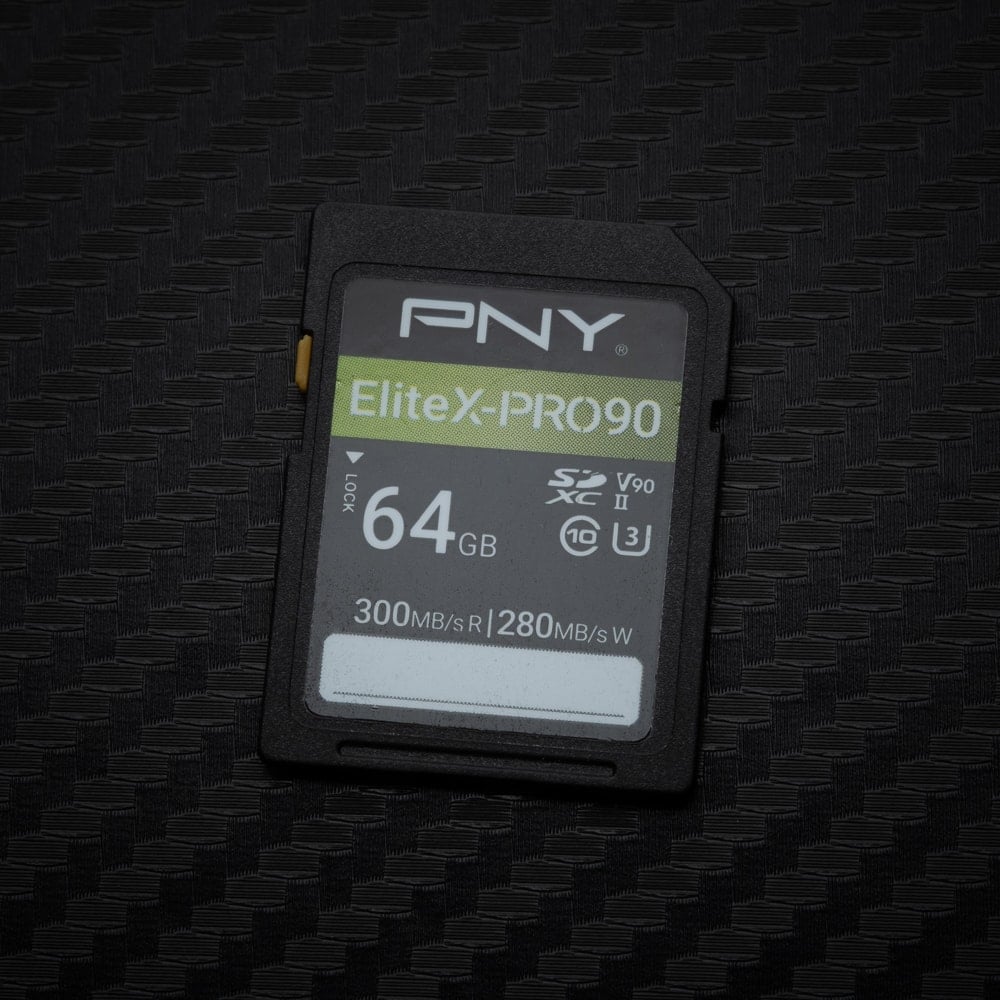 | Fastest tested: PNY EliteX-PRO90 V90. 220 MB/s, which is about as fast as UHS-II gets in a Sony body. Only the Amplim V90 was faster, at 223 MB/s, and it’s much harder to find. It was near the top in my ZV-E10 II tests too, so it’s consistent in Sony bodies. |
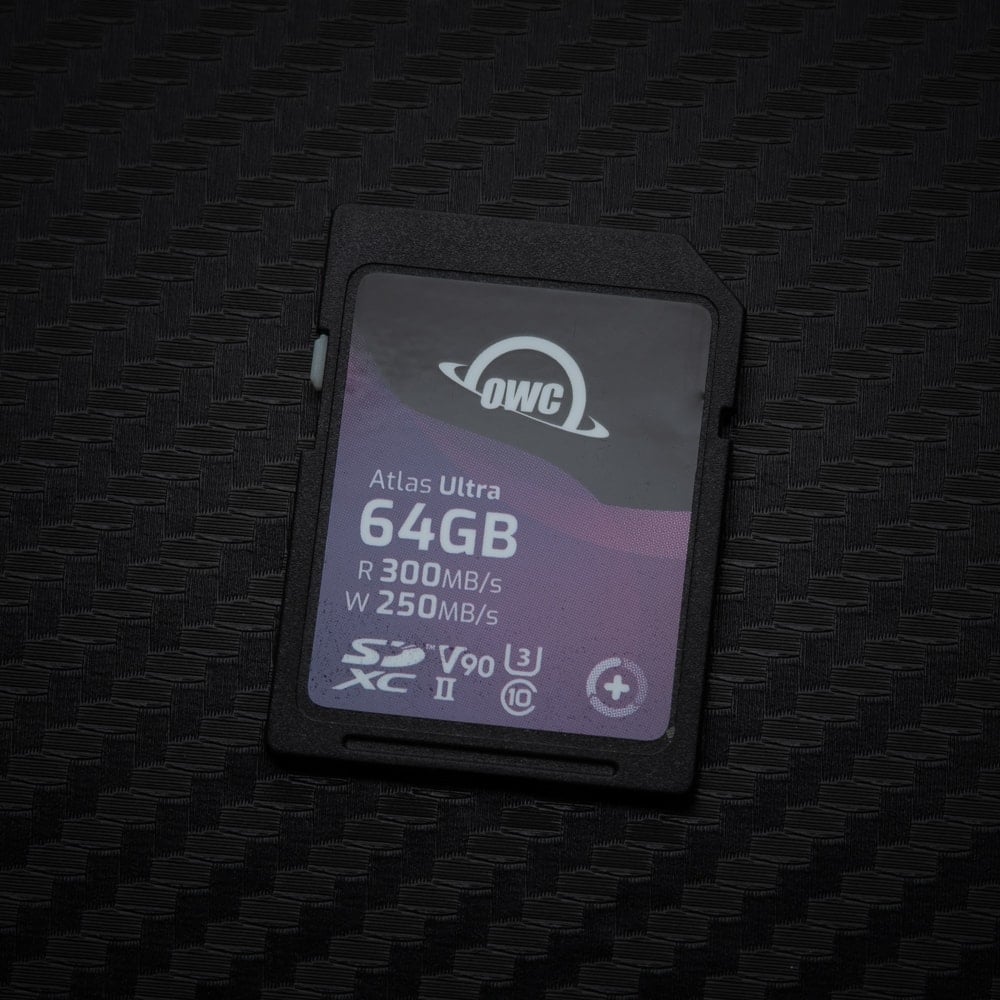 | Also fast: OWC Atlas Ultra V90. 217 MB/s, tied with the Delkin BLACK and only a few MB/s behind the PNY. A good second V90 option if the PNY is out of stock. |
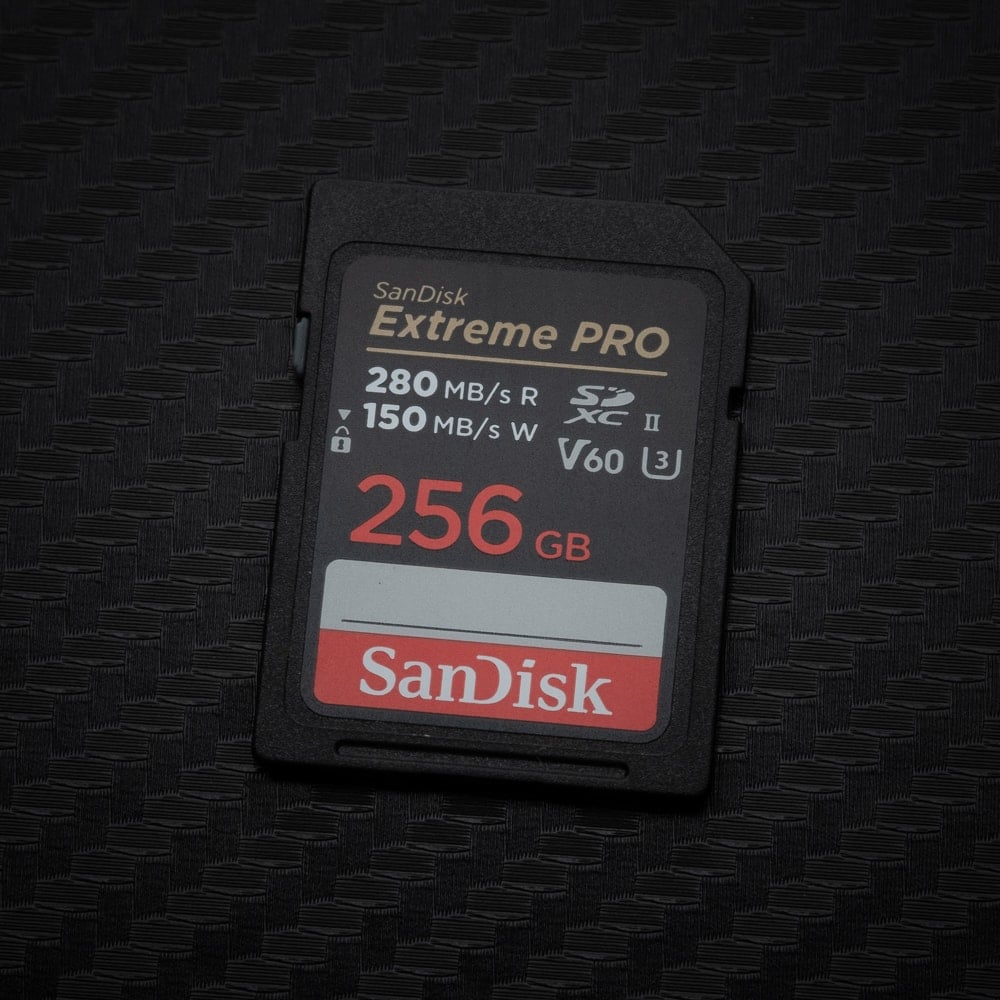 | Best V60: SanDisk Extreme PRO V60 256GB–1TB. 171 MB/s. Buy 256GB or larger: the 64GB and 128GB versions only wrote 95 MB/s. The Lexar 1800x (174 MB/s) and PNY EliteX-PRO60 256GB (168 MB/s) are just as good. Fine for stills and standard 4K; Sony lists V90 for S&Q and XAVC S-I. |
What about Sony cards? I like Sony’s own cards in a lot of Sony cameras because they perform so well, and the Sony TOUGH G V90 wrote 213 MB/s in the A6700, with a one-piece body that has no ribs or write-protect switch to break off. But Sony has suspended orders for nearly all of its SD and CFexpress cards because of the global flash memory shortage, so they’re hard to find right now, and Sony has had bad cards and recalls in the past. If you find a TOUGH G at a fair price, it’s still a good card.
V90 or V60: Which Should You Buy?
On the Sony A6700, it comes down to two features: XAVC S-I and S&Q. Sony requires a V90 card for XAVC S-I, the H.264 All-Intra mode, at 600 Mbps in 4K and 222 Mbps in HD. It also lists V90 cards for S&Q slow motion in every format, including H.265, when proxy recording is off, because S&Q writes up to 500–560 Mbps even outside All-Intra. Standard 4K recording in XAVC HS or XAVC S, up to 280 Mbps, works on V60.
That’s a real difference from the ZV-E10 II, which also has a 26MP APS-C sensor and a single SD slot but lets you shoot S&Q in XAVC HS and XAVC S on a V60 card. Lower S&Q frame rates write less data and may work on a V60 card, but if slow motion matters to you, get V90.
For stills, the fastest V90 cards wrote 213–223 MB/s, the best V60 cards 168–174 MB/s, and the slowest V60 cards 70–95 MB/s, so a slow card takes two to three times as long to write the same burst. Capacity matters too: the SanDisk Extreme PRO V60 wrote 95 MB/s at 64–128GB and 171 MB/s at 256GB and up.
What I’d Buy for the A6700
If you shoot H.265 (XAVC HS) and don’t use S&Q, I’d just get a big V60 card. Standard 4K tops out at 280 Mbps, or 35 MB/s, so any good V60 card handles it with room to spare. The SanDisk Extreme PRO V60 256GB or PNY EliteX-PRO60 256GB are both good picks.
If you use S&Q for slow motion, or you edit a lot, get V90. XAVC S-I is 600 Mbps H.264 All-Intra, so every frame is stored as a complete image instead of being compressed against the frames around it. It’s much less compressed than H.265, closer to ProRes 422, and much easier on your computer when editing. The tradeoff is that it fills cards fast, about 25 minutes on a 128GB card, so I’d go with at least a 256GB V90 card like the PNY EliteX-PRO90 or OWC Atlas Ultra.
Sony A6700 Memory Card Benchmarks
I tested every card in-camera: I shoot a burst, then measure how much data the camera writes and how fast it writes it. Data written is the size of the burst in each test. For reader benchmarks, see my SD card speed tests.
Current SD Cards I Recommend
I update this list as new cards come out. The speeds are from my card reader tests; for how each card performs in the A6700 itself, see the in-camera results below.
| Recommended For Sony | Review Links | USB Write | USB Read | Check Price |
|---|---|---|---|---|
| SD UHS-II V90 | Hide | |||
| Sandisk Extreme Pro V90 128GB-2TB | 260 | 278 | Amazon / B&H | |
| Lexar 2000x V90 64-512GB | 228 | 238 | Amazon / B&H | |
| Kingston Canvas React Plus V90 32GB-256GB | 270 | 287 | Amazon / B&H | |
| PNY EliteX-Pro90 V90 64/128/256GB | 272 | 287 | Amazon / B&H | |
| Angel Bird V90 II 64-512GB | Angel Bird V90 II | 271 | 288 | Amazon / B&H |
| OWC Atlas Ultra V90 64-512GB | 271 | 287 | Amazon / B&H | |
| Nextorage NX-F2PRO V90 64-256GB | 282 | 286 | Amazon | |
| SD UHS-II V60 | Hide | |||
| Sandisk Extreme Pro v60 256/512/1TB | 191 | 270 | Amazon / B&H | |
| Lexar ARMOR Gold V60 256GB-1TB | 179 | 252 | Amazon / B&H | |
| Lexar ARMOR Gold V60 128GB | 195 | 253 | Amazon / B&H | |
| Lexar 1800x V60 64-128GB | 192 | 251 | Amazon | |
| Kingston Canvas React Plus V60 128GB | 101 | 276 | Amazon | |
| Sony M Tough V60 64-512GB | Sony M V60 UHS-II Review | 155 | 277 | Amazon / B&H |
| Sony E v60 256GB | Sony E Series V60 256GB Review | 183 | 275 | Amazon / B&H |
| PNY EliteX-Pro60 V60 512GB | 185 | 272 | Amazon / B&H | |
| PNY EliteX-Pro60 V60 256GB | 185 | 277 | Amazon / B&H |
Sony A6700 In-Camera Test Results: UHS-II SD (Tested July 2024)

| Card | Class | In-camera write (MB/s) | Data written (GB) |
|---|---|---|---|
| Amplim V90 | V90 | 223 | 1.60 |
| PNY EliteX-PRO90 | V90 | 220 | 1.57 |
| Delkin BLACK | V90 | 217 | 1.50 |
| OWC Atlas Ultra | V90 | 217 | 1.50 |
| Wise PRO | V90 | 214 | 1.47 |
| Sony TOUGH G | V90 | 213 | 1.47 |
| ADATA Premier ONE | V90 | 206 | 1.40 |
| Delkin POWER | V90 | 201 | 1.27 |
| Angelbird AV PRO MK2 | V90 | 201 | 1.18 |
| Kodak | V90 | 198 | 1.14 |
| Lexar 2000x | V90 | 192 | 1.17 |
| Ritz Gear VideoPro | V90 | 192 | 1.05 |
| Kingston Canvas React Plus | V90 | 192 | 1.05 |
| ProGrade Digital | V90 | 180 | 0.91 |
| Transcend | V90 | 165 | 0.95 |
| Hoodman Steel 2000x | V90 | 133 | 0.82 |
| SanDisk Extreme PRO* | V90 | 76 | 0.65 |
| Lexar 1800x | V60 | 174 | 1.01 |
| SanDisk Extreme PRO 256GB–1TB | V60 | 171 | 1.05 |
| PNY EliteX-PRO60 512GB | V60 | 170 | 1.01 |
| PNY EliteX-PRO60 256GB | V60 | 168 | 0.98 |
| Lexar Professional SILVER PRO | V60 | 146 | 0.88 |
| Sony TOUGH M | V60 | 139 | 0.85 |
| Sony E 128GB | V60 | 132 | 0.85 |
| Angelbird AV PRO MK2 | V60 | 131 | 0.82 |
| Amplim 2000x | V60 | 128 | 0.82 |
| Ritz Gear VideoPro | V60 | 95 | 0.72 |
| SanDisk Extreme PRO 64–128GB | V60 | 95 | 0.72 |
| Wise | V60 | 94 | 0.72 |
| OWC Atlas Pro | V60 | 93 | 0.72 |
| ProGrade Digital | V60 | 90 | 0.72 |
| Hoodman Steel 1500x | V60 | 89 | 0.69 |
| Delkin PRIME | V60 | 84 | 0.62 |
| Lexar 1667x | V60 | 71 | 0.59 |
| Sony E 64GB | V30 | 69 | 0.65 |
*The SanDisk Extreme PRO V90 didn’t work correctly in my test. I think one of the pins wasn’t connecting properly. When I cleaned the card shortly after, I found a small piece of lint stuck to one of the pins, which might be why it behaved strangely. SanDisk cards are usually top performers in Sony cameras, so if you like the brand, don’t let this score sway your purchase decision. And make sure to keep your cards clean.
Data written includes the 2–4 shots I usually take after the buffer fills, so use it to compare cards, not as an exact buffer size. The ProGrade Digital V90 tested here is the older ProGrade V90, not the newer ProGrade Iridium V90.
UHS-I SD Cards
The slot also takes UHS-I cards, but they’re limited to UHS-I bus speeds, so they clear bursts more slowly than the V90 cards above. Sony lists U3 cards only for XAVC S HD, so a UHS-I card limits what you can record in 4K. For UHS-I speeds in a card reader, see the UHS-I section of my SD card guide.
Which Cards You Need for Video

On the Sony A6700, Sony lists V60 cards for standard 4K recording in H.265 or H.264, and V90 cards for XAVC S-I and S&Q slow motion. Camera bitrates are listed in megabits per second, so divide by 8 to get megabytes per second. 4K at 280 Mbps works out to 35 MB/s, which any V60 card covers. 600 Mbps H.264 All-Intra works out to 75 MB/s, which needs V90. There’s no H.265 All-Intra mode.
Standard Recording
| Format | Max bitrate | Card required |
|---|---|---|
| XAVC HS 4K (H.265) | 280 Mbps | V60 |
| XAVC S 4K (H.264) | 280 Mbps | V60 |
| XAVC S HD | 100 Mbps | U3 |
| XAVC S-I 4K (All-Intra) | 600 Mbps | V90 |
| XAVC S-I HD (All-Intra) | 222 Mbps | V90 |
Proxy recording isn’t available with XAVC S-I or at 120p/100p.
S&Q Slow Motion
In S&Q, the bitrate shown in the menu applies to the playback frame rate, not to what’s written during capture. Shoot at 120fps for 24p or 30p playback and the camera writes more data to the card than the menu suggests, which is why the card requirements go up.
| Format | Max write rate in S&Q | Card required |
|---|---|---|
| XAVC HS 4K | 500 Mbps | V90 |
| XAVC S 4K | 560 Mbps | V90 |
| XAVC S HD | 500 Mbps | V90 |
| XAVC S-I 4K | 600 Mbps | V90 |
| XAVC S-I HD | 445 Mbps | V90 |
With proxy recording on, Sony lowers the S&Q bitrates (up to 280 Mbps plus a 16 Mbps proxy) and lists V60 cards instead, but proxies aren’t available at 120p or 100p. Both tables are from the Sony A6700 help guide.
What Size Memory Card Do You Need for the Sony A6700?
For most people, 256GB is the right size. Sony estimates a 128GB card holds about 1 hour 10 minutes of 4K H.265 at 200 Mbps, or about 25 minutes of 600 Mbps XAVC S-I, so a 256GB card roughly doubles that. For stills, Sony estimates about 3,000 Lossless Compressed RAW files on a 128GB card. If you shoot All-Intra or long interviews, go with 256GB or 512GB.
Sony A6700 Record Times
These are Sony’s estimated recording times.
| Format | 64GB | 128GB |
|---|---|---|
| XAVC HS 4K 200 Mbps | 35 min | 1 hr 10 min |
| XAVC HS 4K 150 Mbps | 45 min | 1 hr 35 min |
| XAVC HS 4K 100 Mbps | 1 hr 5 min | 2 hr 10 min |
| XAVC HS 4K 45 Mbps | 2 hr 10 min | 4 hr 30 min |
| XAVC S 4K 200 Mbps | 35 min | 1 hr 10 min |
| XAVC S HD 50 Mbps | 2 hr | 4 hr 10 min |
| XAVC S-I 4K 600 Mbps | 10 min | 25 min |
| XAVC S-I HD 222 Mbps | 30 min | 1 hr 5 min |
Sony A6700 Specs That Affect Card Choice
| Sensor: 26MP APS-C Exmor R BSI CMOS Processor: BIONZ XR Memory Card Slots: 1 SD (UHS-I/UHS-II) Continuous Shooting: 11fps (Hi+); slower with Lossless Compressed RAW RAW Shots To Fill Buffer: about 59 Compressed RAW / 23 Lossless Compressed RAW / 1,000+ JPEG (Sony spec) 4K Datarate: up to 280 Mbps XAVC HS or XAVC S (35 MB/s) / 600 Mbps XAVC S-I (75 MB/s) HD Datarate: 100 Mbps XAVC S (12.5 MB/s) / 222 Mbps XAVC S-I (28 MB/s) |
Sony A6700 Memory Card FAQ
Do I need a V90 card for the Sony A6700?
Only if you shoot XAVC S-I or S&Q slow motion. Sony requires V90 for XAVC S-I in 4K and HD, and lists V90 cards for S&Q in every format with proxies off, since S&Q writes up to 500–560 Mbps. Standard 4K recording in H.265 or H.264 works on V60.
Does the Sony A6700 support CFexpress cards?
No. It has a single SD card slot that takes UHS-I and UHS-II cards. CFexpress Type A is only on Sony’s full-frame bodies like the A7V and A7R V.
What’s the fastest SD card for the Sony A6700?
The Amplim V90 was fastest at 223 MB/s, followed by the PNY EliteX-PRO90 V90 at 220 MB/s. The Delkin BLACK, OWC Atlas Ultra, Wise PRO, and Sony TOUGH G V90 were all within a few MB/s, at 213–217 MB/s.
What size memory card do I need for the Sony A6700?
For most people, 256GB. That’s about 2 hours and 20 minutes of 4K H.265 at 200 Mbps. If you record 600 Mbps XAVC S-I, a 128GB card only lasts about 25 minutes, so go with a 256GB or larger V90 card.
Can I use a UHS-I or microSD card in the A6700?
Yes, but you’ll give up a lot. Sony lists U3 cards only for HD, so you need a V60 UHS-II card for standard 4K and V90 for XAVC S-I and S&Q. Sony says microSD cards work with an adapter, but most of them are UHS-I, with the same limits. For other devices, see my microSD guide.
Does a faster card matter for stills?
For bursts, yes. The fastest V90 cards wrote 213–223 MB/s, while the slowest cards I tested wrote 69–95 MB/s, so they take two to three times as long to clear the buffer. If you mostly shoot single frames, any decent V60 card is fine.
Why did my SanDisk Extreme PRO V90 underperform in the A6700?
In my test, a small piece of lint was stuck on one of the card’s pins, which was likely enough to cause the problem. If a card you trust suddenly seems slow, clean the contacts with a dry cloth before assuming the card is bad. SanDisk V90 cards are otherwise strong performers in Sony bodies.
For more Sony cards, see my ZV-E10 II memory card tests. For reader speed tests across every card I’ve tested, see my ultimate guide to SD cards, and check out my list of Sony E-mount lenses.









Leave a Reply