
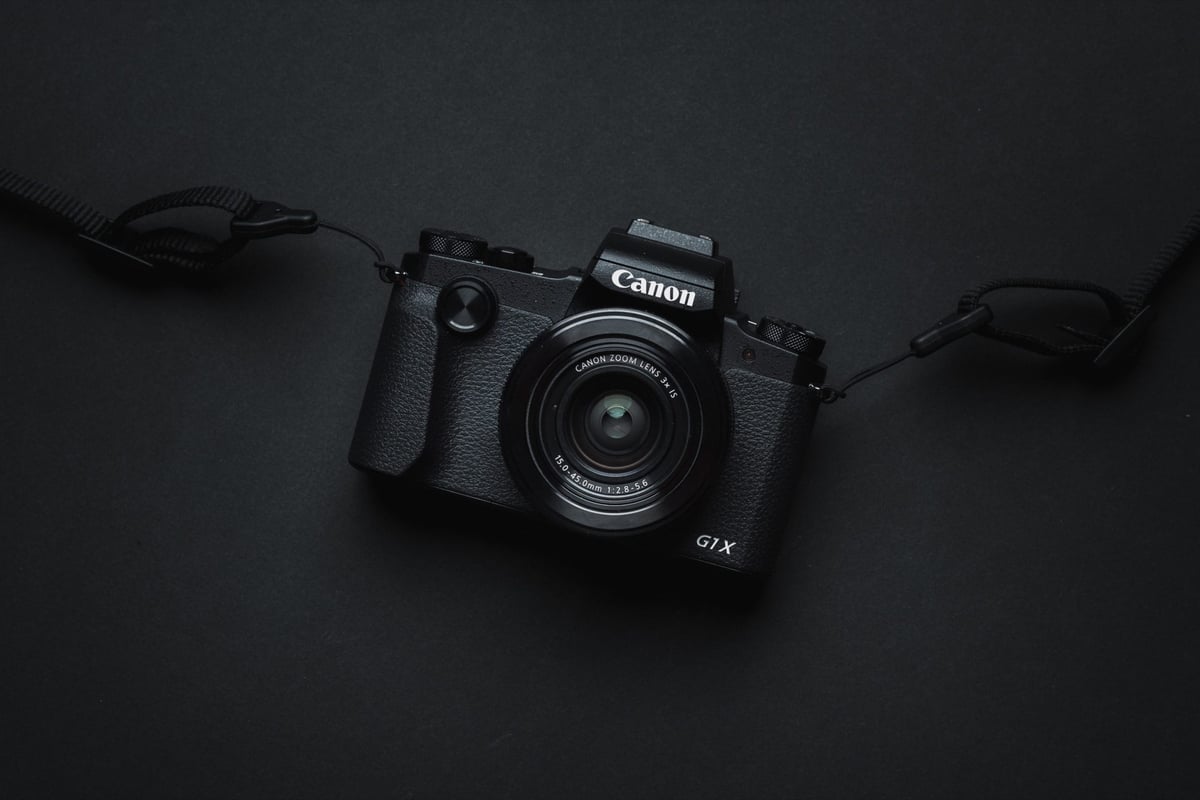
An in-camera speed comparison between memory cards in the Canon G1X III. This guide will show which memory cards perform best and are the fastest in the Canon G1X Mark III.
Fastest Memory Cards For The Canon G1X III
The Canon G1X III supports UHS-II memory cards, but the hardware will not take advantage of the extra speed they offer, so I would recommend using UHS-I cards.
Kingston, Samsung, and Sandisk Extreme Pro are the top-performing cards for this camera. Of the three, I recommend the Kingston and the Sandisk Extreme Pro. Delkin, Transcend, and Sony cards also perform well, but Canon does not recommend using Sony cards (probably because they compete in the camera space).
One thing I’ve always loved about Canon cameras is their consistently great memory card performance and very good compatibility. Any top-brand memory card will work great with this camera.
Here are my top UHS-I memory card recommendations.
| Memory Cards | Review Links | USB Write | USB Read | Check Price |
|---|---|---|---|---|
| UHS-I U3 | Hide | |||
| Sandisk Extreme Pro 32GB-1TB | Sandisk Extreme Pro 170 | 137 | 175 | Amazon / B&H |
| Kingston CanvasGo! 128/256/512GB/1TB | 124 | 161 | Amazon / B&H | |
| Transcend 300s 128GB | Transcend U3 | 79 | 91 | Amazon / B&H |
| Delkin Black 32-256GB | 86 | 93 | Amazon / B&H | |
| Delkin Advantage 128GB-1TB | Delkin Advantage U3 | 77 | 93 | Amazon / B&H |
Canon G1X Mark III | The Speed Test
A speed test to measure the performance of each memory card and how it performs in the Canon G1X III. Tests are shot in RAW at ISO 100 with a shutter speed of 1/100 in continuous burst mode.
USB 3.0 speeds are measured using CrystalDiskMark in Windows 10.
| Memory Cards | USB 3.0 Read | USB 3.0 Write | Canon G1X III |
| UHS-II | |||
| Lexar 2000x | 272.7 MB/s | 244.5 MB/s | 63.22 MB/s |
| Delkin V90 | 271.4 MB/s | 231.3 MB/s | 62.67 MB/s |
| Toshiba Exceria Pro | 258.8 MB/s | 226.5 MB/s | 62.42 MB/s |
| Adata V90 | 256.5 MB/s | 231.7 MB/s | 62.35 MB/s |
| Transcend | 290.2 MB/s | 182.1 MB/s | 62.31 MB/s |
| Fujifilm Elite II | 294.0 MB/s | 181.6 MB/s | 62.15 MB/s |
| Sony M | 253.2 MB/s | 91.62 MB/s | 62.05 MB/s |
| Sony G | 269.3 MB/s | 234.5 MB/s | 62.01 MB/s |
| Hoodman Steel 2000x | 268.7 MB/s | 183.9 MB/s | 61.64 MB/s |
| Lexar 1000x | 153.4 MB/s | 84.30 MB/s | 61.51 MB/s |
| Delkin 1900X | 273.3 MB/s | 97.3 MB/s | 61.30 MB/s |
| Sandisk Extreme Pro 300 | 273.9 MB/s | 238.9 MB/s | 60.80 MB/s |
| Sandisk Extreme Pro 280 | 260.5 MB/s | 214.8 MB/s | 60.79 MB/s |
| UHS-I | |||
| Kingston U3 | 98.1 MB/s | 90.4 MB/s | 61.92 MB/s |
| Samsung Pro U3 | 97.7 MB/s | 78.6 MB/s | 61.74 MB/s |
| Sandisk Extreme Pro U3 | 98.6 MB/s | 90.8 MB/s | 61.71 MB/s |
| Samsung Pro+ U3 | 97.5 MB/s | 87.3 MB/s | 61.40 MB/s |
| Sony U3 – Old Model | 96.5 MB/s | 84.5 MB/s | 61.13 MB/s |
| Samsung Pro U1 | 96.3 MB/s | 82.2 MB/s | 60.83 MB/s |
| Delkin 633x U3 | 98.3 MB/s | 88.7 MB/s | 60.66 MB/s |
| Transcend U3 | 96.7 MB/s | 84.9 MB/s | 60.30 MB/s |
| Sandisk Extreme Plus U3 | 99.0 MB/s | 64.4 MB/s | 57.61 MB/s |
| PNY Elite Performance U1 | 96.5 MB/s | 66.5 MB/s | 55.49 MB/s |
| Sandisk Extreme U3 | 72.43 MB/s | 54.1 MB/s | 54.93 MB/s |
| Lexar 600x U1 | 95.4 MB/s | 64.8 MB/s | 53.95 MB/s |
| Lexar 633x U3 | 93.3 MB/s | 67.3 MB/s | 55.30 MB/s |
| Sony U3 – New Model | 96.7 MB/s | 56.2 MB/s | 53.30 MB/s |
| PNY Elite Performance U3 | 96.5 MB/s | 66.1 MB/s | 53.21 MB/s |
| Samsung U1 EVO | 47.7 MB/s | 27.3 MB/s | 27.81 MB/s |
| Sandisk Ultra U1 | 99.3 MB/s | 36.1 MB/s | 25.50 MB/s |
Canon G1X III Stats
Sensor: 24.2MP APS-C CMOS Sensor
Video: Full HD 1080p 60 fps
Continuous Shooting: 9 fps Continuous Shooting
Estimated Buffer Size: 500MB
RAW Shots Until Buffer Fills: 19
Time To Clear Buffer: 6 seconds
Canon G1X III – Amazon / Adorama / BHphoto
Best Accessories Canon G1X Mark III
Frequently Asked Questions
A list of some topics that hopefully will answer any questions you have.
Should I use USH-I or UHS-II, and what’s the difference?
For the Canon G1X III, there is no reason to buy UHS-II memory cards, as they offer no performance improvement when inside the camera. If you need faster transfer time between your card and your computer, you can use UHS-II memory cards with a UHS-II memory card adapter, but it’s not going to make that big of a difference if you’re just a casual shooter.
What do all the numbers and letters on the memory cards mean?
All the numbers and letters on memory cards refer to speeds, like UHS-II or UHS-I, as well as minimum speeds.
If you see U1 or U3, it means the card can run at a minimum speed of 10MB/s with U1 or 30MB/s with U3. They’re now starting to use V30, V60 and V90 as a new format for listing these speeds.
To learn more, see the ultimate guide to memory cards.
What size memory card do I need?
64GB memory cards are the way to go for most photographers. You can go bigger, but you’re unlikely to fill a 64GB card in a single day of shooting unless you’re also shooting a lot of video.
The memory card isn’t working. What should I do?
Check your cards when you buy them, and if they have any issues, return them. Most memory cards also have a three-year warranty, so take advantage of it.
Clean your contact points, and check the camera’s pins for bent or obstructed pins.
Last, don’t buy memory cards off eBay; they are likely scams.
Best Memory Cards For The Canon G1X III | Bottom Line
The Canon G1X III is a very cool little camera with great performance. Throw in a good card and this camera can do just about anything a casual photographer needs, especially for travel or street photography. With 9 fps continuous shooting speeds, you’ll also find the camera can pass for amateur sports and action photography, especially since the buffer clears in only 6 seconds.







Leave a Reply