
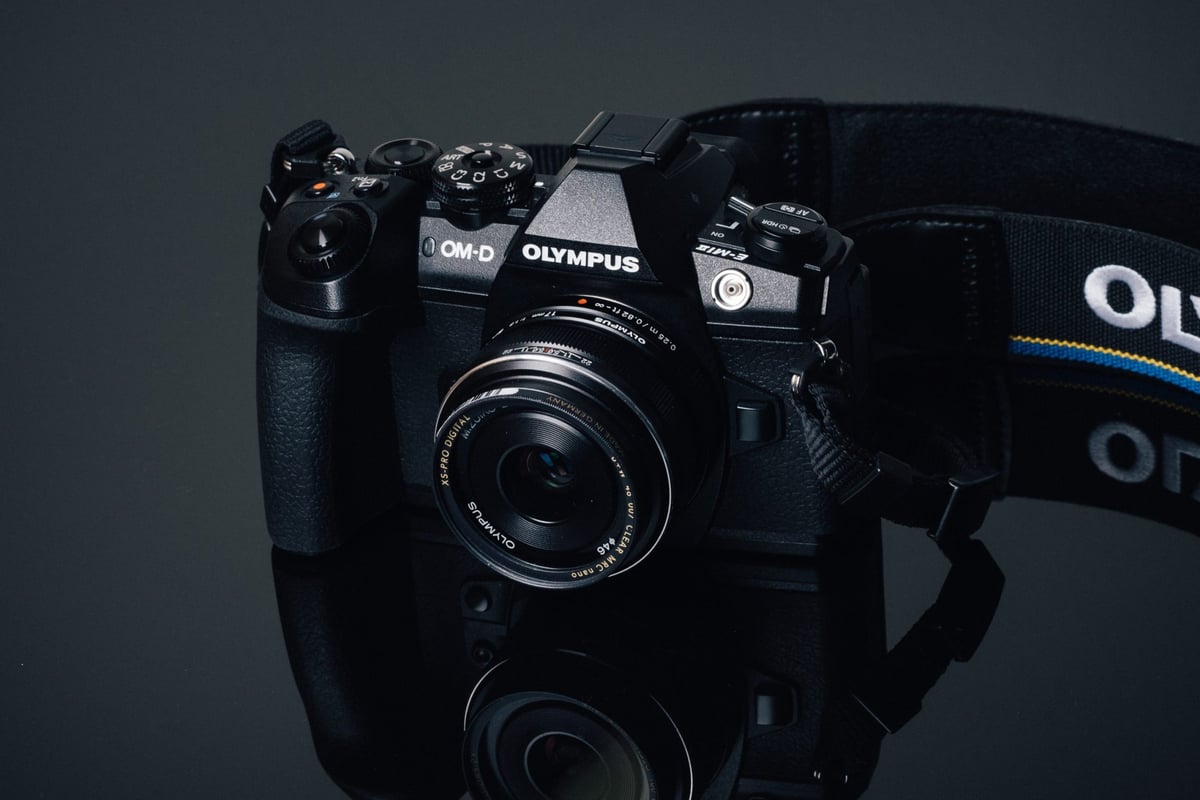
We’ve tested the most popular UHS-I and UHS-II SD memory cards in the Olympus E-M1 II to see which cards work best in the camera and which are the fastest.
Use this guide to find the best memory cards for your Olympus EM1-II.
Olympus OM-D E-M1 Mark II Specs
Sensor: 20.4MP Live MOS Sensor / Micro Four Thirds
Processor: TruePic VIII Dual Quad Core Processor
Continuous Shoot: 15 fps Shooting
Est. Buffer Size: 1GB
Memory Card Compatibility: UHS-II / UHS-II
Time To Clear Buffer: 6 seconds (Sandisk Extreme Pro UHS-II 300)
Shots To Fill Buffer RAW: 118 (Sandisk Extreme Pro UHS-II 300)
Olympus EM1 Mark II – Amazon / Adorama / BHphoto
Olympus E-M1 II | The Speed Test
The Olympus E-M1 Mark II delivers very fast, impressive memory card speeds with UHS-II cards. UHS-I cards perform below average compared to most other brands, except Panasonic. If you’re just casually shooting, UHS-I cards will work fine, but we really recommend buying UHS-II cards for your Olympus.
Use the chart below to see which cards are best for your needs.
| SD Memory Cards | USB 3.0 Read | USB 3.0 Write | Olympus EM1 II | Order |
| UHS-II | ||||
| Lexar 2000x | 272.7 MB/s | 244.5 MB/s | 148.60 MB/s | Amazon |
| Sony G | 259.2 MB/s | 234.5 MB/s | 147.72 MB/s | Amazon |
| Adata V90 | 256.5 MB/s | 231.7 MB/s | 147.53 MB/s | Amazon |
| Toshiba Exceria Pro | 258.8 MB/s | 226.5 MB/s | 146.99 MB/s | Amazon |
| Delkin V90 | 245.1 MB/s | 164.6 MB/s | 142.18 MB/s | Amazon |
| Sandisk Extreme Pro 300 | 263.2 MB/s | 233.4 MB/s | 141.88 MB/s | Amazon |
| Fujifilm Elite II | 294.0 MB/s | 181.6 MB/s | 137.27 MB/s | Amazon |
| Transcend | 290.2 MB/s | 182.1 MB/s | 133.65 MB/s | Amazon |
| Hoodman Steel 2000x | 268.7 MB/s | 183.9 MB/s | 132.90 MB/s | Amazon |
| Sandisk Extreme Pro 280 | 260.5 MB/s | 214.8 MB/s | 101.89 MB/s | Amazon |
| Lexar 1000x | 147.4 MB/s | 78.4 MB/s | 71.22 MB/s | Amazon |
| Delkin 1900X v60 | 273.3 MB/s | 97.3 MB/s | 43.64 MB/s | Amazon |
| Sony M | 253.2 MB/s | 91.62 MB/s | 42.29 MB/s | Amazon |
| UHS-I | ||||
| Sandisk Extreme Pro U3 | 98.6 MB/s | 90.8 MB/s | 45.44 MB/s | Amazon |
| Samsung Pro+ U3 | 97.5 MB/s | 87.3 MB/s | 40.60 MB/s | Amazon |
| Sandisk Extreme Plus U3 | 99.0 MB/s | 64.4 MB/s | 40.08 MB/s | Amazon |
| Kingston U3 | 98.1 MB/s | 90.4 MB/s | 40.02 MB/s | Amazon |
| Samsung Pro U3 | 97.7 MB/s | 78.6 MB/s | 39.72 MB/s | Amazon |
| Sandisk Extreme U3 | 72.43 MB/s | 54.1 MB/s | 39.70 MB/s | Amazon |
| PNY Elite Performance U3 | 96.5 MB/s | 66.1 MB/s | 39.47 MB/s | Amazon |
| PNY Elite Performance U1 | 96.5 MB/s | 66.5 MB/s | 39.40 MB/s | Amazon |
| Delkin 633x U3 | 98.3 MB/s | 88.7 MB/s | 39.33 MB/s | Amazon |
| Transcend U3 | 96.7 MB/s | 84.9 MB/s | 39.02 MB/s | Amazon |
| Sony U3 – Old Model | 96.5 MB/s | 84.5 MB/s | 38.89 MB/s | Amazon |
| Sony U3 – New Model | 96.7 MB/s | 56.2 MB/s | 38.68 MB/s | Amazon |
| Lexar 600x U1 | 95.4 MB/s | 64.8 MB/s | 38.53 MB/s | Amazon |
| Samsung Pro U1 | 96.3 MB/s | 82.2 MB/s | 38.47 MB/s | Amazon |
| Lexar 633x U3 | 93.3 MB/s | 67.3 MB/s | 36.47 MB/s | Amazon |
| Sandisk Ultra U1 | 99.3 MB/s | 36.1 MB/s | 25.13 MB/s | Amazon |
| Samsung U1 EVO | 47.7 MB/s | 21.96 MB/s | 20.00 MB/s | Amazon |
Olympus EM1 Mark II Best Memory Cards
UHS-II runs almost 100MB/s faster than standard UHS-I cards, so it really makes sense to go with UHS-II to get the full performance out of the camera. However, if you’re just shooting on the street or very casually, 45MB/s with the SanDisk Extreme UHS-I card is more than capable of handling those situations.
If you use the Olympus E-M1 II as an underwater camera, street camera, or just a casual biking, backpacking, or around-town camera, you will be absolutely fine with just a UHS-I card. Actually, UHS-I cards still work great for video, too.
Personally, I like having at least one UHS-II card for situations where you need to burst. For example, shooting kids. I also burst quite a bit in street photography when dealing with random people moving through the scene, and I want multiple options for their positions. One of the big selling points of the Olympus EM1 II is its fast frame rate and quick buffer with UHS-II cards.
Here are the best memory cards for the Olympus EM-1 Mark II. Or at least the cards we recommend.
Olympus E-M1 II Top 4 Recommended Memory Cards
Lexar is still around and still the top performer. They are now owned by Longsys and are back at BHphoto. This test was done with the Lexar cards produced by Micron, as I’ve yet to update my inventory.
Lexar, Sandisk, Transcend, Toshiba and Delkin are all fantastic cards. Prices are always changing, so be sure to check them all to get the best deal.
For the past year, many Panasonic GH5 shooters have been experiencing issues with ADATA cards, so I would avoid them for now. I excluded Toshiba from the list as well because it’s really tough to find those cards at a great price, so a lot of people aren’t shooting with them, and I get very little feedback.
SanDisk Extreme Pro 300 64GB
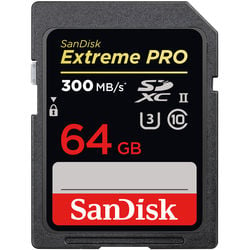
SanDisk memory cards are always great cards for any camera. This Extreme Pro UHS-II version performed slightly slower than some competitors, which is unusual. However, 141 MB/s is still blazing fast, and you would never notice the difference of 7 MB/s between this card and the others.
One really nice thing about SanDisk memory cards is the lifetime warranty. The downside is that they are among the most counterfeited brands, so be careful where you buy them. I’ve included BHphoto links so you can be absolutely guaranteed to get a certified card. – Amazon / BHphoto
Sony G UHS-II 64GB
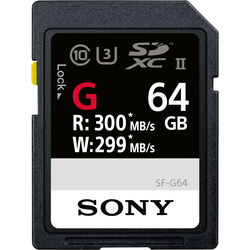
The Sony G UHS-II is relatively new, and it’s been sort of stealing the show. The G version is the latest and the one you want. The M version is very slow, so avoid that. Sony cards only come with a 1-year warranty, but you can download free data recovery software from Sony after registering your card. – Amazon / BHphoto
Delkin V90 64GB
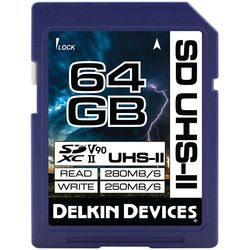 Delkin UHS-II cards are almost always in my cameras, mixed in with some Lexar and SanDisk cards. I have multiple UHS-II cameras with multiple SD card slots, and don’t usually fill all of them with cards from a single brand. These cards are fast and reliable. I like them and rarely hear of anyone having problems with them. – Amazon / BHphoto
Lexar 2000X 64GB
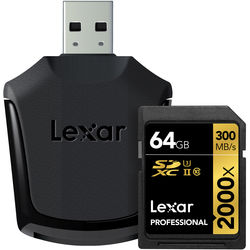 Lexar, like Sandisk, is a titan of SD memory cards. I’m not sure if they have the same counterfeit issue Sandisk deals with but last year a lot of people were experiencing issues with their cards. It could have been a bad product run or people getting a batch of counterfeit cards. I’ve personally never had an issue with Lexar cards in any of my camera tests, and they work great in an Olympus camera. Actually, this was the fastest memory card in the Olympus EM1 II. – Amazon / BHphoto
Other Cards To Consider / Cards To Avoid
There is a lot of junk out there: counterfeit cards and white-labeled cards. Right now, ADATA is having some issues with Panasonic cameras, so it’s possible Olympus cameras could have similar issues. Both camera brands perform very similarly and could be using similar hardware. Just my guess.
Brands like Hoodman Steel, ProGrade, Fujifilm, and Panasonic are just white labeled cards. Meaning, they buy their cards factory direct from someone like Transcend or Delkin, then rebrand them. You’ll be better off buying one of the four cards recommended above.
Finding The Best SD Memory Cards Olympus EM1 II
With counterfeit cards being such an issue, you really have to be careful where you get your cards. Absolutely avoid buying memory cards on eBay unless you see them sold by Adorama or a trusted seller. The best places to buy memory cards are stores like Best Buy, BHphoto, or Adorama. I’m hearing that Amazon is having some issues, too, since they sometimes mix inventory. So always make sure you buy your cards from the actual manufacturer, and always check to see who fulfills the order before completing your purchase.
Best Memory Card 4k Video Olympus EM1 II
For shooting 4K video, every card on the list worked except the Samsung U1 card, for whatever reason. Sometimes Samsung cards don’t work in Sony cameras as well. It might be the type of flash configuration they use.
The 4k video files from the EM1 II can output at 100 Mbps, but you’ll usually see less than that in most situations. 100 Mbps translates to about 12 MB/s, so any card here can easily achieve those speeds.
For people serious about 4k video, it’s sometimes nice to buy UHS-II cards that are fast at reading but slower at writing. These cards are often less expensive and still let you quickly transfer your footage from the cards to your computer.
Best Memory Cards Olympus EM1 II | Bottom Line
UHS-II cards are the way to go in the Olympus EM1 Mark II. Performance is so much better that it really doesn’t make sense to buy such a high-performance camera and not take advantage of that speed.
However, it’s sometimes nice to have multiple cards and buying all UHS-II cards can be expensive. Even I sometimes run around with UHS-I cards in my UHS-II cameras when I’m just shooting landscapes or travel photography. You will save yourself a lot of money when buying big cards that are only UHS-I, rather than UHS-II.
If you’re on a budget, you could also buy a smaller UHS-II card for slot one (like a 32GB one), set the camera to overflow to slot two, where you put a bigger UHS-I card. That way, you still get the performance of the UHS-II cards most of the time, but still have the memory for those days when you’re shooting more than expected.















Leave a Reply to Alik Griffin Cancel reply