
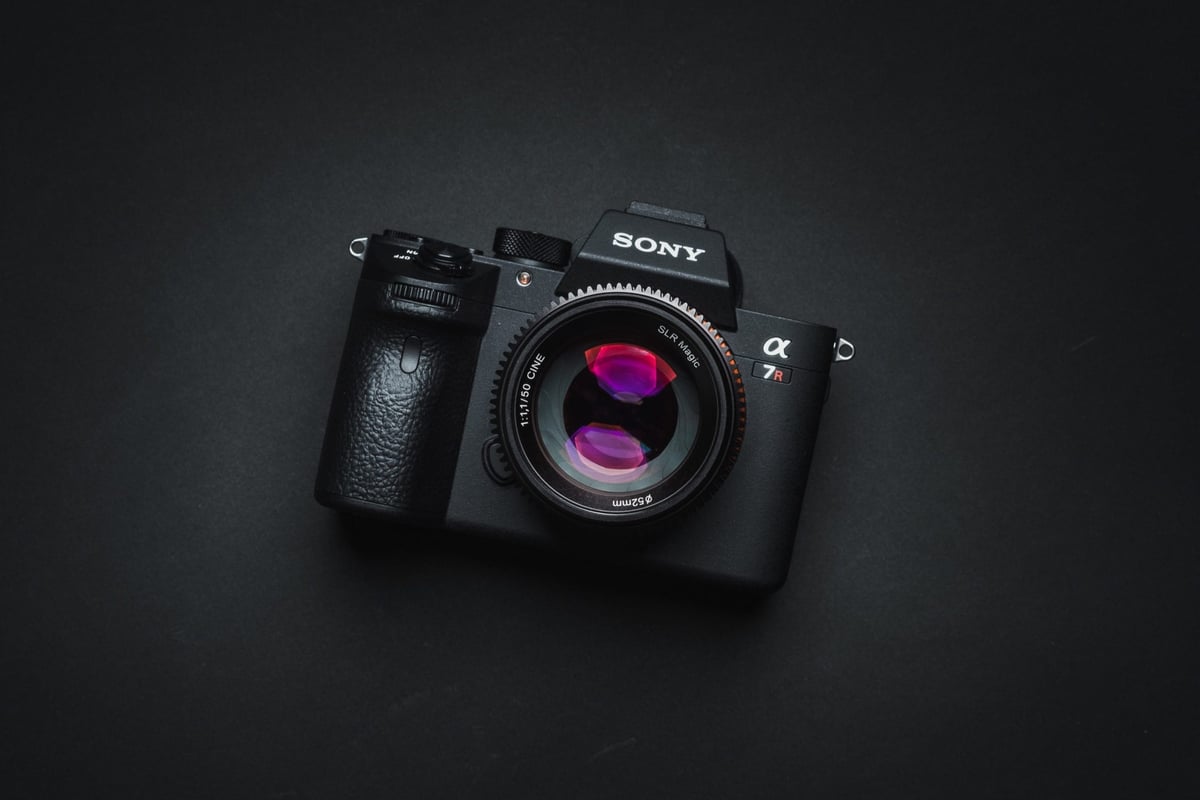
The Sony A7r III has new internal hardware that enables faster memory card performance, a larger buffer, and support for UHS-II memory cards. Use this guide to find the fastest memory cards for your Sony A7 III.
Sony A7r III Recommended Memory Cards
The Sony A7R III has two memory card slots, but only one supports UHS-II cards. So you can either buy both UHS-II cards and not worry about mix-and-matching, or save yourself some money by buying a UHS-I card for the UHS-I slot.
UHS-II will be the fastest memory card for your Sony A7rIII by default, as long as you stick with the top performers.
For UHS-II memory cards, also consider the Delkin and Toshiba cards.
| Recommended For Sony | Review Links | USB Write | USB Read | Check Price |
|---|---|---|---|---|
| SD UHS-II V90 | Hide | |||
| Sandisk Extreme Pro V90 32-512GB | Sandisk Extreme Pro V90 UHS-II Review | 268 | 293 | Amazon / B&H |
| Sony G Tough v90 32-256GB | Sony G Tough V90 UHS-II Review | 258 | 296 | Amazon / B&H |
| Delkin Black v90 64/128/256GB | 253 | 278 | B&H | |
| Kingston Canvas React V90 32-256GB | Kingston Canvas React Plus V90 | 274 | 292 | Amazon / B&H |
| Kodak V90 32/64/128GB | 260 | 272 | Amazon | |
| Ritz Gear VideoPro V90 64-512GB | 258 | 273 | Amazon | |
| SD UHS-II V60 | Hide | |||
| Lexar ARMOR Gold V90 256GB-1TB | 191 | 258 | Amazon / B&H | |
| Sony M Tough V60 64-512GB | Sony M V60 UHS-II Review | 153 | 269 | Amazon / B&H |
| Sony E v60 256GB | Sony E Series V60 256GB Review | Amazon / B&H |
Here are a few great options for UHS-I Memory Cards.
| Recommended SD Cards | Speed Class | USB Write | USB Read | Links |
|---|---|---|---|---|
| SD UHS-II V60 | Hide | |||
| Sony E v60 128GB | UHS-II v60 | 142 | 252 | Amazon / B&H |
| Sony E v30 64GB | UHS-II v30 | 73 | 247 | Amazon / B&H |
| UHS-I U3 | Hide | |||
| Sandisk Extreme Pro 32GB-1TB | UHS-I | 137 | 175 | Amazon / B&H |
| Kingston CanvasGo! 128/256/512GB/1TB | UHS-I | 124 | 161 | Amazon / B&H |
| Delkin Advantage 128GB-1TB | UHS-I | 77 | 93 | Amazon / B&H |
Sony A7r III | The Speed Test
I’ve tested every card in the Sony A7R III using uncompressed RAW. I’ve taken the fastest speed from three tests, unless the card showed mixed results, in which case I took the average. The only card that was wild was the PNY U3.
I’ve also tested a few cards using Compressed RAW. I’ve found the speed is slightly higher, about 10 MB/s, for the UHS-II cards. I’ll update the list with those results as well in the future.
For the 4k video test, I shot on each card for about 30 seconds to a minute to make sure the cards weren’t rejected by the camera. Usually, Samsung cards never work for 4k video in Sony cameras, however, this time a few cards worked. I still would avoid Samsung cards just to be safe.
| SD Memory Cards | USB 3.0 Read | USB 3.0 Write | 4k | Sony A7r III |
| UHS-II | ||||
| Delkin V90 | 245.1 MB/s | 164.6 MB/s | Y | 128.04 MB/s |
| Lexar 2000x | 272.7 MB/s | 244.5 MB/s | Y | 127.95 MB/s |
| Transcend | 290.2 MB/s | 182.1 MB/s | Y | 127.71 MB/s |
| Hoodman Steel 2000x | 268.7 MB/s | 183.9 MB/s | Y | 127.61 MB/s |
| Fujifilm Elite II | 294.0 MB/s | 181.6 MB/s | Y | 127.60 MB/s |
| Toshiba Exceria Pro | 258.8 MB/s | 226.5 MB/s | Y | 127.49 MB/s |
| Sandisk Extreme Pro 300 | 263.2 MB/s | 233.4 MB/s | Y | 127.01 MB/s |
| Sony G | 259.2 MB/s | 234.5 MB/s | Y | 126.84 MB/s |
| Sandisk Extreme Pro 280 | 260.5 MB/s | 214.8 MB/s | Y | 126.10 MB/s |
| Adata V90 | 256.5 MB/s | 231.7 MB/s | Y | 112.67 MB/s |
| Sony M | 253.2 MB/s | 91.62 MB/s | Y | 88.74 MB/s |
| Delkin 1900X v60 | 273.3 MB/s | 97.3 MB/s | Y | 88.44 MB/s |
| Lexar 1000x | 147.4 MB/s | 78.4 MB/s | Y | 73.13 MB/s |
| UHS-I | ||||
| Sandisk Extreme Pro U3 | 98.6 MB/s | 90.8 MB/s | Y | 75.52 MB/s |
| Kingston U3 | 98.1 MB/s | 90.4 MB/s | Y | 75.26 MB/s |
| Delkin 633x U3 | 98.3 MB/s | 88.7 MB/s | Y | 74.99 MB/s |
| Samsung Pro+ U3 | 97.5 MB/s | 87.3 MB/s | N | 73.12 MB/s |
| Samsung Pro U1 | 96.3 MB/s | 82.2 MB/s | N | 70.98 MB/s |
| Samsung Pro U3 | 97.7 MB/s | 78.6 MB/s | Y | 69.07 MB/s |
| Sony U3 – Old Model | 96.5 MB/s | 84.5 MB/s | Y | 67.93 MB/s |
| Transcend U3 | 96.7 MB/s | 84.9 MB/s | Y | 65.57 MB/s |
| Sandisk Extreme Plus U3 | 99.0 MB/s | 64.4 MB/s | Y | 58.27 MB/s |
| PNY Elite Performance U1 | 96.5 MB/s | 66.5 MB/s | Y | 58.04 MB/s |
| Lexar 633x U3 | 93.3 MB/s | 67.3 MB/s | Y | 56.57 MB/s |
| Sony U3 – New Model | 96.7 MB/s | 56.2 MB/s | Y | 55.04 MB/s |
| Lexar 600x U1 | 95.4 MB/s | 64.8 MB/s | Y | 53.77 MB/s |
| Sandisk Extreme U3 | 72.43 MB/s | 54.1 MB/s | Y | 49.03 MB/s |
| PNY Elite Performance U3 | 96.5 MB/s | 66.1 MB/s | Y | 45.74 MB/s |
| Sandisk Ultra U1 | 99.3 MB/s | 36.1 MB/s | N | 26.77 MB/s |
| Samsung U1 EVO | 47.7 MB/s | 21.96 MB/s | N | 21.18 MB/s |
Sony A7r III Specs
Sensor: 42MP Full Frame 15-Stops Dynamic Range
Processor: BIONZ X Image Processor & Front-End LSI
Buffer: 2.7GB
Memory Card Compatibility: UHS-I / UHS-II
Time To Clear Buffer: 17 seconds (Lexar 2000x)
Shots To Fill Buffer Uncompressed: 30 (Lexar 2000x)
Shots To Fill Buffer Compressed: 83 (Lexar 2000x)
Best Accessories For The Sony A7r III
Other Cards To Consider / Cards To Avoid
There are a few new brands making UHS-II memory cards, like Hoodman Steel, Adata, and even Fujifilm, and they are all great options if you can find them at a lower price. I’ve also had great success with Delkin cards in Sony cameras, and they also make a few nice UHS-II cards.
For a while, many people were buying PNY cards because they were such a great price. My PNY cards always work well, but there have been a lot of reported issues of them not working correctly in Sony cameras.
What to do if you get a bad card, or your card isn’t working
I’ve seen so many people struggle with cards over the years, and it always comes down to a few things.
First, they got a counterfeit card because they bought it off eBay.
Sometimes manufacturers have bad production runs. Nobody is immune to this. Lexar had a bad year and put out a lot of poor cards.
Some cameras don’t like some cards. Sony cameras don’t like Samsung Cards. I’ve even had a few issues with Transcend cards in a few Sony RX10 cameras, where they would give me corrupted blue frames.
I’ve personally had issues with dirty cards; they would perform really slowly until I cleaned the contacts. It could have been oil smudges or something as simple as that.
I’ve seen people break one of the UHS-II pins in the camera. So if you find yourself only getting UHS-I speeds and you’re using UHS-II cards in the UHS-II memory card slot, shine a flashlight into your camera and make sure none of your pins are bent, and obviously never force a card into the slot.
Cards have warranties, usually 3 years to a lifetime. You can always call in for a replacement. Or, if you’ve only had the card for a month, you can return it to Amazon. Most camera stores will actually take back cards, from my experience.
UHS-II vs. UHS-I Memory Cards In The Sony A7r III
Sometimes people get confused about how the buffer works on the Sony A7R III, so I’ll clarify here. The Sony A7rIII has only one UHS-II-compatible slot. If you shoot a backup to the UHS-I card, your memory card write speeds will be significantly reduced to UHS-I performance.
If you shoot RAW+JPEG, you shouldn’t technically get a write speed drop if the JPEGs are going to the UHS-I card because the files are much smaller and the UHS-I card should be able to keep up, however, RAW+JPEG takes a lot more processing power and will fill the buffer a lot quicker, so you will see a significant performance loss in memory card write speeds since the camera has to do so much more work.
Shooting Uncompressed RAW will produce massive files, and you will fill your buffer much more quickly, but they won’t slow down your memory card write speeds; you’ll just get overall lower performance from the larger files. Honestly, I’ve done the tests, and I’ll do them again. There is really no point in shooting Uncompressed; it’s just not worth the .05% increase in image quality in the shadows. Sony just put that in their cameras for the most extreme camera nerds.
Finding The Best SD Memory Cards Sony A7rIII
If you don’t have access to my site and need to buy a quick memory card, here is a great way to figure out which card will work for you. It really comes down to which card will work for 4k video. If you remember this info, you will be good to go.
Best Memory Card 4k Video Sony A7rIII
Sony upgraded its firmware last year so you can now use SDHC memory cards for 4 K video; however, you still need to use UHS-I memory cards. Here is a breakdown of memory card stats and what each number means.
Class 10 / U1 – NO 4k!
Class 10 and U1 are one and the same. It has to do with the minimum write speeds a card can achieve. A Class 10 or U1 card should be able to sustain 10MB/s write speeds in any situation, sequential or random.
However, 4k will not work here.
U3 – 4k compatible
U3 is the minimum requirement for 4k video. It has a minimum performance of 30 MB/s. So, under any circumstance, it will be able to keep up with 4k video bitrate demands, regardless of whether the card is fragmented or not.
V30 – 4k compatible
V is the newest rating system. It also concerns minimum write speeds. V30 is the same as U3: 30 MB/s. It will also work with 4 K videos. Typically, if a card is V30, it’s also U3 and meets Sony’s requirements.
V60 – 4k compatible
Even faster than V30 is V60. 60MB/s guaranteed minimum write speeds. The thing is, with the V60 and V90, although the cards can achieve the guaranteed write speed of 60MB/s, it doesn’t mean the camera can. Usually, a memory card’s performance is limited by the camera’s capabilities.
V90 – 4k compatible
Like V60, this means a minimum speed of 90 MB/s. You mostly only see this on UHS-II cards.
UHS-I
UHS-I memory cards have a single row of pins. They typically max out at around 70MB/s when writing to the camera. Except most Sony cameras cap out at 30 MB/s. The Sony A9 and the A7 III should all be able to see this 70MB/s performance cap with the improved bus speeds. Assuming the A7rIII has the same guts as the A9.
UHS-II
UHS-II cards will be the fastest memory cards for the Sony A7R III. They have two sets of pins that allow simultaneous read and write operations. I believe it sort of works as a dual channel, so you get two lanes of data and twice the speed of UHS-I cards
SDHC and SDXC
SDHC and SDXC refer to the card formats. SDHC is 32-bit, SDXC is 64-bit. Anything less than 64GB will be SDHC by default. SDXC is going to be anything 64GB and above. I also believe you will get a 4GB file limit with SDHC. I’m not sure yet what sort of limits the Sony A7rIII has with SDXC cards or with video recording.















Leave a Reply