We use minimal analytics to improve the site. Is that okay?

Alik Griffin
San Clemente Sunset
Subscription Form
  • Reviews
    • Accessory Reviews
    • Calculators
      • Video Data Rate Calculator | Record Time Calculator
      • Diffraction Calculator
      • DoF Calculator | Lens Equivalent
      • Shutter Speed to Shutter Angle Calculator
    • Camera Reviews
    • Lens Reviews
    • Memory Cards Recommendations
      • Fastests SD Memory Cards
      • Fastest MicroSD Cards
      • Fastest CFExpress Type-B Card
      • Fastest CFExpress Type-A Cards
      • Best CFast Memory Card
    • List of Mics
      • Best Streaming & Podcast Mics
  • Camera Guides
    • List of all Blackmagic Cameras
    • List Of all Canon RF Cameras
    • List of all Fujifilm Cameras
    • List of all Nikon Z Cameras
    • List of all Panasonic Cameras
    • List Of all Sony E Cameras
  • List of Lenses
    • Canon RF Lenses
    • Fujifilm GFX Lenses
    • Fujifilm XF Lenses
    • L-Mount Lenses
    • Leica M Lenses
    • Micro Four Thirds Lenses
    • Nikon Z Lenses
    • PL Mount Cine Lenses
    • Sony E Lenses (FE and APS-C)
  • Store
  • My account
Alik Griffin
Alik Griffin
  • Reviews
    • Accessory Reviews
    • Calculators
      • Video Data Rate Calculator | Record Time Calculator
      • Diffraction Calculator
      • DoF Calculator | Lens Equivalent
      • Shutter Speed to Shutter Angle Calculator
    • Camera Reviews
    • Lens Reviews
    • Memory Cards Recommendations
      • Fastests SD Memory Cards
      • Fastest MicroSD Cards
      • Fastest CFExpress Type-B Card
      • Fastest CFExpress Type-A Cards
      • Best CFast Memory Card
    • List of Mics
      • Best Streaming & Podcast Mics
  • Camera Guides
    • List of all Blackmagic Cameras
    • List Of all Canon RF Cameras
    • List of all Fujifilm Cameras
    • List of all Nikon Z Cameras
    • List of all Panasonic Cameras
    • List Of all Sony E Cameras
  • List of Lenses
    • Canon RF Lenses
    • Fujifilm GFX Lenses
    • Fujifilm XF Lenses
    • L-Mount Lenses
    • Leica M Lenses
    • Micro Four Thirds Lenses
    • Nikon Z Lenses
    • PL Mount Cine Lenses
    • Sony E Lenses (FE and APS-C)
  • Store
  • My account
  • Pure Cinema
    Viltrox TCL-X100VI Review | A Budget-Friendly 50mm Upgrade
    • February 21, 2026
  • Thypoch Simera 75mm f1.4 Review
    Thypoch Simera 75mm f1.4 Review & Sample Photos
    • February 18, 2026
  • Kakurajima View
    Viltrox WCL-X100VI Review | A Budget-Friendly 28mm Upgrade
    • February 17, 2026
  • Viltrox 9mm f2.8 Air Review
    Viltrox 9mm f2.8 AIR Review & Sample Photos
    • February 18, 2026
  • Biker Bro
    Viltrox Spark Z3 Flash – Review & Sample Photos
    • February 16, 2026
  • Pure Cinema

    Viltrox TCL-X100VI Review | A Budget-Friendly 50mm Upgrade

    View Post
  • Thypoch Simera 75mm f1.4 Review

    Thypoch Simera 75mm f1.4 Review & Sample Photos

    View Post
  • Kakurajima View

    Viltrox WCL-X100VI Review | A Budget-Friendly 28mm Upgrade

    View Post
Trending Posts
  • Nikon Zf Official Announcement 1
    Nikon Zf – The Fujifilm Killer?
    • February 18, 2026
  • Nikon Z 50mm f1.8 S Lens Review 2
    Nikon Z 50mm f1.8 S Lens Review & Sample Photos
    • February 18, 2026
  • Kamlan 50mm f1.1 II Product Shot 3
    Kamlan 50mm f1.1 II Review & Sample Photos
    • January 18, 2025
0
  • Camera Guides
  • Memory Cards Recommendations

Best Memory Cards Sony A7r III | Real Benchmarks

  • Alik Griffin
  • February 12, 2026
  • 19 comments

This website contains affiliate links. We will earn a small commission on purchases made through these links. Some of the links used in these articles will direct you to Amazon. As an Amazon Associate, I earn from qualifying purchases.

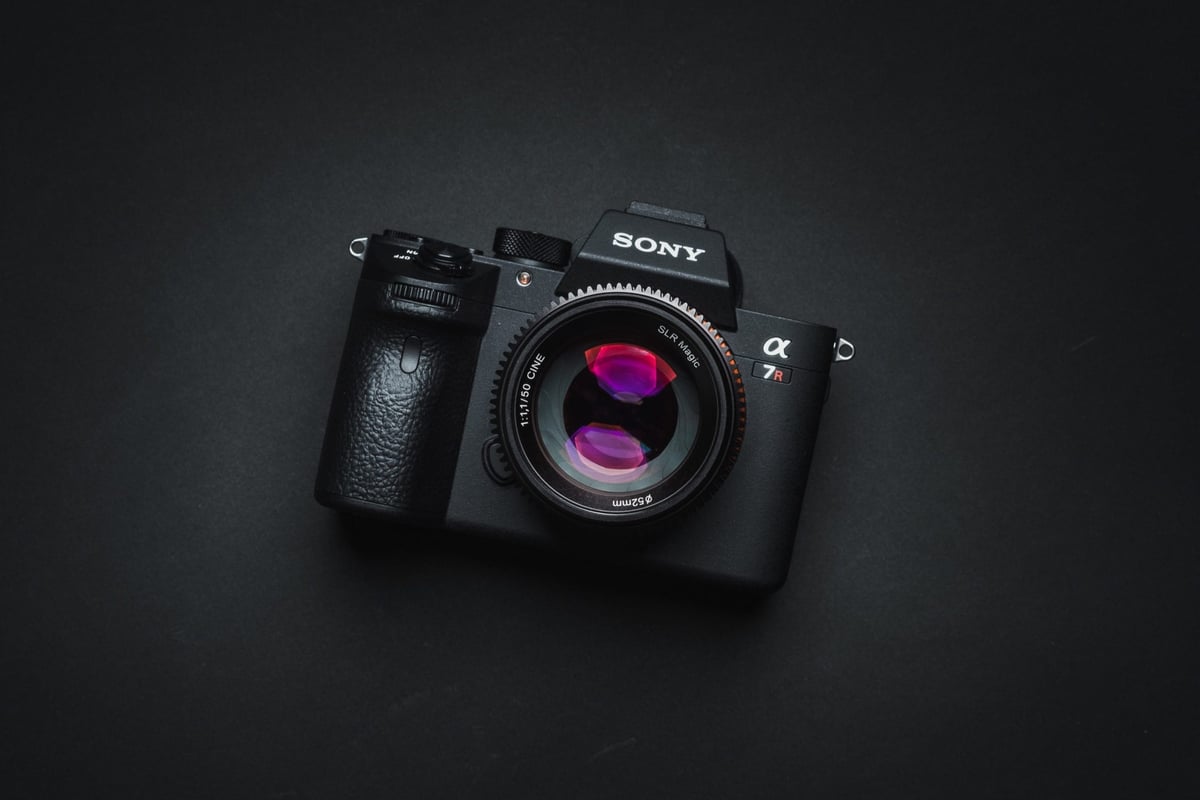
The Sony A7r III has new internal hardware that enables faster memory card performance, a larger buffer, and support for UHS-II memory cards. Use this guide to find the fastest memory cards for your Sony A7 III.

Sony A7r III Recommended Memory Cards

The Sony A7R III has two memory card slots, but only one supports UHS-II cards. So you can either buy both UHS-II cards and not worry about mix-and-matching, or save yourself some money by buying a UHS-I card for the UHS-I slot.

UHS-II will be the fastest memory card for your Sony A7rIII by default, as long as you stick with the top performers.

For UHS-II memory cards, also consider the Delkin and Toshiba cards.

Recommended For SonyReview LinksUSB WriteUSB ReadCheck Price
SD UHS-II V90Hide
Sandisk Extreme Pro V90 32-512GBSandisk Extreme Pro V90 UHS-II Review268293Amazon / B&H
Sony G Tough v90 32-256GBSony G Tough V90 UHS-II Review258296Amazon / B&H
Delkin Black v90 64/128/256GB253278B&H
Kingston Canvas React V90 32-256GBKingston Canvas React Plus V90274292Amazon / B&H
Kodak V90 32/64/128GB260272Amazon
Ritz Gear VideoPro V90 64-512GB258273Amazon
SD UHS-II V60Hide
Lexar ARMOR Gold V90 256GB-1TB191258Amazon / B&H
Sony M Tough V60 64-512GBSony M V60 UHS-II Review153269Amazon / B&H
Sony E v60 256GBSony E Series V60 256GB ReviewAmazon / B&H

Here are a few great options for UHS-I Memory Cards.

Recommended SD CardsSpeed ClassUSB WriteUSB ReadLinks
SD UHS-II V60Hide
Sony E v60 128GBUHS-II v60142252Amazon / B&H
Sony E v30 64GBUHS-II v3073247Amazon / B&H
UHS-I U3Hide
Sandisk Extreme Pro 32GB-1TBUHS-I137175Amazon / B&H
Kingston CanvasGo! 128/256/512GB/1TBUHS-I124161Amazon / B&H
Delkin Advantage 128GB-1TBUHS-I7793Amazon / B&H

Sony A7r III | The Speed Test

I’ve tested every card in the Sony A7R III using uncompressed RAW. I’ve taken the fastest speed from three tests, unless the card showed mixed results, in which case I took the average. The only card that was wild was the PNY U3.

I’ve also tested a few cards using Compressed RAW. I’ve found the speed is slightly higher, about 10 MB/s, for the UHS-II cards. I’ll update the list with those results as well in the future.

For the 4k video test, I shot on each card for about 30 seconds to a minute to make sure the cards weren’t rejected by the camera. Usually, Samsung cards never work for 4k video in Sony cameras, however, this time a few cards worked. I still would avoid Samsung cards just to be safe.

SD Memory Cards USB 3.0 Read USB 3.0 Write 4k Sony A7r III
UHS-II
Delkin V90 245.1 MB/s 164.6 MB/s Y 128.04 MB/s
Lexar 2000x 272.7 MB/s 244.5 MB/s Y 127.95 MB/s
Transcend 290.2 MB/s 182.1 MB/s Y 127.71 MB/s
Hoodman Steel 2000x 268.7 MB/s 183.9 MB/s Y 127.61 MB/s
Fujifilm Elite II 294.0 MB/s 181.6 MB/s Y 127.60 MB/s
Toshiba Exceria Pro 258.8 MB/s 226.5 MB/s Y 127.49 MB/s
Sandisk Extreme Pro 300 263.2 MB/s 233.4 MB/s Y 127.01 MB/s
Sony G 259.2 MB/s 234.5 MB/s Y 126.84 MB/s
Sandisk Extreme Pro 280 260.5 MB/s 214.8 MB/s Y 126.10 MB/s
Adata V90 256.5 MB/s 231.7 MB/s Y 112.67 MB/s
Sony M 253.2 MB/s 91.62 MB/s Y 88.74 MB/s
Delkin 1900X v60 273.3 MB/s 97.3 MB/s Y 88.44 MB/s
Lexar 1000x 147.4 MB/s 78.4 MB/s Y 73.13 MB/s
UHS-I
Sandisk Extreme Pro U3 98.6 MB/s 90.8 MB/s Y 75.52 MB/s
Kingston U3 98.1 MB/s 90.4 MB/s Y 75.26 MB/s
Delkin 633x U3 98.3 MB/s 88.7 MB/s Y 74.99 MB/s
Samsung Pro+ U3 97.5 MB/s 87.3 MB/s N 73.12 MB/s
Samsung Pro U1 96.3 MB/s 82.2 MB/s N 70.98 MB/s
Samsung Pro U3 97.7 MB/s 78.6 MB/s Y 69.07 MB/s
Sony U3 – Old Model 96.5 MB/s 84.5 MB/s Y 67.93 MB/s
Transcend U3 96.7 MB/s 84.9 MB/s Y 65.57 MB/s
Sandisk Extreme Plus U3 99.0 MB/s 64.4 MB/s Y 58.27 MB/s
PNY Elite Performance U1 96.5 MB/s 66.5 MB/s Y 58.04 MB/s
Lexar 633x U3 93.3 MB/s 67.3 MB/s Y 56.57 MB/s
Sony U3 – New Model 96.7 MB/s 56.2 MB/s Y 55.04 MB/s
Lexar 600x U1 95.4 MB/s 64.8 MB/s Y 53.77 MB/s
Sandisk Extreme U3 72.43 MB/s 54.1 MB/s Y 49.03 MB/s
PNY Elite Performance U3 96.5 MB/s 66.1 MB/s Y 45.74 MB/s
Sandisk Ultra U1 99.3 MB/s 36.1 MB/s N 26.77 MB/s
Samsung U1 EVO 47.7 MB/s 21.96 MB/s N 21.18 MB/s

Sony A7r III Specs

Sensor: 42MP Full Frame 15-Stops Dynamic Range
Processor: BIONZ X Image Processor & Front-End LSI
Buffer: 2.7GB
Memory Card Compatibility: UHS-I / UHS-II
Time To Clear Buffer: 17 seconds (Lexar 2000x)
Shots To Fill Buffer Uncompressed: 30 (Lexar 2000x)
Shots To Fill Buffer Compressed: 83 (Lexar 2000x)

Best Accessories For The Sony A7r III

Other Cards To Consider / Cards To Avoid

There are a few new brands making UHS-II memory cards, like Hoodman Steel, Adata, and even Fujifilm, and they are all great options if you can find them at a lower price. I’ve also had great success with Delkin cards in Sony cameras, and they also make a few nice UHS-II cards.

For a while, many people were buying PNY cards because they were such a great price. My PNY cards always work well, but there have been a lot of reported issues of them not working correctly in Sony cameras.


What to do if you get a bad card, or your card isn’t working

I’ve seen so many people struggle with cards over the years, and it always comes down to a few things.

First, they got a counterfeit card because they bought it off eBay.

Sometimes manufacturers have bad production runs. Nobody is immune to this. Lexar had a bad year and put out a lot of poor cards.

Some cameras don’t like some cards. Sony cameras don’t like Samsung Cards. I’ve even had a few issues with Transcend cards in a few Sony RX10 cameras, where they would give me corrupted blue frames.

I’ve personally had issues with dirty cards; they would perform really slowly until I cleaned the contacts. It could have been oil smudges or something as simple as that.

I’ve seen people break one of the UHS-II pins in the camera. So if you find yourself only getting UHS-I speeds and you’re using UHS-II cards in the UHS-II memory card slot, shine a flashlight into your camera and make sure none of your pins are bent, and obviously never force a card into the slot.

Cards have warranties, usually 3 years to a lifetime. You can always call in for a replacement. Or, if you’ve only had the card for a month, you can return it to Amazon. Most camera stores will actually take back cards, from my experience.


UHS-II vs. UHS-I Memory Cards In The Sony A7r III

Sometimes people get confused about how the buffer works on the Sony A7R III, so I’ll clarify here. The Sony A7rIII has only one UHS-II-compatible slot. If you shoot a backup to the UHS-I card, your memory card write speeds will be significantly reduced to UHS-I performance.

If you shoot RAW+JPEG, you shouldn’t technically get a write speed drop if the JPEGs are going to the UHS-I card because the files are much smaller and the UHS-I card should be able to keep up, however, RAW+JPEG takes a lot more processing power and will fill the buffer a lot quicker, so you will see a significant performance loss in memory card write speeds since the camera has to do so much more work.

Shooting Uncompressed RAW will produce massive files, and you will fill your buffer much more quickly, but they won’t slow down your memory card write speeds; you’ll just get overall lower performance from the larger files. Honestly, I’ve done the tests, and I’ll do them again. There is really no point in shooting Uncompressed; it’s just not worth the .05% increase in image quality in the shadows. Sony just put that in their cameras for the most extreme camera nerds.


Finding The Best SD Memory Cards Sony A7rIII

If you don’t have access to my site and need to buy a quick memory card, here is a great way to figure out which card will work for you. It really comes down to which card will work for 4k video. If you remember this info, you will be good to go.


Best Memory Card 4k Video Sony A7rIII

Sony upgraded its firmware last year so you can now use SDHC memory cards for 4 K video; however, you still need to use UHS-I memory cards. Here is a breakdown of memory card stats and what each number means.

Class 10 / U1 – NO 4k!

Class 10 and U1 are one and the same. It has to do with the minimum write speeds a card can achieve. A Class 10 or U1 card should be able to sustain 10MB/s write speeds in any situation, sequential or random.

However, 4k will not work here.

U3 – 4k compatible

U3 is the minimum requirement for 4k video. It has a minimum performance of 30 MB/s. So, under any circumstance, it will be able to keep up with 4k video bitrate demands, regardless of whether the card is fragmented or not.

V30 – 4k compatible

V is the newest rating system. It also concerns minimum write speeds. V30 is the same as U3: 30 MB/s. It will also work with 4 K videos. Typically, if a card is V30, it’s also U3 and meets Sony’s requirements.

V60 – 4k compatible

Even faster than V30 is V60. 60MB/s guaranteed minimum write speeds. The thing is, with the V60 and V90, although the cards can achieve the guaranteed write speed of 60MB/s, it doesn’t mean the camera can. Usually, a memory card’s performance is limited by the camera’s capabilities.

V90 – 4k compatible

Like V60, this means a minimum speed of 90 MB/s. You mostly only see this on UHS-II cards.

UHS-I

UHS-I memory cards have a single row of pins. They typically max out at around 70MB/s when writing to the camera. Except most Sony cameras cap out at 30 MB/s. The Sony A9 and the A7 III should all be able to see this 70MB/s performance cap with the improved bus speeds. Assuming the A7rIII has the same guts as the A9.

UHS-II

UHS-II cards will be the fastest memory cards for the Sony A7R III. They have two sets of pins that allow simultaneous read and write operations. I believe it sort of works as a dual channel, so you get two lanes of data and twice the speed of UHS-I cards

SDHC and SDXC

SDHC and SDXC refer to the card formats. SDHC is 32-bit, SDXC is 64-bit. Anything less than 64GB will be SDHC by default. SDXC is going to be anything 64GB and above. I also believe you will get a 4GB file limit with SDHC. I’m not sure yet what sort of limits the Sony A7rIII has with SDXC cards or with video recording.

0
0
102
0
0
Alik Griffin

A professional video editor, and photographer with a Bachelors in Film studies from UCSD. Based in Los Angeles, I have created commercials, trailers, and other video content for various clients and platforms since 2005. I also love to write about my passions and share my insights on my blog.

Related Topics
  • Memory Card Speed Tests
  • Sony
  • Sony A7rIII
Previous Article
  • Blog

Beverly Hills – The Last Oasis

  • Alik Griffin
  • May 28, 2023
View Post
Next Article
  • Blog
  • Lens Reviews
  • Photo Stories

Fujifilm 90mm f2 | Lifestyle Photography

  • Alik Griffin
  • April 22, 2024
View Post

Subscribe

Subscribe now to our newsletter

You May Also Like
Sony A7V Accessories
View Post
  • Accessory Guides
  • Camera Guides

Must-Have Sony A7V Accessories: Maximize Your Hybrid Setup

  • Alik Griffin
  • February 12, 2026
  • No comments
Nikon Z6 III Accessories
View Post
  • Accessory Guides
  • Camera Guides

Best Nikon Z6 III Accessories: Must-Have Hybrid Gear

  • Alik Griffin
  • February 12, 2026
  • No comments
Canon R5 II Accessories
View Post
  • Accessory Guides

Best Canon R5 II Accessories: Building the Ultimate Hybrid Rig

  • Alik Griffin
  • February 4, 2026
  • No comments
Ricoh GRIV Accessories
View Post
  • Accessory Guides

The Ultimate Stealth Kit: Ricoh GR IV Accessories

  • Alik Griffin
  • February 1, 2026
  • No comments
19 comments
  1. Gianluca Pirro says:
    December 15, 2017 at 1:50 pm

    Hello. Don’t you recommand Lexar x2000 over Sony G?

    Reply
    1. Alik Griffin says:
      December 15, 2017 at 1:53 pm

      I would, but Lexar as a company has been discontinued. So their cards are getting harder to find and there may be no ability to claim warranty. Although, Sony warranty is only 1-year so it might not matter. I personally still use the Lexar cards. They are great. But either one works very well, I’ve just found Sony cards to always work well in Sony cameras.

      Reply
  2. Gianluca Pirro says:
    December 15, 2017 at 3:01 pm

    In Italy I can find Lexar X2000 yet. But I think Sony G is better for A7RIII. Is the Sony G speed write in A7RIII the same as Sony A9? Is it the fastest card?

    Reply
    1. Alik Griffin says:
      December 15, 2017 at 11:49 pm

      I have the camera and am testing it this weekend but I have been messing around and those Sony G cards are clearing the buffer very quickly. Lexar as a brand has been discontinued, most camera stores don’t carry them anymore and never will again. The Sony A9 and A7rIII should perform about the same in terms of memory card write speeds but I expect the A7rIII to perform maybe slightly slower because of the higher megapixel sensor.

      Reply
  3. Gianluca Pirro says:
    December 16, 2017 at 3:15 am

    Good. I will read your test

    Reply
  4. trey says:
    January 1, 2018 at 1:10 pm

    Based on your stats and pricing… I’d go 64GB TOSHIBA EXCERIA PRO ($79) for the UHS-II and 64GB KINGSTON U3 ($34) for the UHS-I… best overall speed for the price. Confused to how these guys aren’t the top recommended.

    Reply
    1. Alik Griffin says:
      January 1, 2018 at 6:42 pm

      Yes, the Toshiba is a great cards now for the price, they finally came down to something reasonable. When I first bought that card last year it was over $200, so I wasn’t pushing it. These prices often fluctuate a lot. I recommend the Sony and Sandisk cards just because they almost never have problems with Sony cameras since they are very finicky with memory cards. I’ll likely replace that Lexar 2000x card with the Toshiba or Delkin cards soon since Lexar cards are getting harder to find. This list took me years to get right, I use to recommend other cards on these lists for other Sony cameras and would get a lot of emails with complaints about compatibility issues with cards I recommended. I almost never get those now. Hopefully the new A7rIII is a little more friendly to memory cards than previous models so we can try out other brands. Right now I’m using the Delkin and Transcend UHS-II cards a lot in my A7r III and haven’t had any Issues yet.

      Reply
  5. Patriot1776 says:
    January 30, 2018 at 10:55 am

    Hi Alik, I am doing wedding photography (not video), and want to use both cards to be duplicates. I want RAW only written to both for peace of mind. I don’t plan on doing too much burst shooting, so is it wise for me to get the Sandisk Extreme Pro UHS-I for both slots as the UHS-I slot will be the limiting factor anyway?

    Reply
    1. Alik Griffin says:
      January 30, 2018 at 6:43 pm

      Yes, if you’re shooting with the backup option there is no point of going with UHS-II. And, even the UHS-I cards run very fast on the new A7rIII. I’m very happy about this. 🙂 They use to only run at 30MB/s on the A7rII, now it’s like 70MB/s. So even with UHS-I, you’re still more than twice as fast as the old cameras. The A7rIII also has a pretty huge buffer as well so you won’t run into any issues.

      Reply
      1. Patriot1776 says:
        January 30, 2018 at 8:36 pm

        Thanks Alik. So in what situations is it really advantageous to use a UHSII card?

        Reply
        1. Alik Griffin says:
          January 31, 2018 at 2:08 pm

          Sports, action and wildlife where you’re constantly bursting. I don’t always use them for regular every day photography in my cameras. And I hardly burst more than a two seconds at a time.

          Reply
  6. Vlad says:
    February 10, 2018 at 12:44 pm

    For A7R III it is recommended to use UHS-II card for 4k video? Can I stick to SANDISK EXTREME PRO U3 card? Is there any downside in terms of video?

    Reply
    1. Alik Griffin says:
      February 12, 2018 at 1:24 am

      You don’t need UHS-II for 4k video. You can use U3 Sandisk UHS-I cards. No downsides.

      Reply
      1. Vlad says:
        February 12, 2018 at 7:53 pm

        Yep, thank you for reply! 🙂 I’ve just confused myself thinking that speed markings on cards are in mbps whereas they are in MB/s, so any UHS-I would work great. (Shame on me :D)
        Just one more extra question: is there any downside if I’ll go Micro sd format with adapter vs full-sized SD card?

        Reply
  7. Rudi says:
    June 11, 2019 at 7:34 am

    Oh well! So the fastest write speed of the Sony A7RIII is really 127Mb/s?? So what’s the reason to buy the expansive Sony G cards….

    Reply
    1. Alik Griffin says:
      June 11, 2019 at 4:49 pm

      The Sony G card is still very fast. The 2MB/s difference isn’t really relevant and you would probably see a fluctuation of 2-4MB/s between different production runs of that card.

      Some cameras and especially Sony cameras use to have hiccups with some brands so going with the Sony brand usually guaranteed great performance at least in Sony cameras. So I try to work my recommendations based on what’s going on with different brands. Like right now I’m finding some issues with some strange audio clicks in the Fujifilm X-T3 with the Sony G card and the Sandisk Extreme Pro Card, so I’m trying to figure out what’s going on and what card is best for that camera or if the issue is constant with all the cards of that brand.

      Reply
      1. Rudi says:
        June 12, 2019 at 2:21 am

        Thanks Alik, will give it a try. Good overall test!

        Reply
  8. Alan says:
    September 26, 2023 at 3:35 am

    thanks a lot, but where can I see a comparison of compressed and uncompressed RAW?

    Reply
    1. Alik Griffin says:
      September 27, 2023 at 4:26 pm

      I didn’t test that. You’ll get less shots with uncompressed typically. I just use uncompressed because it fills the buffer quickly so I can see each cards performance.

      Reply

Leave a Reply to Alik Griffin Cancel reply

Your email address will not be published. Required fields are marked *

San Clemente Sunset

Join The Newsletter

Featured
  • Kalina Picking Sakura
    Nikon Z 85mm f1.8 S Review & Sample Photos
    • 20 comments
  • TTArtisan 23mm f1.8 Product Shots
    TTArtisan AF 23mm f1.8 Lens Review & Sample Photos
    • 3 comments
  • Kakurajima View
    Viltrox WCL-X100VI Review | A Budget-Friendly 28mm Upgrade
    • 2 comments
  • Thypoch Simera 75mm f1.4 Review
    Thypoch Simera 75mm f1.4 Review & Sample Photos
    • No comments
  • Mud Face
    Nikon Z 35mm f1.4 vs Nikon Z 35mm f1.8 S – Sample Images
    • 28 comments
  • Biker Bro
    Viltrox Spark Z3 Flash – Review & Sample Photos
    • 3 comments
  • Kalina Flower FIeld
    Nikon Z 50mm f1.4 Review & Sample Photos
    • 24 comments
  • TTArtisan 27mm f2.8 AF Front of Lens
    TTArtisan AF 27mm f2.8 Review & Sample Photos
    • 5 comments

Subscribe

Subscribe now to our newsletter

Privacy Policy | Licensing | About Me | Contact

Copyright © Alik Griffin Inc. 2025

Input your search keywords and press Enter.












